

Written for agency leads, professional services firms, and anyone who has watched a client struggle to log into a SharePoint guest link and thought "there has to be a better way to do this."
Is SharePoint good for sharing files with clients? For a quick, one-off document, sure. For an ongoing client relationship where you're sharing files regularly, tracking approvals, and trying to look professional while doing it, the honest answer is usually no.
SharePoint was designed around internal Microsoft 365 tenants. External sharing exists, but it was clearly added on top of an internal-first architecture rather than built as the primary use case. If you've ever had a client email back confused about why they need a Microsoft account to open a document, or watched your IT team scramble to lock down an over-permissioned guest link, you already know what this looks like in practice.
This guide covers where SharePoint genuinely struggles with external collaboration, the real difference between a client portal and a secure file-sharing tool, and which SharePoint client portal alternatives are worth considering depending on whether you're collaborating with clients, vendors, or partners.
SharePoint for External Sharing and Client Collaboration
SharePoint's external sharing model is built around guest access: inviting someone outside your Microsoft 365 tenant to a specific site, folder, or file. Admins can configure how open or restricted this is at the tenant level, and Microsoft has steadily improved the experience over the years.
The friction shows up in the details. External guests typically need a Microsoft account, or at minimum a one-time passcode flow, just to open a shared file, which is an unusual first impression for a client who expected to click a link and see a document. The interface they land in still carries Microsoft's branding throughout, not yours, which undercuts the professional experience firms are often trying to create. And because guest permissions interact with the same site and library inheritance model used internally, it's genuinely easy to either over-share (a guest sees more than intended) or under-share (a guest can't access what they actually need), especially at scale across dozens of clients.
None of this makes SharePoint unusable for external sharing. It makes it a workaround rather than a purpose-built solution, which is exactly the gap dedicated client portal software is designed to close.
Client Portals vs Secure File-Sharing Platforms
These two categories get lumped together, but they solve different problems, and it's worth being clear on which one you actually need.
A secure file-sharing platform (or secure document sharing platform) does one job well: it gets a file from one party to another with encryption, access controls, and often an expiry date or download limit. Tools in this category are typically transactional. You share, they access, the interaction ends.
A client portal is a persistent, branded workspace. Files live there, but so do conversations, approvals, task tracking, and a running history of the relationship. Instead of a client receiving a new link every time something needs sharing, they log into the same space every time, which is what actually builds the sense of an ongoing, professional relationship rather than a series of disconnected file drops.
Most firms that outgrow SharePoint for external work aren't looking for a better way to send a single file. They're looking for a better way to run an entire client (or vendor, or partner) relationship, which is why client portal software, not just file-sharing software, is usually the right category to evaluate.
Vendor, Partner, and Client Collaboration Use Cases
External collaboration isn't one use case, and the right tool can differ depending on who's on the other side of the workspace.
Client collaboration typically means sharing deliverables, collecting documents, tracking approvals, and keeping a client updated on project status, common across legal, accounting, financial services, consulting, and agencies. Our detailed guide to client portal software covers what the strongest platforms in this category do well.
Vendor and supplier collaboration usually centres on contracts, onboarding documentation, invoices, and ongoing communication with external suppliers. A dedicated vendor collaboration portal keeps this structured and searchable rather than scattered across email threads with dozens of different vendor contacts. Our guide to vendor portals breaks down what a strong supplier-facing setup typically includes.
Partner collaboration often involves reseller agreements, co-marketing materials, referral tracking, and shared project spaces with businesses you work alongside rather than sell to directly. A partner collaboration platform needs the flexibility to support a more peer-to-peer relationship than a typical client-vendor dynamic. Our broader guide to web portals covers how partner and vendor portal use cases differ from client-facing ones, since the access model and content each group needs tends to look quite different.
What all three share is the same underlying requirement: external parties need controlled, branded access to a subset of your organisation's information, without full visibility into everything else, and without friction getting in.
Problems With External Access, Permissions, and User Experience
A few recurring issues show up specifically when SharePoint is used for external, rather than internal, collaboration.
Permission complexity compounds with external users. SharePoint's inheritance model is already layered for internal use. Add external guests into that structure and the risk of misconfiguration grows, since it's easy to lose track of exactly what a specific guest account can see across multiple sites. Our full breakdown of SharePoint permission levels covers how deep this can get even before external sharing enters the picture.
The login experience creates a bad first impression. Clients, vendors, and partners judge your organisation partly by how professional their interaction with you feels. A generic Microsoft login screen, or a request to create a Microsoft account just to view a document, doesn't reflect well on a firm trying to present a polished, branded experience.
There's no unified view of what's been shared externally. Because external sharing happens site by site and file by file, there's rarely a single place to see everything a given client, vendor, or partner currently has access to. That makes offboarding (revoking access when a relationship ends) harder to manage cleanly than it should be.
Governance and IT become the bottleneck. Every new external collaborator often means IT setting up guest access, which slows down client onboarding and puts pressure on a team that has better things to do than manage guest permissions one client at a time.
Security, Permissions, Audit Trails, and Branded Portals
For any SharePoint alternative for external collaboration, four things matter more than a long feature list:
Granular, simple permissions. You should be able to control exactly what a specific client, vendor, or partner can view, download, or edit, without needing to understand inheritance chains. Flat, portal-level or folder-level permissions are typically easier to manage correctly than SharePoint's layered model, especially across dozens of external relationships at once.
Full audit trails. For regulated industries especially, being able to show exactly who accessed, downloaded, or edited a document, and when, matters both for internal accountability and for demonstrating compliance if a client or auditor asks.
Recognised security certifications. ISO 27001, SOC 2, GDPR alignment, and HIPAA-readiness aren't just checkboxes, they're often the deciding factor for clients in regulated sectors evaluating whether to trust a new platform with their documents.
A genuinely branded experience. This is where SharePoint falls furthest behind dedicated client portal software. A white-label environment, your logo, your colours, your domain, tells an external collaborator they're working with you specifically, not logging into a generic Microsoft product with your name pasted on top.
Best SharePoint Alternatives for Client Portals
Clinked
Clinked was built specifically around external collaboration as the primary use case, not as an add-on to an internal productivity suite, which is the core difference between it and SharePoint for this particular job.
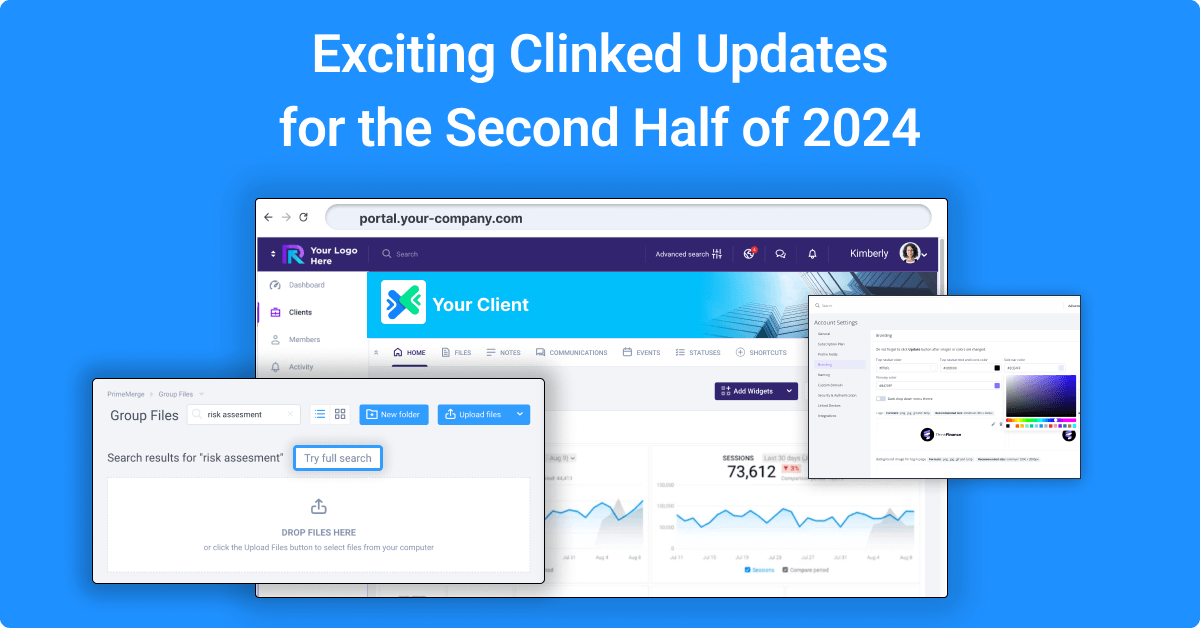
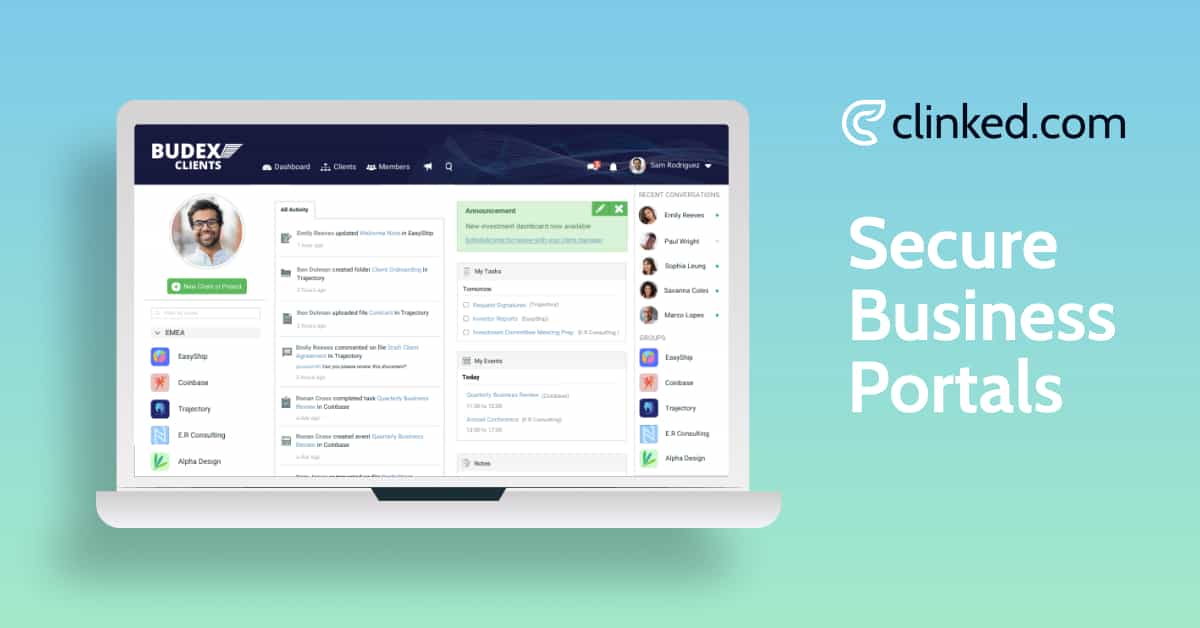
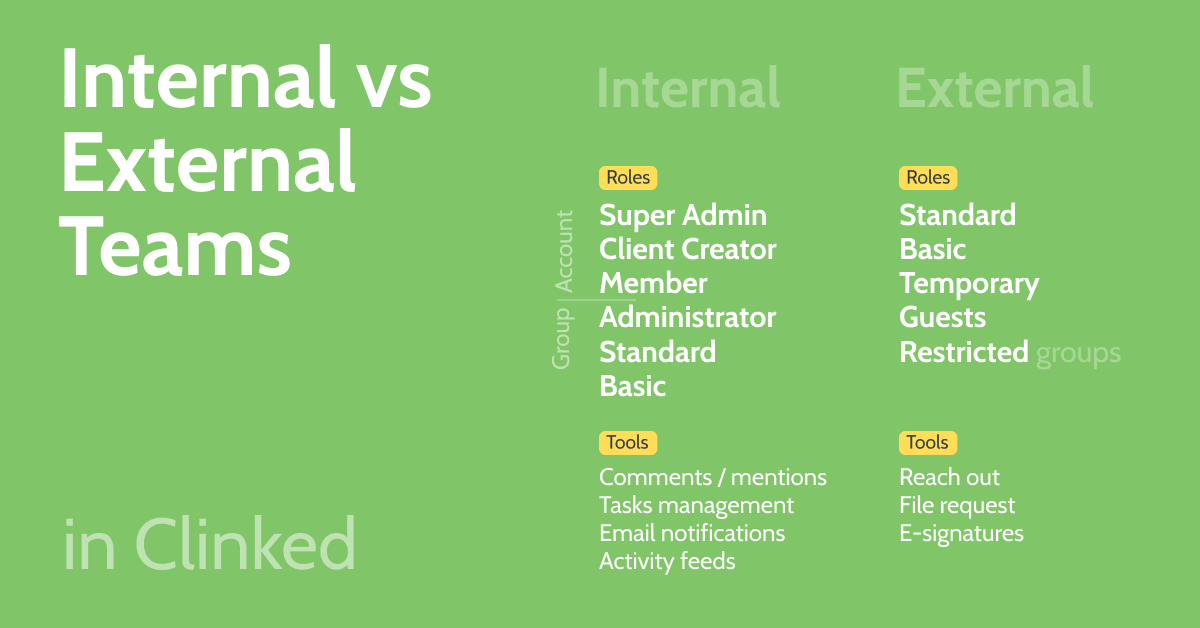
Every workspace is fully white-labelled: your logo, your colours, your own domain, and a branded mobile app, so clients, vendors, or partners experience your business, not a shared Microsoft interface. Access and permissions can be set at the portal, group, or individual file level, and Clinked's guide to internal vs external teams explains exactly how member roles differ for staff versus outside collaborators, so you can give a client view-only access to specific documents while your internal team retains full edit rights, without touching a single inheritance setting.
For firms managing multiple external relationships at once, agencies with dozens of clients, or accountants with hundreds, Clinked supports separate branded portals per client, each with its own permissions and content, all manageable from a single account. Document management is built in rather than bolted on, with version control, secure upload and download, and full audit trails through Clinked's data protection and compliance infrastructure. Security credentials, ISO 27001 certification, SOC 2 compliance, GDPR alignment, and HIPAA-readiness, are core to the platform rather than a premium add-on.
For particularly sensitive external exchanges, due diligence, fundraising, M&A, Clinked's virtual data room functionality adds view-only access, watermarking, and download restrictions on top of standard portal permissions.
Where Clinked wins: It covers client, vendor, and partner collaboration from the same platform, each of which SharePoint handles as a workaround rather than a purpose-built experience. The combination of deep white-label branding, simple permissions, and built-in compliance is difficult to match without stitching together multiple tools.
Best for: Professional services firms, agencies, and any client-facing business that wants external collaborators to experience a branded, professional workspace rather than a generic guest-access experience.
Citrix ShareFile
ShareFile is a long-established secure file-sharing platform, popular with accounting and legal firms specifically for exchanging sensitive documents with clients.
Where it wins: Strong e-signature and client request workflows, plus deep familiarity within accounting and legal industries specifically.
Where it falls short: It leans closer to secure file-sharing than a full client portal experience. Branding and ongoing relationship features (task tracking, persistent workspace) are more limited than dedicated client portal software.
Best for: Firms that primarily need secure document exchange and e-signature workflows rather than a full branded client workspace.
Huddle
Huddle is a UK-founded secure collaboration and extranet platform, historically strong in government, legal, and professional services sectors requiring high security standards for external collaboration.
Where it wins: Strong compliance credentials and a track record with government and highly regulated clients specifically for secure external document collaboration.
Where it falls short: Its interface and setup lean more enterprise and less turnkey than newer client portal platforms, and white-label depth is more limited.
Best for: Government and enterprise organisations with strict security requirements for external collaboration.
SuiteDash
SuiteDash bundles CRM, project management, invoicing, and a client portal into one platform, aimed at small businesses and consultants wanting to consolidate multiple tools.
Where it wins: Breadth. Combining billing, CRM, and portal access in one subscription appeals to smaller teams trying to avoid multiple tool subscriptions.
Where it falls short: Because it spreads across so many functions, the client portal specifically can feel less polished than tools built around external collaboration as the primary focus, and white-label branding is less deep.
Best for: Small businesses and solo consultants wanting client portal, CRM, and billing bundled together.
Box
Box is an established enterprise content platform with strong security certifications, including FedRAMP authorisation, increasingly used for secure external sharing alongside its internal storage use case.
Where it wins: Broad enterprise trust and strong compliance certifications for organisations that need secure sharing across a large, established content library.
Where it falls short: Box functions primarily as secure cloud storage with sharing controls layered on top, rather than a persistent, branded client relationship workspace with task tracking and ongoing collaboration built in.
Best for: Enterprise IT teams that need secure external file sharing at scale more than a dedicated relationship-focused client portal.
When Should Companies Use a Client Portal Instead of SharePoint?
A few signals consistently show up in firms that make the switch:
Client-facing work has become frequent, not occasional. If you're sharing files, collecting documents, and tracking approvals with the same clients on an ongoing basis, a persistent branded portal beats repeated one-off SharePoint guest links.
Clients have complained about the experience. If clients mention confusion logging in, or the interaction feels unprofessional compared to your brand elsewhere, that friction is costing you more than it appears to.
You're managing more than a handful of external relationships. Once you're juggling access for a dozen or more clients, vendors, or partners, SharePoint's site-by-site permission model becomes genuinely difficult to manage cleanly, and mistakes get more likely, not less.
Compliance or audit requirements have increased. If clients, regulators, or auditors are asking for clear audit trails of who accessed what and when, a dedicated platform with built-in compliance is easier to stand behind than a general Microsoft 365 configuration.
Branding has become a differentiator. If your business is competing partly on the quality of the client experience, professional services, agencies, high-touch B2B, a portal that looks and feels like yours is a genuine advantage over a generic Microsoft interface.
If two or more of these sound familiar, it's worth trialling a dedicated client portal rather than continuing to configure SharePoint for a job it wasn't originally built to do. For firms weighing whether the switch is worth the cost, our breakdown of the real cost of SharePoint is a useful reference, since building out a properly secure, branded external-sharing experience in SharePoint often involves the same custom development costs firms are trying to avoid by switching in the first place.
A Comparison at a Glance
What to Check Before You Commit
Whatever platform you shortlist, a few practical tests are worth running before deciding.
Have a colleague simulate being a new client, vendor, or partner logging in for the first time. If it takes more than a couple of minutes, or requires creating an unfamiliar account, that's friction your real external collaborators will feel too.
Check how permissions are managed across multiple external relationships at once. If controlling what one client sees versus another requires configuring separate site structures rather than simple, portal-level settings, that complexity will compound as your external relationship count grows.
Confirm compliance certifications are built into the base platform, not sold as an enterprise-tier add-on, particularly if you work in a regulated industry.
Ask whether the platform genuinely supports vendor and partner use cases, not just client-facing ones, if that's part of what you need. Many client portal tools are built narrowly around one relationship type.
If secure external collaboration with clients, vendors, or partners is the priority, book a demo to see how Clinked's branded portals and permissions work in practice, or check pricing to find the right plan for your team.
Frequently Asked Questions
What is the best SharePoint alternative for client portals? For firms that want a fully branded, white-label workspace covering client, vendor, and partner collaboration with built-in compliance and simple permissions, Clinked is one of the more complete SharePoint client portal alternatives available. Firms whose primary need is transactional document exchange with accounting or legal clients specifically may prefer ShareFile, while enterprise or government organisations with strict security requirements may lean toward Huddle. Our full guide to client portal software covers more options in depth.
What is better than SharePoint for external collaboration? Platforms purpose-built around external collaboration as the primary use case, rather than internal Microsoft 365 collaboration with guest access added on, generally offer simpler permissions, no requirement for external users to create a Microsoft account, and genuine white-label branding. Clinked, ShareFile, Huddle, and SuiteDash all address this gap differently depending on whether your priority is client relationships, vendor management, or partner collaboration.
Is SharePoint good for sharing files with clients? For occasional, single-file sharing, SharePoint can work adequately. For ongoing client relationships involving regular document exchange, approvals, and communication, SharePoint's external sharing model tends to create friction: clients often need a Microsoft account or one-time passcode, the interface carries Microsoft branding rather than yours, and permissions can be difficult to manage cleanly across many external relationships at once.
What should companies use for secure client file sharing? The right choice depends on whether the need is transactional file exchange or an ongoing client relationship. For simple, secure document sharing, a dedicated secure document sharing platform like ShareFile may be sufficient. For firms managing an ongoing relationship involving files, approvals, tasks, and communication, dedicated client portal software like Clinked, which combines secure file sharing with a persistent branded workspace, is generally the stronger fit.
What is the difference between SharePoint and client portal software? SharePoint is a broad, internal-first Microsoft 365 collaboration platform where external sharing is achieved through guest access configured on top of an internal permission structure. Client portal software is purpose-built around external collaboration from the ground up, with white-label branding, simplified permissions for external users, and a persistent relationship-focused workspace rather than a series of individually shared files or sites.
When should companies use a client portal instead of SharePoint? The clearest signals are frequent (not occasional) client-facing work, client complaints about login friction or a generic interface, managing access for more than a handful of external relationships, increasing compliance or audit requirements, and wanting a branded experience that reflects the company rather than a generic Microsoft interface. If two or more of these apply, a dedicated client portal is typically a better fit than continuing to configure SharePoint for external use.




.webp)