


White Label Client Portal Software: Best Tools, Features & How to Choose (2026)
A white label client portal lets you deliver a fully branded experience for clients centralising file sharing, communication, and project management under your own name, not a third-party tool's.
Done well, it removes friction, builds trust, and scales with your business. Done poorly, it adds complexity your team and clients won't adopt.
This guide covers 9 of the best white label client portal platforms, compares them honestly, and gives you a practical framework for choosing the right one.
Looking for a secure white label client portal?
What Is a White Label Client Portal?
A white label client portal is a platform that can be rebranded with your company's logo, colours, and domain so clients interact with your business, not a generic tool.
Core functionality typically includes file sharing, messaging, task tracking, client dashboards, and access controls. The "white label" element means none of the underlying software vendor's branding is visible to your clients.
Why Businesses Use Them
The core problem they solve: client communication scattered across email, Dropbox, Slack, and WhatsApp creates version confusion, security risk, and a poor client experience.
A client portal consolidates everything into one branded, secure hub. Practical benefits include reduced back-and-forth email, faster client onboarding, fewer "where's that file?" requests, and a more professional appearance particularly for agencies, consultants, and service firms managing ongoing client relationships.
Best White Label Client Portal Software: In-Depth Reviews
1. Clinked — Best for secure, easy client collaboration
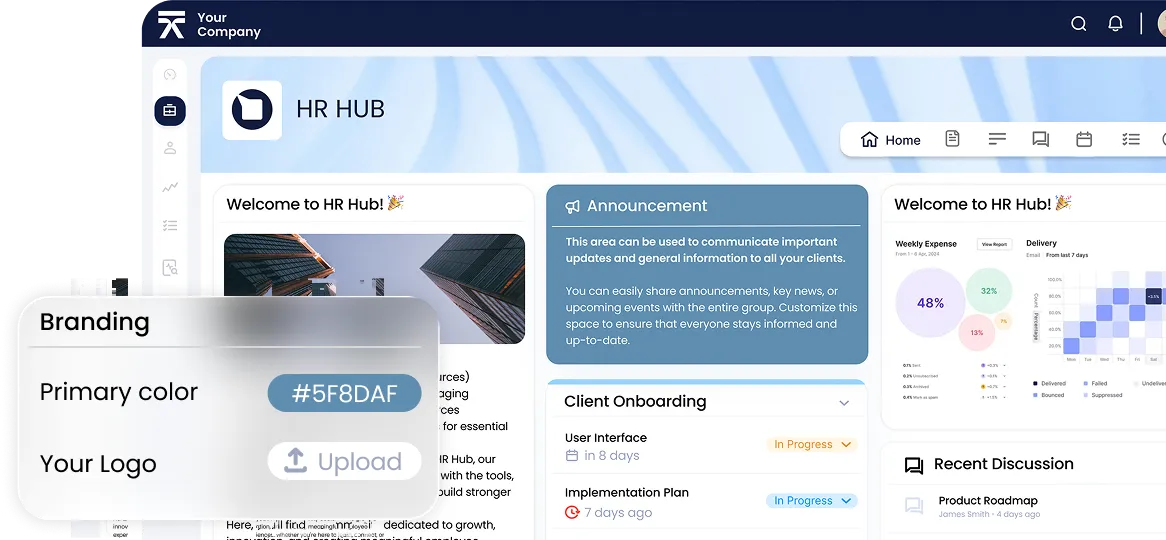
Clinked is purpose-built for businesses that need a branded, secure environment without a steep learning curve. It hits the sweet spot between security and usability — something that's rare in this category.
Strengths:
- Full white-label branding: custom logo, colours, domain, and email notifications
- Granular file permissions and ISO-certified security (ISO 27001)
- Built-in group chat, @mentions, and activity feeds
- Task and project management alongside file sharing
- Native mobile apps (iOS and Android) under your brand
- Simple enough for non-technical clients to adopt without training
Limitations:
- Fewer built-in automation features than Moxo
- Not the right fit for highly complex, multi-step enterprise workflows
Best for: Professional services firms, agencies, financial advisors, and any business that needs a balance of security, branding, and client-friendliness.
Pricing: Mid-range. Plans typically start around $239/month for teams. Custom enterprise pricing available.
If you're looking for a white label client portal that balances security, branding, and ease of use, you can book a demo with Clinked to see how it works for your team.
2. Moxo — Best for complex, process-heavy workflows
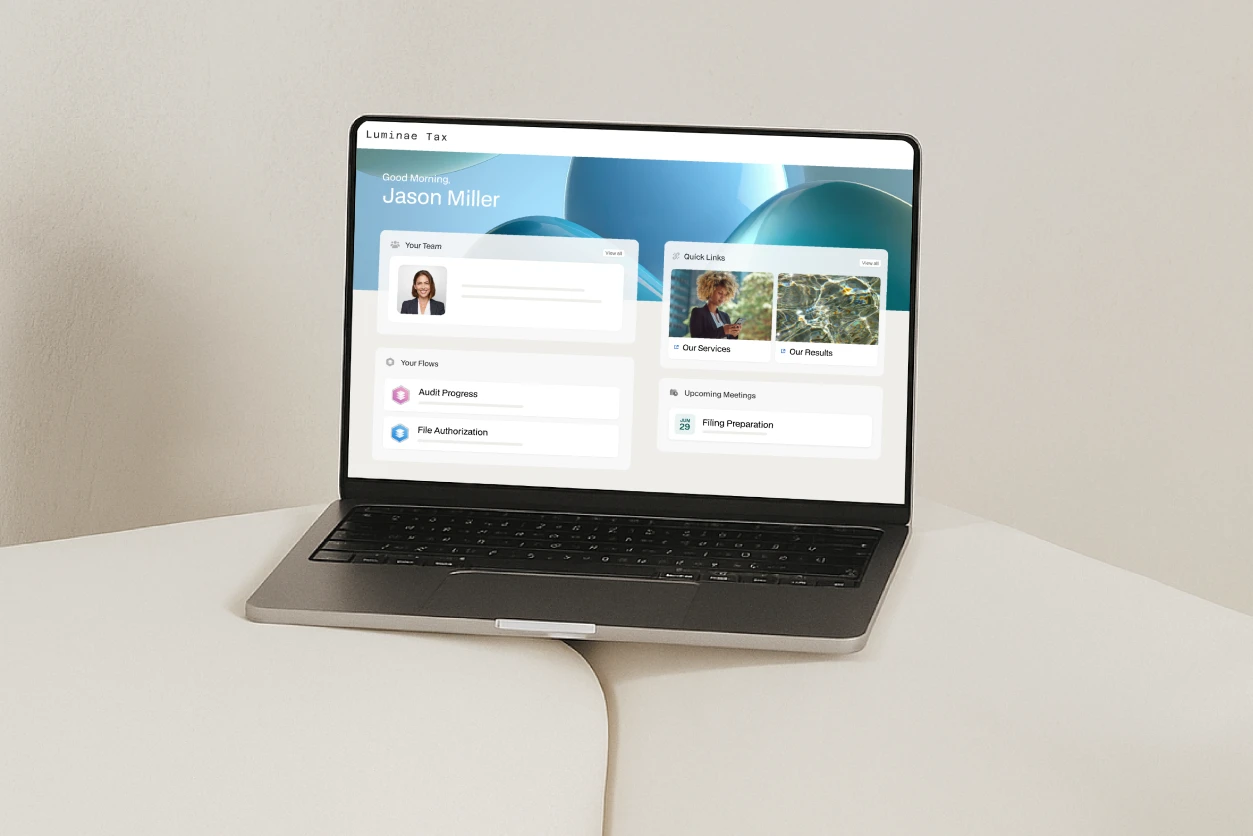
Moxo is designed for organisations with structured, multi-step workflows involving multiple internal teams and external stakeholders. It's powerful, but that power comes with complexity.
Strengths:
- Advanced workflow automation across client and internal processes
- Strong enterprise-level permissions and audit trails
- Structured "Moxo Flow" for multi-step process management
Limitations:
- Significantly longer implementation and onboarding time
- Interface is less intuitive for everyday users
- Overkill — and harder to justify — for smaller or simpler use cases
- Pricing is opaque; custom quotes only
Best for: Regulated industries (banking, legal, insurance) with complex, repeatable client processes.
3. SuiteDash Best all-in-one platform for SMBs
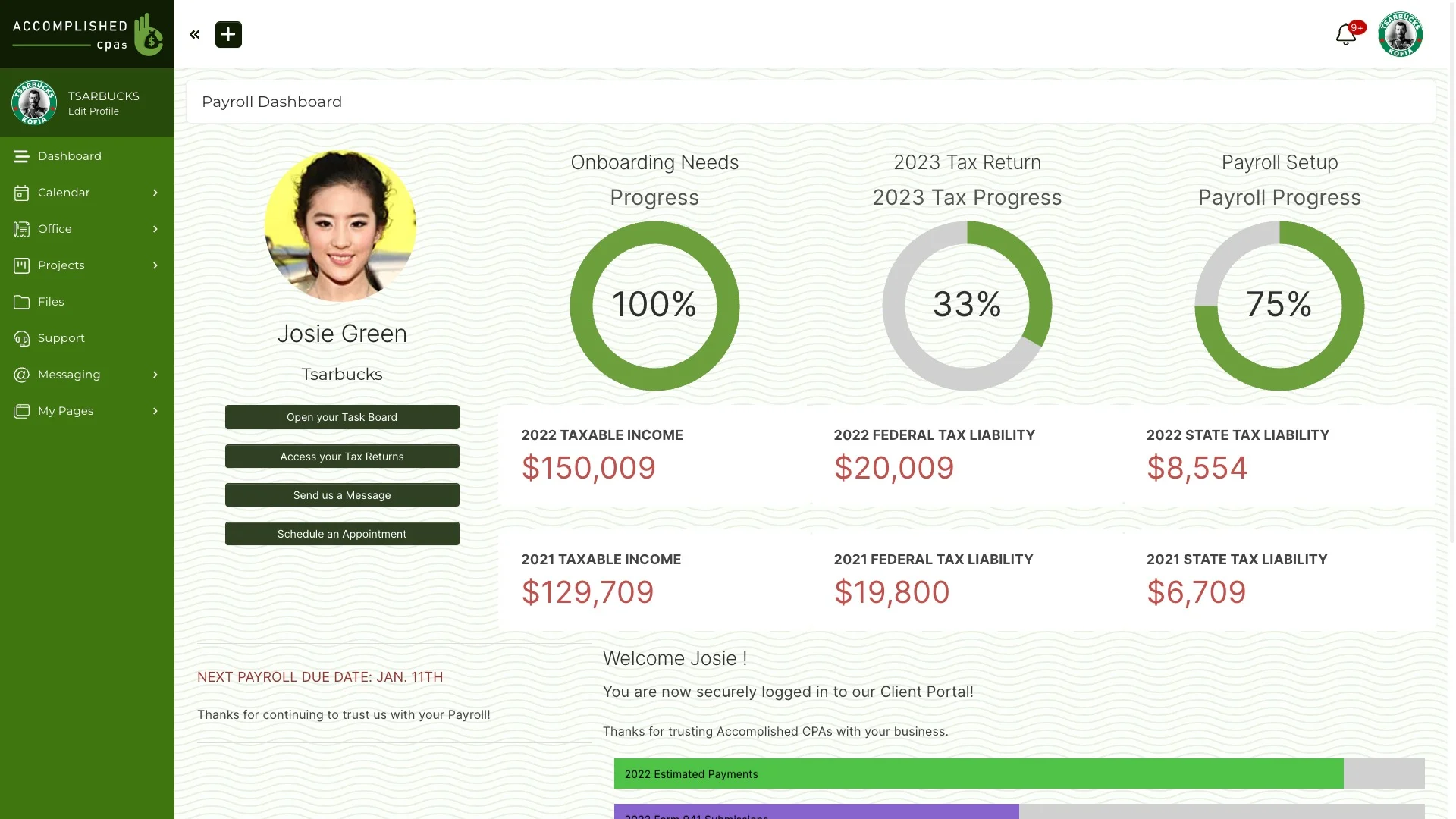
SuiteDash bundles CRM, client portal, billing, project management, and email marketing into one platform. For small businesses wanting to replace multiple tools, the value proposition is strong.
Strengths:
- Exceptionally cost-effective — flat-rate plans from around $19–$99/month
- White-label branding including login pages, email notifications, and domain
- Replaces several tools in one subscription
Limitations:
- Interface can feel dense and overwhelming to new users
- Less flexibility than platforms built specifically for client portals
- Some features feel less polished than dedicated tools
Best for: Solo operators and small businesses wanting an affordable all-in-one solution.
4. Copilot — Best for small agencies wanting fast setup
Copilot is a lightweight, modern client portal aimed at agencies and freelancers. It prioritises simplicity and clean design over feature depth.
Strengths:
- Fastest setup of any tool in this list — typically live in under a day
- Clean, modern interface clients respond well to
- Integrates with Stripe for payments and DocuSign for contracts
Limitations:
- White-label depth is partial — some Copilot branding remains on lower plans
- Limited customisation compared to Clinked or Moxo
- Not suitable for businesses with complex workflows or large file volumes
Best for: Freelancers, boutique agencies, and consultants serving a smaller client base.
Pricing: From around $29/month, scaling with the number of clients.
5. Knack — Best for custom-built portals
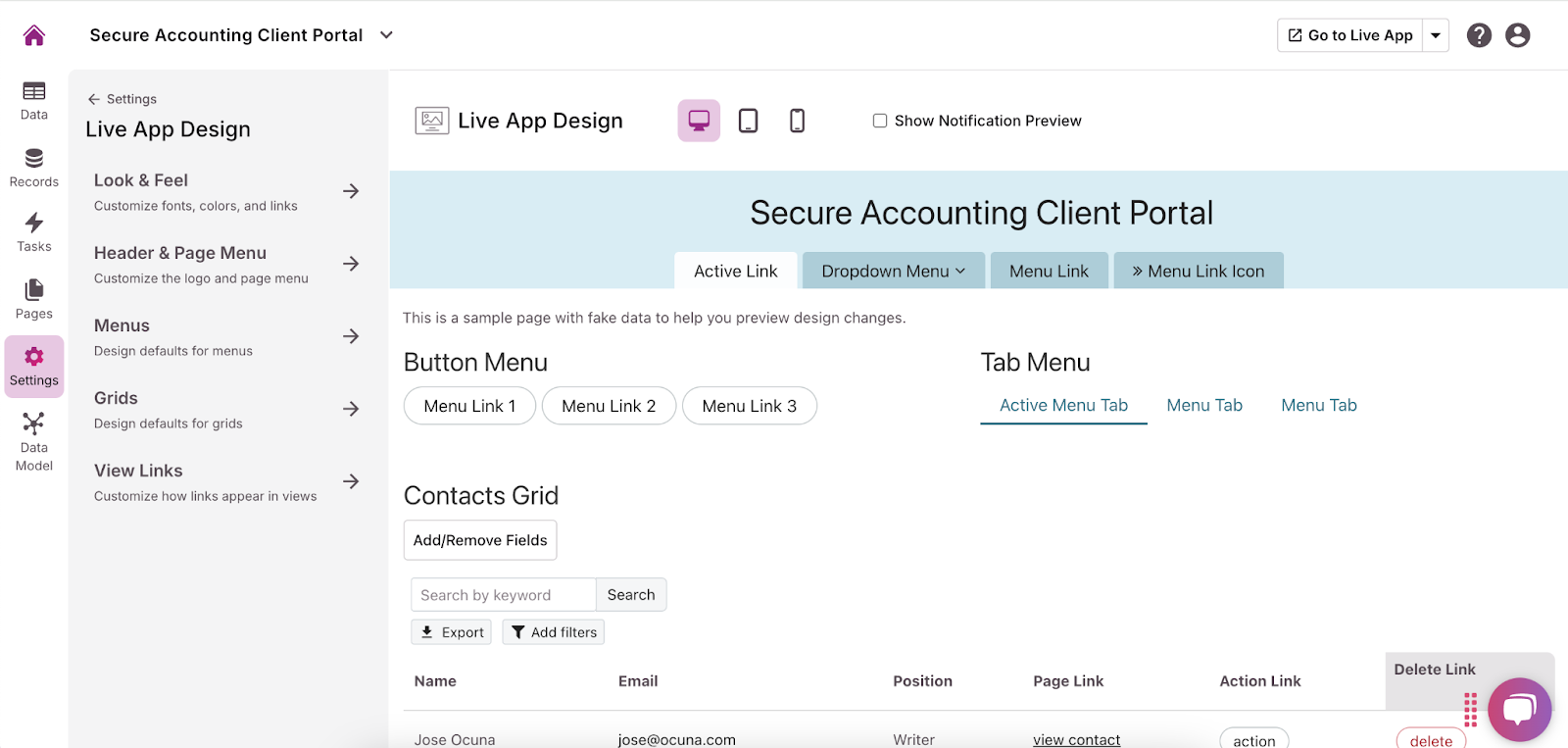
Knack is a no-code database and app builder that lets you construct a client portal from scratch. It's not a portal out of the box — it's a toolkit.
Strengths:
- Highly flexible; you define the data model, views, and workflows
- Good for businesses with non-standard requirements
- Connects to third-party tools via Zapier and native integrations
Limitations:
- Requires meaningful setup time — not plug-and-play
- No native mobile app
- Custom domain support is limited depending on plan
- Ongoing maintenance falls on your team
Best for: Technical teams or businesses with unique workflows that no off-the-shelf tool accommodates.
6. Softr — Best for teams already using Airtable or Google Sheets
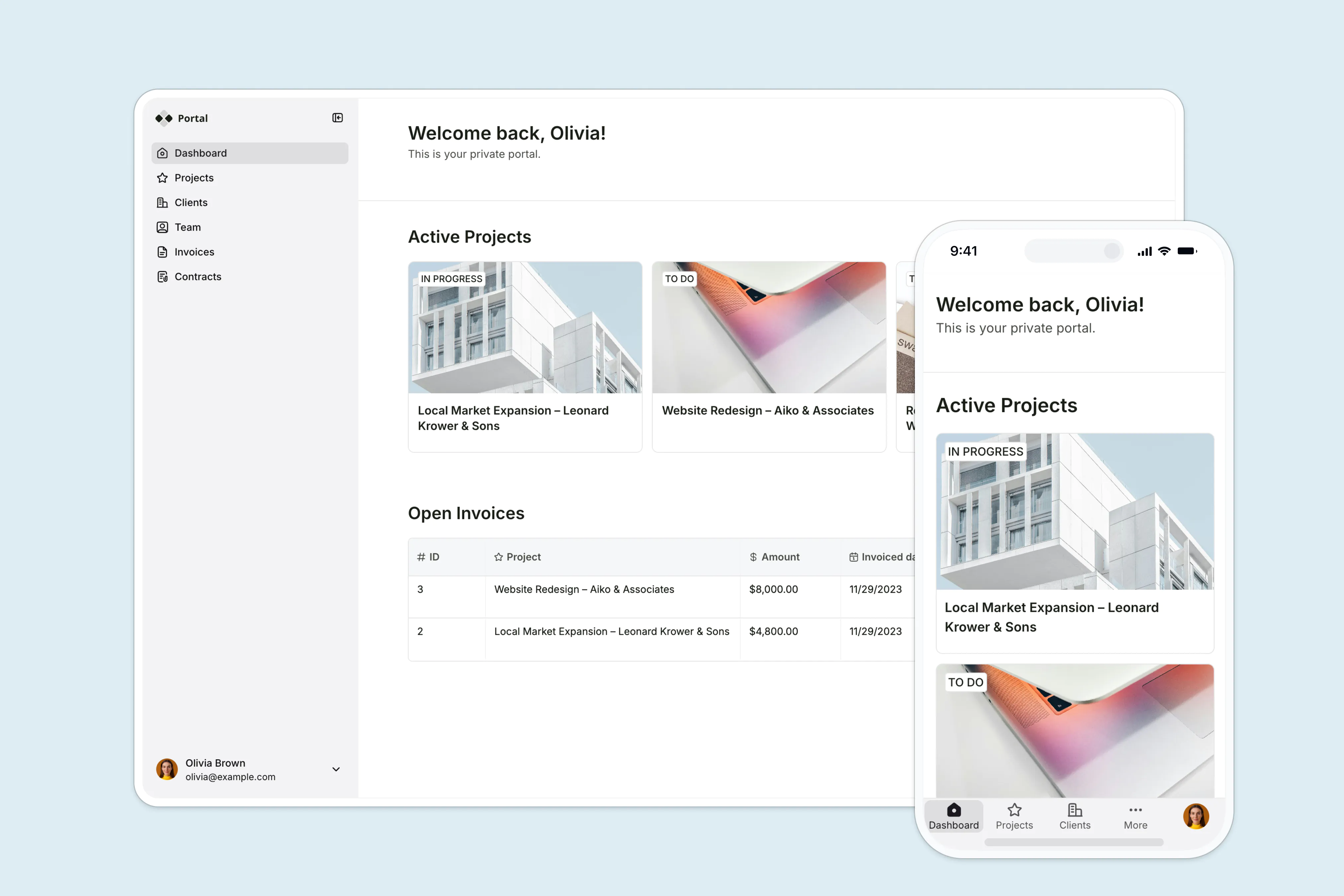
Softr lets you build client portals directly on top of your existing Airtable or Google Sheets data. If your business already runs on those tools, it's a compelling option.
Strengths:
- Turns existing data into a client-facing portal with minimal effort
- Clean, no-code builder with reasonable design flexibility
- Good for membership portals, dashboards, and resource libraries
Limitations:
- Dependent on Airtable or Google Sheets as the data layer — limited without them
- Not a full collaboration platform (limited messaging/task tools)
- White-label support varies by plan
Best for: Teams already using Airtable who want a client-facing layer without rebuilding their workflow.
7. Huddle — Best for enterprise document collaboration
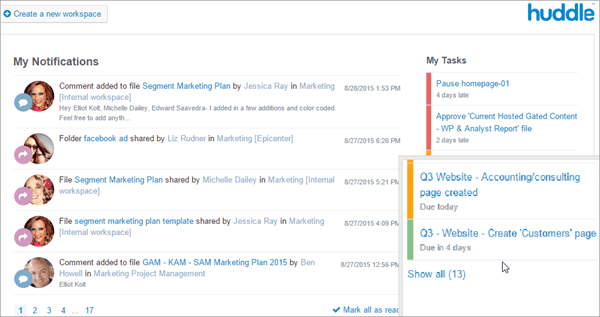
Huddle focuses on secure document collaboration for large organisations, particularly in government and regulated sectors.
Strengths:
- Enterprise-grade security and compliance credentials
- Strong version control and document approval workflows
- Trusted by public sector and large enterprise clients
Limitations:
- Expensive relative to mid-market tools
- Less suitable for businesses that need broad project management features
- Design feels dated compared to newer tools
Best for: Large enterprises or public sector organisations where document governance is the primary need.
8. Onehub — Best for secure file sharing and client rooms
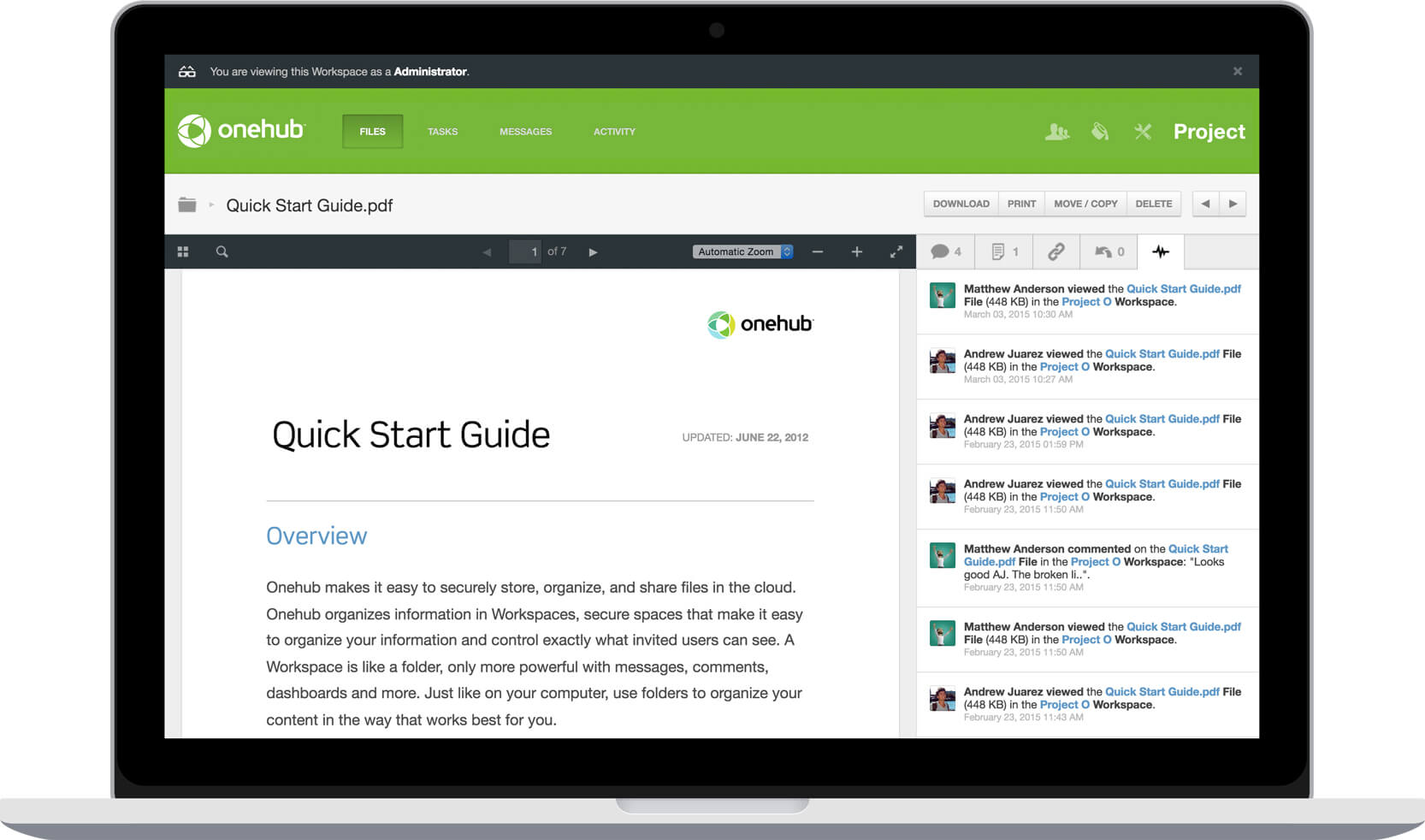
Onehub is a simple, well-regarded platform focused primarily on secure file sharing with a clean client-room experience.
Strengths:
- Easy to set up branded client workspaces ("Portals")
- Strong file permission controls and audit logs
- Reasonable pricing for small to mid-sized teams
Limitations:
- Limited project management and task features
- Not built for complex collaboration beyond files and messages
Best for: Businesses whose core client interaction is document delivery and review — accountants, lawyers, real estate.
9. Zoho Creator — Best for businesses in the Zoho ecosystem
Zoho Creator lets you build custom portal applications, and integrates tightly with the rest of the Zoho suite (CRM, Books, Projects, Desk).
Strengths:
- Very affordable, especially for Zoho users
- Full white-label capability including custom domain
- Deep integration with Zoho's broader platform
Limitations:
- Steeper learning curve for non-technical users
- Best value only if you're already using Zoho tools
- Interface design requires effort to make client-friendly
Best for: Businesses already invested in the Zoho ecosystem looking for a portal that fits their existing stack.
How to Choose the Right White Label Client Portal
Use these criteria to narrow your shortlist:
1. What is your primary use case? File sharing, project management, and communication have very different feature requirements. Some platforms (Onehub) excel at one; others (Clinked, SuiteDash) cover all three.
2. How technical are your clients? If clients are non-technical, ease of use is non-negotiable. Copilot and Clinked have the lowest learning curves. Moxo and Knack require more onboarding effort.
3. How important is branding depth? "White label" varies widely. Full white-label means your logo, colours, domain, and branded email notifications — with zero vendor branding visible. Partial means some vendor branding persists, especially on lower plans. Clinked, Moxo, SuiteDash, and Huddle offer full white-label. Copilot and Softr are partial on entry plans.
4. What are your security and compliance requirements? ISO 27001, SOC 2, GDPR compliance, and audit logs matter in regulated industries. Clinked (ISO 27001) and Huddle are strongest here. Verify certifications directly with any vendor before committing.
5. What does your team need, not just your clients? The best portal is the one your team actually uses. Avoid platforms with a long implementation time unless you have the internal resources to support it.
6. What's your realistic budget? Monthly costs range from around $19 (SuiteDash entry plan) to enterprise quotes of $1,000+ (Moxo, Huddle). Factor in user limits and any per-client fees. Most platforms offer a free trial — use it.
7. Will this scale with you? If you're growing, check whether pricing scales predictably or spikes at certain client/user thresholds.
Pricing is indicative based on publicly available information as of 2026. Always verify directly with vendors.
Frequently Asked Questions
What is the difference between a client portal and a white label client portal?
A standard client portal is branded with the software vendor's name. A white label version removes all vendor branding and lets you present the portal entirely under your own brand — your logo, domain, and colours.
Which white label client portal is easiest to use?
Copilot and Clinked are consistently rated the easiest to use both for internal teams and for clients who aren't technically inclined. SuiteDash and Knack sit in the middle. Moxo has the steepest learning curve.
Can I use my own domain with a white label client portal?
Most full white-label platforms support custom domains (e.g., portal.yourcompany.com). This is standard on Clinked, Moxo, SuiteDash, Copilot (paid plans), and Onehub. Check whether a custom domain is included or costs extra on your chosen plan.
What's the best client portal software for agencies?
For small agencies: Copilot (fastest setup) or Clinked (if security, file management matter and easy adoption). For larger agencies with complex workflows: Clinked or Moxo. For budget-sensitive agencies: SuiteDash.
What security certifications should I look for?
ISO 27001 is the most recognised international standard for information security. SOC 2 Type II is important in North America. If you're handling financial or medical data, check for GDPR compliance (EU) and any sector-specific requirements. Clinked holds ISO 27001 certification; always verify current certifications directly with vendors.
Is there a free white label client portal?
No full-featured white label portal offers a permanent free plan. Most offer free trials (typically 14–30 days). SuiteDash is the most affordable paid option. Be cautious of free tools white-label branding and security features are typically paywalled.
How long does it take to set up a white label client portal?
Copilot and Clinked can be live within hours. SuiteDash typically takes a few days of configuration. Moxo and Knack may require weeks of implementation depending on complexity.
Summary: Which White Label Client Portal Is Right for You?
- Security + usability : Clinked
- Complex enterprise workflows: Moxo
- Lowest cost, most tools: SuiteDash
- Fastest setup for small teams: Copilot
- Full custom build: Knack
- Airtable users: Softr
- Document governance, enterprise: Huddle
The best platform is the one your team deploys consistently and your clients actually use. Prioritise adoption over feature lists, and always verify security certifications and white-label depth before signing a contract.


