.webp)


So you've been comparing spreadsheets, reading endless feature lists, and probably questioning your life choices somewhere around the third detailed review about Odoo vs Zoho. I get it. You need ERP software to run your business, but you also need software your clients will actually want to use.
Would you consider your company "customer-obsessed"? If not, you should.
Forrester notes that ones that focus on customer experience report 41% faster revenue growth, 49% faster profit growth, and 51% better customer retention than the ones than non-customer-obsessed organizations.
Here's what most Odoo comparison guides miss: both Zoho and Odoo are powerful platforms designed to manage your internal operations. But what about the people paying your invoices? What about the client experience?
This guide covers the full Odoo vs Zoho comparison you came for, including features, pricing, integrations, and user ratings. But we're also introducing a third option that might change how you think about business management software altogether.
What is Odoo?
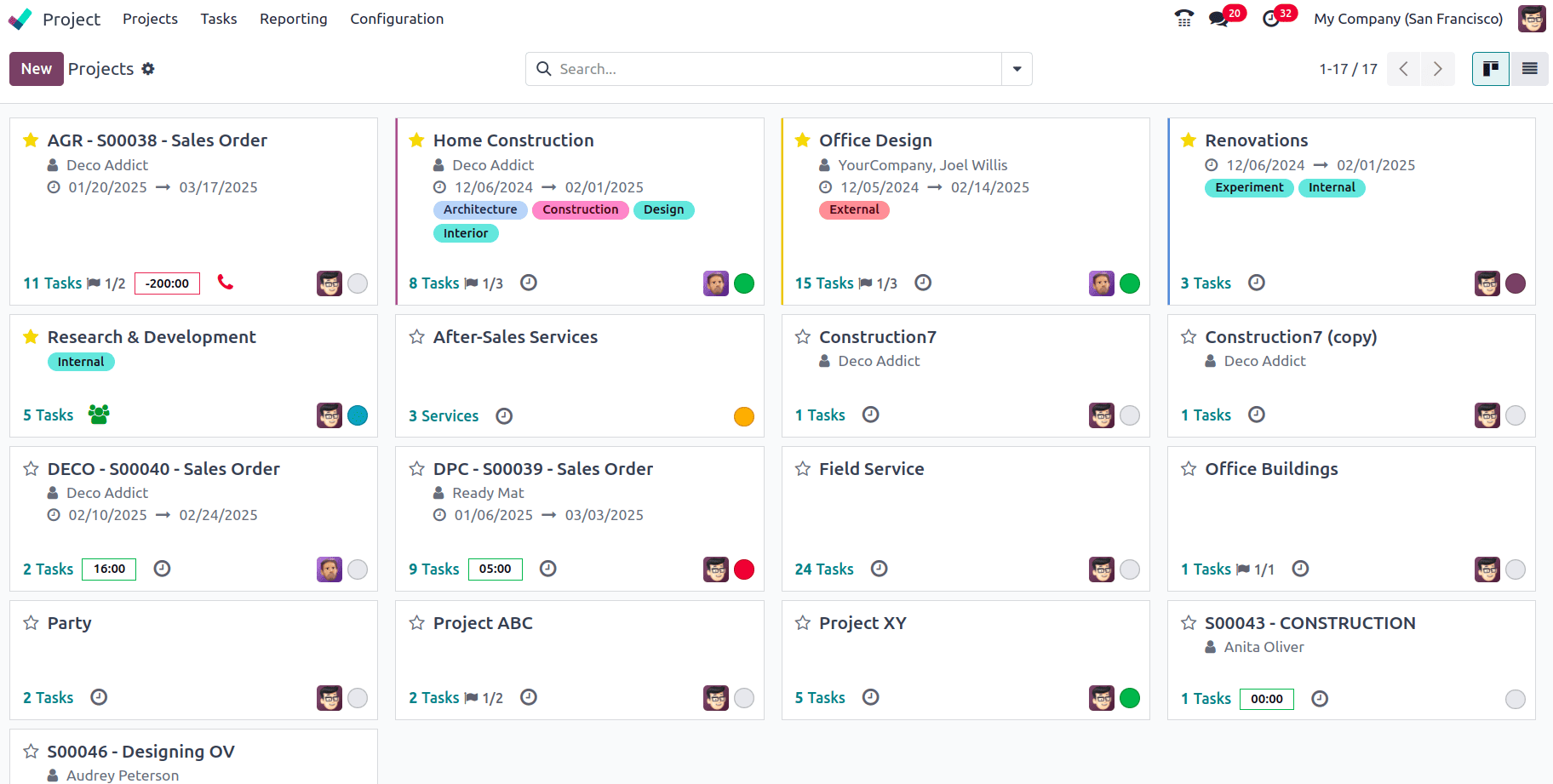
Odoo is an open-source, comprehensive ERP system that centralizes all business functions into a single platform. You could call it a LEGO-like system with a modular structure where you only install the apps you need, like ones for customer relationship management and accounting, manufacturing (MRP) or inventory. Odoo's strength lies in its modular design, letting you start small and expand as you grow.
Here's what that looks like in practice: a manufacturing company can use Odoo to manage its entire lifecycle, from tracking raw material inventory and planning work orders to automated invoicing and real-time shipping estimates via DHL. An e-commerce retailer can build their online storefront using Odoo's drag-and-drop builder, which instantly syncs sales data with their accounting books and warehouse stock levels.
For medium-sized businesses that want deep customization and a single source of truth across multiple departments without multi-million dollar licensing, Odoo is genuinely appealing. But be warned: I wouldn't call implementation simple. You may need a technical consultant to avoid data migration errors.
See also: Odoo alternatives
What is Zoho?

Zoho Corporation has spent nearly three decades building an ecosystem of business applications. Zoho One, their flagship offering, bundles 45+ integrated Zoho applications into a single subscription, creating a unified Zoho ecosystem to streamline operations.
A small software startup might use Zoho CRM to track bugs and manage team sprints while simultaneously nurturing leads and automating follow-up emails to improve customer relationships. A real estate agent could use the mobile app to scan business cards at open houses and instantly trigger automated email nurture sequences.
The Zoho philosophy is a bit different from Odoo's. Rather than starting with the basics and building up, Zoho gives you the entire Zoho suite from day one. CRM, email, project management, HR, accounting, marketing automation, customer support... it's all there with pre-built integrations and ready to go.
The best use for this is small businesses and SMBs that are cost-conscious but need enterprise-grade features. It's particularly popular in professional services, real estate, software, manufacturing and retail. The tradeoff? Mastering complex settings, Blueprints (sales process automation), and Deluge scripting can be overwhelming for non-technical users who just want a user-friendly interface.
Zoho vs Odoo: A detailed review of core functionalities
Let's break down the key areas where these platforms compete.
Core features
Both platforms are feature-rich, but they approach functionality differently.
Odoo is great for operational ERP capabilities, financial management, manufacturing, inventory management, supply chain and warehouse operations. The platform has a double-entry inventory system that gives professional-grade traceability to track stock levels from supplier to customer.
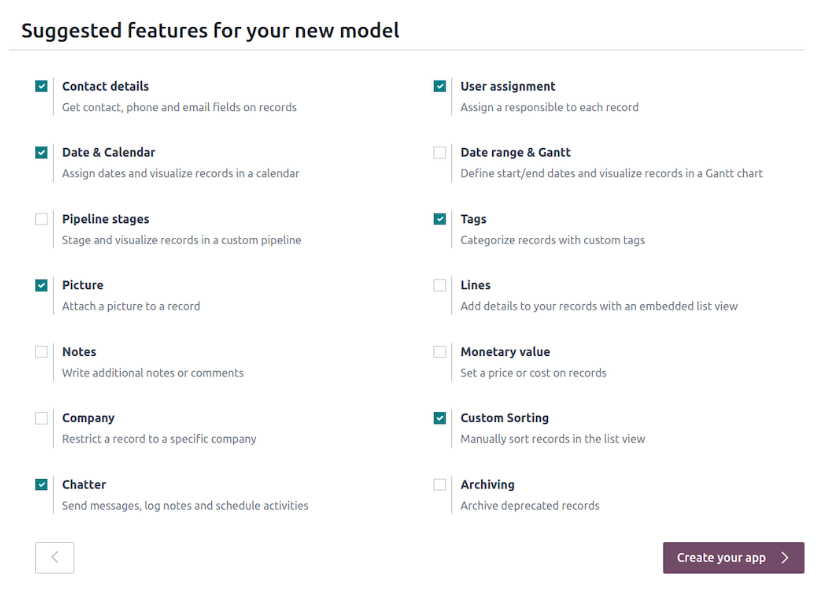
Key Odoo features include:
- Odoo Studio: A highly customizable, low-code tool for creating custom apps and fields
- Modular architecture: Lets you choose only the apps you need (CRM, Sales, Inventory, Accounting, Manufacturing, etc.) and is highly customizable
- Ask AI Agent: A conversational assistant with advanced analytics that can sort documents, summarize transcripts and more
- Workflow automation: E.g. an approved sales quote automatically generates a delivery order and accounting invoice
While Odoo CRM can manage customer relationships, it isn't its strongest suit. The same goes for marketing automation, which feels more utilitarian than sophisticated.
Zoho has a fairly user-friendly customer relationship management tool. It lets you centralize lead follow-ups and once properly set up, it becomes a 360-degree view of your business with extensive customization options.
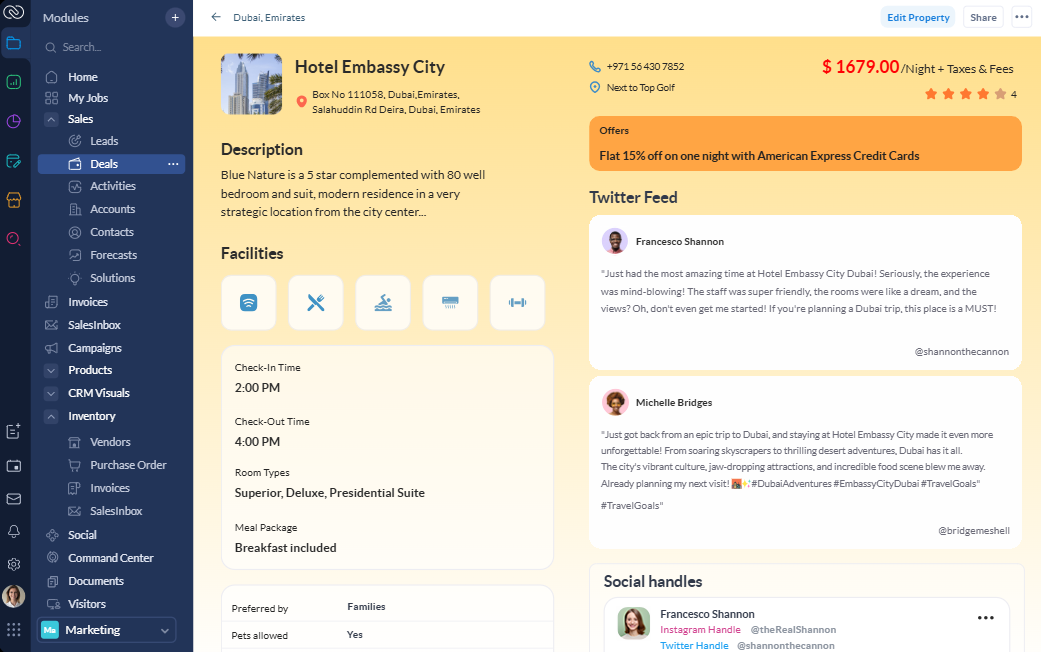
Key Zoho features include:
- Unified cloud for enterprise suite: One platform with CRM, finance, HR, marketing, communication, project tools, and more
- Zia (AI Assistant): It has many functions, e.g. it can predict sales outcomes and give intelligent recommendations with advanced analytics, or create reports and workflows or retrieve data
- Blueprint: A drag-and-drop tool for workflow automation
- Canvas Design Studio: A no-code visual editor that lets you completely redesign the CRM interface without coding
Where Zoho falls short is in manufacturing and complex workflows involving inventory. If you're running a production floor, Zoho likely won't cut it. For professional services firms, agencies and knowledge workers, Zoho typically offers more relevant core features out of the box. For manufacturers, distributors, and operations-heavy businesses, Odoo usually wins.
Integration capabilities
Odoo's open-source nature means its integration capabilities are technically unlimited if you have developers on staff to help with custom integrations. You can find integrations for Stripe, PayPal, DHL, FedEx, UPS, Amazon, eBay and Google/Outlook Calendar. Data flows seamlessly within the Odoo ecosystem, but third-party applications like DHL or Mailchimp can require manual workarounds for complex logic. There is also an extensive community apps store you can browse.
Within the Zoho ecosystem, data flows from a support ticket (Zoho Desk) into a client's financial record (Zoho Books) super well. For external tools, you'll find pre-built integrations for Microsoft 365 and Google Workspace. However, integrating third-party apps outside the Zoho suite can be tough.
Both platforms connect to Zapier, giving you access to thousands of additional third-party applications. For businesses that need the necessary tools to scale, either platform will integrate with what they're already using; but neither excels at deep third-party connections, rather at giving you one depply connected system you need to migrate to.
Pricing
Odoo pricing:
- One App Free: $0 forever for unlimited users on a single app
- Standard: $14.80/user/month for new users (includes all Odoo apps on Odoo Online cloud)
- Custom: $22.40/user/month (allows Odoo.sh hosting paid extra and multi-company support)
Odoo's per-user pricing that covers all apps looks attractive initially, but you need to allocate an extra 20–30% for setup and training. While the software is affordable, the cost of Odoo Partners (implementation consultants) and hosting (Odoo.sh) can add up quickly. Building an Odoo ERP system can range from $5,000 to over $50,000, depending on complexity and business size.
Zoho pricing:
Zoho has different pricing for all of its products. CRM has a free version and then starts from $20/user/month with monthly billing.
Zoho One gives you two options:
- All employee pricing: $45/user/month
- Flexible user pricing: $105/user/month
Zoho offers some of the best value-for-money in the customer relationship management industry, providing features that would cost 3–4x more on some competitor platforms. Zoho's all-employee requirement can catch you off guard, though. If you only need software for half your team, you're paying for everyone anyway, or paying premium rates per user.
For small businesses where everyone needs access to business tools, Zoho One offers exceptional value. For larger organizations where only certain departments need software access, Odoo's flexibility and customization options win financially.
Customer support
Odoo support is mixed. Sometimes you can solve complex issues in 10 minutes via live chat, while others you wait days for an email reply. It's generally better when dealing with standard features rather than custom code. The Odoo community is a great resource where users share DIY fixes for common configuration issues, and you'll find it's often more helpful than official channels.
Zoho support isn't as good as it used to be. You can get stuck in email loops for weeks. Technical issues can get escalated to the dev team that provides no ETAs. Premium support (24/7 phone, priority access and oboarding help) is gated behind higher-tier paid plans.
Ease of use
I would describe Odoo's user interface as clean and modern for daily tasks. Desktop UI is nice, with intuitive features like backslash commands that quickly trigger actions. However, the platform is overwhelming at the start due to the sheer volume of features and customization options. Once mastered, complex workflows become easy but migration and onboarding can be a pain.
The mobile app is a bit cluttered, though. Analytics, Odoo Studio customization, and complex dashboard creation are effectively desktop-only. Unnecessary scrolling makes on-the-go data entry frustrating.
Zoho feels more user friendly on the surface with its consumer-oriented user interface. Once properly set up, it becomes a 360-degree view of your business. However, you'll find sometimes it just takes too many clicks to get simple tasks done. The interface is organized but overwhelming.
The mobile CRM is actually quite good, with features for meeting planning, business card scanning, and voice commands via Zia. However, it can be slow when loading large pipelines.
User rating
Odoo: My score is 8.2/10. Users praise the unmatched feature-to-price ratio and extreme modularity, but the platform is penalized for complex implementation that often requires expensive third-party partners and a mobile experience that lags behind desktop.
Zoho: My score is 7.8/10. It's good value for money and has a broad feature set. However, the customer support could be better, plus it has a steep learning curve for advanced features.
Here are some objective ratings from Capterra:
Odoo: 4.2/5

Zoho One: 4.1

Clinked: Odoo and Zoho alternative for client-facing teams
Both Odoo and Zoho are solid, modular business management platforms with unique applications for different business types. Odoo handles operational complexity well (users can manage an entire manufacturing lifecycle or sync e-commerce with accounting in real-time), while Zoho connects your internal teams effectively with its 360-degree view of business operations.
But both are fundamentally internal-facing platforms. They're designed for your employees to manage your business. What about your clients? Remember "customer-obsessed" revenue from the intro?
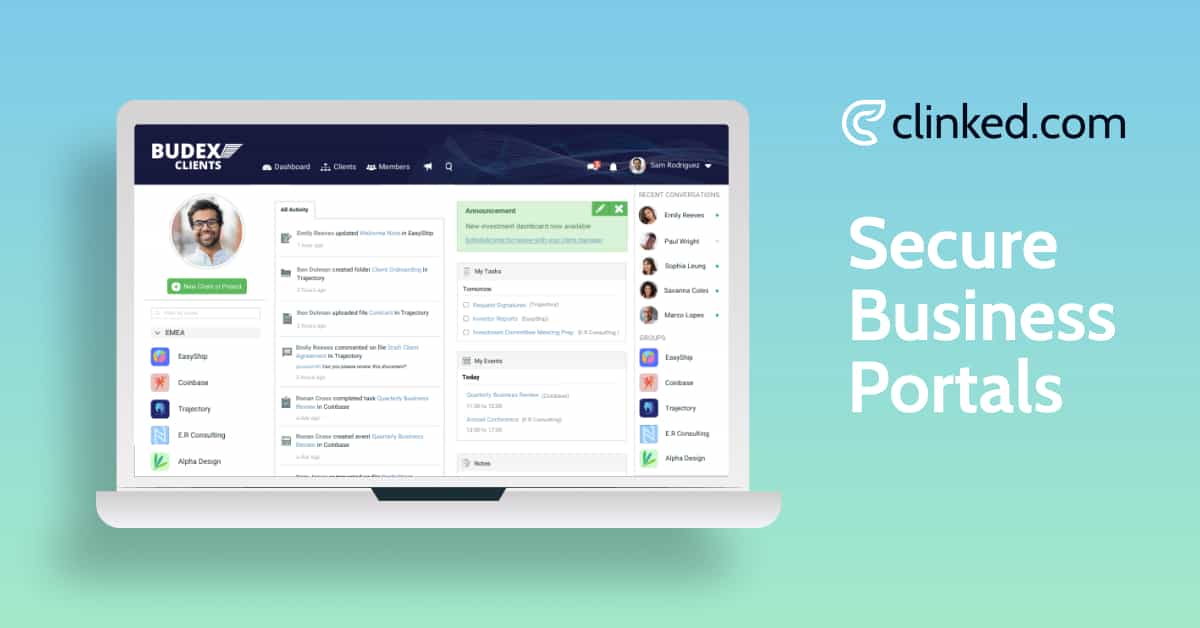
Well, Clinked is a cloud-based customer portal and client collaboration platform that fills a gap neither Odoo nor Zoho addresses: the client experience.
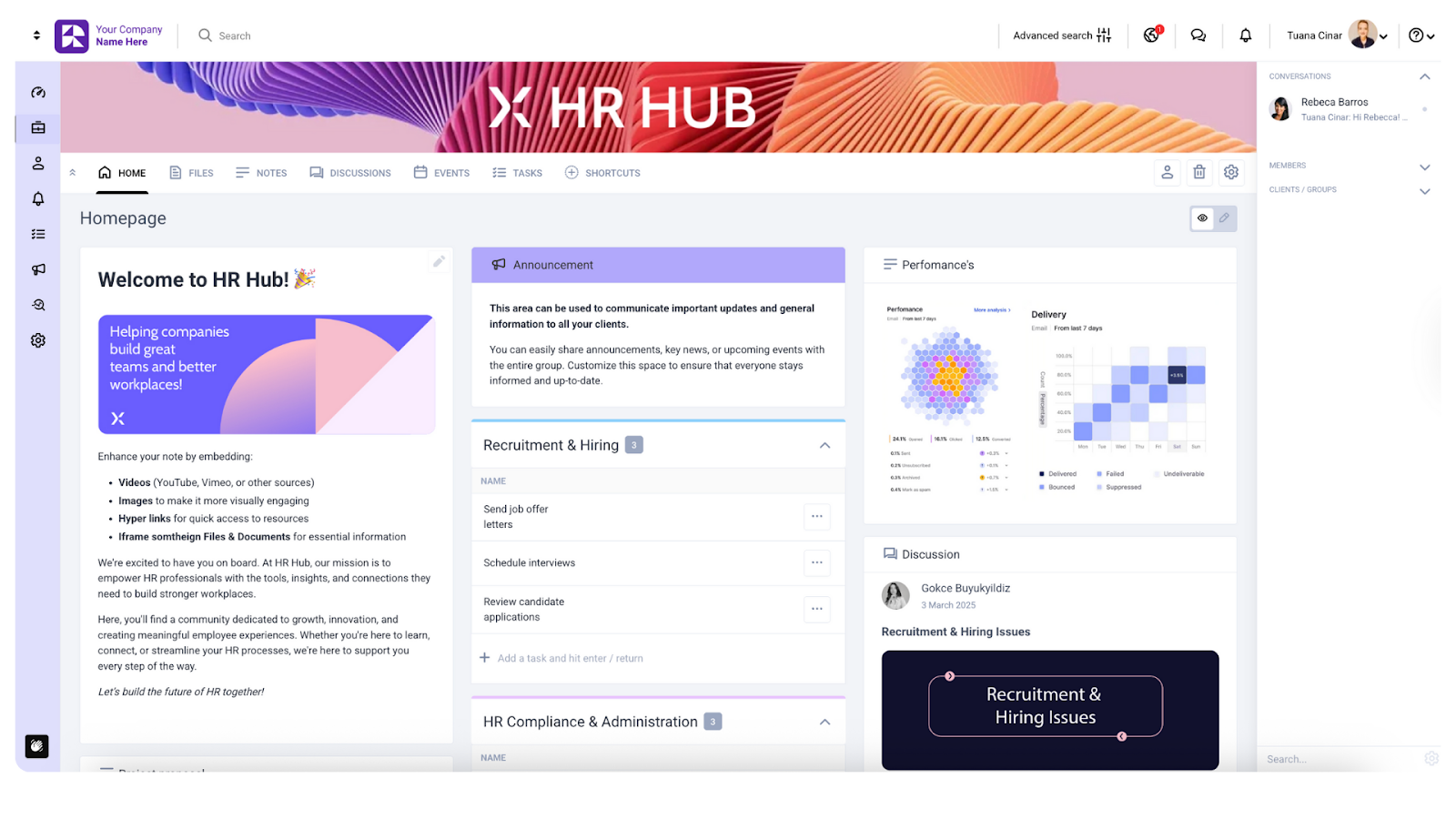
Think about it. Your CRM tracks client data. Your project management tools track tasks. Your accounting software tracks invoices. But where do your clients actually go to collaborate with you? To share documents? To track their projects? To feel like a genuine partner in the work you're doing together?
Most businesses answer this with a chaotic mix of email attachments, shared drives and crossed fingers.
What Clinked offers
Clinked has extensive tools for organizing your team's work with project tracking and document storage and management tools, but it also focuses on what clients see and experience, providing the necessary tools for external collaboration:
- Secure file sharing and virtual data rooms: Bank-grade encryption (256-bit SSL in transit, AES at rest), version control, audit trails and approval workflows. ISO 27001 certified, GDPR compliant, and HIPAA-capable.
- Real-time collaboration: Group and 1-on-1 chat, @mentions, discussion forums, email notifications and push alerts. Everything clients need to stay in the loop without endless email chains.
- Project and task management: Kanban-style boards, task assignments, shared calendars, file requests and approvals. Clients can see exactly where their projects stand.
- White-label customization: Branded portals, custom domains and optional branded mobile apps. Your clients interact with your brand, not some third-party tool.
- Mobile access with notifications: Clinked's mobile app for iOS and Android provides full portal functionality on phones. You (or your customers) can upload files, create and complete tasks, join discussions, review and approve... Everything works just as smoothly as on desktop.
- Integration capabilities: Native connections to Google Workspace, Microsoft 365, Docusign, Adobe Sign, calendar apps, and 7,000+ third-party apps through Zapier.
Book a Clinked demo or start your free trial today
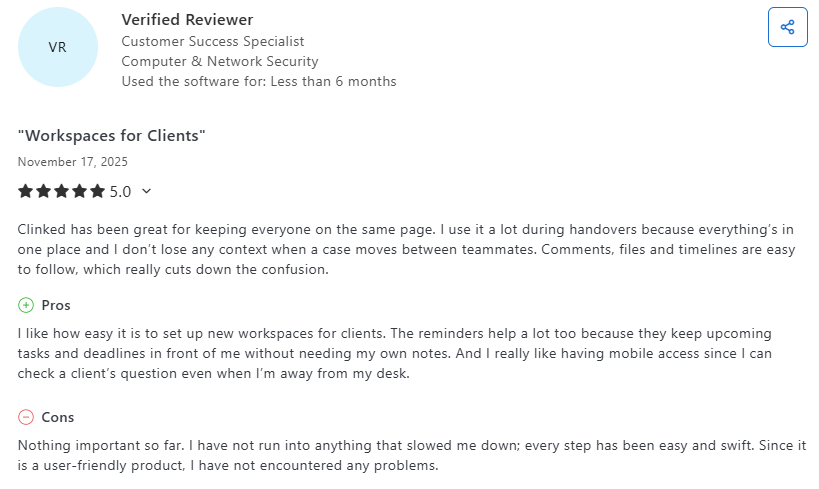
It has a 4.9 score on Capterra, with users often praising its ease of use and customer service.
Why client experience matters now
The Odoo vs Zoho debate typically centers on internal efficiency. Which platform helps your team streamline operations faster? Which offers better financial reporting? Which automates more processes?
These questions matter. But they miss something fundamental. Modern clients demand transparency. They want to see their documents, track their projects and have everything one click away. They don't want to email you asking for status updates. They want to log in and see for themselves.
Self-service portals are the competitive imperative. 95% of buyers believe they improve purchasing efficiency, with two-thirds saving 30 to 60 minutes per transaction.
The simplicity factor
There's another angle worth considering: complexity.
Odoo and Zoho are powerful precisely because they do so much. But that power comes with weight. Odoo implementation requires technical consultants, and there's no way to skip migration nightmares. With Zoho you need a consultant or dedicated IT person to handle complex workflows in automation and reporting.
For small to medium teams, that overhead can be crushing.
Clinked takes a different approach. Purpose-built for client collaboration, lightweight by design, fast to deploy, and delivering immediate value regardless of business size. You don't need to reconfigure your entire business setup, and you can just drag-and-drop all your business documents.
Teams go live in days. Clients figure out the user-friendly interface without training manuals.
Odoo vs Zoho vs Clinked: Comparison table
Odoo vs Zoho vs Clinked: Combine projects, teams and clients
The Odoo vs Zoho isn't the whole picture. Odoo delivers scalability and a modular design that expands as your business grows. Zoho offers good value and a unified ecosystem for SMBs looking to consolidate their tech stack across multiple departments.
Both solve internal operations well. Neither excels at client collaboration.
Your business needs internal systems that keep your team aligned and efficient. But it also needs external touchpoints that keep clients engaged, informed and loyal. The most successful firms aren't choosing between internal efficiency and client experience; they're investing in both.
Clinked offers the client collaboration layer that Odoo and Zoho lack, while providing you with the internal cooperation features they both cover. Secure, branded and purpose-built for professional services, it delivers immediate value without the implementation complexity of full ERP software systems.
Book a Clinked demo or start your free trial today
FAQs
Is Odoo vs Zoho better for teams that need deep customization?
Odoo generally wins here. Being open-source with a modular structure, the platform is highly customizable and can be tweaked to fit almost any niche business process. Odoo Studio lets you create custom apps and fields without code. Zoho offers customization options through the Canvas studio and various configuration settings, but within more defined boundaries.
Clinked includes extensive white-label branding, custom domains, and the ability to structure portals around your own workflows and terminology let you tailor not just the backend, but the front-end experience your clients interact with.
What features matter most when deciding on Odoo vs Zoho?
It really depends on where your operational priorities lie. Odoo’s strength is in operational ERP: inventory, manufacturing, traceability and financial integration. Zoho wins when you need polished CRM, marketing automation and integrated communication tools out of the box.
If you routinely exchange documents with clients, need controlled access or want a branded portal where your team and clients can track progress, sign documents or collaborate, Clinked gives you a secure, branded collaboration space that reflects your business visually and structurally.
Can Odoo vs Zoho replace a dedicated client portal solution?
Neither platform excels at client-facing collaboration.
Odoo’s portal requires considerable setup to even approach a client-friendly interface, and it lacks branding depth and intuitive navigation for non-technical users. Zoho offers fragmented client views through individual apps, but the experience isn’t unified or white-label, and it doesn’t deliver a cohesive branded portal.
Clinked is designed specifically for this purpose. Complete white-labeling, custom domains, branding, custom fields and structured workflows create a familiar environment that feels like part of your business, not a generic third-party system.
Who wins in Odoo vs Zoho for collaboration and client experience?
Between Odoo and Zoho alone, Zoho performs better for internal collaboration thanks to its integrated suite and solid mobile app. Odoo’s automation and workflow integration give it an advantage for internal business operations, particularly in production and fulfillment.
However, Clinked turns client collaboration into a seamless, branded extension of your business, rather than an afterthought. Clients see your logo, your colors, your domain.
Photo by Vitaly Gariev on Unsplash