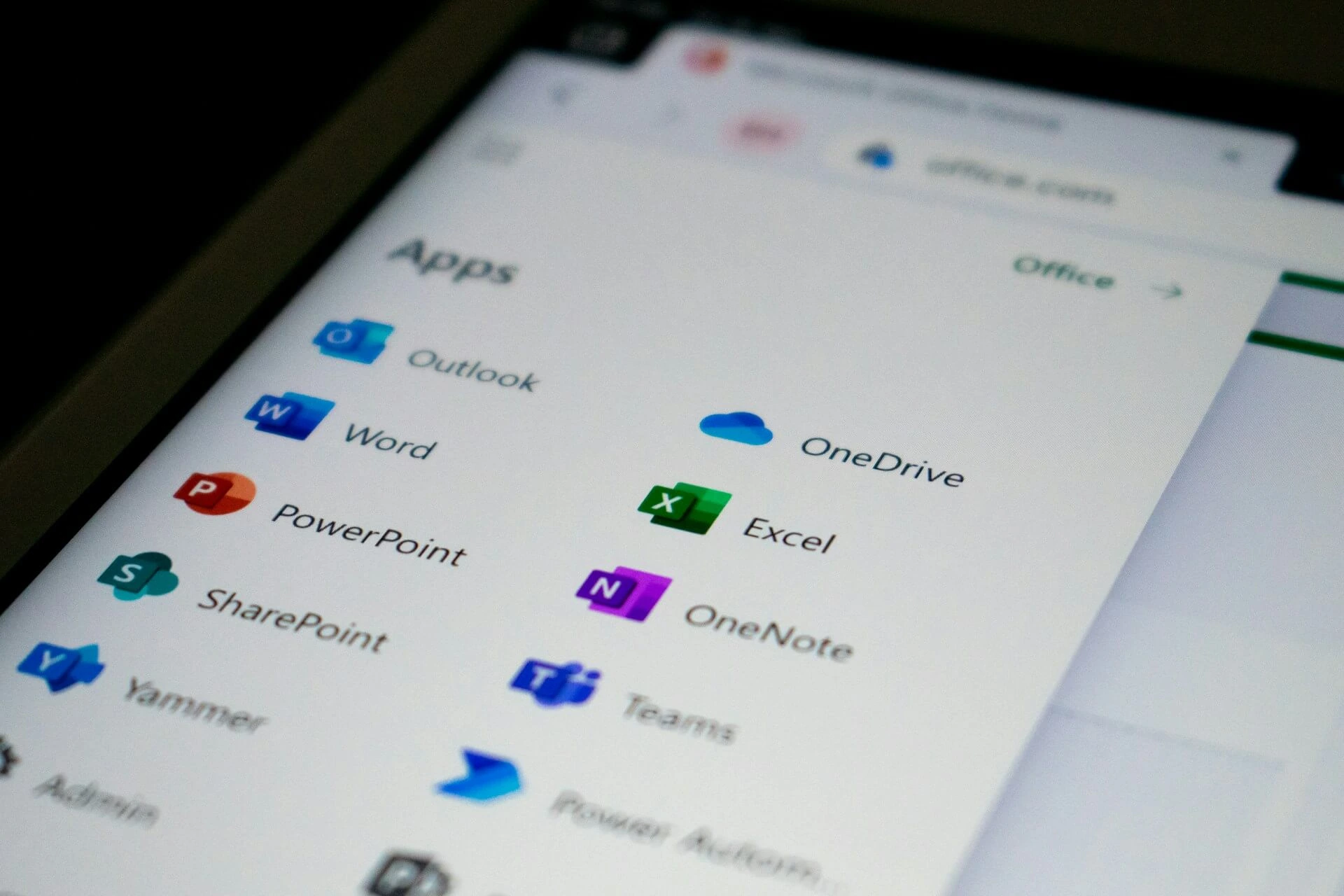


SharePoint sits at the heart of many organizations' collaboration strategies. Microsoft makes it look like a flexible, scalable platform that grows with your business. But there's one thing they don't tell you: the price you see isn’t the price you’ll pay.
The actual SharePoint implementation cost includes setup fees, customization work, consultant hours, training sessions, storage overages, integration projects, and ongoing maintenance. Industry data shows these implementations can range anywhere from $20,000 for basic setups to well over $100,000 for enterprise deployments with client-facing portals.
This guide breaks down every major cost component you'll face when implementing SharePoint so you can actually budget accurately. Stick around until the end to learn about lower-cost alternatives to SharePoint that might better suit your needs!
See also: SharePoint vs Clinked
SharePoint implementation costs: Complete pricing breakdown
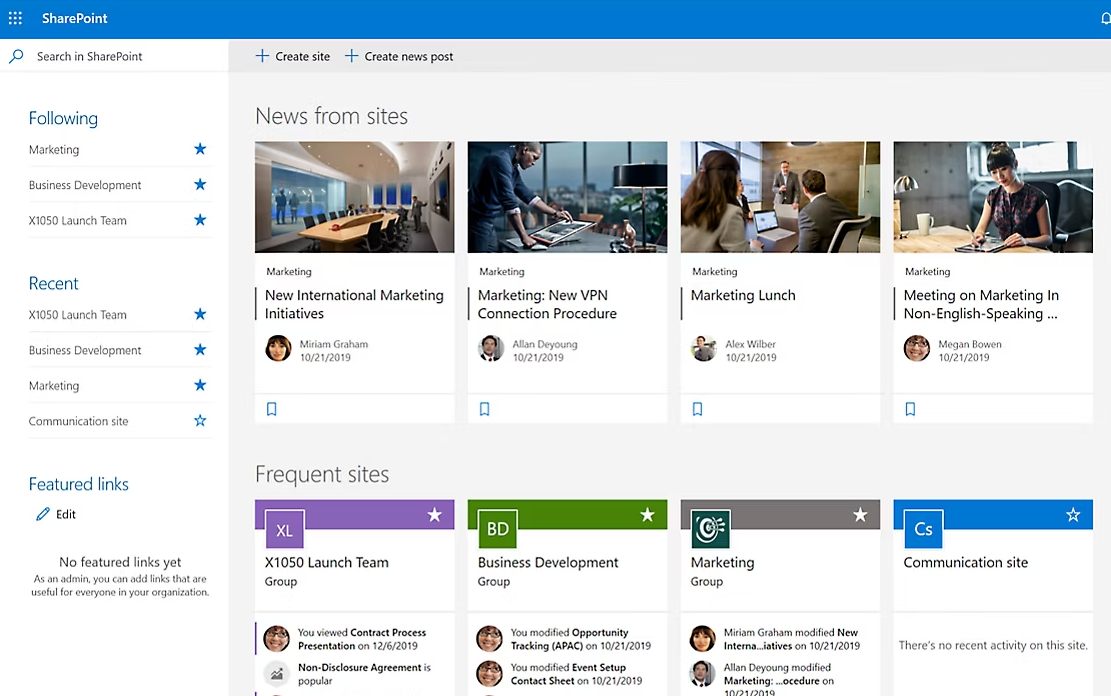
1. SharePoint setup and initial configuration costs
Getting SharePoint up and running requires more than clicking "activate" in your Microsoft 365 business standard admin panel. Initial configuration involves:
- tenant setup
- access control search parameters
- permissions frameworks
- site structure planning
- compliance tools configuration
For a basic internal deployment, expect setup costs between $3,000 and $15,000. This covers fundamental configuration like creating team sites, setting up document libraries, and establishing access management protocols. Your organization manages content structure during this phase, determining how document management will flow across departments.
Enterprise implementation is a different story. Organizations with multiple departments, complex governance needs, or strict compliance requirements often spend $20,000 to $40,000 just on initial setup. These projects require detailed planning around content management capabilities, enterprise-grade security policies, and information architecture that scales. For businesses seeking to manage client projects without heavy IT involvement, this complexity can be a significant barrier.
The primary cost driver here is expertise. SharePoint's flexibility means there are dozens of ways to configure the same feature, and choosing the wrong approach early creates technical debt that haunts you for years. Most companies lack in-house SharePoint specialists, which means bringing in Microsoft partners or consultants who bill $150 to $300 per hour. This is why many organizations explore no-code alternatives to complex SharePoint setups that reduce dependency on specialized expertise.
2. Microsoft 365 SharePoint development and customization costs
Out-of-the-box SharePoint handles basic file storage and team collaboration reasonably well. But the moment you need branded client portals, custom workflow automation, or specialized dashboards, you're entering development territory.
Most businesses need custom solutions for real-world scenarios. This includes Power Automate workflows that route documents through approval chains, branded interfaces that don't scream "generic Microsoft," custom web parts that display business-specific data, and role-based dashboards that show different information to different users. The ability to create agents using Copilot Studio capabilities is a key feature in newer SharePoint plans, though implementing these often requires additional development expertise.
Moderate customization projects typically cost $15,000 to $40,000. This might include building a handful of custom workflows, adding some branded elements, and creating department-specific views on your SharePoint sites.
Complex implementations easily hit $50,000 to $100,000 or more. Client-facing portals require extensive UI work, security hardening, and integration with external systems. Organizations looking for examples of customer portals that are simpler to implement often find SharePoint's customization requirements overwhelming.
Plus, customizations increase your long-term maintenance burden. Every custom component needs testing when Microsoft pushes updates to SharePoint Online, adding to maintenance time.
3. SharePoint license cost: Basic, enterprise plans + Microsoft Teams option

Microsoft bundles SharePoint with most Microsoft 365 plans, but calling it "included" oversimplifies it. You're still paying for it through your subscription.
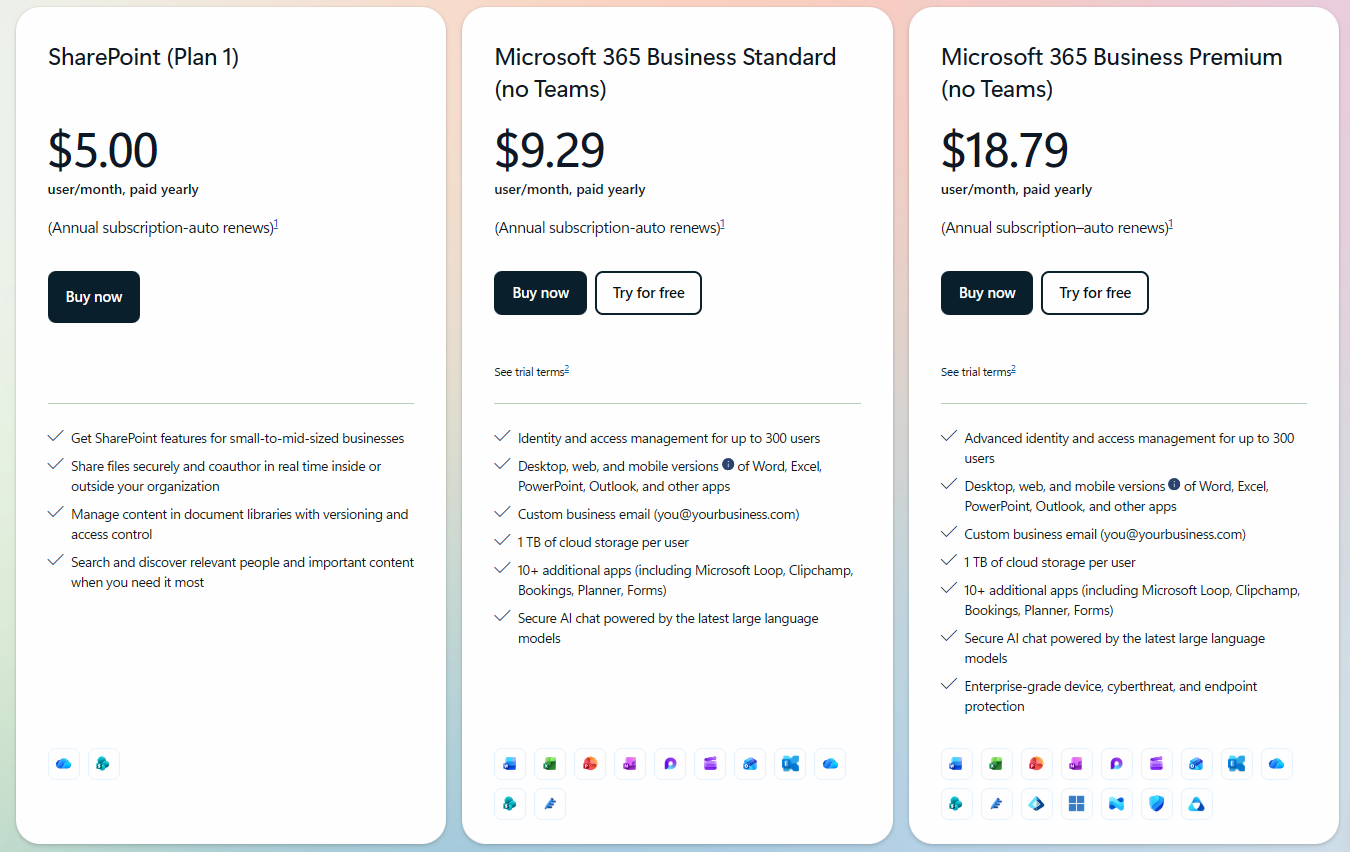
Microsoft 365 Business Standard starts at $12.50 per user per month and includes the SharePoint Online plan with basic features. The Business Premium plan costs $22 per user monthly and adds advanced management capabilities and better security, but the storage stays the same.
For a 50-person team on business standard plans, that's $7,500 annually just for licenses. Move to Premium, and you're at $13,200 per year. Scale to 200 users and your annual licensing hits $52,800.
The SharePoint subscription includes desktop client apps like Word, Excel, PowerPoint, Outlook, along with other productivity tools, but you're paying for the entire bundle whether you use all these collaboration tools or not. At least Microsoft Teams is optional: the paid subscription begins at $5 for those and reaches $18.79 per user monthly. Note that no matter what you buy, there are only annual payment methods available.
Then there's external user access. If you're building client portals, every external user who needs SharePoint access requires a license. Some organizations work around this with guest access, but that comes with security limitations and compliance headaches. Understanding how to secure client data becomes critical when dealing with external users.
All plans include 1TB of SharePoint storage per user. Sounds generous until you're managing client files, video content from Microsoft Clipchamp, or large design assets. Additional storage options aren't disclosed.
Don't forget about the Microsoft ecosystem add-ons. Many SharePoint projects end up needing Power BI for reporting ($14-$24 per user monthly), advanced security features, or mobile app access upgrades. These costs weren't in your initial budget but become necessary as requirements evolve.
4. SharePoint integration with other tools
Most organizations need SharePoint to work with CRM platforms, accounting systems, project management tools, and industry-specific applications. Many businesses also need integration with client database software to maintain comprehensive client records.
Basic integrations using Microsoft's built-in connectors might cost $3,000 to $8,000 in consulting fees. This covers common scenarios like syncing SharePoint document libraries with Microsoft Teams, connecting to Google Workspace for cross-platform collaboration, or linking to popular SaaS tools through Zapier.
Complex integrations require custom APIs and middleware. Connecting SharePoint to your CRM so client documents automatically sync, or integrating with an ERP system for automated invoice processing, typically runs $10,000 to $25,000 per integration.
Factor in ongoing support, because APIs change, authentication methods get deprecated, and business requirements shift. Most integration projects require 15-20% of initial costs annually for maintenance and updates. This becomes particularly complex when integrating SharePoint on-premises installations with cloud services.
5. Microsoft SharePoint pricing for storage
Microsoft doesn't have unlimited storage; every Microsoft 365 subscription includes base SharePoint storage: 1TB per licensed user.
That sounds like plenty. Then you start storing client files, project archives, video recordings of meetings, and high-resolution design assets.
The only option if you run out of storage is to use the Office 365 Extra File Storage add-on, which lets you add more space in 1 GB increments (but not all plans are eligible). The pricing for this is not disclosed, though.
If you ask us, file storage needs accelerate as teams adopt the platform and start storing more content types. Multiple team members working on the same file simultaneously can create version bloat that consumes storage faster than anticipated.
See also: Most secure cloud storage for client data
6. SharePoint advanced management and governance costs
Regulated industries face additional costs around governance, compliance, and security management. Financial services, healthcare, legal practices, and government contractors need audit trails, retention policies, e-discovery capabilities, and granular access control.
SharePoint admin center provides basic governance tools, but enterprise requirements usually demand more. Advanced data loss prevention, automated retention policies, comprehensive audit logging, and sophisticated compliance requirements often require E5 licensing or additional security subscriptions.
Many organizations also invest in troubleshooting tools and management platforms that help IT teams monitor performance, identify security risks, and manage the growing complexity of their SharePoint environment. Budget another $5,000 to $15,000 yearly for these platforms.
Azure Active Directory (now Microsoft Entra ID) becomes another cost factor. While basic identity management comes with Microsoft 365, advanced features like conditional access, identity protection, and privileged identity management require Azure AD Premium licenses at $6 to $12 per user monthly.
7. SharePoint maintenance costs
Microsoft handles infrastructure maintenance for SharePoint Online, but that doesn't mean your costs stop after implementation.
First, there's user support. Someone needs to answer questions, troubleshoot issues, train new employees, and help teams make better use of SharePoint features.
Then comes content management and organization. SharePoint sites accumulate clutter over time. Old team sites persist after projects end, duplicate document libraries proliferate, and permissions become increasingly complex. Most organizations need quarterly or bi-annual cleanup efforts costing $3,000 to $8,000 each time.
You'll also need to review access permissions regularly, update security policies, respond to compliance audit requirements, and adjust configurations when regulations change. Budget 40-60 hours quarterly for these activities.
Custom components need maintenance, too. When Microsoft updates SharePoint Online, your custom web parts, workflows, and integrations may break. Each major SharePoint update requires testing and potentially fixing your customizations. The mobile versions often receive updates on different schedules than web versions, requiring separate testing cycles.
Annual maintenance typically runs 15-25% of your initial implementation cost, ranging from $5,000 to $30,000 every year, just keeping things running smoothly.
Hidden costs that increase SharePoint's total cost of ownership
The line items above are relatively predictable if you plan carefully. But SharePoint implementations carry hidden costs that surface gradually and catch finance teams off guard.
SharePoint's complexity means many organizations never develop true internal expertise. You implement with consultants, they leave, knowledge walks out the door, and you're calling them back six months later when something breaks. This creates an ongoing expense that never appears in initial budgets.
Even with consultants handling heavy lifting, your IT team spends hours in planning meetings, reviewing proposals, managing vendor relationships, and coordinating between departments.
Plus, SharePoint Online keeps evolving. This forces many organizations to rebuild their custom solutions. Organizations running SharePoint servers on-premises face even steeper upgrade costs and eventually need to migrate to cloud platforms. Microsoft Loop integration, Copilot Studio terms updates, and new fast-track deployment support features all require evaluation and potential reconfiguration.
Technical debt from custom builds compounds annually. That custom workflow you built in 2024 may not work with SharePoint agents or new automation capabilities Microsoft releases. You face a choice: invest in updates or miss out on new features. Either way, you're spending money.
A $50,000 implementation becomes a $200,000 investment over five years when you account for all hidden costs.
How long does it take to implement SharePoint?
SharePoint implementation timelines vary dramatically based on scope and complexity.
Basic internal setup for document storage and team collaboration takes 4-6 weeks. This assumes you're using standard features, minimal customization, and have clear requirements from the start. You'll spend week one planning, weeks two and three configuring, and weeks four through six on testing and user training.
Customized business solutions need about 3-6 months. Add custom solutions to streamline workflows, branded interfaces, department-specific configurations, and integration with a few external systems, and you're looking at a pretty lengthy project.
Client-facing portals stretch even longer, to 6-12 months. External portals require extensive security hardening, custom branding, user experience design, rigorous testing, and integration with multiple client-facing systems. The approval workflows alone can take months when you're dealing with client data and compliance requirements.
Then come the delays. Scope creep adds features mid-project, extending timelines and budgets. Custom development hits unexpected technical limitations, requiring workarounds and additional time. Security and compliance approvals slow things down when stakeholders raise concerns late in the process.
Compare this to purpose-built client portals that can launch in days or weeks... That's not just time to market; it's also opportunity cost. Every month spent implementing SharePoint is a month you're not serving clients. Organizations exploring a client portal with predictable implementation and licensing costs often discover significantly shorter time-to-value.
Is investing in SharePoint implementation worth it?
SharePoint works well for specific use cases. Organizations with large IT teams, complex internal workflows, and deep integration needs across the Microsoft ecosystem enjoy SharePoint's comprehensive suite of capabilities. If you're already running Microsoft 365 for email and office apps and your primary need is internal team collaboration, SharePoint Online plans may suffice.
Large enterprises with dedicated SharePoint administrators can manage the complexity. They have the budget for ongoing customization, the staff for continuous maintenance, and the long-term planning horizon to justify the investment. For these organizations, the ability to enhance productivity through integrated tools across the Microsoft stack is genuinely valuable.
But for client collaboration, external portals, and document sharing with people outside your organization, SharePoint looks over-engineered and cost-prohibitive. You're paying for features you don't need while struggling with the complexity of features you do use. Understanding the value of client portals helps clarify whether SharePoint's feature set aligns with your actual needs.
The platform wasn't designed primarily for client-facing work. While you can build client portals in SharePoint, you're fighting against a system built for internal team sites and content management. Every client-facing feature requires customization, additional security configuration, and ongoing maintenance. Achieving effective client communication often requires workarounds and extensive configuration.
When you're a 30-person professional services firm, spending $40,000 on implementation and $12,000 annually on maintenance feels excessive for what amounts to secure file sharing and client communication. This is why many businesses look at popular tools used for client management and client project management software alternatives designed specifically for external collaboration.
Why Clinked is a better choice for client and document management
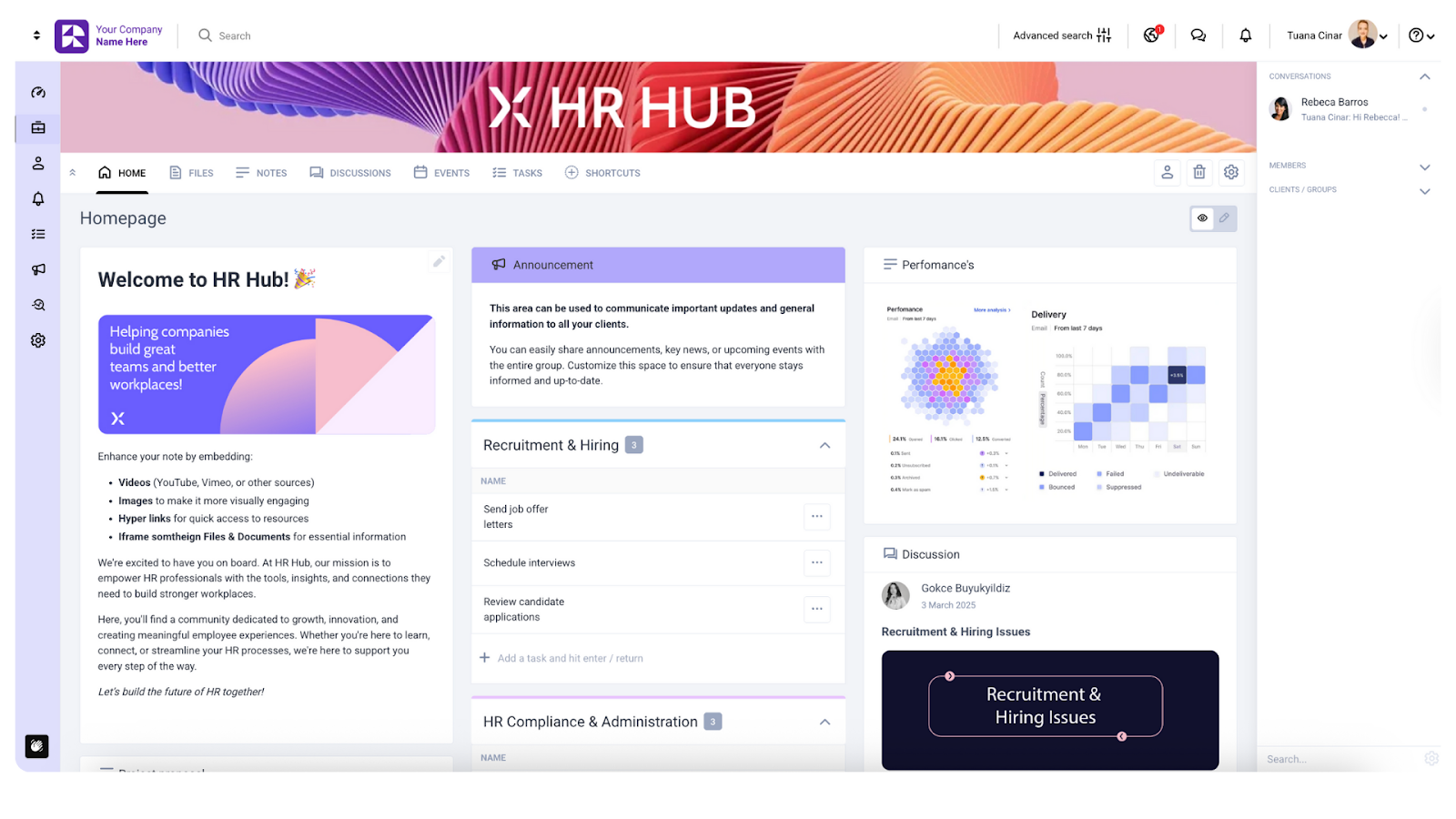
Clinked approaches client collaboration differently. Instead of adapting an internal platform for external use, it's built specifically for secure client portals, project management, and document sharing with people outside your organization.
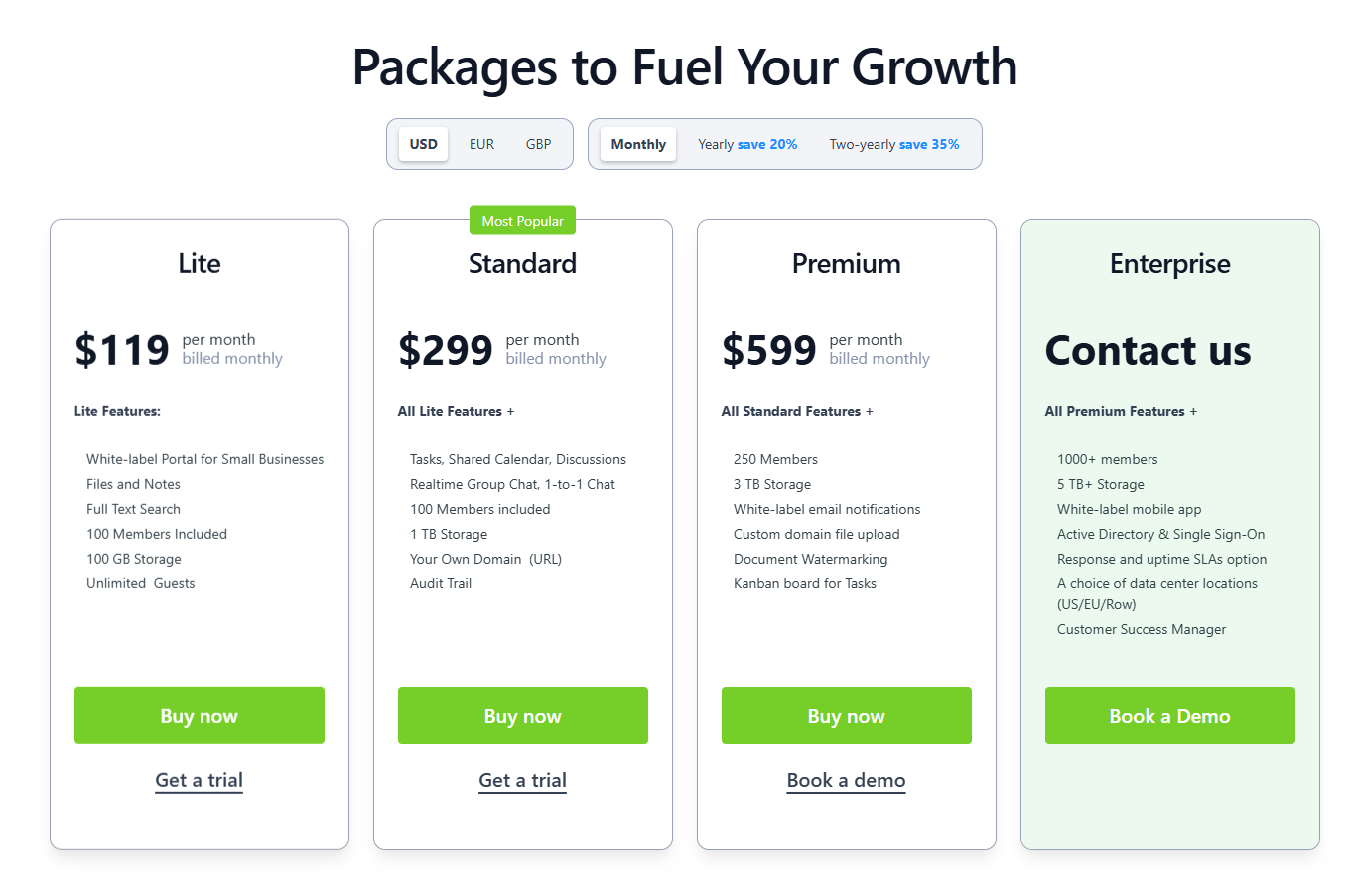
The pricing model gives you the full cost upfront with no hidden fees for setup, customization, or consultant hours. Plans start with clear per-user pricing that includes larger storage than SharePoint in the higher plans, eliminating the storage overage surprises that plague SharePoint deployments. Your paid subscription provides access to all features from day one, with no tiered plan confusion or surprise add-on costs. Pricing starts at $119 monthly for 100 members, and we offer up to 35% off for longer contracts (but we don't force you into a yearly subscription upfront as SharePoint does).
Implementation takes days, not months. Most organizations launch their Clinked portal within a week, often faster. There's no need for support and deployment services, fasttrack deployment support, or hiring partners. You configure the portal yourself through an intuitive interface, brand it with your company identity, and invite clients.
You don't need dedicated IT staff or specialists. The platform is designed for business users, not developers. When you need workflow automation, you build it through visual tools, not Power Automate scripting. When you want to customize the interface, you use built-in white-label options, not custom CSS.
Clinked is your cost-effective solution with predictable pricing. Your monthly or annual subscription covers everything: secure cloud storage with bank-grade encryption, mobile apps for iOS and Android, task management tools, real-time collaboration features, and phone and online support. No surprise bills for additional storage, no consulting fees for simple changes, no upgrade costs when you need new features.
The platform meets enterprise-grade security standards without the complexity. ISO 27001 certification, GDPR compliance, HIPAA-capable infrastructure, and Cyber Essentials compliance come standard. You get comprehensive access control, audit trails, and compliance tools without hiring security consultants.
Integration happens through native connections and Zapier, giving you access to thousands of apps without custom API development. Connect to Google Workspace, Microsoft 365, DocuSign, calendar apps, and industry-specific tools through pre-built connectors that work out of the box.
For client project management software needs, Clinked offers kanban boards, task assignments, file requests, approval workflows, and shared calendars. Teams can discover relevant people through directory features, collaborate through business chat and discussion forums, and maintain seamless communication without jumping between tools. This comprehensive approach supports end-to-end client management processes from onboarding through project completion.
The white-label customization lets you create a branded experience that feels like your own platform. Custom domains, branded mobile apps, and complete visual customization help you deliver a professional client experience without the development costs. Learn more about creating a customizable client portal that reflects your brand identity.
Book a Clinked demo or start your free trial to see how a purpose-built client portal delivers better results at a fraction of SharePoint's total cost of ownership.
FAQs
What is the average SharePoint implementation cost?
Most SharePoint implementations range from $20,000 to $100,000, depending on customization requirements, integration complexity, and whether you're building client-facing portals. Basic internal setups start around $3,000-$15,000, while enterprise deployments with extensive customization easily exceed $100,000. These figures include setup, development, and initial configuration, but not ongoing maintenance or licensing.
Is SharePoint expensive for small or mid-sized businesses?
Yes, SharePoint proves costly for smaller organizations. Between Microsoft 365 licensing ($5-$22 per user monthly), implementation costs, customization needs, and ongoing maintenance, total costs quickly outpace the value for teams. The platform's complexity also requires expertise that small businesses typically lack in-house, leading to consultant dependency and higher ongoing costs.
How much storage is included with SharePoint's content management capabilities?
Microsoft 365 business standard includes 1TB of storage per licensed user.
Can you learn SharePoint for free?
Microsoft offers free training resources through Microsoft Learn and YouTube tutorials. However, truly understanding SharePoint's advanced management features, security configuration, workflow automation, and proper site structure requires significant time investment. Most organizations find it more cost-effective to hire consultants or train dedicated staff rather than having general IT personnel learn SharePoint deeply.
What are the limitations of SharePoint?
SharePoint's main limitations include complexity that requires specialized expertise, limited offline editing capabilities compared to standalone tools, challenging external user management for client portals, storage costs that scale quickly, and heavy reliance on the Microsoft ecosystem. The platform also requires a Microsoft Teams license for full collaboration features and works best when your entire organization uses Microsoft 365.
Does SharePoint require ongoing maintenance?
Yes, ongoing maintenance is required and typically costs 15-25% of initial implementation costs annually. This includes user support, content organization, security updates, compliance monitoring, testing custom components after Microsoft updates, and addressing performance issues. Organizations with custom workflows and integrations face higher maintenance demands when SharePoint Online receives updates.
Is SharePoint suitable as a client portal?
SharePoint can function as a client portal, but it requires significant customization to create a good client experience. The platform was designed for internal team collaboration, not external client interaction. Building a proper client portal in SharePoint typically costs $50,000-$100,000+ and requires ongoing maintenance to keep it functional and secure. Purpose-built client portal platforms like Clinked offer better user experiences at lower total cost.
What is a good replacement for SharePoint?
For client collaboration and external portals, Clinked provides transparent pricing, faster implementation, and features designed specifically for client-facing work. The best replacement depends on your primary use case.
Photo by Microsoft 365 on Unsplash






.webp)

.webp)