

While Moxo has a reputation for delivering structured service delivery to enterprise clients, many businesses hit a wall. Some balk at the high price you only learn after demo calls. Others find the setup too complex. And plenty discover that the specific features they need are locked behind even pricier tiers.
Moxo is an AI orchestration platform that transforms fragmented operations into structured, automated workflows: a true one-stop shop for service delivery. It's popular in finance, legal and healthcare for managing high-touch client interactions through multiple stages. But the steep learning curve, lack of transparent pricing and some feature restrictions in lower tiers frustrate users who need core integrations without expensive upgrades.
If you're a solo freelancer, early-stage startup or small business looking for simpler task management and streamlined communication without enterprise overhead, you need something different. Maybe you don't need AI-powered document evaluation, just a professional client experience that keeps everyone on the same page and helps build stronger customer relationships.
Well, I tested eight client management tools (Moxo alternatives). Let me show you what I found so you can compare features and make the right choice.
Top 7 Moxo alternatives: Client portals comparison table
The best Moxo alternatives for 2026
Clinked
Rating: 9.2/10
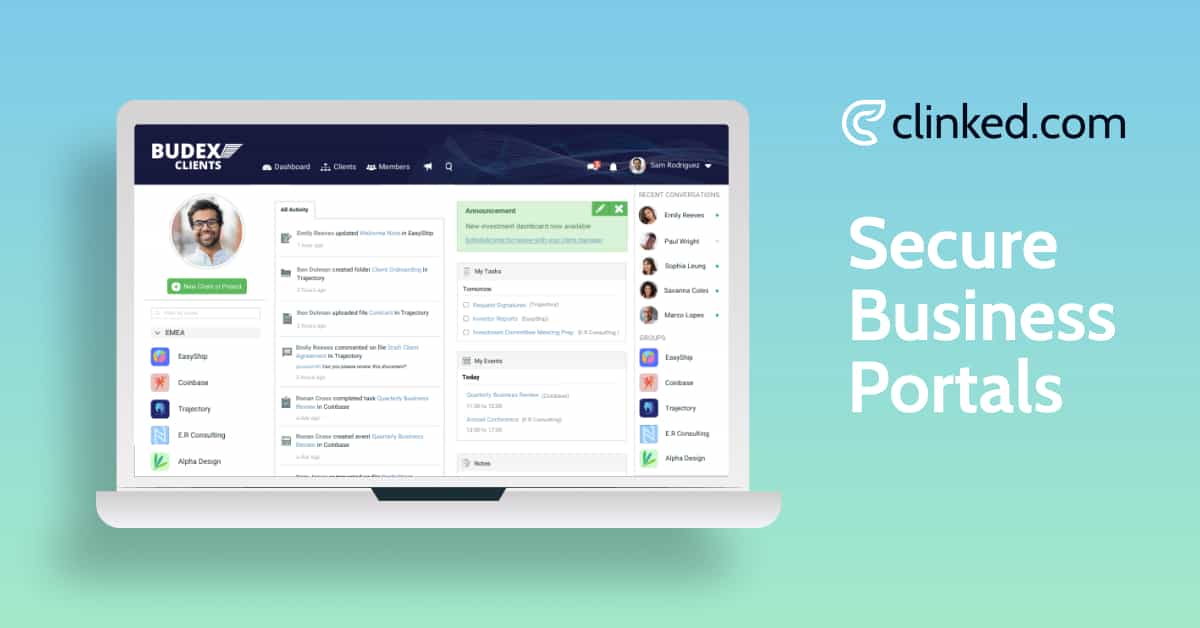
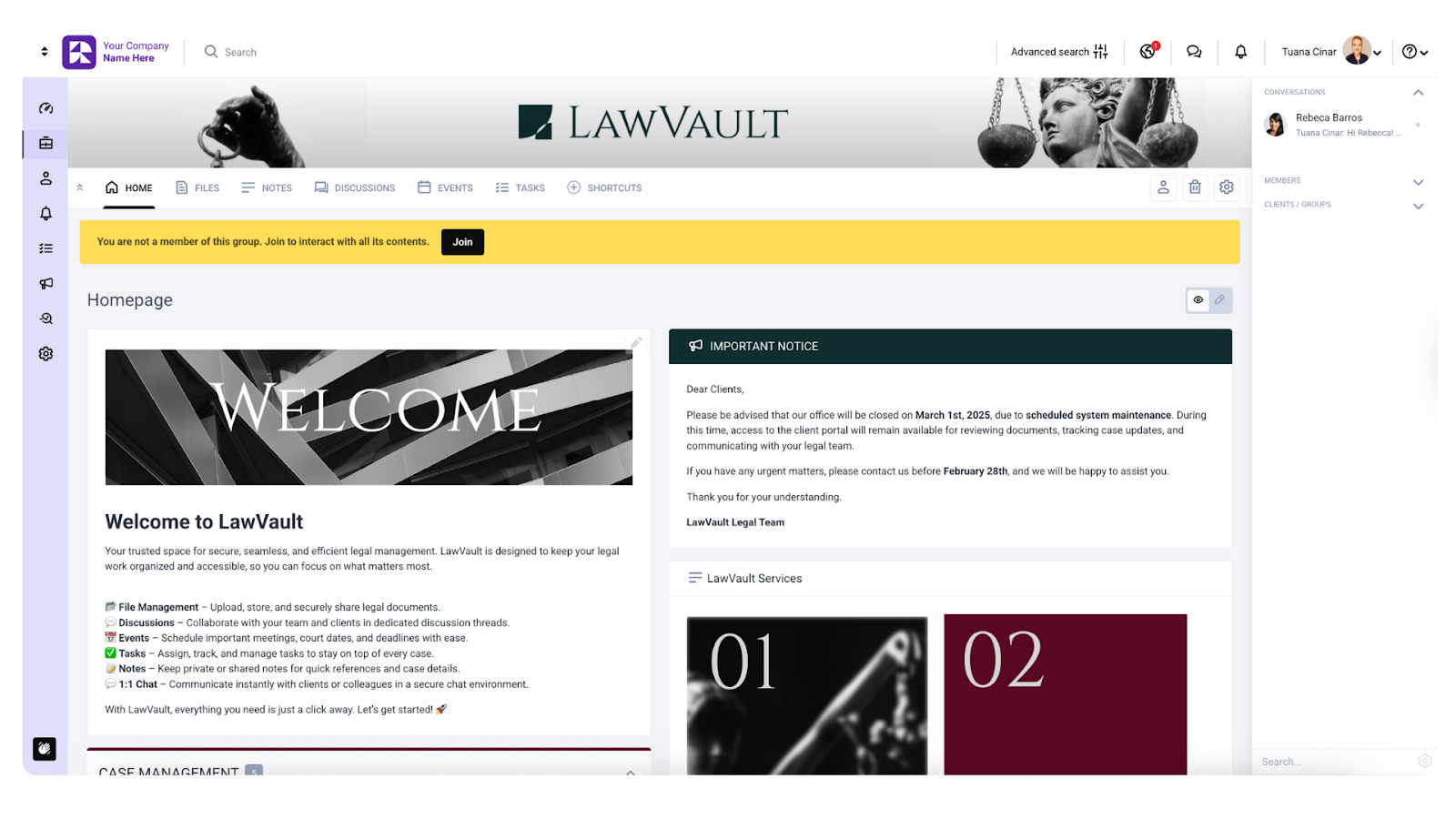
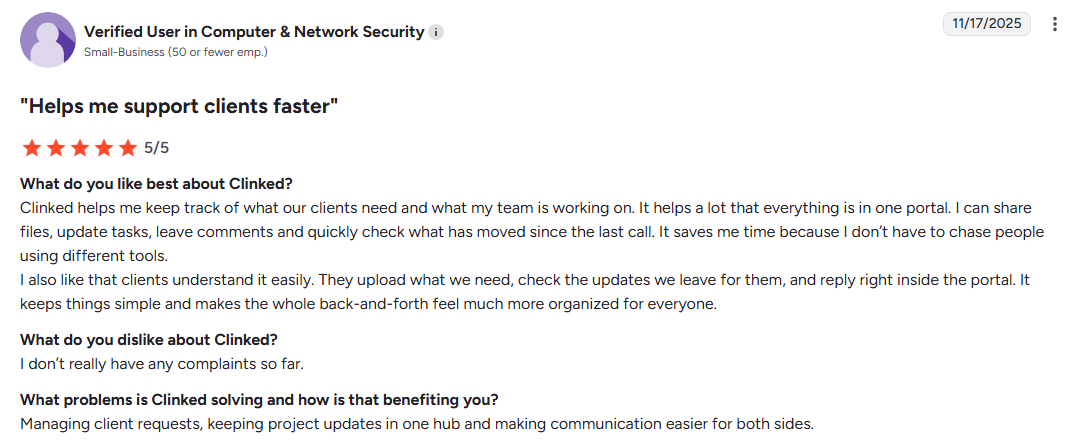
I've seen dozens of client management tools, and Clinked consistently delivers the most polished experience without the enterprise price tag. The user-friendly interface felt instantly familiar. Within minutes, I had created a custom client portal, uploaded documents and set up task assignments.
What sets Clinked apart is the white-label customization. I've created fully customizable client portals for clients in accounting, legal and agency work. Each portal looks custom-built, not a generic template.
The platform serves as a centralized location for document sharing, real-time client communication, and project management. The collaboration tools include secure messaging, discussion forums and @mentions. Approval workflows let clients review and sign professional documents in just a few clicks.
The easy file sharing capabilities and robust features make it a comprehensive solution for managing client relationships.
Best for: Professional services firms needing branded client portals with enterprise-grade security.
Key benefits
- Fully white-labeled experience
- Intuitive user interface requiring minimal training
- Robust integration capabilities with Google Workspace, MS 365, Google Docs, Docusign and 7,000+ apps via Zapier
- Easy file sharing with version control that helps manage projects efficiently from a centralized location
Features
- Secure file sharing and virtual data rooms with version control (Certifications: ISO 27001, SOC 2, SAS70, PCI, GDPR, HIPAA-capable, FISMA, FIPs certified, encryption: 256-bit SSL in transit, AES encryption at rest, TLS 1.2)
- Two-factor authentication, SSO, user-based permissions, audit trails, complex password requirements
- Real-time collaboration tools through group chat and secure messaging
- Project and task management with Kanban boards across multiple stages
- White-label customization including fully customizable client portals
- Advanced security with bank-grade encryption
- Client communication tools with automated reminders
- Native integrations with DocuSign and Google Docs
- Fully functional, white-label and completely customizable mobile app that lets you access files, chat, manage tasks, notifications
Pricing
- Lite Plan: $77-$119/month (pricing varies by configuration)
- Standard Plan: $299/month
- Premium Plan: $599/month
- Enterprise Plan: Custom pricing for 1000+ members and 5TB+ storage
Annual billing gets you 20% off, while two-year commitments save 35%. All pricing is for 100+ staff members and unlimited guests.
Book a Clinked demo or start your free trial today.
User opinion
Dubsado

Rating: 8.6/10
Dubsado is a comprehensive solution for creative entrepreneurs. The platform combines invoicing, contracts, scheduling tools and client management.
The automation features let you create trigger-based sequences that handle repetitive tasks across multiple stages. You can save hours weekly by eliminating manual follow-ups and sending automated reminders and payment reminders. The form builder and customization capabilities help impress clients with professional branding.
But setup takes time. I spent a full weekend configuring my first workflow. The interface feels dated, and finding specific settings requires multiple clicks. The recent update improved the dashboard with Kanban views, but complexity remains.
Best for: Photographers, designers, coaches, consultants running repeatable workflows who need to manage leads effectively.
Features
- Workflow automation with trigger-based sequences
- Customizable branded forms with the built-in form builder
- Scheduling tools
- Centralized inbox for client communication
- Calendar events sync
- Client portals for document access
- Invoicing with payment reminders
- Project management across multiple stages
- Third-party integrations including Zapier
- Mobile app has limited functionality compared to desktop, but it includes features like push notifications, appointment management, tasks lists access and chat support
- Bank-level encryption, secure API tokens, GDPR & CCPA compliant
Pricing
- Starter: $35/user/month
- Premier: $55/user/month
User opinion

FuseBase

Rating: 8.5/10
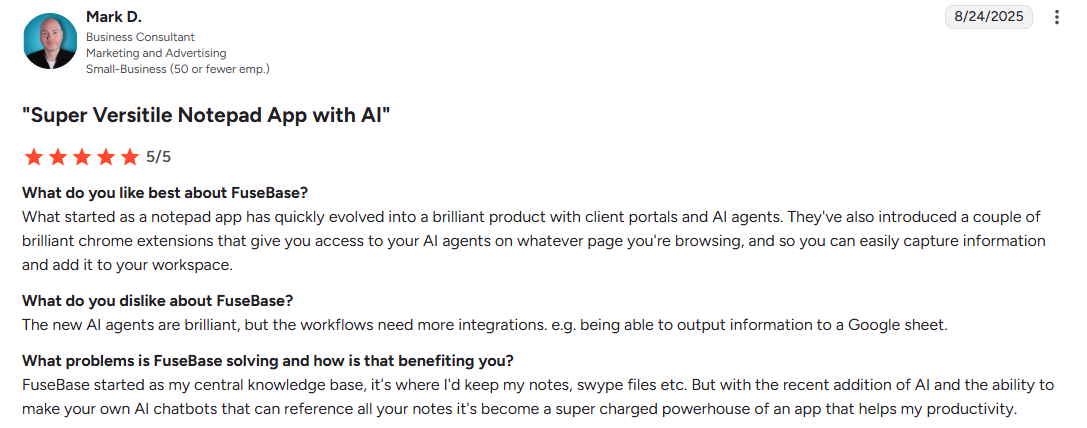
You could call FuseBase the Swiss army knife of client collaboration tools. The "Super Docs" feature creates rich pages supporting tables, embeds and real-time editing, great for professional documents.
The AI integration stands out. AI Agents summarize meetings, draft documents and provide actionable insights. When I captured web research using the browser extension, the AI generated a summarized project plan in minutes.
But the sheer volume of features creates a steep learning curve. Performance can lag with large databases. The mobile app lacks the desktop version's polish: less of a mobile-first design than competitors.
Best for: Digital agencies, consultants managing client-facing workflows who need to manage projects and build client relationships.
Features
- AI Agents for automated assistance and actionable insights
- Client portals with white-label branding
- Super Docs for professional documents
- Browser extensions
- Sales deal rooms for pre-sales processes
- Custom databases with Kanban boards
- Organization dashboard for viewing all workspaces in one place
- Integration capabilities via Zapier and native connections to Google Drive, Google Docs and Slack
- Knowledge base features in a centralized location
- SOC 2, GDPR compliance, role-based permissions
- Mobile apps available for iOS and Android with automated notifications, but not as feature-rich as the desktop version
Pricing
- Solo: $39/month
- Essentials: $99/month
- Advanced: $332/month
- Unlimited: Custom
User opinion
Paperflite
https://www.youtube.com/watch?v=SGZ5nHV9aSg
Rating: 8.8/10
Paperflite transforms sales collateral into a Netflix-like experience. The platform creates "Collections", which are personalized microsites housing videos, PDFs, presentations with easy file sharing instead of multiple email attachments.
The analytics provided actionable insights. I received notifications when prospects opened content, saw time spent on each page, and knew which resources resonated most. The "SmartSearch" feature indexes actual content within professional documents, which was a file management game-changer.
But Paperflite isn't cheap. Paid plans start at $30/user/month with a 5-user minimum. While integration capabilities with Salesforce and HubSpot are strong, it lacks native Microsoft Teams integration.
Best for: B2B sales teams with long sales cycles who need to manage leads effectively.
Features
- Personalized microsites with branded portals for professional documents
- Real-time analytics providing actionable insights
- SmartSearch for superior file management
- Native CRM integration with Salesforce and HubSpot
- Version control
- AI-powered content discovery, sales coaching tool and interactive content experiences
- Email and calendar sync for streamlined communication
- Cloud storage connections to Google Docs and Google Drive
- Native integrations with CRMs and cloud storage with API available
- Mobile app for IOS and Android that lets you access the content library and sends real-time notifications
- Permission controls
Pricing
- Starter: $30/user/month
- Professional: $50/user/month
- Advanced: $60/user/month
- Enterprise: Custom
User opinion

Sync

Rating: 6.5/10
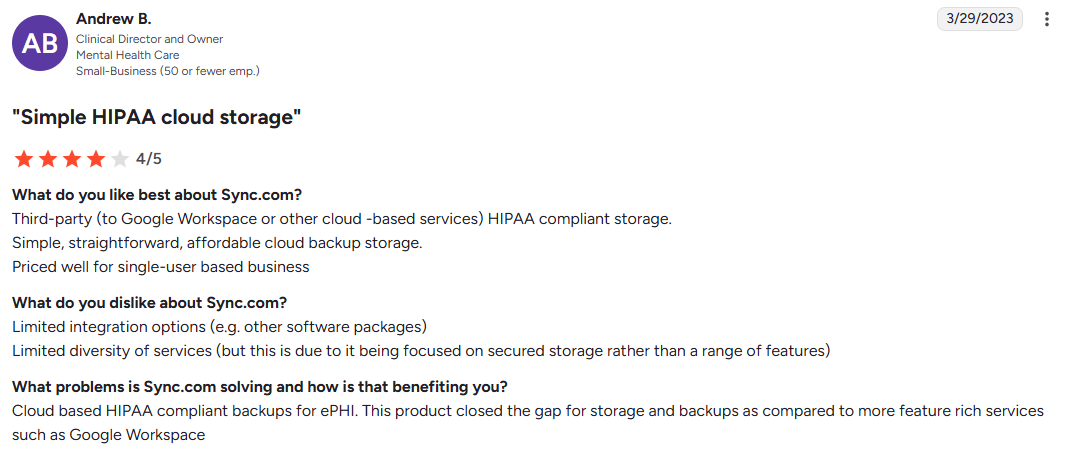
Sync.com is privacy-first cloud storage. After testing, I can confirm that if data privacy is your top priority, Sync delivers. But you'll pay with slower speeds and frustrating limitations compared to other tools.
Zero-knowledge encryption means Sync employees cannot access your data. The "Vault" feature archives files to cloud without local disk usage. For law firms, healthcare providers handling sensitive client information, this architecture is non-negotiable for maintaining customer relationships.
But encryption overhead slows everything. Uploads and downloads are painfully slow, affecting easy file sharing workflows. You can sometimes stumble across disappearing files, where documents marked as synced don't appear on other devices. It can get notoriously slow when it comes to customer service on the personal plan.
Best for: Privacy-focused professionals needing HIPAA/GDPR-compliant file storage for long-term archival.
Features
- Zero-knowledge end-to-end encryption
- Sync Vault for cloud-only storage
- HIPAA/GDPR/PIPEDA compliance for customer relationships
- Unlimited versioning for file management
- Limited native integration capabilities (includes Slack and Office 365)
- Mobile app for iOS and Android with good camera upload options and a generally stable experience
- Collaborative links with edit permissions
- Branded sharing links
- TLS/SSL encryption, two-factor authentication
Pricing
Here are the teams pricing tiers (more affordable personal options also available):
- Teams Standard: $8/user/month
- Teams+ Unlimited: $18/user/month
- Enterprise: Custom
User opinion
SimplePractice

Rating: 7.2/10
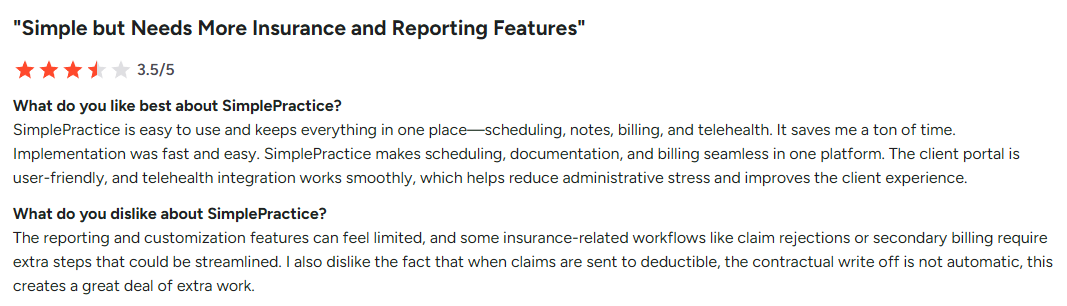
SimplePractice targets health and wellness professionals with an all-in-one practice management system. You can embed a booking widget, have clients complete intake forms, and conduct secure Telehealth sessions, all without manual emails. The scheduling tools and automation features save 5-10 hours weekly.
The automated insurance filing simplifies claim submission from a centralized location. This streamlined communication with insurance providers is one of the key benefits.
But SimplePractice took a massive hit with pricing increases up by over 60%, gating essential plan features behind expensive tiers. AI documentation, e-prescribing and extra clinician seats carry heavy fees. Brace yourself for some connectivity failures affecting Telehealth sessions, which can make it difficult to maintain customer relationships.
Best for: Solo psychologists, counselors, therapists who bill insurance and need automated scheduling tools.
See also: Best patient portal software solutions
Features
- Integrated Telehealth with whiteboard for streamlined communication
- EHR management
- Online booking with scheduling tools
- Automated billing with payment reminders
- SOC 2 certified and HIPAA-compliant secure messaging
- Insurance filing with automation features
- AI Note Taker that handles repetitive tasks
- Automated reminders
- Limited integrations (basic calendar sync, payment processing)
- Mobile app is a bit buggy (lets you host Telehealth sessions and book appointments)
Pricing
- Starter: $49/month
- Essential: $79/month
- Plus: $99/month
User opinion
Zoho
Rating: 7.8/10
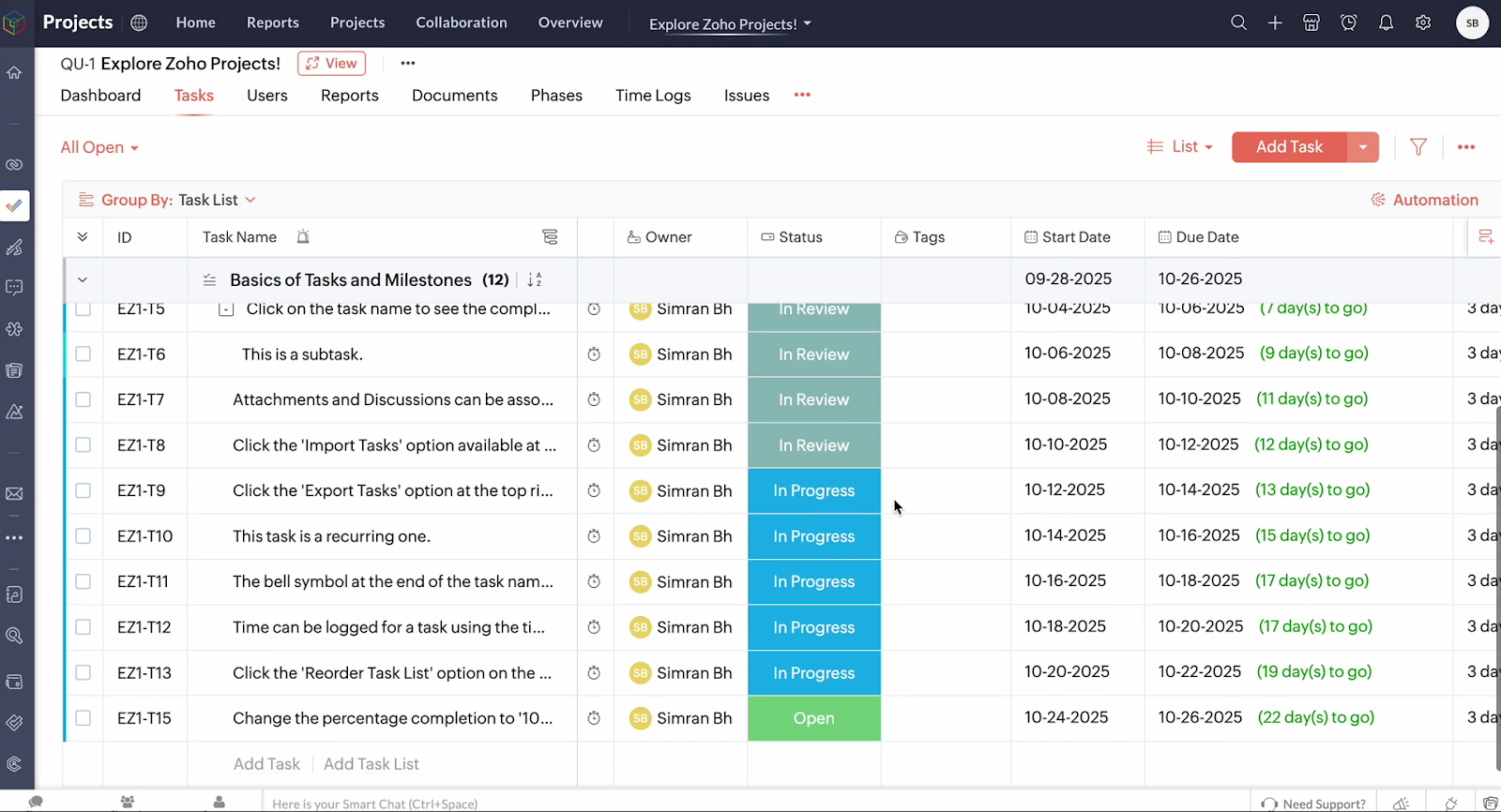
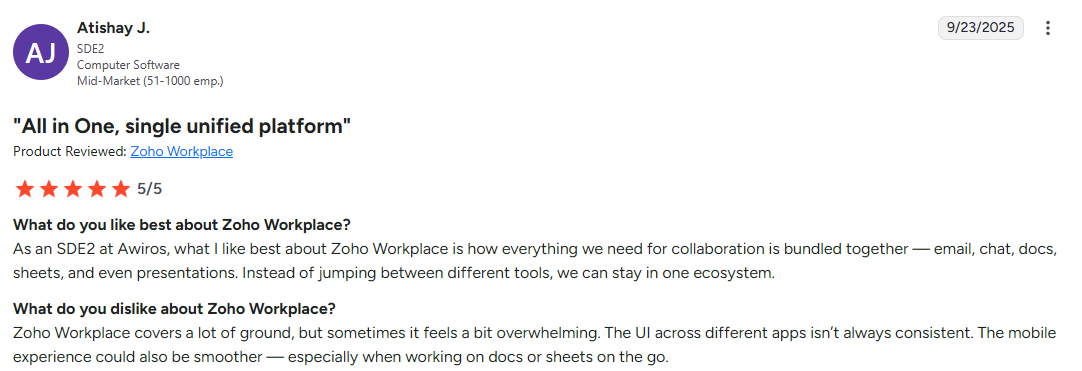
Zoho isn't a client portal, it's a one-stop shop for business operations. After testing Zoho CRM, I can tell you it delivers great functionality for the price.
I used it to manage leads, automate email follow-ups and handle repetitive tasks across multiple stages. The "Canvas" design studio provided advanced customization options without coding. The mobile app's geolocation feature helped field sales plan efficient routes.
But Zoho feels like bolted-together collaboration tools. Data sync between Zoho Desk and Books sometimes fails. Automation features pile up, creating hidden chaos, undermining streamlined communication. The learning curve is steep. Most teams hire Zoho consultants to get over it. Customer support quality isn't the best. Integration capabilities with other tools are a bit of a headache.
Best for: Cost-conscious SMBs with dedicated IT resources who can handle complex setup to manage projects and customer relationships at scale.
See also: Zoho vs Odoo comparison
Features
- Comprehensive CRM to manage leads effectively
- Zia AI for actionable insights
- Blueprint for enforcing processes across multiple stages
- Canvas Design Studio for advanced customization options
- Project management tools
- Accounting via Zoho Books
- Support ticketing
- Marketing automation features to handle repetitive tasks
- Extensive integration capabilities with Microsoft 365, Google Workspace, Google Docs, advanced WhatsApp integration and native Zoho tools integrations, plus Zapier
- Form builder, scheduling tools, secure messaging
- Enterprise-grade security with data encryption, role-based access control (GDPR, SOC 2 Type II, ISO 27001)
- Mobile CRM option available, with responsive Canvas views
Pricing
- Standard: $20/user/month
- Professional: $35/user/month
- Enterprise: $50/user/month
- Ultimate: $65/user/month
User opinion
Choose the best Moxo alternative
When exploring Moxo alternatives, your choice depends on which key benefits matter most.
For most professional services firms (legal, finance, consulting, marketing agencies) Clinked stands out as the clear winner among client management tools. It delivers enterprise-grade security, comprehensive collaboration features, and fully customizable client portals at affordable pricing. The intuitive user interface gets internal users up to speed in hours. Clients enjoy a user-friendly interface reflecting your brand.
The platform handles everything from design and engineering projects to partner collaboration, serving as your centralized location and one-stop shop for client management. Whether you're organizing supplier relationships or building a patient portal, Clinked scales without complexity. The extensive features, easy file sharing capabilities and strong integration capabilities with other tools make it a comprehensive solution that delivers.
With Clinked's file management system, secure messaging, and collaboration tools, you can manage projects efficiently while maintaining strong customer relationships. The platform eliminates repetitive tasks through automated reminders and streamlined communication.
Book a Clinked demo or start your free trial today
FAQs
Which Moxo alternative offers a free trial?
Most alternatives offer free trials: Clinked provides 10 days to test collaboration tools and specific features, Dubsado lets you explore automation features and scheduling tools, SimplePractice gives 30 days, and Zoho offers 15 days, while FuseBase and Moxo provide demo access.
What is better than Moxo for client portals?
Clinked offers better balance for most firms among client management tools, delivering comparable security (ISO 27001, GDPR, HIPAA-capable) and collaboration features at $77/month versus Moxo's opaque pricing. You get fully customizable client portals with white-label branding, a user friendly interface, easy file sharing, a completely customizable mobile app and strong integration capabilities.
Can I migrate from Moxo to another client portal?
Yes, you can migrate to alternatives like Clinked, which offers import assistance and dedicated onboarding support to help you transition your client management tools. The process involves exporting professional documents, client lists and workflow templates, then rebuilding them with new collaboration tools. Most alternatives provide migration guides for streamlined communication continuity.
Plan for 1-2 weeks to configure your portal, set up file management systems, adjust automation features and train your team on the intuitive user interface. Clinked's support is always available throughout transition, ensuring easy file sharing from a centralized location.
What features should I look for in a Moxo alternative?
Prioritize these features when comparing client management tools:
- Bank-grade encryption and compliance certifications (ISO 27001, GDPR, HIPAA)
- Fully customizable client portals with white-label branding
- Real-time communication via collaboration tools including secure messaging for streamlined communication
- Easy file sharing with version control and robust file management
- Task management to manage projects across multiple stages
- Strong integration capabilities with other tools you're using
- Responsive mobile apps
- Responsive support
Also consider a user-friendly interface, intuitive design, clear pricing details, automation features to handle repetitive tasks, scheduling tools, and whether the platform offers a free plan. Don't overlook data security measures, a centralized location for client work, and secure cloud storage. Look for a comprehensive solution delivering key benefits like automated reminders, payment reminders, actionable insights, and more advanced features that help impress clients and maintain customer relationships.





.webp)