

Let's be real for a second. Most articles about client portal features read like a vendor threw every buzzword into a blender and hit puree. You'll find lists that make portals sound like they should also make your coffee and walk your dog. That's not this article.
We're going to walk through the client portal features that actually matter to your customers and your business. Not just what any client portal claims to offer Ones that solve real problems, make your life easier and keep clients coming back.
Here's what we'll cover: the foundational capabilities your portal needs to function, the security and compliance features that protect client data, the integration options that save your team from switching between seventeen different tools, and the mobile features that meet clients where they actually work. By the end, you'll know exactly what to look for in the feature set of any client portal you evaluate.
See also: Customer Portal Examples
What features makes the best client portal software
Think about the last time you had to email a file back and forth with a client five times because someone was working on the wrong version. Or when you spent twenty minutes explaining over the phone something that could've been resolved with a quick document share. That's the problem client portals solve.
It's more than just a document sharing platform. It's a secure, centralized location where your business and your clients can collaborate, communicate and manage projects powered by features that prevent the chaos of scattered emails, lost attachments and version control nightmares. Plus, approximately 95% of businesses have experienced an increase in demand for self-service requests, and client portals with strong self-service portal features are the answer.
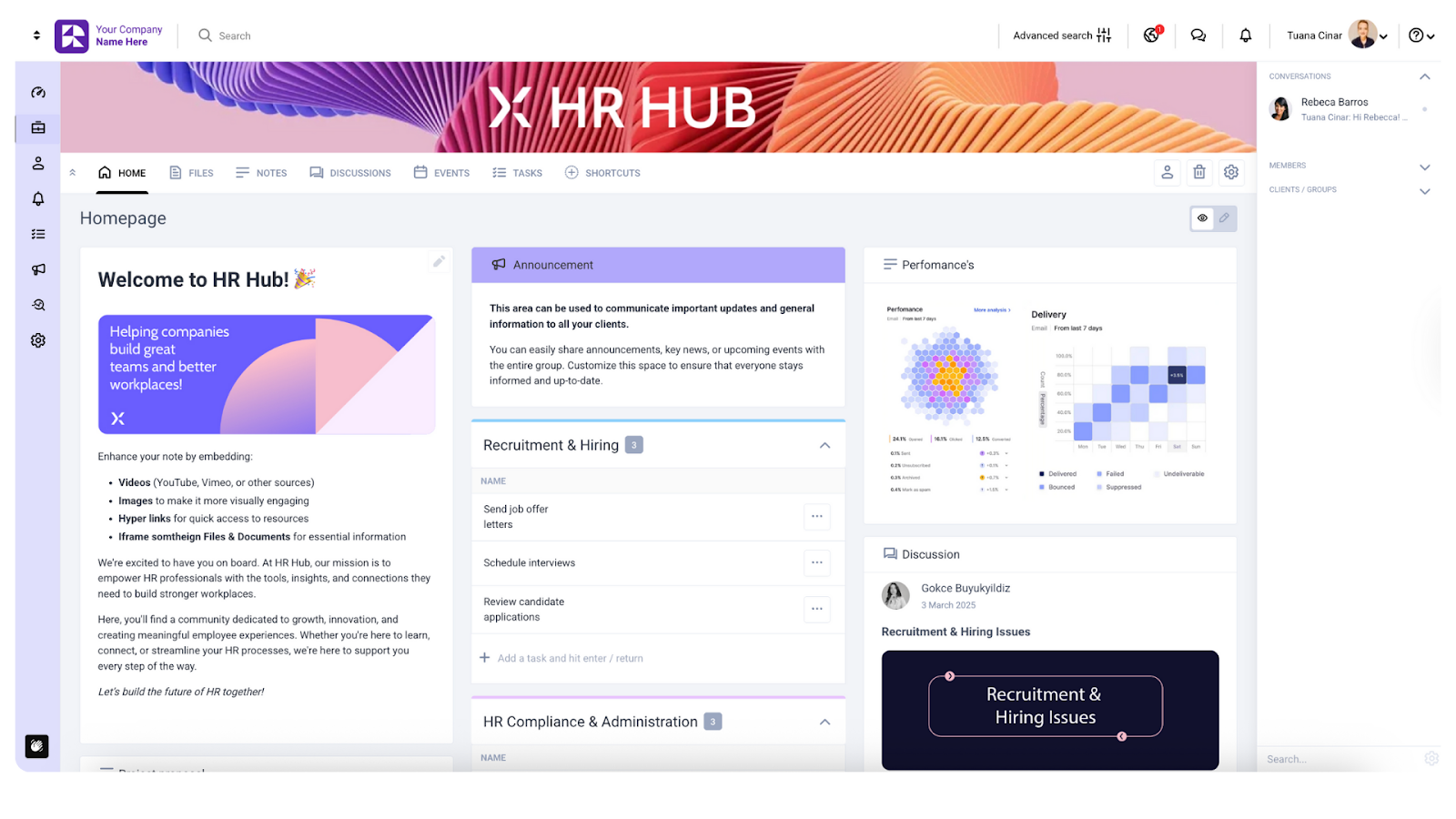
Here's how client portal features differ from basic file-sharing tools like Dropbox or Google Drive. Those platforms are great for storage, but they weren't built for client relationships. They lack the security controls of private cloud storage, project management capabilities and communication tools that professional services need. You can't manage tasks, track approvals or white-label the experience within those tools’ limited feature sets to match your brand. client portal software like Clinked brings everything together in one place that's built specifically for how you work with clients.
See also: 5 Use Cases For Client Portals
The business impact of client portal benefits
Companies using client portals with the right features see measurable returns. Sellers who use automation respond 37% faster compared to those who don't automate their customer service.
When you choose the right client portal features, you reduce support tickets because clients have useful self-service options with a user-friendly interface. You save hours weekly that your team used to spend managing file requests and status updates. Client satisfaction improves because people get answers immediately.
Read also: How to Create a Customer Portal In 5 Easy Steps
Core foundation features: Non-negotiable capabilities of a customer portal
Now let's see what key features a well-designed client portal needs.
Organized customer data storage with advanced security features
Your clients trust you with sensitive information. Tax returns, financial statements, legal contracts, medical records, business plans: whatever your industry handles, it needs robust security features. Clinked customer portal provides 256-bit SSL sensitive data encryption in transit and AES encryption at rest, the same level that major financial institutions use.
Data security and compliance are always top of mind for us; Clinked meets standards for protecting sensitive client information, such as:
- ISO 27001
- SAS70
- PCI
- GDPR
- G-Cloud and Cyber Essentials (UK-specific)
- FISMA, FIPS and HIPAA (US standards)
But secure document sharing alone isn't enough. You need organization that makes sense. Clinked's folder structure lets you create logical hierarchies that match how your team and clients think about their projects. Tag documents for quick searching. Set custom metadata fields that matter to your industry. The goal is that anyone who needs to find a file can locate it in seconds.
Version control, collaboration and document history tracking
Clinked's project management tool features inside the client portal includes version control that automatically saves every iteration and improves smooth collaboration with tagging, commenting, annotating, discussion threads, @mentions and updates notifications. The group and 1-on-1 chat capabilities in Clinked provide secure messaging for quick questions. Need clarification on a document? Message the person directly without leaving the portal. Internal and customer communication stays documented and searchable, unlike phone calls or text messages.
Efficient paperless document management with history tracking provides accountability. When questions come up about who approved what or when information changed, you have a complete audit trail. For firms managing complex client relationships, this visibility prevents disputes and maintains trust.
Multiple file type support with bulk upload capabilities
Drag-and-drop your documents into the Clinked client management portal with support for files up to 5GB and starting from 1TB storage space. Our secure platform supports bulk uploads in any format, because we know your clients don't all work the same way. Some send PDFs, others prefer Word documents. Design teams share massive image files. Engineers work with technical drawings. Your client portal needs to handle everything.
Clients upload documents without having to convert files or install additional software. This means faster customer onboarding, fewer technical support requests and more time focused on actual work rather than administrative tasks.
Portal access controls and role-based permissions
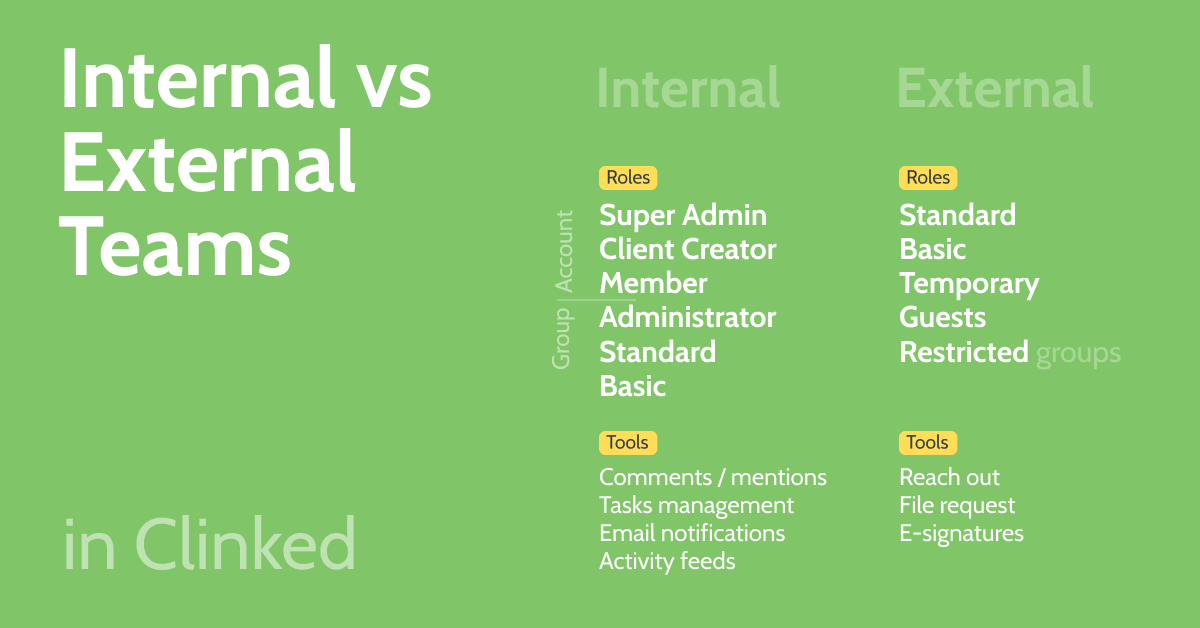
Role-based access control in Clinked lets you define exactly who sees and edits what, strengthening existing data security. Create custom permission levels for different user types: full access for your internal team, view-only for external clients, and download permissions for specific users. Apply these roles at the portal level, the folder level or even individual files. This matters because you need to know that only authorized users are accessing sensitive customer data.
Clinked supports single sign-on, so users don't have to manage yet another password. Two-factor authentication adds an extra security layer.
File sharing and collaboration tools
If you're sending files through email, you know the pain: attachments bounce because they're too large, recipients forward sensitive information to people who shouldn't see it, multiple people edit copies simultaneously, creating conflicting versions. Solid customer portal software eliminates these issues.
Clinked's file sharing works through secure links that you control. Share externally with guests and collect files securely from non-members. For sensitive customer information, you decide who gets access and for how long.
Notification management
Nobody wants their inbox flooded with alerts, but missing critical updates is worse. Smart notification management strikes the right balance.
Clinked gives users control over what triggers notifications and how they receive them. Email notifications for major events like new files uploaded or tasks assigned. Push notifications through the mobile app for urgent items. In-app notifications for everything else that doesn't require immediate attention.
Clients appreciate client portals implementing this flexibility because they're not bombarded with information overload. Your team benefits because important items don't get lost in the noise.
Task creation, assignment and project tracking
Managing projects through email is chaos. Someone assigns a task in a meeting. Three days later, nobody remembers who was supposed to do what by when. If you implement customer portal best practices, you can bring structure to this process.
Clinked's task management lets you create assignments, set due dates, define priorities and track status. Assign tasks to team members or clients. Add descriptions, attach relevant files and update progress as work advances.
The intuitive interface with Kanban-style boards provides visual project tracking. Move tasks through stages like "To Do," "In Progress," and "Complete." This visibility helps teams coordinate better and gives clients confidence that their projects are moving forward. Clinked even syncs with your Google calendar and has its own group calendar for tracking progress and due dates across the team.
Customer satisfaction rises when clients can check in whenever they want, see completed tasks, review uploaded deliverables, and feel confident their project is advancing. This self-service capability lets clients stay informed without your team having to handle constant client interactions.
Document review and approval processes
Many workflows require formal approvals. A lawyer needs a client sign-off on a brief. An accountant waits for approval on financial statements. A consultant needs budget approval before proceeding. Manual approval processes slow everything down.
Clinked's approval workflows let you create multi-step approval processes where documents move through reviewers in sequence. Each person sees what needs their review, provides feedback and approves or requests changes.
This structured approach prevents bottlenecks. No more documents sitting in someone's inbox for a week because they forgot to review. Automated reminders keep approvals moving. The audit trail documents the complete review history.
Self-service and automation features
“Live chat, self-service portals, and knowledge management systems are solidifying their place as essential tools for fast, scalable support,” says J.J. Moncus, Principal, Research in the Gartner Customer Service & Support practice.
Upload guides, FAQs, training resources and documentation. That way, clients can easily access documents and search for what they need, dramatically reducing simple support requests that consume team time.
Client onboarding automation streamlines the process of bringing new clients into your system. Create templates for new client portals that include standard folders, documents and resources. Set up automated welcome messages with instructions. Define default access permissions. When a new client signs up, their portal is ready in minutes.
Advanced customization and branding features
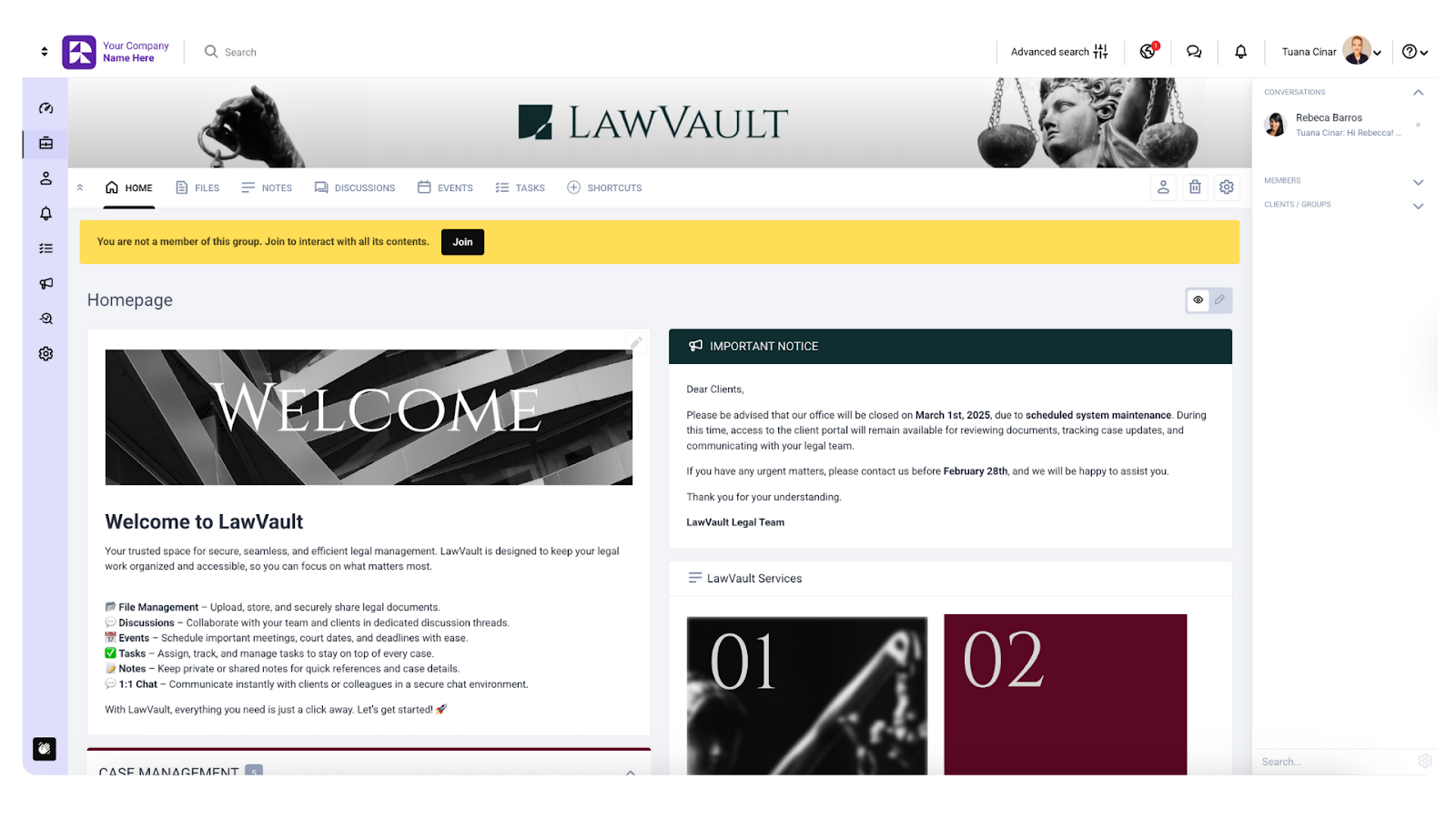
White-label branding makes the portal feel like a natural extension of your business, which is what most client portals lack.
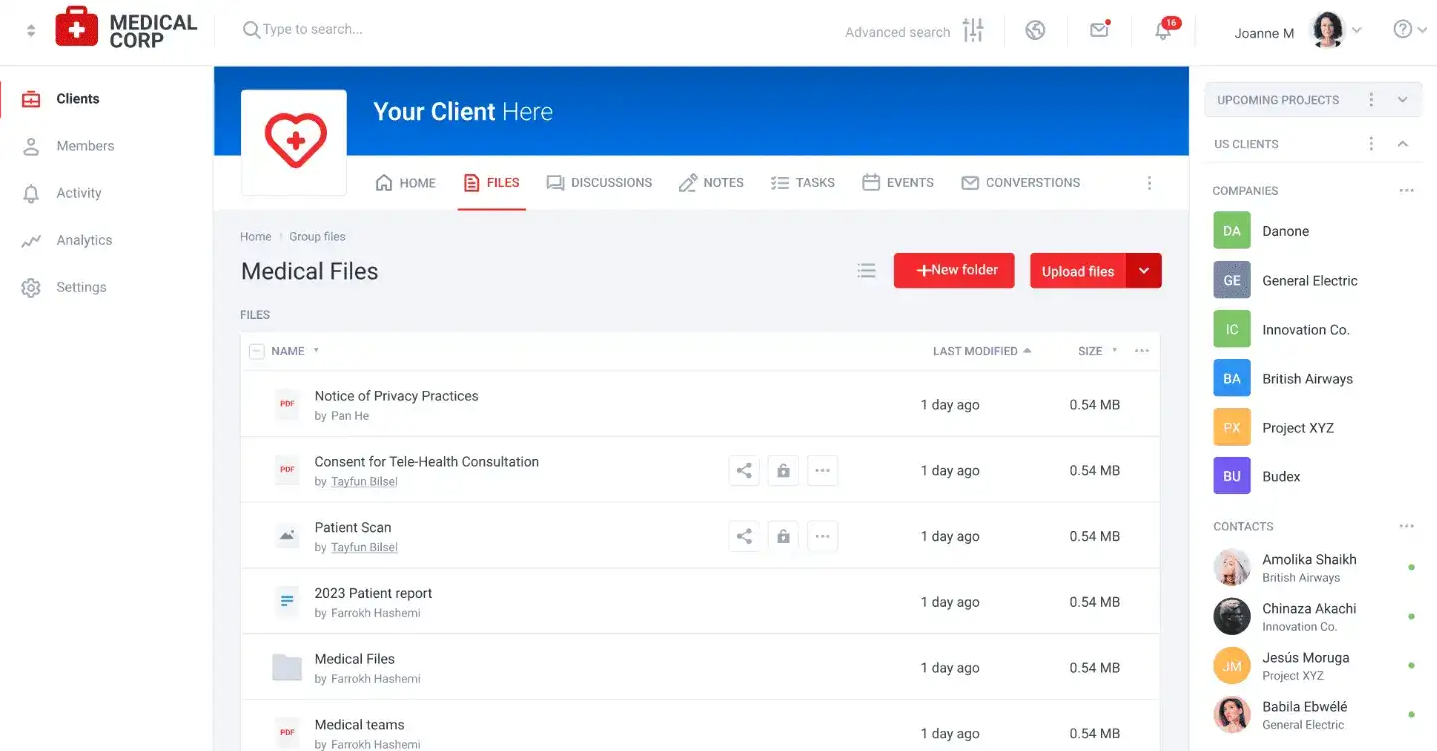
Clinked's extensive white-label capabilities let you customize everything clients see. Add your logo, use your brand colors, choose custom domains, emails and widgets. When clients log in, they see your company, not Clinked. This professional appearance builds trust and reinforces your brand identity, providing a seamless experience.
The customization goes beyond visuals. Configure the portal structure to match your workflow. Name sections based on your terminology. Set up custom fields that capture information relevant to your industry. Make the experience intuitive for how your clients think about their work.
Easy setup and organization
Complex software that requires weeks of implementation and extensive training gets abandoned. The best client portal features are the ones your team actually uses.
Clinked prioritizes ease of setup. The user interface is intuitive enough to use without extensive training; our clients who've never used a portal before report that they navigate it comfortably.
Organization tools help you structure information logically, even as your business expands and needs grow. Use folders, tags and metadata to organize content within portals.
Integration capabilities of a centralized client portal with existing systems
Your client portal platform needs to work alongside the other tools your team uses daily. Poor integration means duplicate data entry, context switching and wasted time.
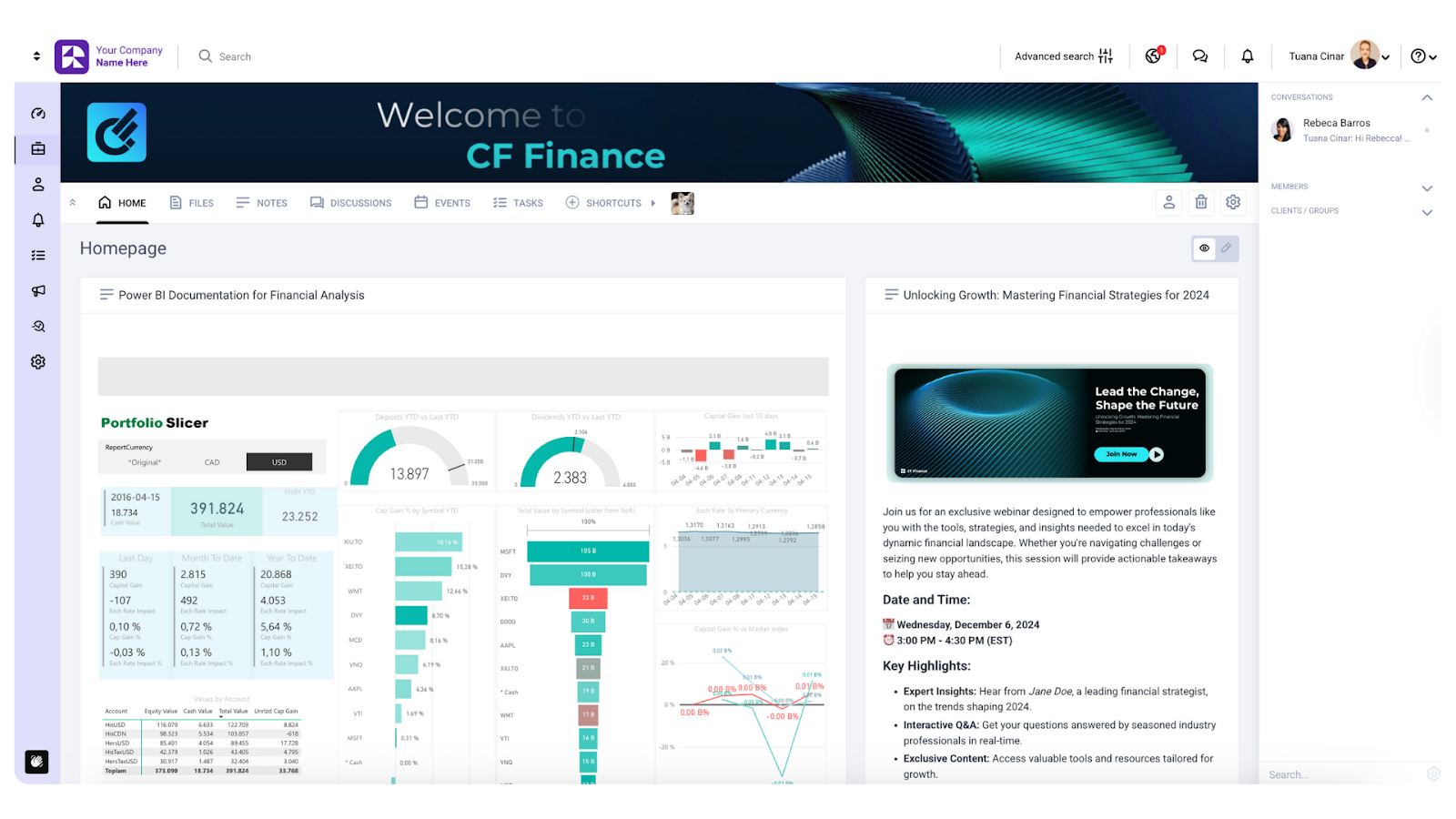
Clinked offers both native integrations and Zapier-powered connections to over 7,000 applications. The native integrations include tools your team probably uses: Google Workspace, Microsoft OneDrive, Power BI, DocuSign and Adobe Sign for digital signatures, Jotform for form embeds (healthcare providers love this one!).
Calendar integrations sync events bidirectionally. Create a meeting in Clinked, and it appears in your Google calendar. This prevents double-booking and keeps everyone's schedules aligned.
Email integration connects portal activities to your inbox. Receive notifications about portal activities, reply to discussions or task comments directly from your email. The integration bridges the gap between users who live in their inbox and those who prefer working in the portal.
For document-heavy workflows, the integration with DocuSign and Adobe Sign eliminates friction. Send documents for signature directly from the portal. Recipients sign electronically without downloading files or switching platforms. Signed files automatically return to the appropriate document management system location without printing and scanning.
The Zapier integration extends Clinked's capabilities to connect with virtually any business tool. Connect your CRM, link project management software to sync tasks bidirectionally, and integrate accounting systems to share invoices and financial documents. The possibilities match your specific business needs.
Integration with your existing tech stack prevents the portal from becoming yet another disconnected tool.
Mobile and accessibility features for a better customer experience
78% of users prefer to use mobile devices over desktops to access portals. If your client portal doesn't work well on mobile, you're frustrating a huge portion of your users.
Clinked's mobile app for iOS and Android provides full portal functionality on phones and tablets, not just file viewing. Upload files from your phone. Create and complete tasks. Join discussions. Review and approve documents. Everything works just as smoothly on smaller screens.
The responsive design automatically adjusts to different screen sizes. Whether clients access the portal from a phone, tablet or desktop, the experience remains intuitive. Navigation makes sense, files are easy to locate, and actions are accessible without zooming or excessive scrolling.
Push notifications on mobile keep users informed without requiring them to actively check the portal, supporting the reality of modern work. People review documents during commutes. Clients check project status from their phones between meetings. Team members upload files while traveling. A mobile-first world demands mobile-capable tools.
Elevate your client portal software with the right feature set
Choosing client portal software comes down to matching features with your actual needs.
Clinked brings together all the essential features in a centralized client portal platform built specifically for professional services, agencies and businesses that depend on strong client relationships. The platform combines security, functionality and ease of use in a way that serves both your team and your clients.
Your client portal platform becomes the foundation for how you work with clients. It centralizes communication, eliminates file management chaos, automates routine tasks and keeps clients informed. The result is stronger client engagement, better client experience and measurable improvements in how efficiently your team operates.
Book a Clinked demo or start your free trial today.
FAQs
How much does client portal software typically cost?
Client portal pricing varies significantly based on features, user counts and customization needs. Clinked offers flexible pricing plans starting at $77/month billed bi-yearly, with different billing options and enterprise plans for larger organizations requiring additional features and support. The investment typically pays for itself quickly through time saved on file management, reduced support tickets and improved client satisfaction and retention.
How do client portals improve communication with customers?
Client portals' communication features centralize all communication in one secure location, replacing scattered emails and missed messages. Features like discussion forums, secure messaging and @mentions inside the portal keep conversations organized and searchable. Real-time notifications ensure nobody misses important updates. The transparency helps build trust; clients see progress rather than waiting for status updates. want to see clinked's client portal in action ? Check out
What's the best client portal for professional services firms?
The best client portal depends on your specific needs, but professional services firms typically need strong document management, approval workflows, project tracking and white-label branding. Clinked is specifically designed for professional services, including legal, accounting, consulting and marketing firms, offering the security and compliance features these industries require.
How long does it take to implement a client portal?
Implementation time varies, but most organizations have their first client portals running within hours using Clinked. Basic setup requires minimal technical knowledge: create your account, customize branding, upload initial files and invite users. More complex implementations with custom integrations and advanced workflows might take several days. The key is choosing user-friendly software that doesn't require extensive technical expertise.
Photo by Brooke Cagle on Unsplash





.webp)