

Looking for the best client portal software? The best choice depends on how your clients work with you. Some businesses need secure document sharing. Others need client dashboards, approvals, messaging, billing, onboarding, or white-label branding.
Watch detailed comparison of top 5 choices here.
For most professional service businesses, the strongest client portal software should do four things well:
- Give clients one clear place to access files, updates, messages and tasks.
- Make the portal easy to use without training.
- Protect sensitive client information with strong security and permissions.
- Let your business customize the client experience by brand, role, project or workflow.
Nearly a third of consumers stopped buying from a brand due to poor customer experience.The difference between scattered email chains and a well-executed client portal can determine whether a client stays or moves to a competitor who just gets it. When choosing the best client portal software, it’s important to evaluate how each platform handles secure communication, document sharing, and workflow management.
The best client portal software gives clients one secure place to access files, messages, approvals, tasks and updates without digging through email.
That sounds simple. It is not.
Some portals are built for client collaboration. Some are support-ticket systems. Some are project-management tools with client access added on. Others are all-in-one business platforms that include portals alongside CRM, billing, forms and automation.
The right choice depends on what your clients need to do after they log in.
A consulting firm may need a polished, white-label portal for reports and deliverables. An agency may care more about approvals, tasks and client feedback. A support team may need ticketing and self-service. A freelancer may want proposals, contracts and invoices in one place.
This guide compares eight client portal tools across the areas that matter most:
Client experience
Secure file sharing
Messaging and collaboration
Tasks and approvals
Branding and white labeling
Access permissions
Integrations
Scalability
Pricing
Ease of use for non-technical clients
Best client portal software: quick answer
Clinked is the strongest overall client portal software for growing professional-services firms that need secure file sharing, client communication, white-label branding and separate client workspaces.
It is best suited to organisations where the portal itself forms part of the service experience.
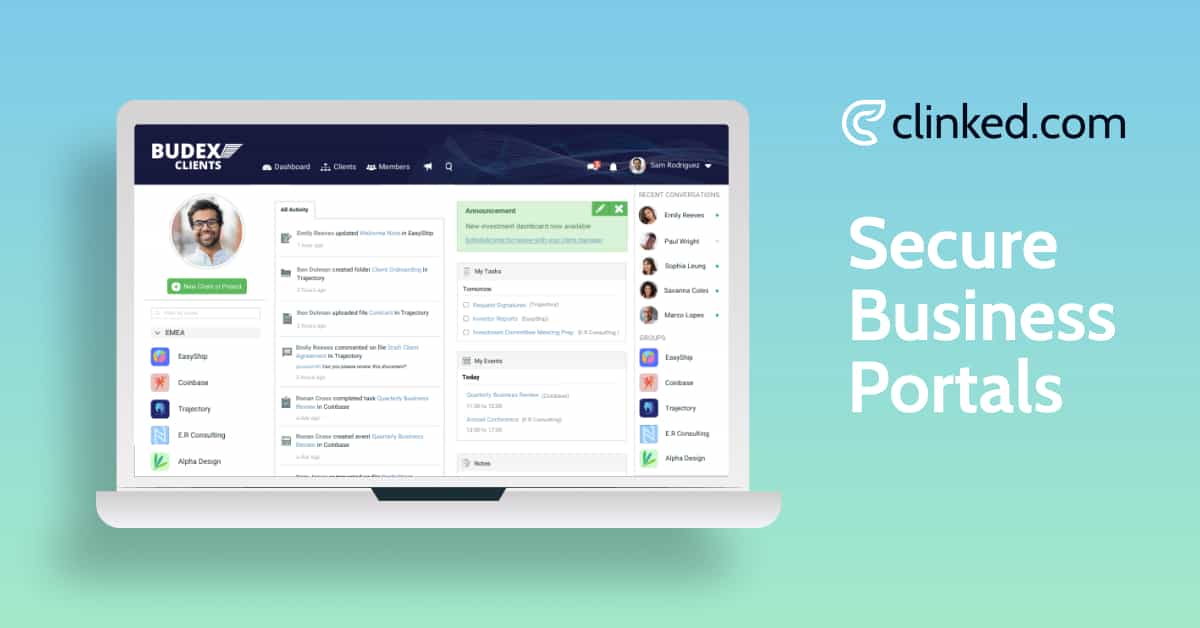
Clients can use Clinked to access files, join discussions, send messages, review tasks, check calendars and work inside a private portal under the organisation’s brand. Clinked’s pricing and plans include capabilities such as audit trails, access permissions, custom domains, white-label email notifications and SSO options across relevant tiers. Firms can also review Clinked’s client portal features and access and permissions controls.
Other tools are stronger in particular situations:
- Zendesk is better suited to customer-support portals and ticket-based communication.
- SuiteDash is better suited to small and midsized businesses seeking a broad combination of CRM, invoicing, contracts, project management and client-portal functions in one subscription.
- Zoho Creator is better suited to organisations that want to build and customise their own portal applications.
- Basecamp is better suited to straightforward client participation in simple projects.
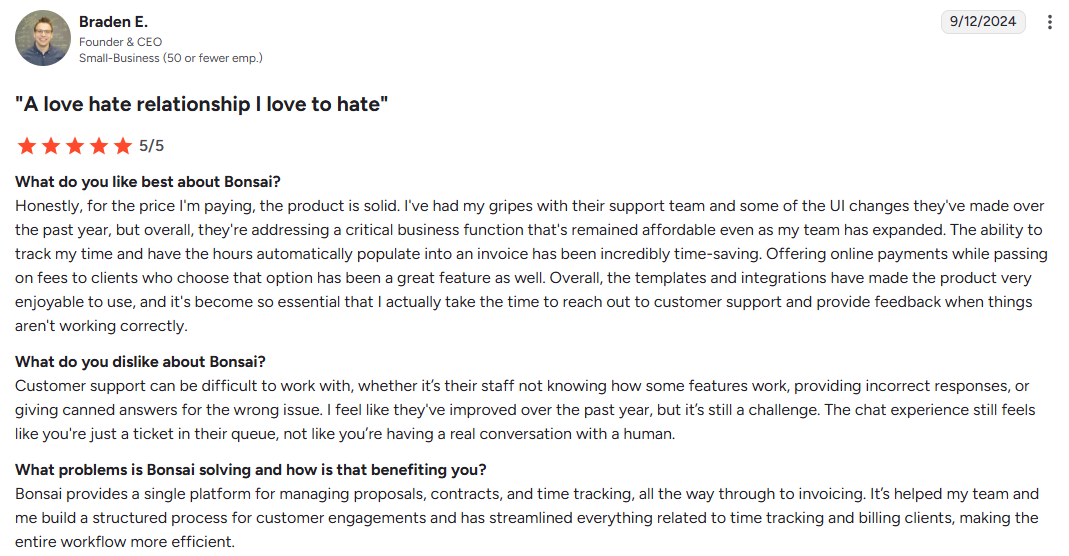
- Bonsai is better suited to freelancers managing proposals, contracts and invoices.
- SuperOkay is better suited to creative presentations, deliverables and client approvals.
- Teamwork.com is better suited to agencies managing billable client projects, resources, budgets and profitability.
Looking for a secure portal rather than a comparison? Explore Clinked’s client portal software, review Clinked pricing, or book a client portal demo.
The right client portal solution can replace scattered emails, improve collaboration, and create a more professional experience for your clients. Modern customer portal software goes beyond simple file sharing. It includes features like role-based access, real-time messaging, task tracking, and integrations with your existing tools. If you want a deeper understanding of how these systems work, check out our complete guide to web portals.
In this guide, we’ve reviewed eight client portal tools that genuinely stand out in 2026: Clinked, Zendesk, SuiteDash, Zoho Creator, Basecamp, Bonsai, SuperOkay, and Teamwork. Each serves a different type of business, and by the end, you’ll know exactly which one fits yours.
To learn more about why these platforms matter, read: The power of a client portal.
Top 8 client management portal software: comparison table
Before diving into detailed reviews, here's a quick snapshot of how each tool stacks up:
What is client portal software?
Client portal software is a secure online workspace where businesses and clients can share files, send messages, manage tasks, track project progress, approve work and access important information.
Unlike email, a client portal keeps communication, files and updates in one place. Unlike a standard project management tool, a client portal is designed for the external client experience, not just internal team management.
A good client portal usually includes:
- Secure file sharing
- Client dashboards
- Messaging or discussion threads
- Task tracking
- Approval workflows
- Role-based permissions
- Document management
- Notifications
- Client onboarding tools
- White-label branding
- Integrations with business tools
Do you actually need client portal software?
Not every business needs a client portal.
You may not need one if you only work with one or two clients, rarely share documents, and can still manage communication through email and Google Drive.
You probably do need client portal software if you:
- Manage several clients at once
- Share confidential or regulated documents
- Need client approvals
- Run repeatable onboarding processes
- Want clients to check project status without asking your team
- Need a more professional branded experience
- Want to reduce scattered email threads
A client portal becomes valuable when client communication starts to feel fragmented. If clients keep asking where files are, what the latest update is, or what they need to do next, a portal can reduce friction quickly.
What good client portal UX looks like
Good client portal UX means clients can use the portal without needing training.
The best client portals make common actions obvious. A client should be able to log in, find the latest file, upload a document, check project status, send feedback or approve work in a few clicks.
Strong client portal UX includes:
- Clear navigation
- Simple login
- Clean dashboard layout
- Mobile-friendly access
- Easy file search
- Obvious next steps
- Fast document upload
- Clear task and approval status
- Helpful notifications
- Minimal training required
A slow or confusing portal can damage trust. If clients cannot quickly find what they need, they may return to email, which defeats the purpose of the software.
Client-facing portal design: what clients should see
A client portal should not show clients everything your internal team sees. It should show only the information that helps them take action.
A strong client-facing portal design usually includes:
- A simple homepage or dashboard
- Recent updates
- Key files and folders
- Open tasks
- Pending approvals
- Project status
- Messages or discussion threads
- Important dates
- Support or contact options
The best portals use clear labels, consistent menus and simple visual hierarchy. Clients should not have to guess where files, feedback or updates live.
Customization should go beyond branding
Many businesses think customization means adding a logo, changing colors and using a custom domain. Those things matter, but real client portal customization goes deeper.
Useful customization includes:
- Client-specific dashboards
- Role-based views
- Custom menus
- Personalized notifications
- Configurable permissions
- Custom folders
- Workflow templates
- Project-specific workspaces
- Department-specific access
- Custom fields for client data
For example, a law firm may need different views for clients, partners and external advisors. An agency may need different dashboards for onboarding, approvals and reporting. A financial services firm may need strict document permissions by client, company or user role.
The goal is not to customize everything. Too much customization can make a portal harder to manage. The best tools give businesses control while keeping the client experience simple.
Client portal customization checklist
Before choosing software, check whether it supports:
- Custom domain
- Branded login page
- White-label interface
- Client-specific dashboards
- Role-based permissions
- Workspace-level access controls
- Folder-level permissions
- Document-level controls
- Personalized notifications
- Custom forms
- Workflow templates
- Mobile-friendly client views
- Audit trails
- Client-specific menus
- Secure file upload
For businesses handling sensitive client information, permissions and audit trails are just as important as visual branding.
Below, each platform is reviewed in more detail. The comparison above should help you evaluate each option not only by features, but also by client adoption, usability, customization depth, and security.
How we evaluated the platforms
This comparison is based on hands-on product review, public product documentation, pricing pages and vendor positioning.
The original version of this article was written by Magda Złoczewska, who used each product included in the comparison. For this edition, the Clinked editorial team retained those product observations and rechecked current documentation, feature positioning and public pricing information.
Clinked publishes this comparison and is one of the products reviewed. That matters.
To keep the article useful, we do not claim Clinked is the best choice for every business. Zendesk is stronger for support ticketing. SuiteDash may be better for small businesses that want CRM, billing and portal tools in one package. Zoho Creator is better when a company needs to build a custom portal application.
Each platform was reviewed against the same criteria.
Client experience
Could a non-technical client log in and understand where to find documents, messages, tasks and updates without training?
Portal setup
How much work is required to create a workspace, add branding, invite clients and build a repeatable structure?
File sharing and document management
We looked at uploads, folders, search, version control, comments, approvals and controls for sensitive files.
Communication and workflows
We reviewed messaging, discussions, tasks, tickets, forms, notifications and automation.
Branding
We checked custom domains, logos, colors, login pages, notification emails, mobile branding and whether the software vendor remains visible to clients.
Permissions and governance
We reviewed roles, workspace access, client restrictions, authentication options and activity records.
Integrations
We looked at native integrations, APIs, automation options and how easily each portal fits into an existing software stack.
Scalability
We considered whether the platform stays manageable as a company adds clients, internal users, workspaces, files and more complex workflows.
Pricing and value
We looked beyond entry-level prices. Client users, internal seats, storage, white labeling, SSO and support can all change the real cost.
The best client portal software in 2026
Let's dig into each platform. I've tested these extensively and gathered real user feedback to give you the full picture.
Clinked
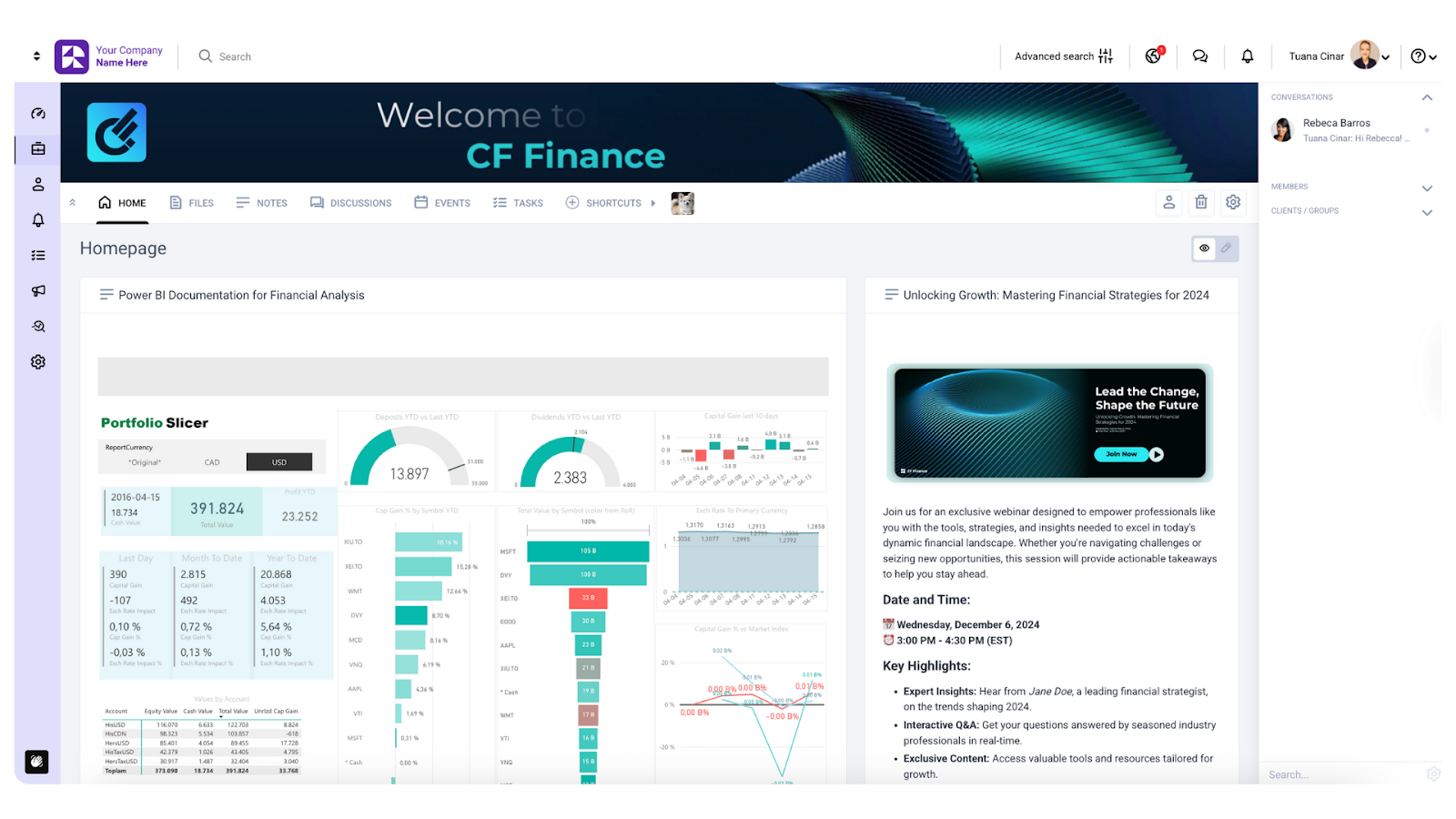
1. Clinked: best overall for secure, scalable client collaboration
Best for: Agencies, consulting firms, accountants, financial services teams, legal teams and other professional service organizations that need a secure, branded client portal.
Clinked is built around private client and stakeholder workspaces.
Each client, project or account can have its own portal with the right files, messages, tasks, discussions, calendars and updates. That makes it different from inviting a client into an internal project-management tool.
Clients see what is relevant to their relationship with your business. They do not need access to your wider internal workspace.
Why Clinked stands out
Clinked brings the main client-facing workflows into one controlled environment:
Secure document sharing
Group discussions and direct chat
Tasks and project updates
Calendars and events
File approvals
Activity and audit trails
Role-based access controls
Custom domains and white-label branding
Clinked is strongest when the client portal needs to be more than a file repository.
It can support onboarding, document exchange, ongoing collaboration, client updates and recurring account communication. That makes it useful across the full client relationship, not only at the start of a project.
For related workflows, see Clinked’s client onboarding portal, secure file sharing for clients, and client collaboration portal software.
Ease of use for clients
A client can log in and complete common actions without navigating a complex internal system.
They can:
Download or upload a file
Read the latest update
Reply to a discussion
Review assigned tasks
Check a deadline or meeting
Approve a document
The experience can also be organized into groups, folders and repeatable portal structures. That helps firms avoid rebuilding the same client workspace from scratch each time.
Branding
Clinked supports custom branding and white-label portal experiences. Depending on the plan, organizations can use their own logo, colors, domain and other client-facing customization options.
Clinked’s pricing page lists custom domain, white-label email notifications and white-label mobile app among plan-level features. (Clinked)
This matters for firms that want the portal to feel like part of their service, not like another third-party login.
For more on branding, see Clinked’s custom client portal.
Security and access control
Clinked supports controlled document access, configurable permissions, audit trails and SSO options.
Clinked’s pricing page lists audit trail, access permissions and Active Directory/SSO among its available features. (Clinked) Clinked’s audit trail documentation also says the feature allows super admins to track platform activity including logins, logouts, document viewing, deleting, updating and permission changes. (Clinked Support)
Organizations should still validate the exact plan, hosting setup and controls required for their own regulatory or contractual obligations.
For more detail, review Clinked’s access permissions and data protection and compliance features.
Where Clinked is weaker
Clinked is not trying to replace every business system.
It is not:
A full CRM
A complete invoicing or accounting suite
A customer-support ticketing platform
A low-code application builder
Very small teams that mainly need contracts and invoices may find Bonsai simpler. Businesses that want CRM, billing, marketing and portal tools in one lower-cost package may prefer SuiteDash.
Some advanced branding, authentication and enterprise features may also depend on the selected plan.
Pricing
Clinked offers plans for different team sizes and requirements. Because pricing and included features can change, check the current Clinked pricing page before comparing costs.The Start Up plan includes pricing based on the number of users and starts at $8.80 per user/month. The Standard plan includes 100 members and 1TB storage, while the Premium plan includes 250 members and 3TB storage.
Enterprise is designed for larger organizations that need 1,000+ members, 5TB+ storage, white-label mobile apps, Active Directory, Single Sign-On, SLA options, and choice of data center location. check pricing.
Annual billing gets you 20% off, while two-year commitments save 35%. All pricing is for 100+ staff members and unlimited guests.
Verdict
Choose Clinked when the client portal is part of your service experience.
It is a strong fit when clients need a secure, branded place to access files, follow updates, communicate with your team and work inside separate client spaces.
Choose another platform if your main need is support ticketing, invoicing, CRM or a fully custom application.
User opinions
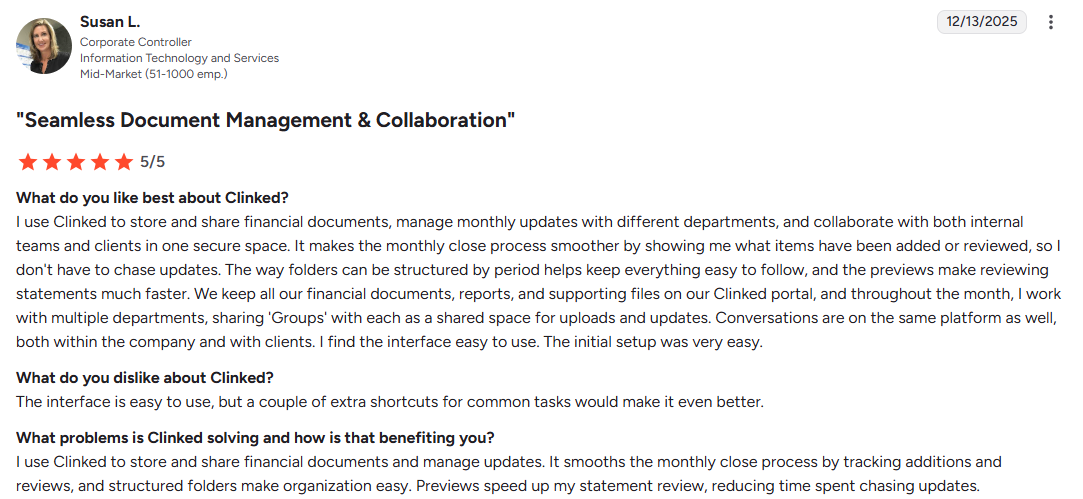
Clinked has a 4.9/5 rating on both G2 and Capterra.
Implementation
Setting up Clinked is fairly quick. You can have your first client workspace running within hours. The platform provides step-by-step guidance for customizing your portal, adding users and configuring permissions. For Enterprise customers, a dedicated Customer Success Manager handles client onboarding and provides ongoing optimization support.
Why businesses choose Clinked:
- Enterprise-grade security (ISO 27001, SOC 2, GDPR-ready)
- Fully white-labeled experience (custom domain, branding, mobile apps)
- Easy client onboarding (no training required)
- Centralized communication & file sharing
- Real-time project visibility for clients
Ready to give it a try? Book a demo or start your free trial today.
Explore Clinked’s client portal solution
Zendesk
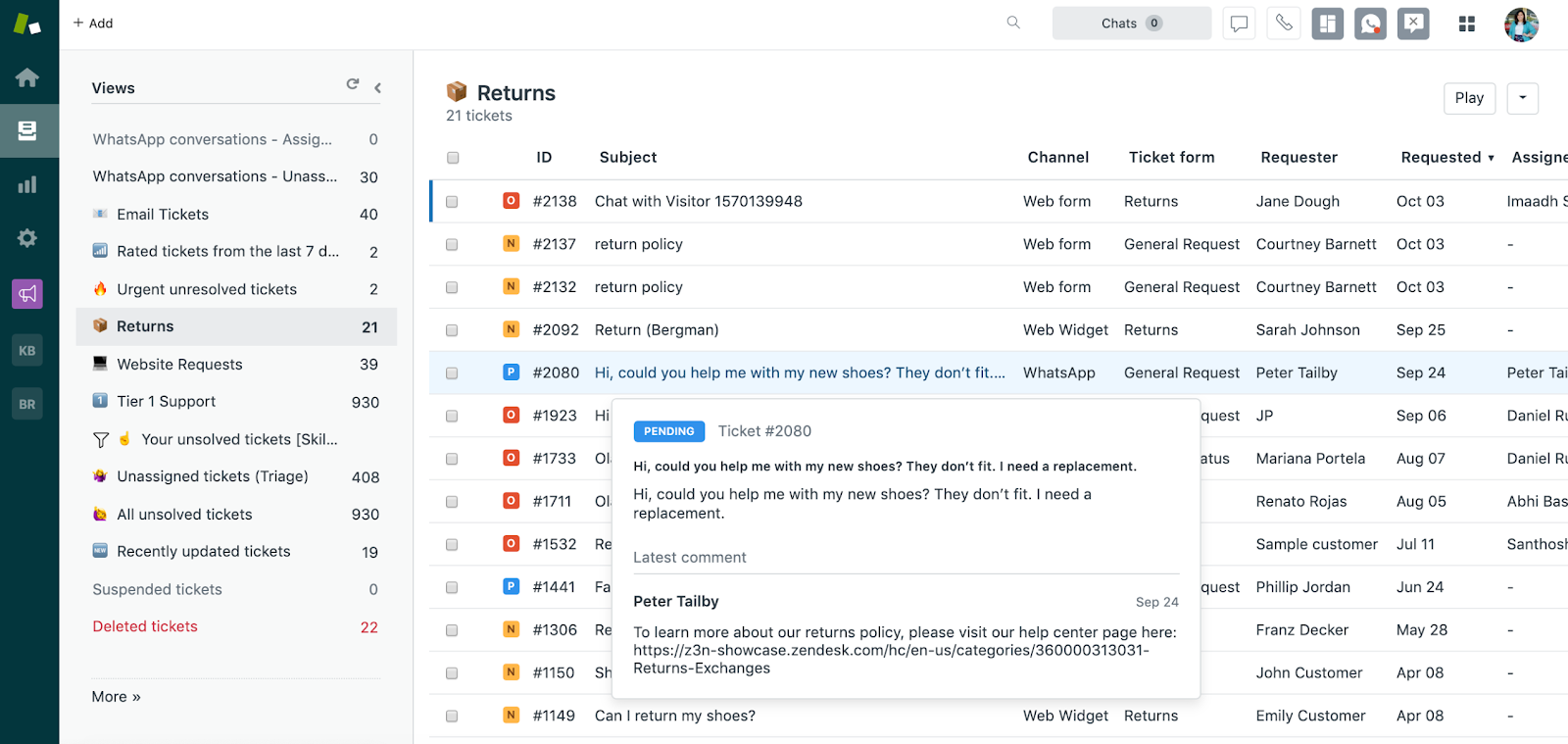
Zendesk is a cloud-based customer service platform that unifies client interactions across email, live chat, phone and social messaging into a single agent dashboard. It's good for businesses prioritizing customer support and ticket management, with features like an AI-powered knowledge base, ticket tracking and extensive integrations.
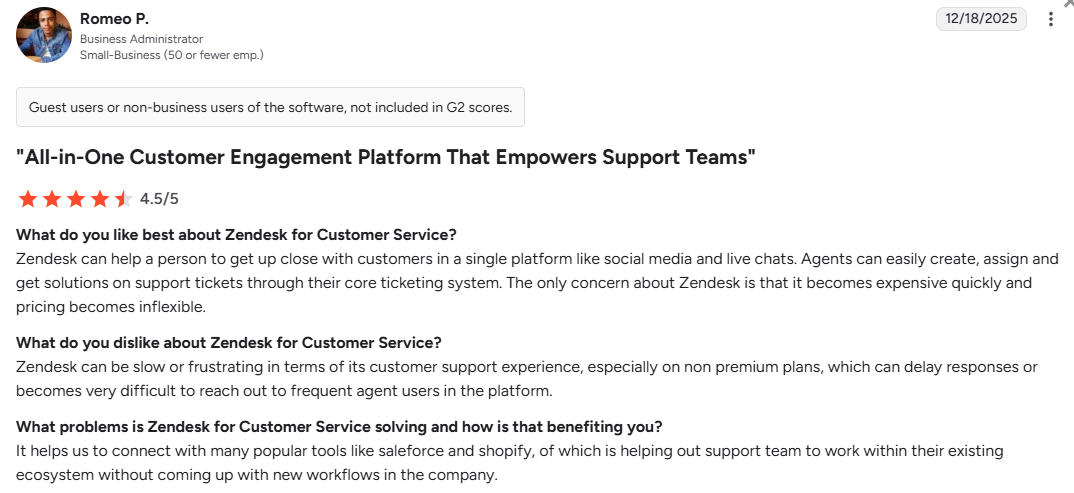
However, my experience revealed a frustrating irony: a customer support company that provides notoriously poor support to its own customers on lower-tier plans. Expect long wait times and generic bot responses unless you’re on enterprise plans.
Best for: High-volume support environments in e-commerce, SaaS and healthcare requiring deep automation, omnichannel unity and sophisticated reporting.
My rating: 3.9/5 Zendesk: best for customer-support portals
Zendesk is not a traditional client collaboration portal.
It is a customer-service platform. Its portal experience is built around tickets, support requests, help-center content and customer self-service. That makes it excellent for service teams, but less natural for long-running client work.
Zendesk’s documentation shows that messaging can be offered through a Web Widget on a website or help center, or through mobile SDKs. It also explains that tickets, triggers, agents and groups can be used to route conversations. (Zendesk Support)
Where Zendesk works well
Zendesk is strong when customers need to:
Submit support requests
Track ticket status
Search help articles
Reply to support agents
Use self-service resources
Interact through messaging channels
For support teams, that structure is efficient. Every interaction can be routed, assigned, tracked and reported.
Where Zendesk is weaker
Zendesk is less suitable when clients need a persistent workspace for documents, project updates, approvals and ongoing collaboration.
It is not the best fit for firms that need:
Private client workspaces
Structured document libraries
White-labeled project portals
Client-facing task collaboration
Long-term account communication outside support tickets
Pricing can also rise as agent numbers, support channels and advanced features increase.
Verdict
Choose Zendesk when your main requirement is customer support.
Choose Clinked, Basecamp or Teamwork when clients need to collaborate on projects, documents and deliverables instead of submitting support requests.
User opinions
G2 rating: 4.3
SuiteDash
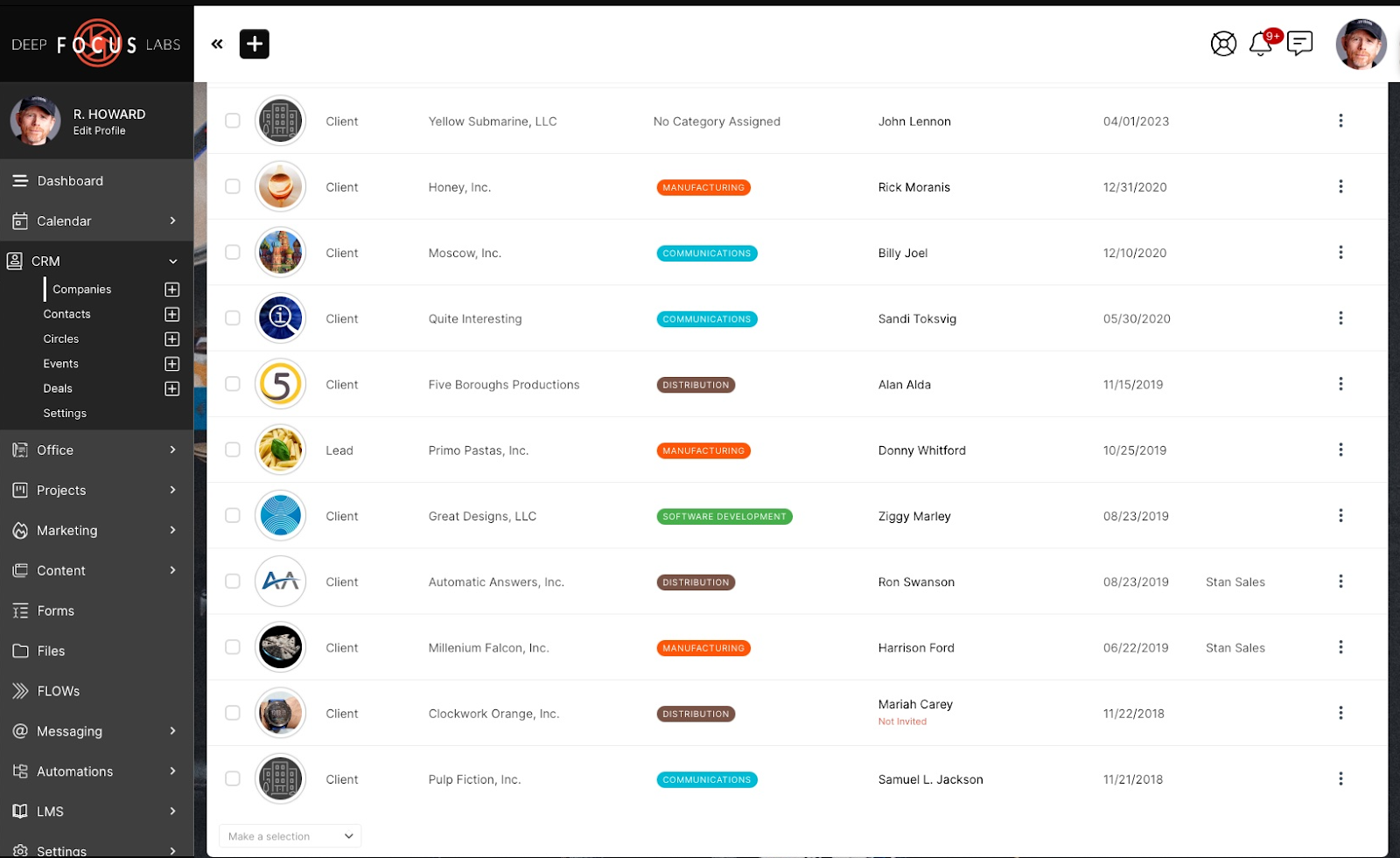
SuiteDash is one platform that consolidates multiple business functions (including CRM, project management, client portals and billing) into a single interface. It can replace a “Frankenstein” stack of separate subscriptions. A marketing agency might use it to manage the entire client lifecycle: prospect fills a form, triggering an automated proposal, e-signature contract and branded portal. The client hub centralizes communication and task management.
See also: SuiteDash alternatives
Best for: Solo freelancers and small-to-mid-sized service agencies (2-20 people) who prioritize consolidation and cost-savings over specialized features.
My rating: 4.1/5
SuiteDash tries to replace several business tools at once.
That is its strength. It is also the reason some teams may find it heavier to set up.
SuiteDash positions its platform as a broad business system that includes client portals, CRM, file sharing, project management, invoicing, billing, appointments and white-label capabilities.
Where SuiteDash works well
SuiteDash can be a good fit for a small business that wants one system for:
Lead and client records
Onboarding forms
Proposals and contracts
Client workspaces
Projects and tasks
File exchange
Messaging
Recurring invoices
Appointment scheduling
Automations
For small teams trying to reduce software spend, that broad feature set can be attractive.
Where SuiteDash is weaker
The trade-off is complexity.
Because SuiteDash includes so many modules, setup can take more planning than a focused client portal. Teams need to decide which features to use, how workflows should connect and what the client experience should look like.
That can work well. It can also create clutter.
Organizations with strict governance, hosting, security or enterprise-support requirements should validate those needs carefully before choosing SuiteDash.
Pricing
SuiteDash promotes flat subscription pricing rather than per-user or per-client pricing. Check the vendor’s current pricing page before comparing costs.
Verdict
Choose SuiteDash when you want a wide range of small-business tools in one subscription.
Choose Clinked when the priority is a cleaner, security-focused and professionally branded client collaboration experience.
For companies comparing portal workflows beyond all-in-one business software, Clinked’s client management software guide is a useful next step.
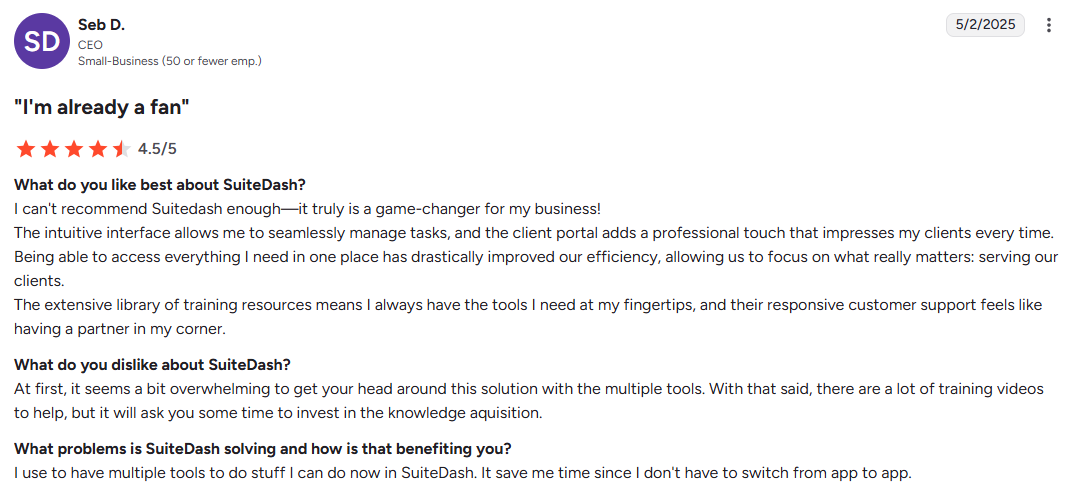
User opinions
G2 rating: 4.8
Zoho Creator
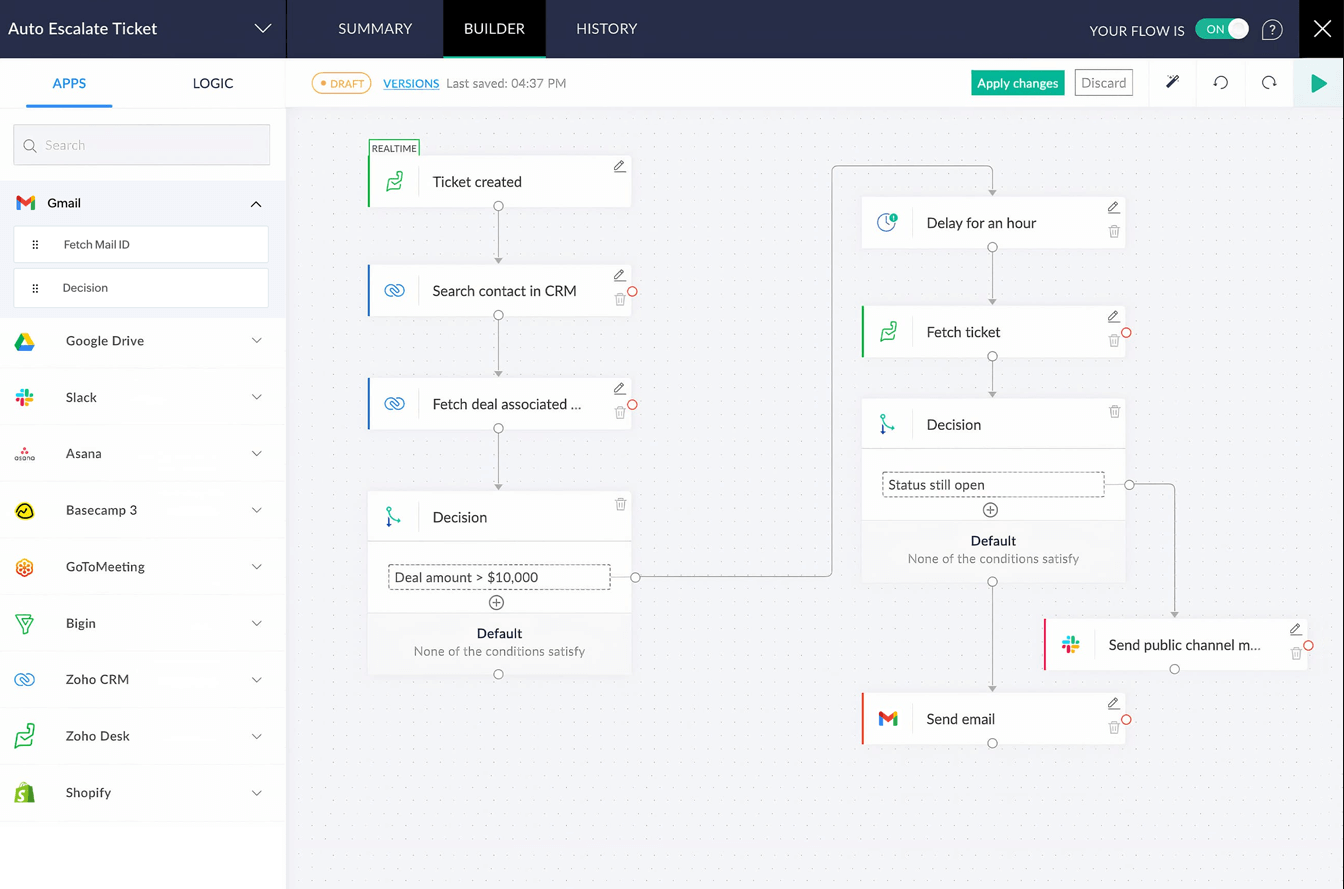
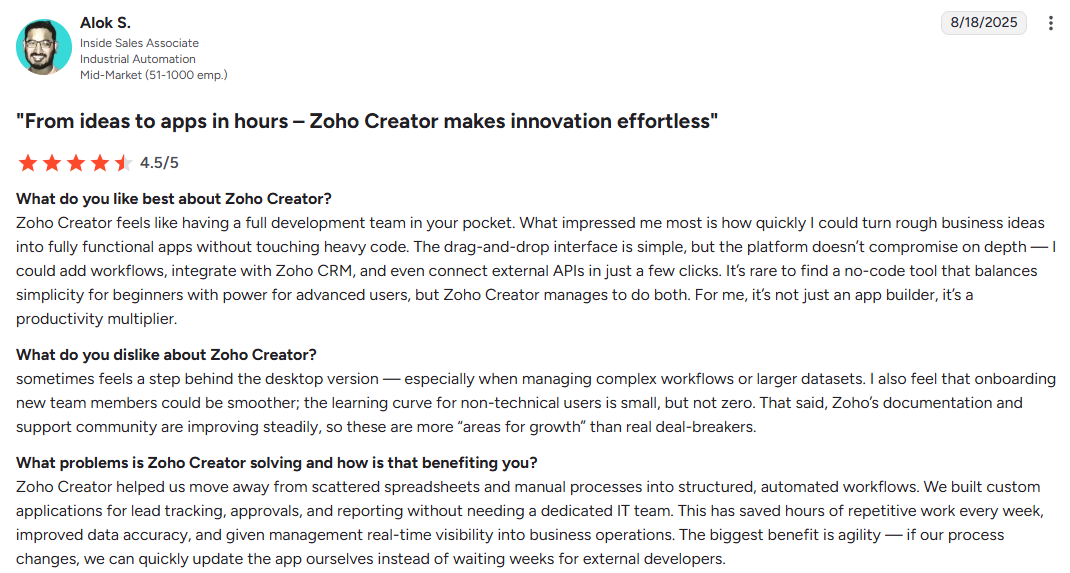
Zoho Creator is a low-code application development platform that lets you build custom business software with minimal coding. You'll enjoy it if you have outgrown spreadsheets but aren’t ready for enterprise software. It lets you add custom fields, allowing users to personalize client portals, track the progress of requests or quotes, and organize project data to improve workflow management and client communication.
If you’re interested in no-code alternatives, explore the no-code client portal guide.
Best for: SMBs in logistics, retail and manufacturing needing custom internal tools like budget trackers, approval workflows and smart intake forms.
My rating: 4.0/5
Where Zoho Creator works well
Zoho Creator can be a strong choice when a standard portal cannot represent the required process.
Common use cases include:
Industry-specific applications
Complex data collection
Custom record relationships
Multi-stage approvals
Specialized dashboards
Custom calculations
Automated process logic
The client experience depends heavily on what your organization builds.
A good implementation can feel focused and efficient. A weak implementation can become hard to use, hard to maintain or difficult for clients to understand.
Where Zoho Creator is weaker
Zoho Creator requires implementation work.
It is not the fastest route if your main requirements are secure files, client messages, tasks, updates and branded workspaces.
Teams should account for:
Portal design
Application configuration
Testing
User permissions
Data structure
Ongoing maintenance
Portal-user licensing
For straightforward client collaboration, a ready-made client portal will often be simpler.
Pricing
Zoho Creator uses subscription plans and portal-user considerations. Confirm the full cost for your intended number of internal users, external portal users and custom-domain requirements.
Verdict
Choose Zoho Creator when the portal needs to behave like a custom business application.
Choose a ready-made client portal when your requirements center on secure files, client messages, tasks, events and branded workspaces.
User opinions
G2 rating: 4.3
Basecamp
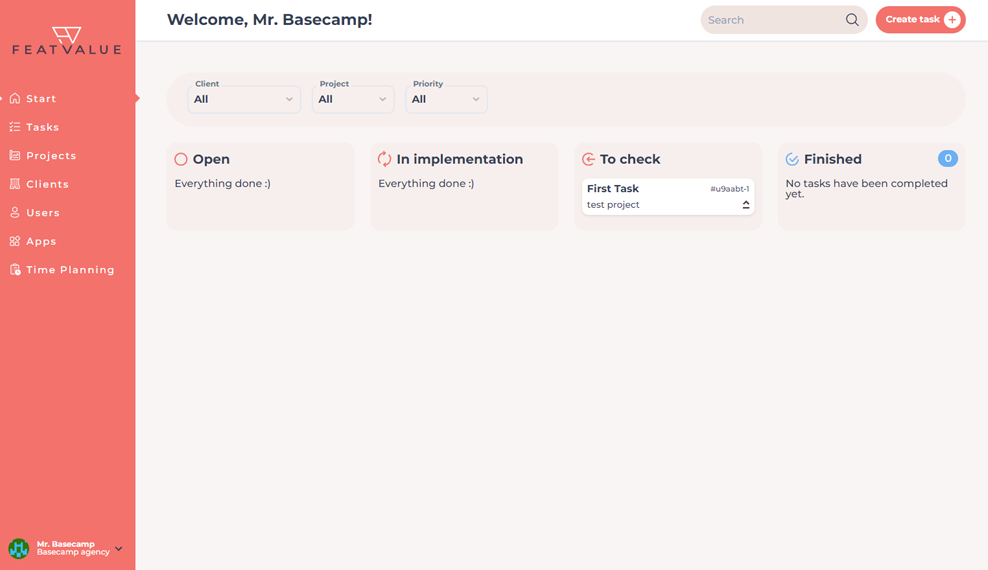
Basecamp is an intuitive, communication-centric project management platform that uses a card-based project view with six core tools: Message Board, To-dos, Docs & Files, Chat, Schedule and Automatic Check-ins. It makes it easy to manage project tasks, assign, track and collaborate on deliverables.
Best for: Creative agencies, startups and remote-first teams that prioritize clear communication and simple task management over complex resource management.
My rating: 4.0/5
Basecamp organizes work into projects containing messages, to-dos, files, schedules and other communication tools.
Basecamp’s Client mode lets teams decide what clients should and should not see on a project-by-project basis. (Basecamp)
Where Basecamp works well
Basecamp is useful when the goal is simple client participation.
Clients can review updates, respond to messages, check to-dos, view shared files and follow project schedules without entering a heavy project-management system.
It works well for:
Project announcements
Client feedback
Shared files
To-do visibility
Schedules
Asynchronous communication
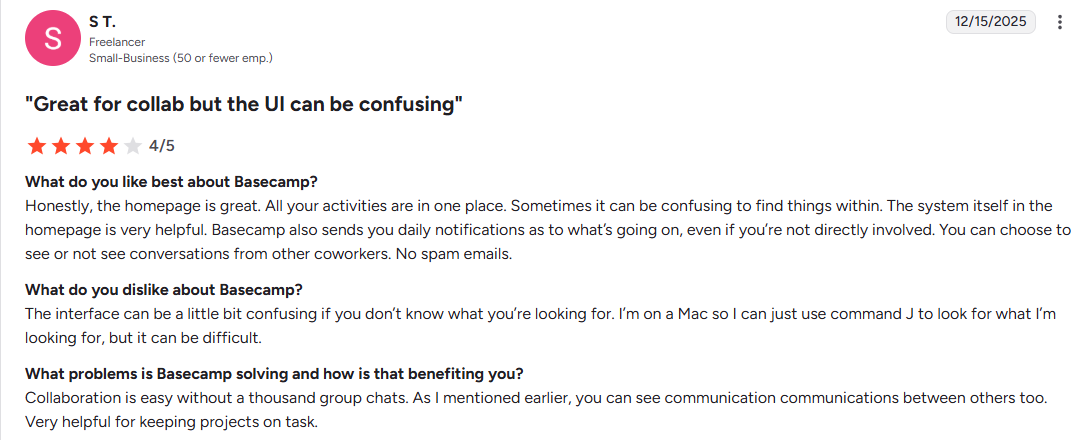
The interface is intentionally simple. That can help adoption.
Where Basecamp is weaker
Basecamp is not built as a deeply branded client portal.
It is weaker when the business needs:
White-label client experience
Custom portal domains
Advanced access controls
Formal document governance
Separate portal experiences by account type
Highly controlled external workspaces
It can be a good collaboration tool, but it may not feel like a polished client portal for firms that sell a premium or regulated service.
Pricing
Basecamp offers plan options that should be reviewed against your user count, client access needs and preferred billing model.
Verdict
Choose Basecamp when clients need to participate in uncomplicated projects.
Choose Clinked when the portal needs stronger branding, separate client workspaces, document controls and a more formal external experience.
User opinions
G2 rating: 4.1
Bonsai
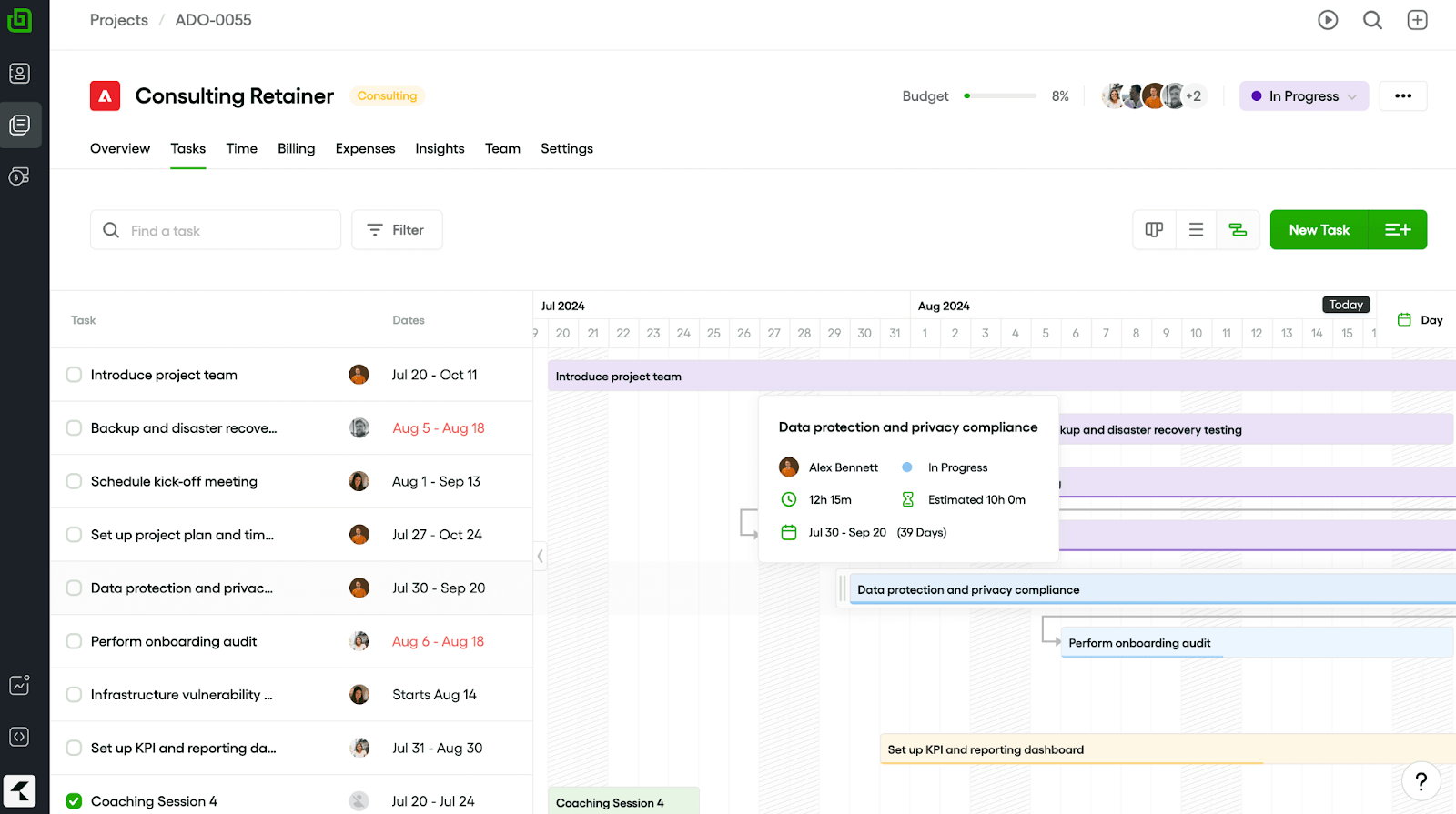
Bonsai is an all-in-one business suite designed for freelancers, independent contractors and service-based businesses. It prioritizes the financial side (contracts, the ability to send invoices, and tax preparation) over complex project timelines.
Best for: Solo entrepreneurs and small teams who need to look professional with limited resources.
My rating: 3.7/5
Bonsai connects client access with:
Proposals
Contracts
Scheduling
Tasks
Time tracking
Invoices
Payments
Client records
That makes it a strong fit for independent professionals and small firms that want the client portal tied directly to commercial workflows.
The client journey is clear:
Receive a proposal
Sign a contract
Enter a project
Review tasks or files
Receive an invoice
Pay
For a freelancer, that can be enough.
Where Bonsai is weaker
Bonsai is less suited to complex client organizations.
It is not the strongest choice for:
Large client groups
Multi-team permissions
Complex document structures
Long-running client communities
Advanced workspace governance
Enterprise authentication requirements
As companies grow, they may outgrow the freelancer-first workflow.
Pricing
Bonsai offers different plan options. Check current pricing, seat costs, feature limits and payment-related fees before choosing it.
Verdict
Choose Bonsai when you are a freelancer or small service company and want the client portal connected to contracts and billing.
Choose Clinked when the ongoing client workspace, document structure and governance requirements are more important than financial administration.
User opinions
G2 rating: 4.3
SuperOkay
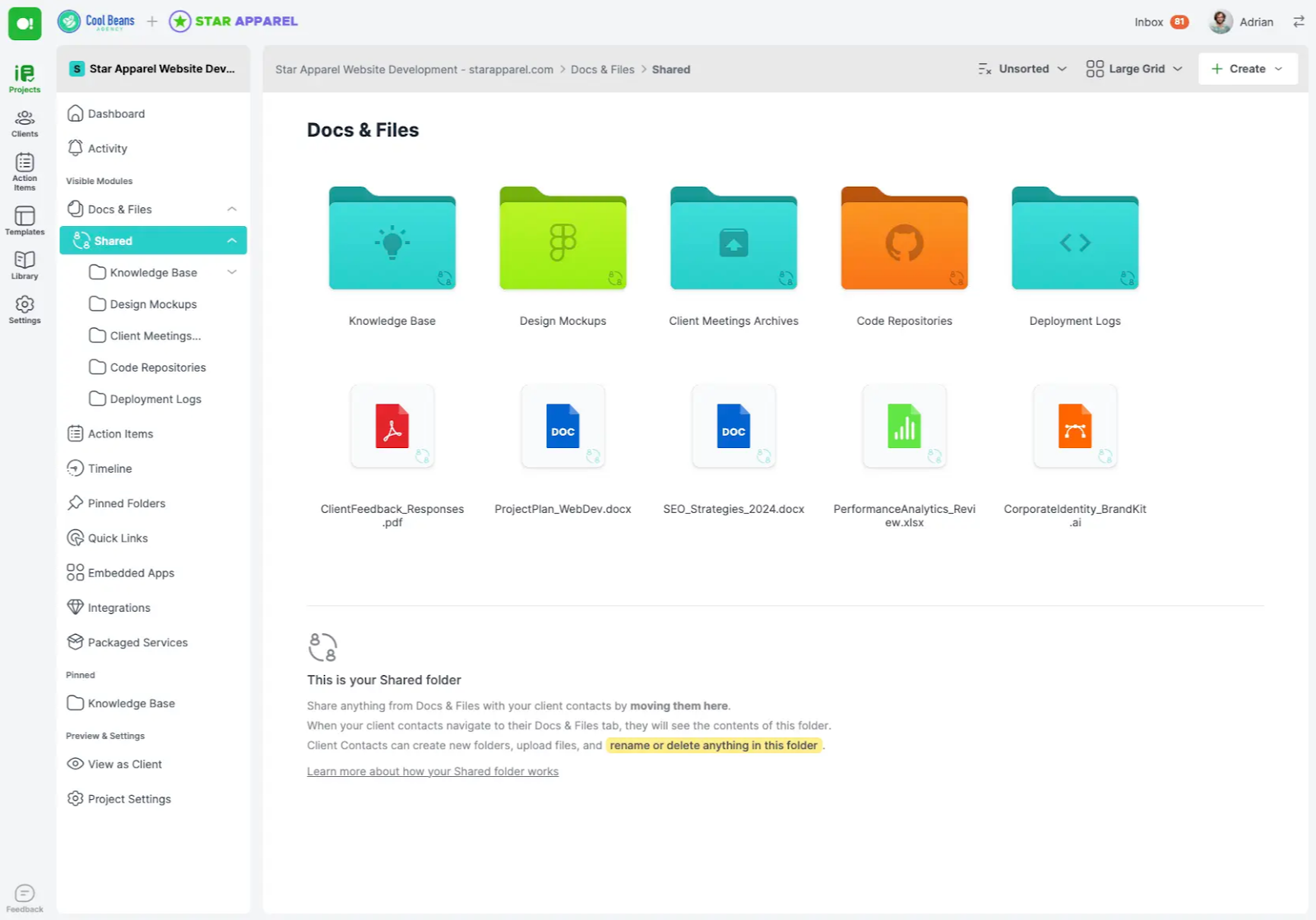
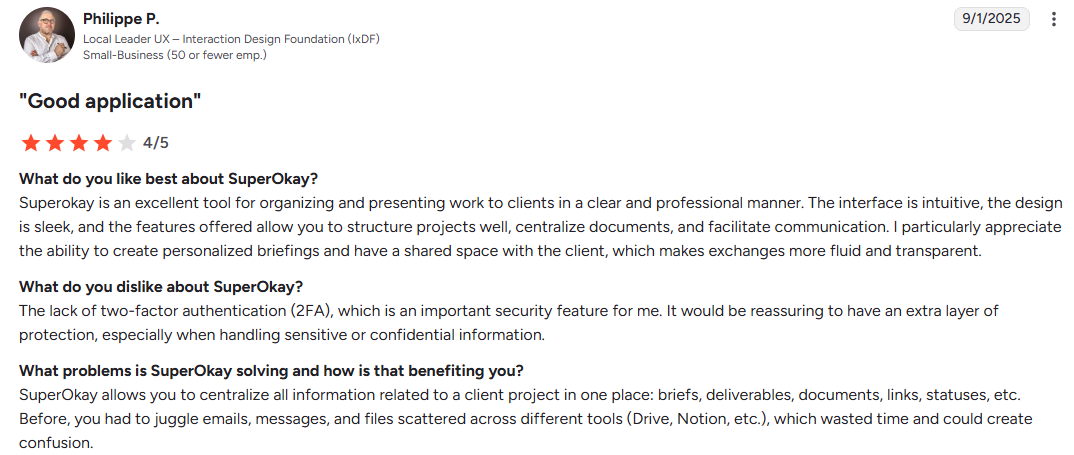
SuperOkay is a client portal tool designed for creative agencies, freelancers and web designers who want a sleek bridge between internal workflows and client-facing experiences. A graphic design agency might present multiple design concepts in a single portal, allowing clients to share deliverables for approval without email back-and-forth.
Best for: Small agencies and solo freelancers who work with high-ticket clients and need a modern, professional destination for project updates and to share deliverables with clients for approval.
My rating: 3.9/5
SuperOkay focuses heavily on the visual client experience.
Its help documentation describes the portal homepage as a way to create a visual representation of projects with files, documents, tasks, app extensions and a timeline. SuperOkay’s feature page also highlights branding, file uploads, embedded apps and approval buttons. (help.superokay.com)
Where SuperOkay works well
SuperOkay is especially useful for:
Proposals
Creative presentations
Service packages
Client resources
Embedded reports
Approval workflows
Client handoff pages
It can act as a polished front end for the tools an agency already uses.
That is valuable when the client experience depends on presentation quality, not just task management.
Where SuperOkay is weaker
SuperOkay is lighter than a security-focused or operations-heavy portal.
It may not be the best fit for:
Complex document hierarchies
Advanced access governance
Regulated client collaboration
Large-scale client workspace management
Detailed project financial controls
It is strongest when the portal needs to look good, organize client-facing material and support approvals.
Pricing
SuperOkay offers plan options that should be checked against portal volume, branding needs, users and feature limits.
Verdict
Choose SuperOkay when client presentation quality and approvals matter most.
Choose Clinked when the portal also needs deeper document management, recurring collaboration, access controls and structured workspaces.
User opinions
G2 rating: 4.6
Teamwork
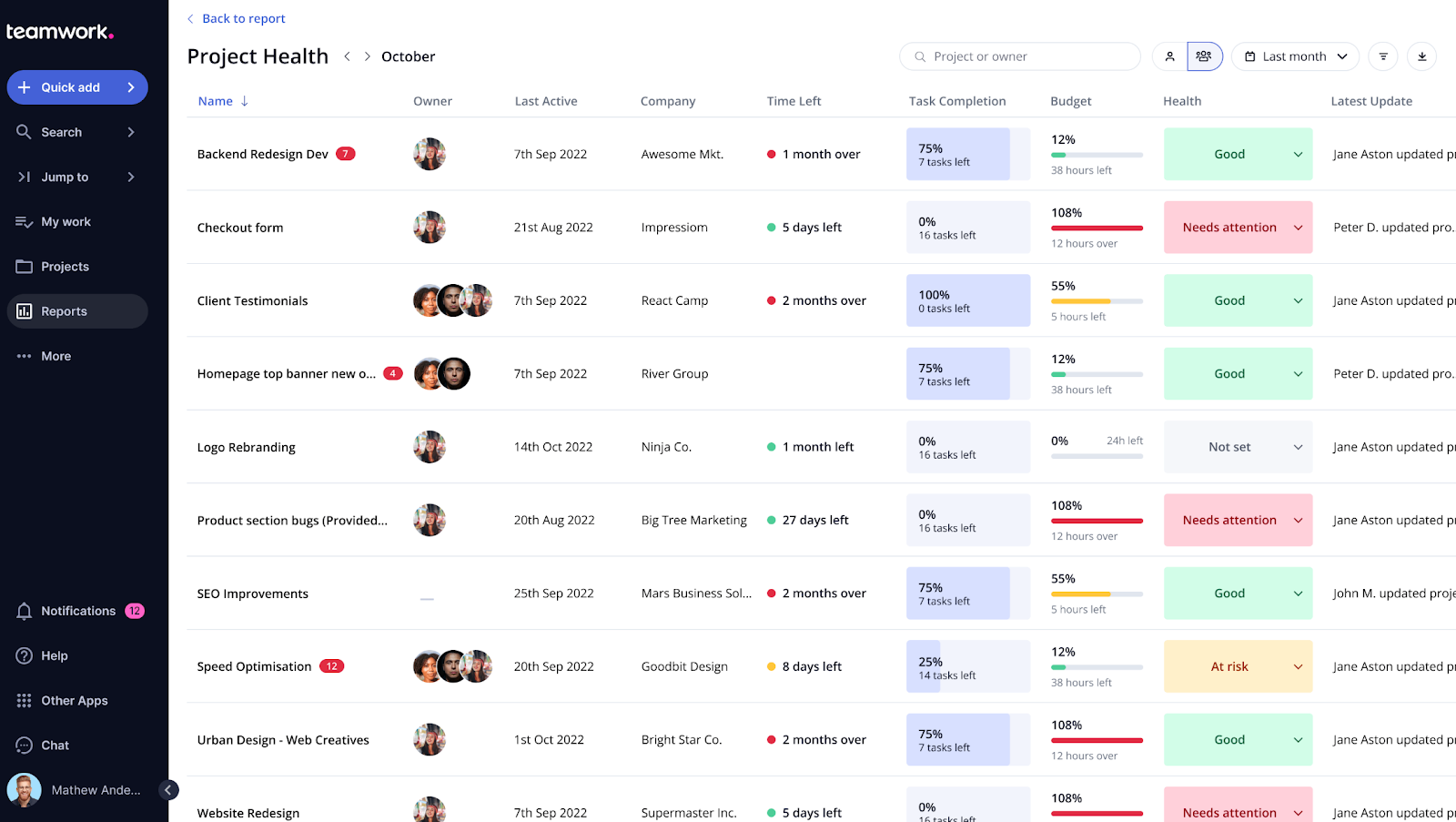
Teamwork is a project management and client operations platform specialized for handling external client work. It lets you manage projects efficiently, whether you have just two clients or are scaling to handle many more, making it suitable for both small teams and growing businesses. It integrates time tracking, budgeting and billing into the project workflow. Teamwork also gives you analytics on client engagement.
Best for: SMBs and agencies that need to track billable hours, manage project profitability and keep clients involved in the process.
My rating: 4.2/5
Teamwork is a project-management platform designed around client work.
Its documentation says client users are built to give clients access, but not too much access. Teamwork’s support documentation also explains that permissions and access levels vary by user license type, including permissions related to project budget visibility. (Teamwork Support Center)
Where Teamwork works well
Teamwork is strong when the business needs to manage:
Project planning
Workload
Time tracking
Client budgets
Billable rates
Profitability
Task collaboration
Project templates
That makes it a strong fit for agencies where project delivery and financial control are the main priorities.
Clients can be invited into relevant projects, review work, comment and participate without receiving the same access as internal users.
Where Teamwork is weaker
The client experience is still a project-management experience.
That may be fine for operational client work. It may be less suitable when the firm wants a polished, white-label destination for files, updates, resources and client communication.
Teamwork is weaker when the priority is:
Deep portal branding
Formal document governance
A simple client-facing workspace
A portal-first relationship experience
Separate external environments that feel independent from internal project operations
Pricing
Teamwork offers multiple plan options. Review current pricing, client-user treatment, project permissions, budget controls and plan limits before comparing it with a dedicated client portal.
Verdict
Choose Teamwork when project delivery, time, capacity and profitability are the priorities.
Choose Clinked when the primary objective is a secure, branded client portal that centralizes communication and files.
User opinions
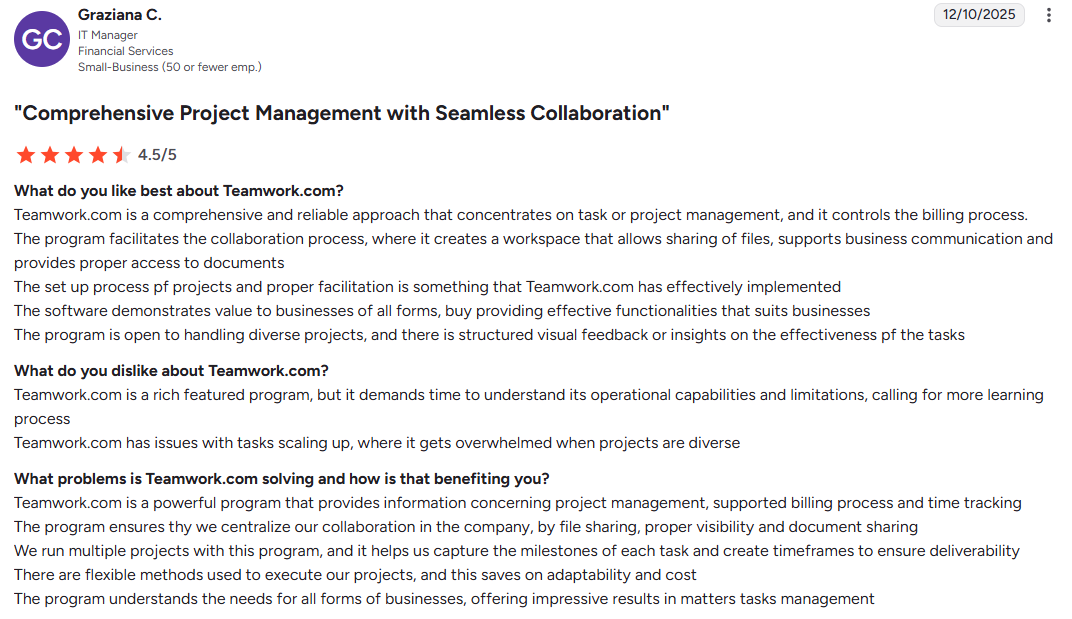
G2 rating: 4.4
To compare additional client portal options, see the best client database software tools comparison.
Best client portal software for agencies and consulting firms
Agencies and consulting businesses usually need more than a file-sharing link.
A useful portal should support the full client relationship:
Onboard the client
Collect files and information
Share project documents
Communicate about deliverables
Assign or track actions
Collect feedback and approvals
Provide ongoing reports and resources
The strongest options in this guide are Clinked, Teamwork, SuperOkay and SuiteDash.
Clinked is best when the agency or consultancy wants a secure, white-label portal with files, messaging, tasks and separate client workspaces.
Teamwork is better when the agency primarily needs to manage project delivery, staff capacity, billable work and profitability.
SuperOkay is better when presentations, embedded resources and creative approvals matter more than complex operational workflows.
SuiteDash is better when a small agency wants CRM, onboarding, billing and the client portal inside one economical platform.
For most established professional service firms, Clinked offers the strongest balance of client experience, secure collaboration and branding.
For agency-specific portal workflows, see Clinked’s client portal for agencies. For consulting firms, see client portal for consulting firms.
Best scalable client portal software for growing firms
Scalability is not only about how many users the software can technically accommodate.
A client portal becomes difficult to manage when growth creates:
Hundreds of workspaces
Inconsistent folder structures
Excessive administrative work
Confusing permissions
Large file libraries
Multiple client contacts
Repeated onboarding tasks
Unclear account ownership
Increasing support requirements
Before selecting a platform, ask practical questions.
Can we reuse portal structures?
Templates and repeatable workspace layouts reduce setup time and keep the client experience consistent.
Can administrators control access centrally?
The platform should make it easy to add, remove and review client access as teams and client organizations change.
Can each client have a separate environment?
A growing firm should not need to combine unrelated clients inside one large project space.
Does search remain useful?
Clients and staff should be able to find files and updates without knowing exactly where they were stored.
Does pricing scale predictably?
Check whether the vendor charges for:
Internal users
Client users
Workspaces
Storage
White labeling
SSO
Support
Integrations
Can the platform support more formal governance later?
A growing company may eventually need stronger auditability, data-location choices, authentication or contractual controls.
Clinked is the strongest choice in this comparison when the portal needs to grow from a small number of client workspaces into a structured, branded client environment.
SuiteDash may provide better value where broad functionality and flat pricing are the priority. Teamwork is stronger when scaling project operations and profitability matters more than the portal experience.
Client portal software vs customer portal software
The terms client portal software and customer portal software are often used interchangeably, but they usually describe different relationships.
A client portal usually supports an ongoing professional relationship.
Typical activities include:
Sharing project documents
Sending updates
Reviewing tasks
Providing feedback
Approving work
Collaborating with an account team
Accessing reports and deliverables
Client portals are common in agencies, consulting, accounting, legal services, financial services and other professional service industries.
A customer portal is more often designed for self-service at scale.
Typical activities include:
Submitting support requests
Tracking orders
Managing subscriptions
Viewing invoices
Updating account information
Searching a knowledge base
client-collaboration portal.
The correct choice depends on what users need to accomplish, not what the vendor calls the product.
For a broader explanation, read Clinked’s guide on what a client portal is.
Client portal software vs web portal software
A web portal is a broader category.
It is any authenticated online destination that brings information, tools or services together for a particular audience.
Examples include:
Client portals
Customer portals
Partner portals
Employee portals
Vendor portals
Patient portals
Investor portals
Client portal software is a type of web portal software designed for external client relationships.
A general portal builder such as Zoho Creator may be appropriate when an organization needs to create several different portal types. A dedicated product such as Clinked is more suitable when the main requirement is secure client collaboration.
For more detail, read Clinked’s guide to web portals.
How to evaluate ease of use and client adoption
A portal does not create value when clients avoid it and return to email.
The most important adoption question is simple:
Can a client complete the task they came for without training or assistance?
Evaluate each product by asking a test client to:
Sign in
Find the latest document
Upload a file
Respond to a message
Review a task
Approve an item
Find a previous update
Use the portal on a mobile device
Signs of a client-friendly portal
Clear navigation
Few unnecessary menu items
Obvious next actions
Consistent folder names
Useful notifications
Simple login
Mobile-friendly pages
Search that works across files and content
Limited exposure to internal-only functionality
Branding clients recognize
Signs adoption may be difficult
Clients need extensive training.
The interface is primarily designed for internal project managers.
Important actions are spread across several products.
Notifications link to confusing or inconsistent destinations.
Each workspace is structured differently.
Clients cannot tell what has changed since their last visit.
Clinked, Basecamp and SuperOkay take different approaches to ease of use.
Clinked focuses on structured client workspaces. Basecamp prioritizes simple project communication. SuperOkay emphasizes presentation and visual clarity.
The right choice depends on what clients need to do after they log in.
How to assess reliability and uptime
Do not choose a portal based only on vendor marketing language.
Ask each provider for:
A public status page
Historical incident information
An uptime commitment
Backup procedures
Disaster-recovery information
Support response commitments
Maintenance-notification policies
Export and data-retrieval options
Vendor claims should be checked against contracts, status history and your own client requirements.
For example, Clinked lists enterprise-level features such as Active Directory/SSO on its pricing page, but buyers should still confirm the exact plan, hosting setup, support terms and security requirements before purchasing. (Clinked)
What features should client portal software include?
The precise feature list depends on the use case, but most growing professional service firms should look for the following.
Secure file sharing
Clients should be able to upload, download, organize and find documents without sending attachments by email.
Learn more about secure file sharing for clients.
Client communication
The portal should keep conversations connected to the correct client, project or document.
For more detail, see Clinked’s guide to client collaboration portal software.
Tasks and approvals
Clients should be able to understand what they need to do and what is awaiting review.
Role-based permissions
The system should prevent users from seeing files or conversations unrelated to them.
Audit trails
The organization should be able to understand who performed important actions.
White-label branding
The portal should feel consistent with the organization’s wider client experience.
Search
Clients and staff should be able to retrieve older information without manually browsing every folder.
Notifications
Users should be alerted to relevant changes without being overwhelmed.
Integrations
The portal should connect with the CRM, cloud storage, productivity or automation tools the organization relies on.
Mobile access
Clients should be able to complete common actions without using a desktop computer.
Document management
If files are central to the client relationship, the portal should support organized folders, version control, permissions and client-facing document access.
For more on this use case, see Clinked’s client document portal.
The reality most teams discover
What starts as:
“We’ll build exactly what we need”
Quickly turns into:
“We’re maintaining software instead of serving clients”
A simple decision rule
Choose client portal software if:
- You want to launch quickly
- You work with multiple clients
- Security and reliability matter
Consider building only if:
- You’re creating a product (not just internal tooling)
- You have engineering resources long-term
For most service businesses, buying is faster, safer, and more cost-effective.
How Client Portals Actually Work (Real-World Examples)
Most articles explain features.
What matters is how client portal software works in real scenarios.
Here are three common workflows.
1. Client onboarding (agency or consulting)
Without a portal:
- Documents sent via email
- Feedback scattered across threads
- Clients unsure what’s next
With a portal:
- Client logs into a dedicated workspace
- Sees onboarding checklist and documents
- Uploads required files directly
- Communicates in one place
Result: onboarding becomes structured instead of chaotic.
2. Secure document sharing (legal, finance, accounting)
Without a portal:
- Sensitive files sent via email or links
- Version confusion
- Security risks
With a secure client portal:
- Files stored in controlled folders
- Permissions restrict access
- Audit trails track every action
- Clients always access the latest version
This is where secure client portal software becomes critical.
3. Project collaboration and approvals
Without a portal:
- Feedback arrives in emails, PDFs, Slack messages
- Approval cycles slow down
With a portal:
- Files are uploaded in one place
- Clients comment directly on deliverables
- Tasks and deadlines are visible
- Approvals happen faster
The biggest gain isn’t efficiency—it’s clarity for both sides.
The key takeaway
Client portals don’t just store information.
They:
- Structure communication
- Reduce friction
- Give clients visibility and confidence
That’s what separates average tools from the best client portal software.
Final verdict
There is no single client portal tool that is best for every workflow.
Choose Zendesk for customer support and ticketing.
Choose SuiteDash for broad small-business functionality at a competitive flat price.
Choose Zoho Creator for custom portal applications.
Choose Basecamp for uncomplicated client project collaboration.
Choose Bonsai for freelancer contracts, billing and project administration.
Choose SuperOkay for creative presentations and approvals.
Choose Teamwork for agency project delivery, time and profitability.
Choose Clinked for secure, branded and scalable client collaboration.
For growing agencies, consultancies and professional service firms, Clinked offers the strongest balance of secure file sharing, client communication, tasks, white-label branding and controlled workspaces.
Instead of asking clients to search through inboxes, cloud-storage links and separate project tools, you can give them one consistent destination for the relationship.
Explore Clinked’s client portal software, view pricing, or book a personalized demo.
Choosing the right portal software for your business
Choosing the right client portal software is all about finding a platform that matches how you actually work with clients.
For professional service businesses that need enterprise-grade security, complete brand customization, and a portal that genuinely feels like their own website, Clinked stands out. The combination of bank-grade security, white-label mobile apps, and intuitive client experience makes it the choice for organizations where trust and professionalism are at the forefront of mind.
This client portal lets your clients view and update their basic information, manage authentication preferences and access important documents all in one place. Additionally, you can track customer engagement and identify clients who may need more attention before renewals.
Book a Clinked demo or start your free trial today.
Photo by Christin Hume on Unsplash





.webp)