Employee Portal Software
Enhance employee engagement and efficiency with secure, customizable employee portals tailored to your company’s needs.
Enhance employee engagement and efficiency with secure, customizable employee portals tailored to your company’s needs.


Keep your team connected and aligned with a single platform for communication and collaboration.
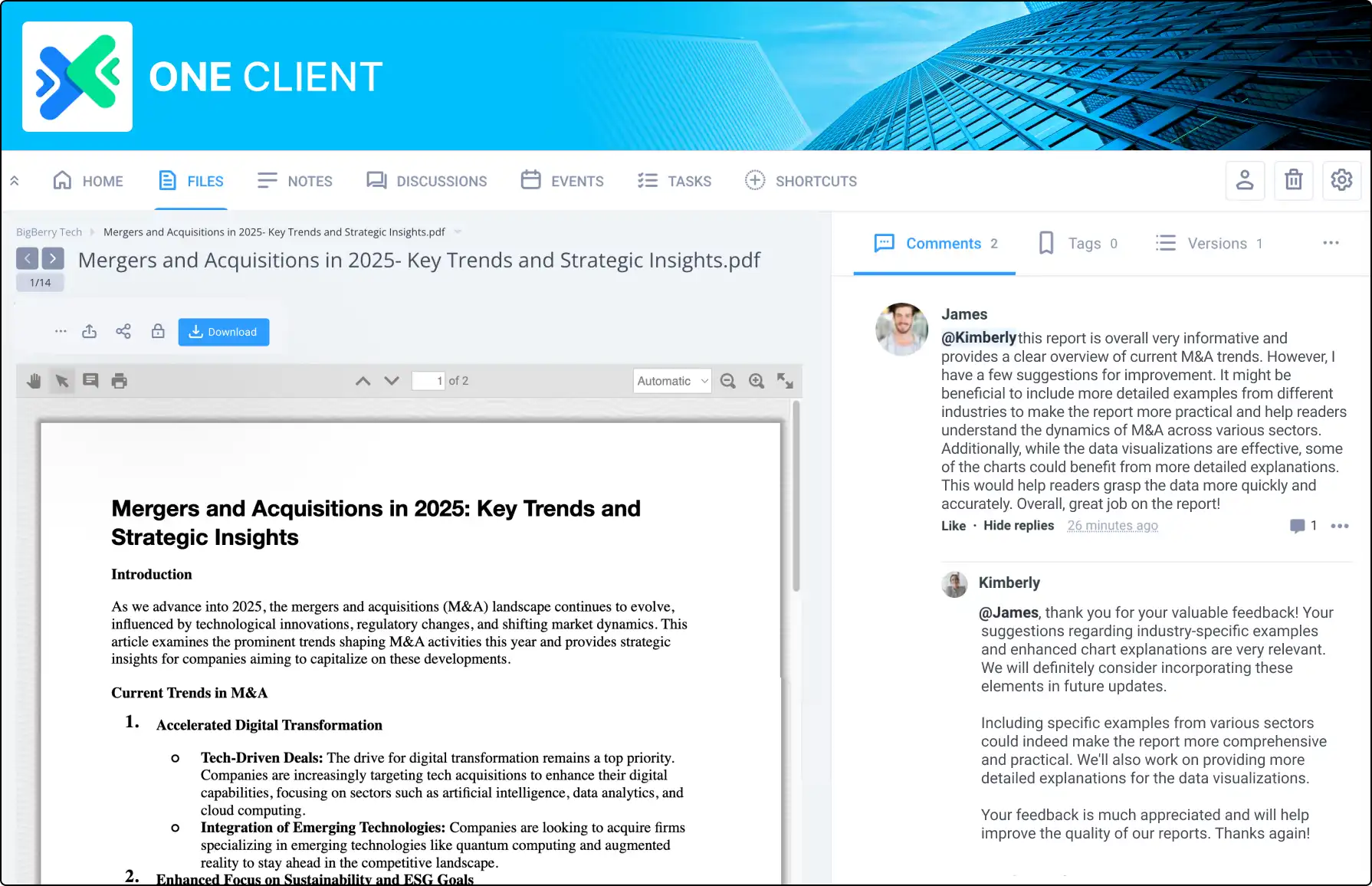
Group chat, @mention messaging, and discussion boards ensure that everyone stays informed and can easily work together on projects, tasks, and company-wide initiatives.

Safeguard your company’s sensitive information with secure document management.
From employee handbooks to training materials, only authorized personnel can access important files.
With encryption, version control, and custom access permissions, you can manage documents with confidence.

Create a unique employee portal that reflects your company’s identity with customizable layouts, custom domains, and white-label options, delivering a professional and consistent experience that enhances engagement.
You can start with these customization options or go even further with a bespoke solution designed to meet your specific needs. Tailor your portal with specialized features and workflows to align perfectly with your company’s vision and operational goals.
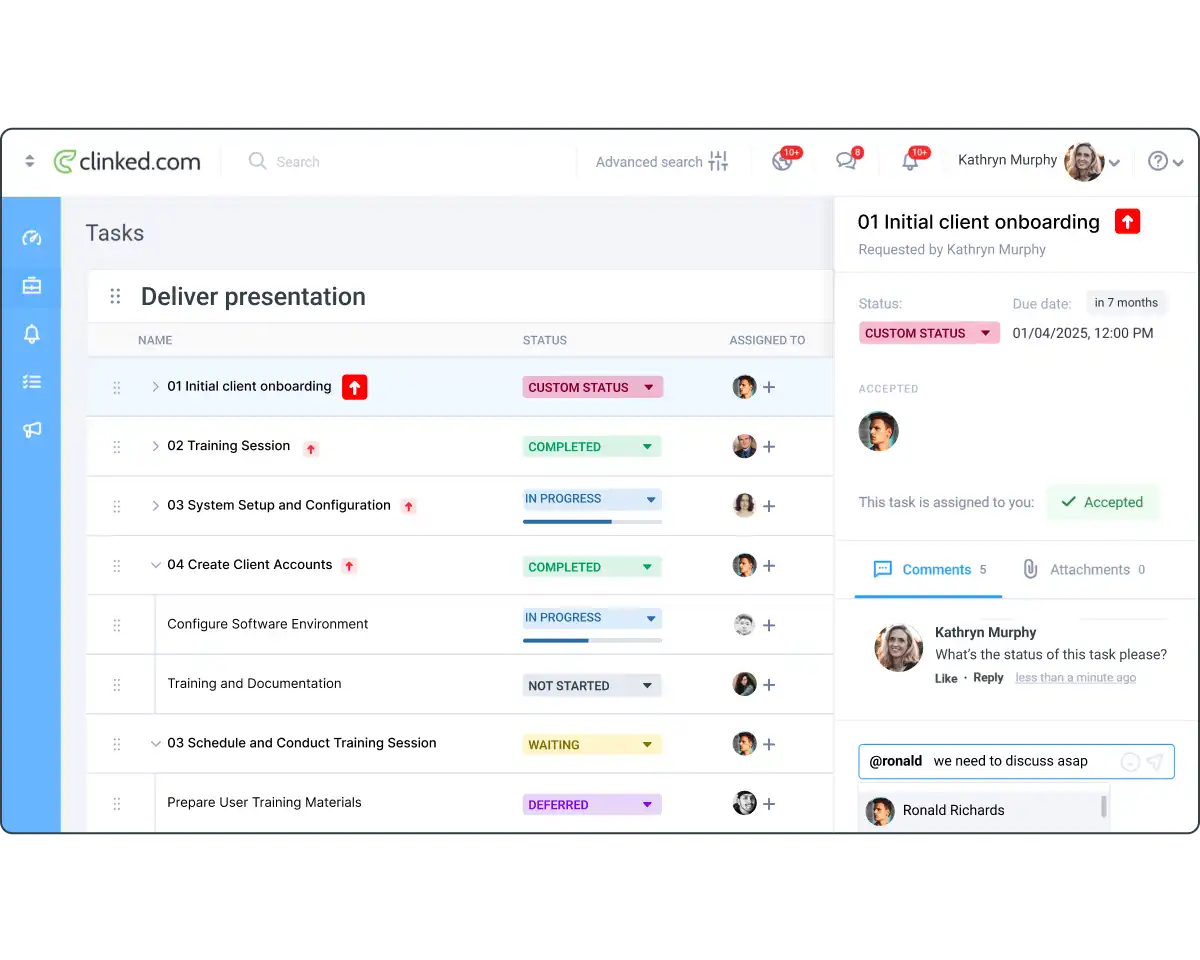
Help your employees stay organized and productive with integrated task management tools.
Assign tasks, set deadlines, and monitor progress using Kanban boards and calendar integrations, ensuring that your team remains focused and on track with their goals.

Ensure your employees are always connected with 24/7 access to the portal from any device.
The mobile app with push notifications keeps everyone informed and engaged, whether they’re in the office or working remotely, so they never miss important updates or resources.


Are you looking to manage clients, projects, or securely store and share files? Choose the solution that fits your needs best. Review the features listed below, or book a demo so we can discuss your requirements and help you select the perfect option.

Upload large files up to 5GB directly to Clinked. Start with 1TB of storage, making file management simple and efficient.

Use File Request to collect files securely from non-members. Allow uploads directly to Clinked for efficient handling.
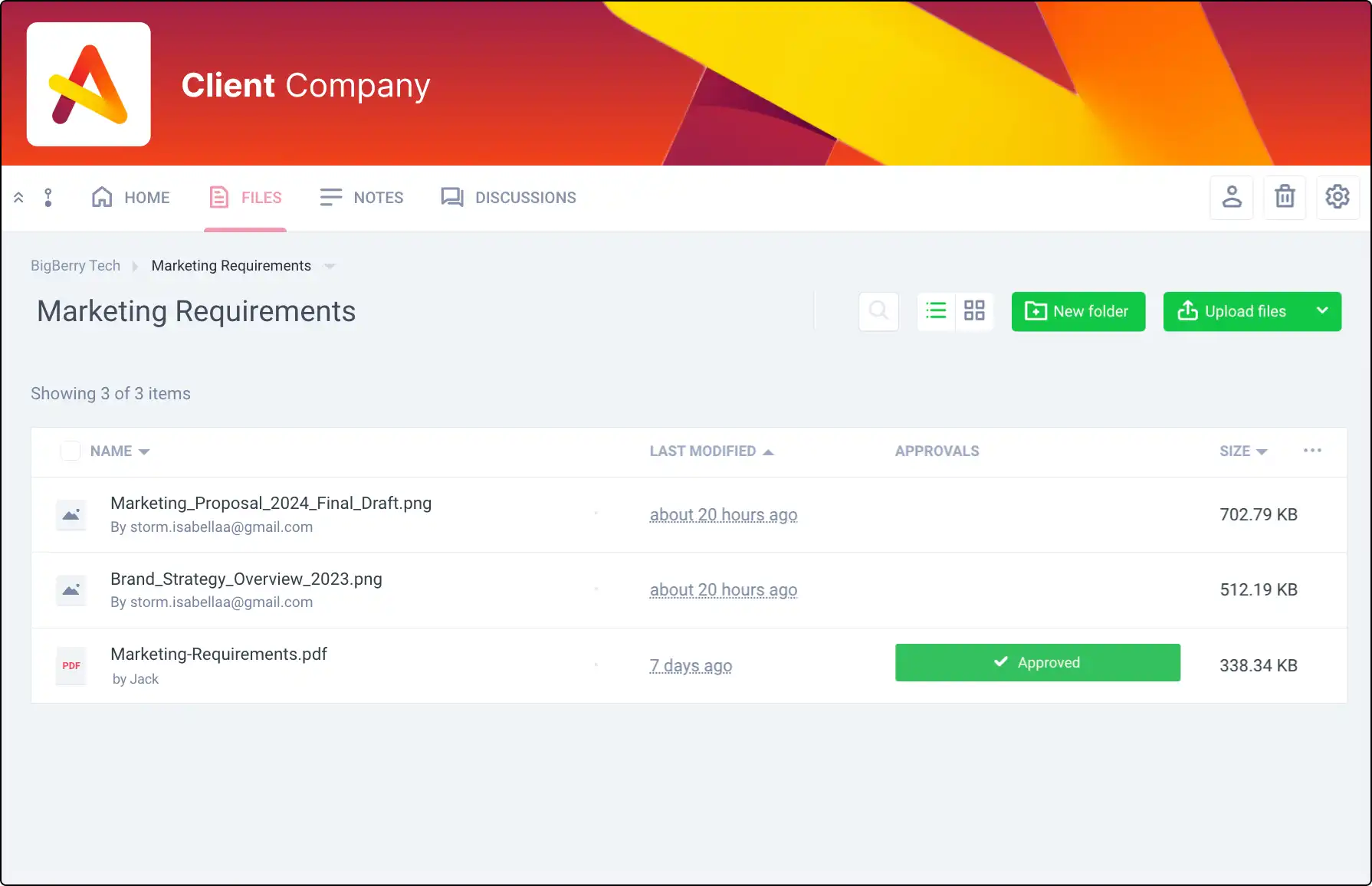
Manage document sign-offs efficiently. Track approvals or rejections within Clinked to ensure everyone is on the same page.

Share events and meetings using Clinked’s group calendar, keeping your team informed and organized.
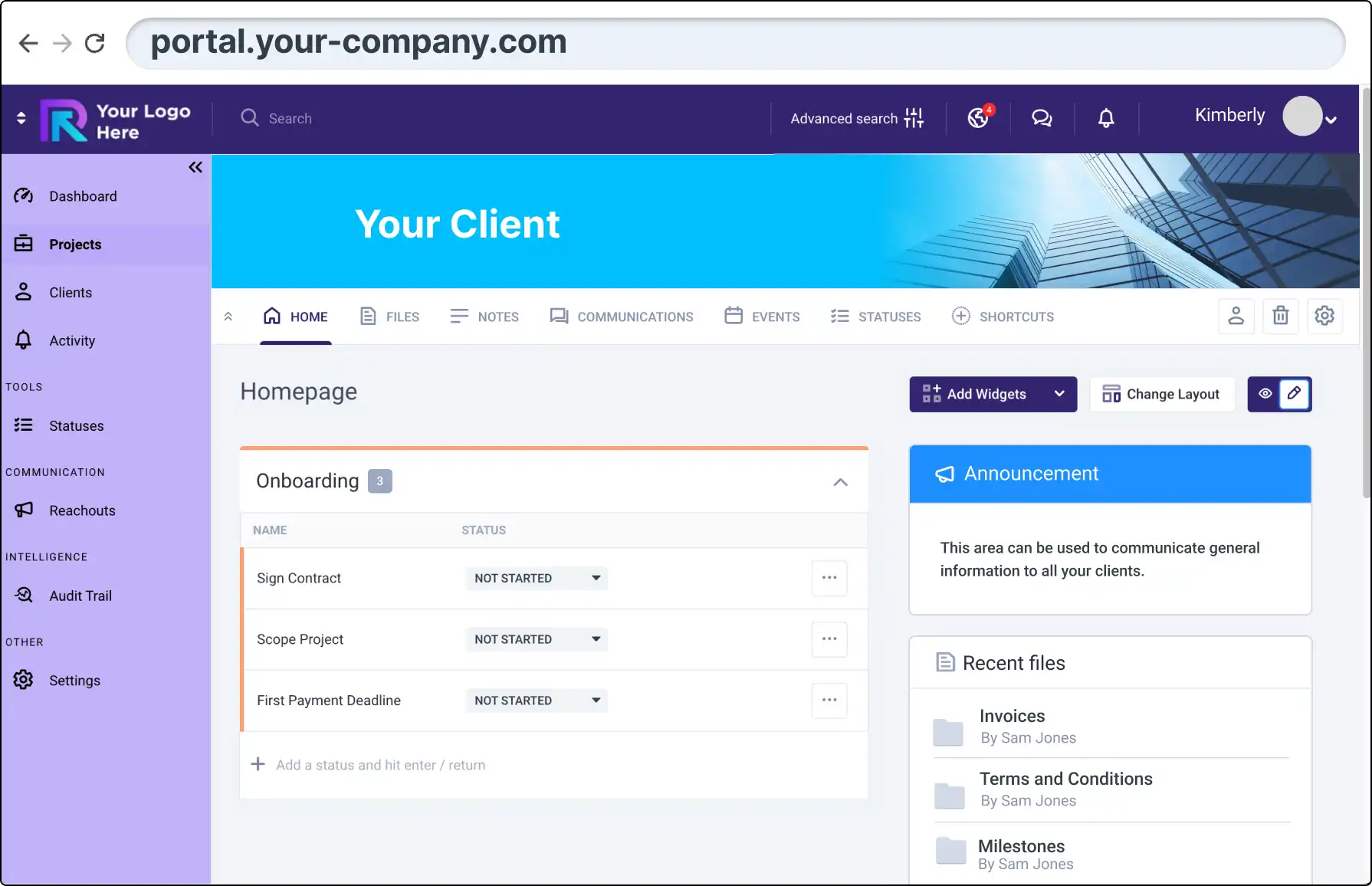
Impress clients with Clinked’s white-label options. Match your portal with your corporate branding for a cohesive experience.
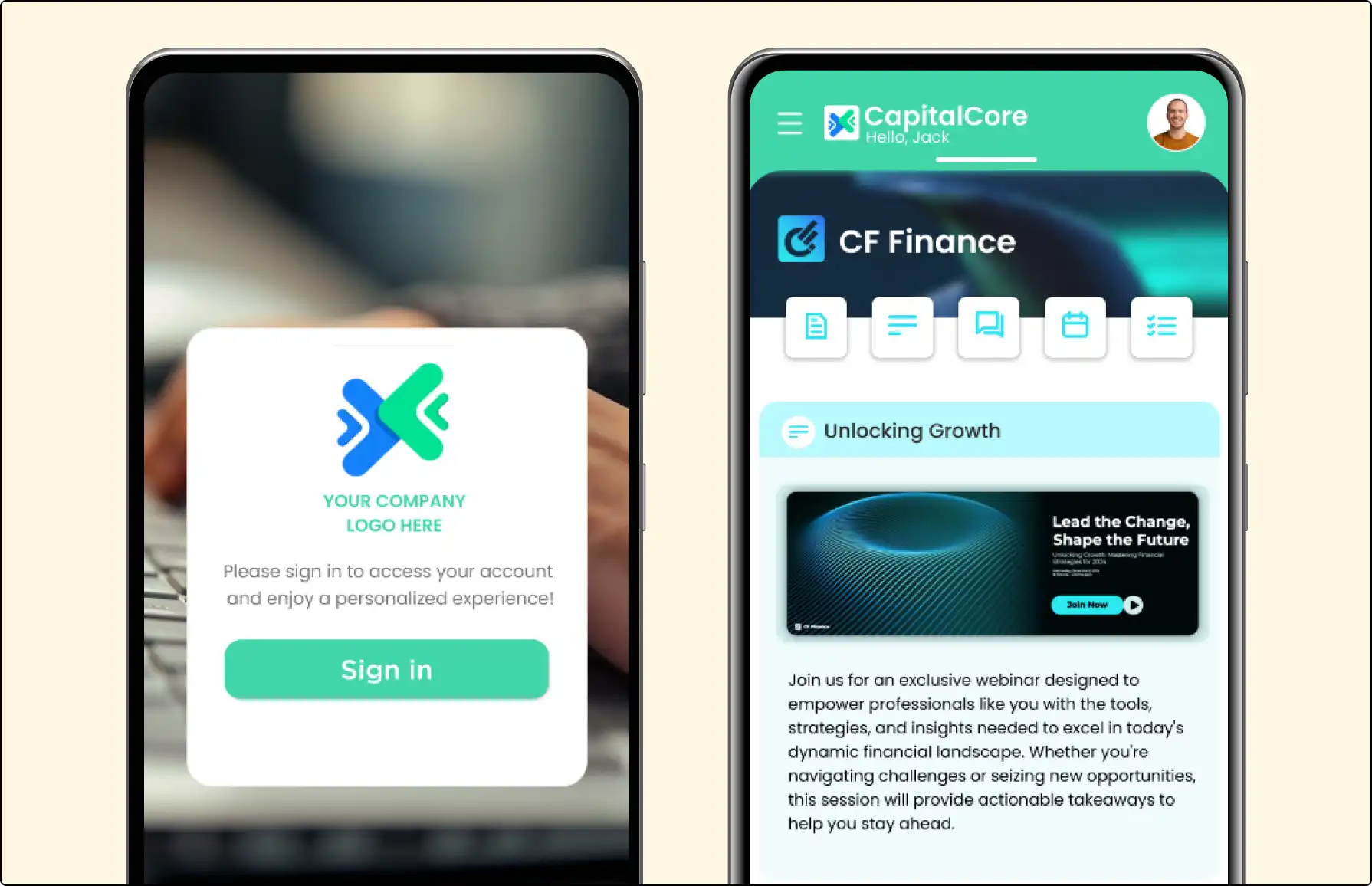
Offer a branded mobile app with Clinked’s white-label option, enabling seamless collaboration on the go for your clients.

Ensure transparency with detailed audit trails. Track user activities and document actions to manage your portal effectively.

Connect with your team using Clinked's secure Group Chat. Communicate in real-time, whether in groups or one-on-one.

Clinked complies with SAS70, PCI, and GDPR, offering industry-standard protection for data management, payment security, and privacy.
Connect with your team using Clinked's secure Group Chat. Communicate in real-time, whether in groups or one-on-one.

Keep track of all document versions with Clinked’s version control. Review, compare, and restore previous versions easily.
Follow content updates via email notifications. Easily filter activities, manage preferences, and stay connected with team updates.

Find answers to your most frequently asked questions about how to create and manage your online client portals with Clinked.
An employee portal is a secure, online platform that centralizes company communication, collaboration, and resources for employees. It helps streamline workflows, improve engagement, and ensure employees have access to the latest updates, documents, and tasks. Clinked provides a customizable and secure employee portal solution.
An employee portal enhances communication by providing tools like group chat, @mentions, and discussion boards. Clinked's platform ensures that teams can easily collaborate on projects and tasks while keeping everyone aligned with company-wide initiatives through a single, accessible platform.
Yes, Clinked’s employee portal offers extensive customization options, including layouts, custom domains, and white-labeling. This ensures that the portal aligns with your company’s brand, providing a seamless and professional user experience for all employees.
Clinked ensures data security through encryption, version control, and custom access permissions. The platform complies with industry standards such as ISO 27001, ISO 9001, and HIPAA, safeguarding sensitive company information and documents against unauthorized access.
Yes, Clinked’s employee portal is accessible from mobile devices, and employees can receive push notifications to stay informed. Whether working remotely or on the go, employees have 24/7 access to important updates, tasks, and documents through Clinked’s mobile app.
Clinked’s platform includes integrated task management tools, allowing you to assign tasks, set deadlines, and track progress with Kanban boards and calendar integrations. These tools help employees stay organized and focused on achieving their goals, boosting overall productivity.