

Running a business without proper management software in 2026 is like trying to navigate a city without GPS: technically possible, but why would you want to? After testing dozens of business management platforms (and watching my team slowly lose their minds with disconnected spreadsheets), I can tell you that the right software makes all the difference between chaos and control.
Food for thought: the global business software and services market size was estimated at USD 584.03 billion in 2024 and is projected to reach USD 1,153.75 billion by 2030, growing at a CAGR of 12.1% from 2025 to 2030. That explosive growth isn't happening because businesses love spending money on software; it's because companies that don't adapt get left behind.
I've personally tested eight standout business management solutions that are shaping how companies operate in 2026: Clinked, Monday.com, Zoho One, HubSpot, Asana, Bitrix24, NetSuite, and Slack. Each serves different needs, from client collaboration to enterprise resource planning. Let me walk you through what I discovered.
How to choose business management software?
Before diving into specific tools, let's establish what we're talking about. Business management software is the digital backbone that connects your business operations, automates routine tasks, and gives you visibility into how your business runs.
According to recent finds, 85% of organizations undergoing digital transformation reported increased operational efficiency; 76% saw improved customer satisfaction, and 68% saw revenue growth.
Assessment framework
Here's the framework I used for evaluating business management software, developed through countless implementation projects:
- Business size and growth stage: Your current team size matters, but where you'll be in two years matters more. I've seen too many companies outgrow their software within 18 months because they only planned for today's business needs.
- Core feature requirements: Make a brutally honest list of must-haves versus nice-to-haves. Customer relationship management tools might be critical for agencies but unnecessary for manufacturing companies. Consider whether you need task management, project management features, or accounting software integration as workflow automation tools can help businesses standardize processes, automate repetitive tasks, improve collaboration, and increase visibility across projects.For growing companies, exploring essential tools for business growth can help identify priorities.
- Integration capabilities: Your new business management tool needs to play nicely with existing tools, smoothing out data transfer.
- Security and compliance: With data breaches making headlines, advanced security features should be standard. Understanding how to ensure your client data is safe is crucial for any business handling sensitive information.
- User experience and adoption: The fanciest features mean nothing if your team won't use them. I prioritize an intuitive interface that requires minimal training and keeps everyone on the same page.
- Pricing and ROI: Look beyond sticker price to total cost of ownership. Factor in setup time, training, and potential productivity gains. Check out a free plan or basic plan before committing to higher tiers.
- Customer support and resources: When things go wrong (and they will), quality support becomes invaluable. Test their response times during your trial period.
- Customization and white-labeling: If you work with clients, branded portals can be the difference between looking professional and generic. Exploring your business portal options early in the evaluation process can save time later.
8 best business management software ranked and reviewed
Here's a quick comparison overview before we dive into the detailed insights.
Clinked
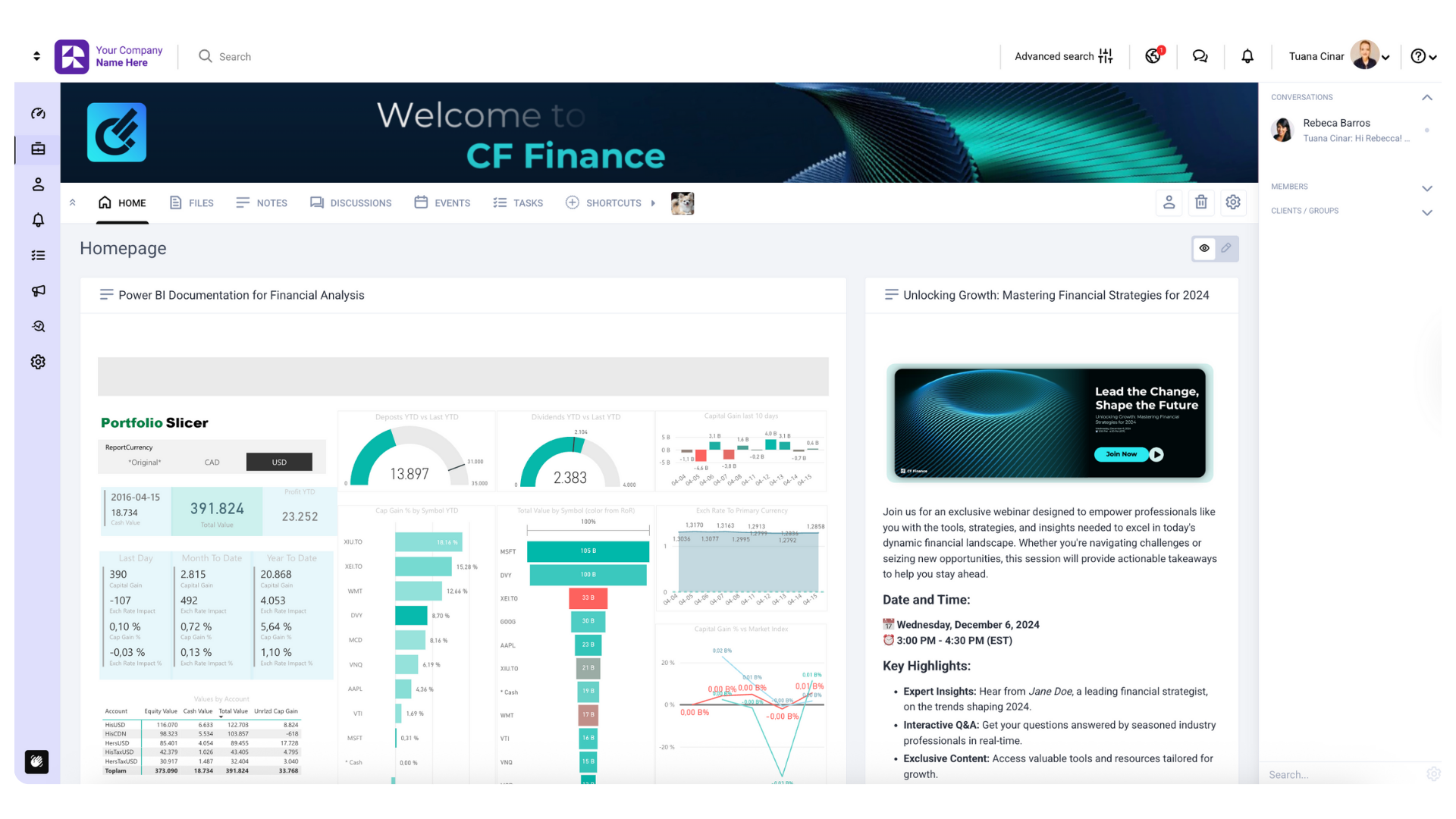
After testing dozens of client portal solutions, Clinked stands out as the most comprehensive white-label client collaboration platform I've encountered. During my evaluation timeline, it transformed how my team managed customer relationships.
Best for: Professional services, agencies, consultants, and any client-facing business requiring secure client collaboration with branded portals.
Objective score: 4.9/5
Pros and cons
Pros:
- Offers advanced security features (ISO 27001 certified, GDPR compliant)
- Complete white-labeling with custom domains and mobile apps
- Intuitive interface that clients actually enjoy using
- Bank-grade encryption (256-bit SSL) with detailed audit trails
- Excellent customer support with quick response times
Cons:
- Higher learning curve for advanced customization features
- Pricing can add up quickly for larger teams
- Some integrations require premium plans
Features list
- Secure file sharing with version control and approval workflows
- Real-time communication tools through group chat, discussions, and @mentions that enhance client communication
- Project management tools with Kanban boards and the ability to assign tasks
- Client portals with full white-labeling and custom branding
- Document management with virtual data rooms
- Calendar integration and meeting scheduling
- Mobile apps (iOS/Android) with offline access
- Advanced reporting and detailed insights for activity tracking
Integration capabilities: Native connections to Google Workspace, Microsoft 365, DocuSign, document signing tools, and 7,000+ apps via Zapier integration.
Pricing
- Lite: $119/month
- Standard: $299/month
- Premium: $599/month with more advanced features
- Custom plans available for larger organizations
Understanding the top use cases for client portals can help determine which plan best fits your needs.
User opinion
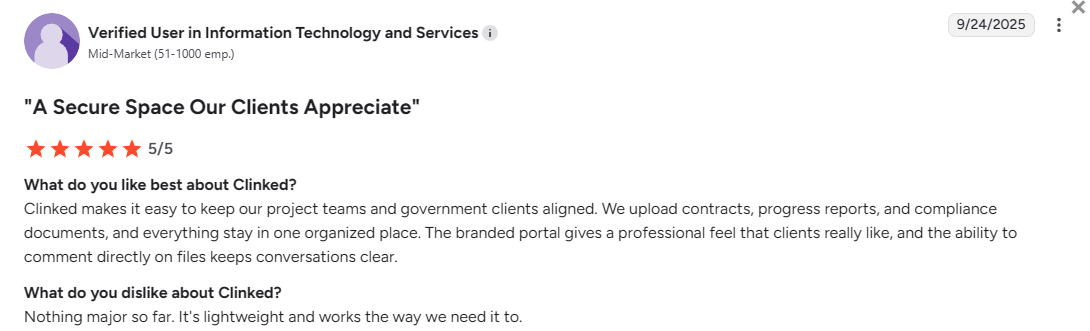
Setting up Clinked takes about 2-3 hours for basic configuration. The platform provides guided setup wizards and dedicated customer success managers for larger implementations. Most teams are fully operational within a week. For those interested in learning more about how to create a customer portal, detailed guides are available.
Ready to see how Clinked can transform your customer relationships? Book a Clinked demo or start your free trial.
Monday.com
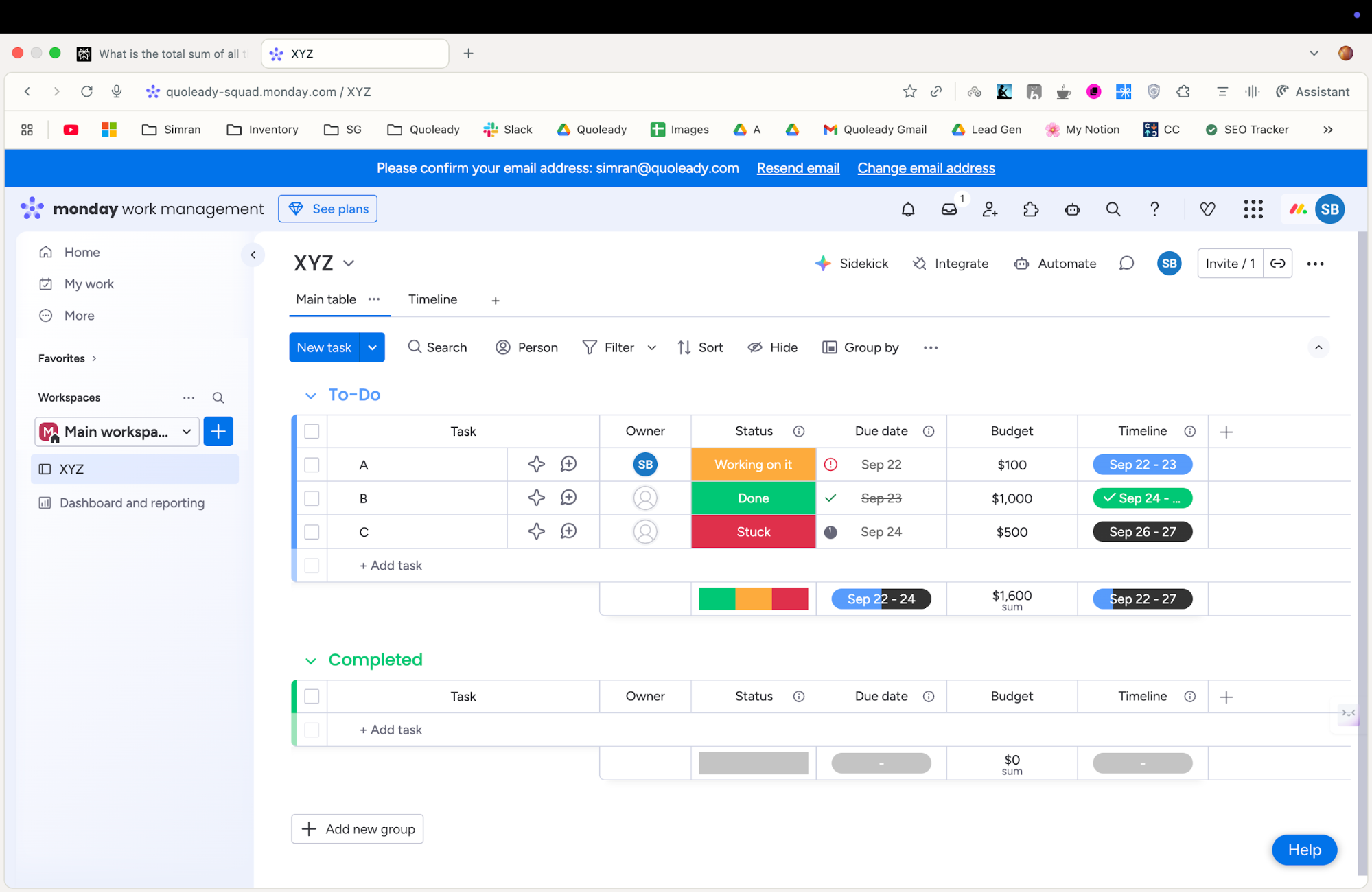
Monday.com caught my attention with its visual approach to project management software. After implementing it, I was impressed by how quickly team adoption happened: something that's often the biggest hurdle with new software.
Best for: Creative teams, project-based businesses, and companies wanting visual workflow management to boost team collaboration.
Objective score: 4.4/5
Pros and cons
Pros:
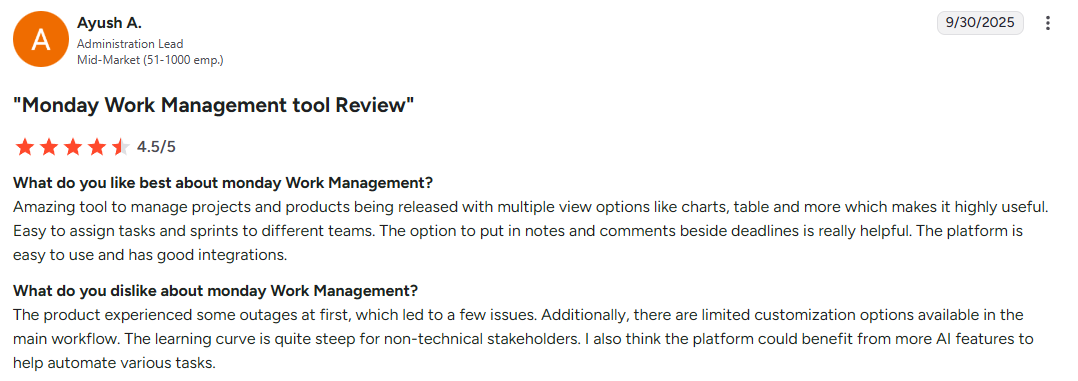
- Intuitive visual interface that requires minimal training
- Automation capabilities that save hours weekly
- Template library for quick project setup
- Strong mobile apps for on-the-go management
- Flexible customization options
Cons:
- Can become expensive as you add advanced features
- Limited reporting tools on lower-tier plans
- Some integrations require premium subscriptions
Features list
- Visual project boards with customizable columns and views
- Workflow automation to reduce manual tasks
- Time tracking and resource management
- Team communication with @mentions and updates
- File sharing and proofing capabilities
- Custom dashboards and reporting tools
- Goal tracking and milestone management
- Client access with limited permissions
Integration capabilities: Connects with Slack, Google Workspace, Microsoft Teams, Zoom, Adobe Creative Suite, and 200+ other business applications.
Pricing
- Free option
- Basic: $12/user/month
- Standard: $14/user/month
- Pro: $24/user/month
- Enterprise: Custom pricing
User opinion
Zoho One
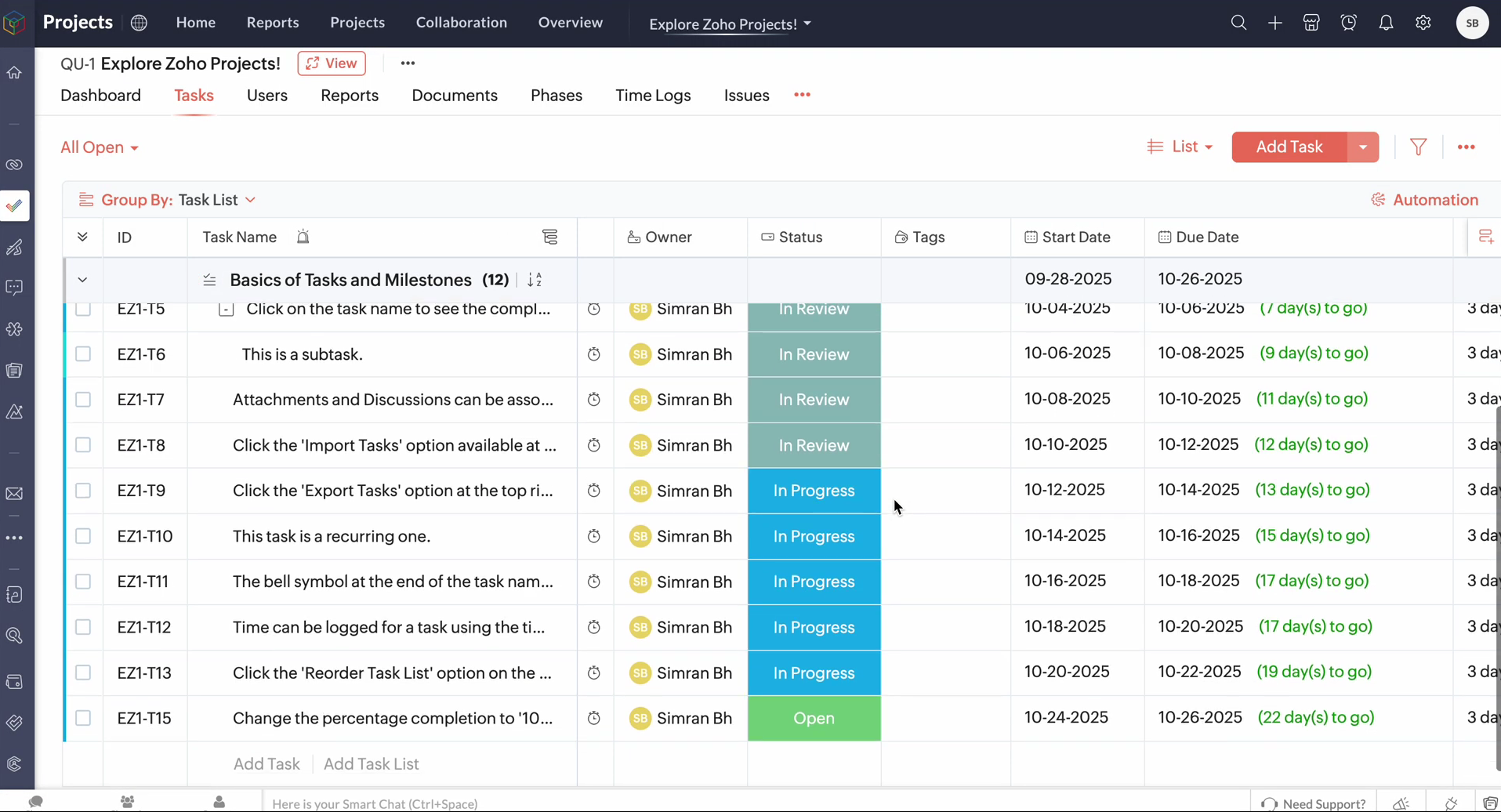
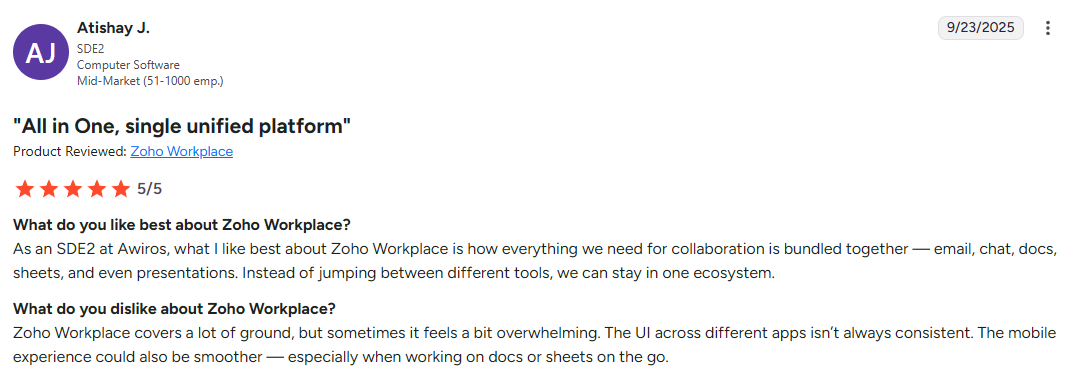
Zoho One is ambitious: attempting to replace your entire software stack with 45+ integrated applications. During my evaluation, it proved both impressive and overwhelming.
Best for: Small businesses and medium businesses wanting an all-in-one business management system and companies looking to consolidate multiple tools.
Objective score: 4.2/5
Pros and cons
Pros:
- Great value: 45+ apps for less than most single-app solutions cost
- Seamless data flow between all applications
- Single sign-on across the entire suite
- Strong customization capabilities
- Comprehensive mobile access across mobile devices
Cons:
- Individual apps aren't always best-in-class
- Learning curve can be steep due to breadth of features
- Some specialized industries may need dedicated solutions
Features list
Zoho One includes everything from customer relationship management CRM to accounting to human resources management:
- CRM with sales pipeline management for your sales team
- Finance apps including invoicing and accounting software
- Human resources management with recruitment and payroll
- Project management and team collaboration tools
- Marketing automation and email campaigns for marketing campaigns
- Customer communication tools and ticketing system
- Advanced analytics and BI with custom reports
- Website and e-commerce builders
Integration capabilities: All Zoho apps integrate seamlessly, plus connections to Google Workspace, Microsoft 365, QuickBooks, and hundreds of third-party applications.
Pricing
- All employee pricing: $45/user/month
- Flexible user pricing: $105/user/month
User opinion
HubSpot
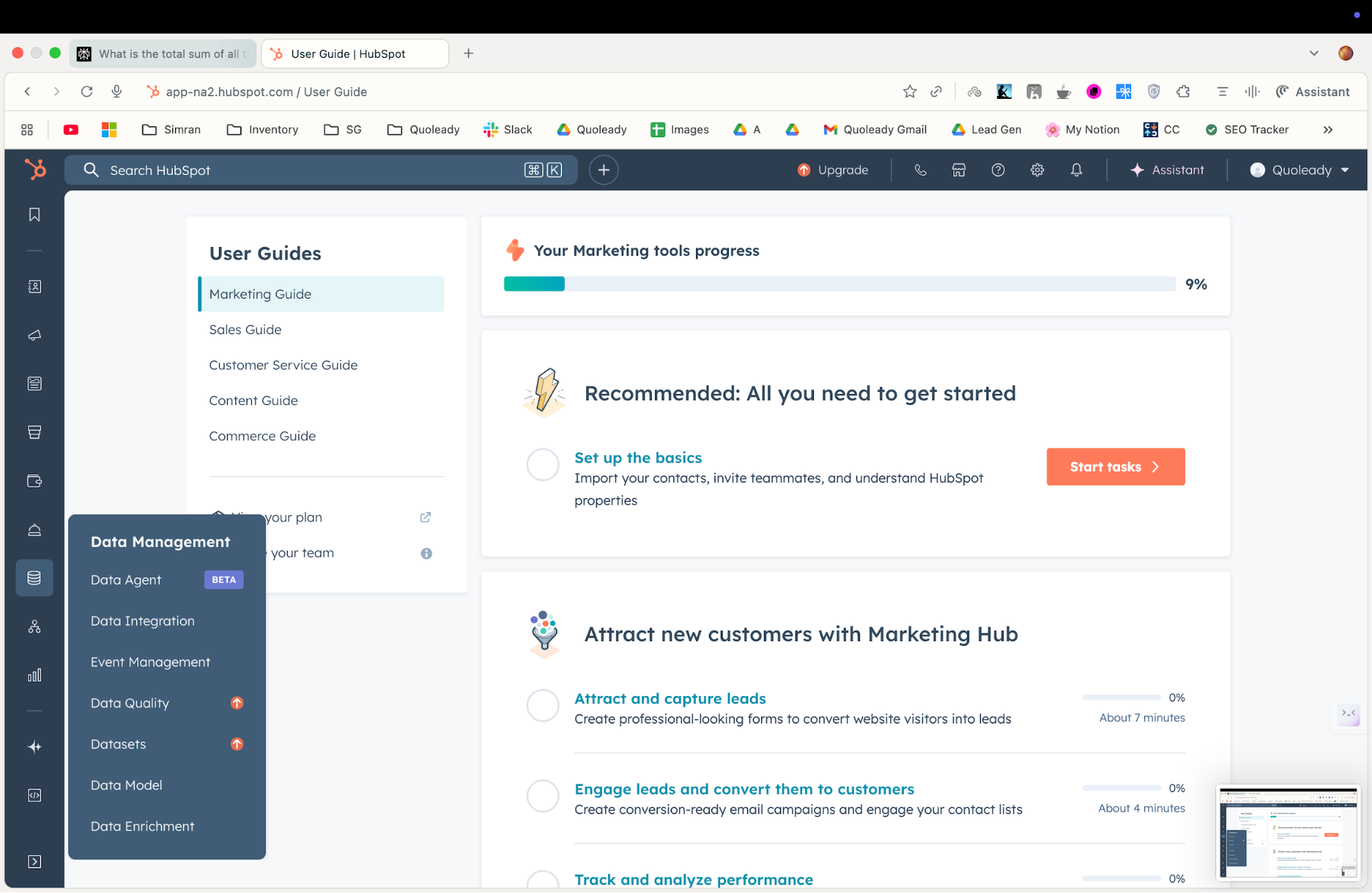
HubSpot's freemium model makes it an attractive entry point, but I discovered its real strength lies in how well its marketing, sales, and service hubs work together. Testing it revealed both its potential and limitations.
Best for: Growing businesses focused on inbound marketing, sales teams needing integrated customer relationship management, and companies wanting to align marketing and sales efforts.
Objective score: 4.3/5
Pros and cons
Pros:
- Generous free plan that's genuinely useful for small business owners
- Excellent educational resources and training materials
- Seamless integration between marketing, sales, and service
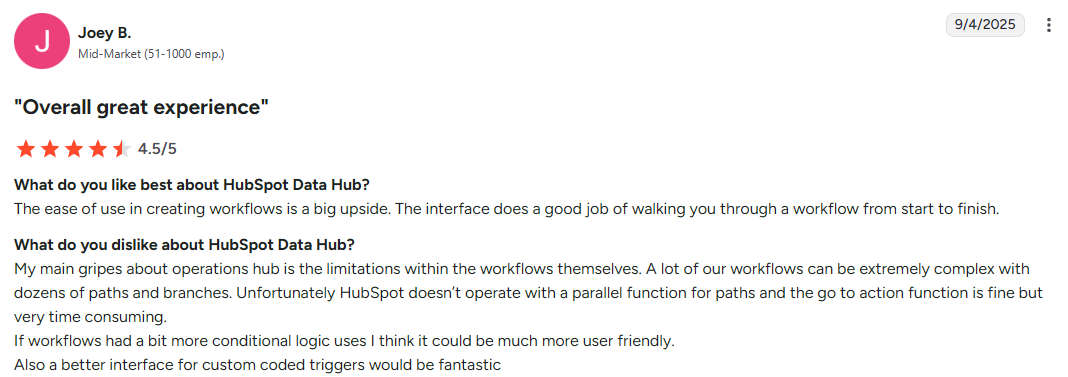
- Strong automation and workflow capabilities
- Regular feature updates and improvements
Cons:
- Pricing plans can escalate quickly with advanced features
- Some limitations on data customization
- Reporting capabilities vary significantly by plan tier
Features list
HubSpot combines customer relationship management CRM, marketing tools, and sales tools in one centralized platform:
- Free plan with contact and deal management
- Marketing automation with email campaigns and lead scoring for marketing campaigns
- Sales tools including email tracking and meeting scheduling
- Customer service with ticketing system and knowledge base
- Content management and blogging platform
- Advanced analytics and reporting with custom dashboards
- Social media management and monitoring
- Customer engagement tools and live chat that support a strong customer engagement strategy
Integration capabilities: Extensive app marketplace with 500+ integrations including Salesforce, WordPress, Shopify, and major email platforms.
Pricing
This pricing is for the Data Hub. All hubs have separate pricing tiers.
- Free for up to two users
- Data Hub Starter: from $15/mo/seat
- Starter Customer Platform: from $15/mo/seat
- Data Hub Professional: $800/month
- Data Hub Enterprise: $2000/month
User opinion
Asana
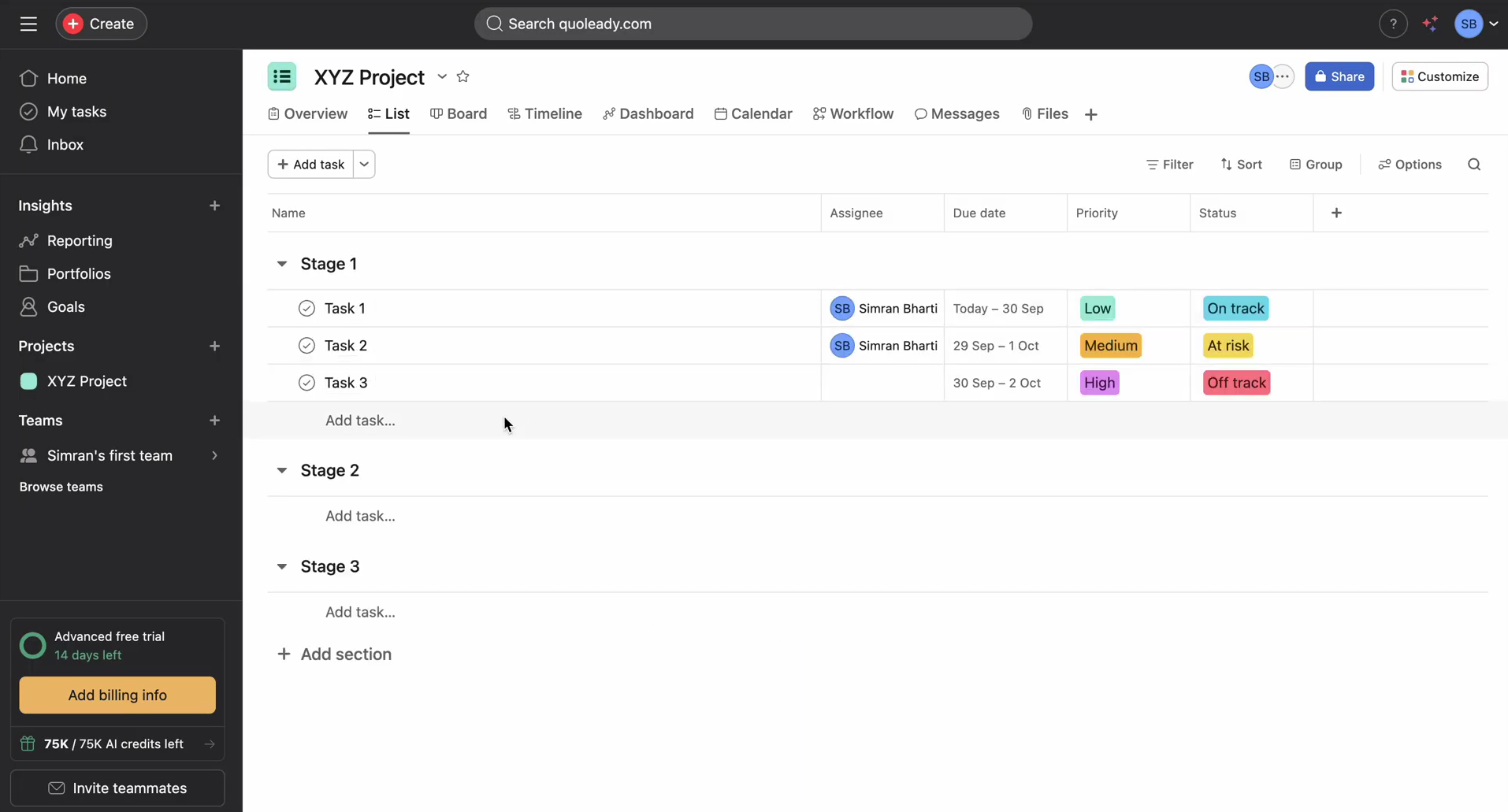
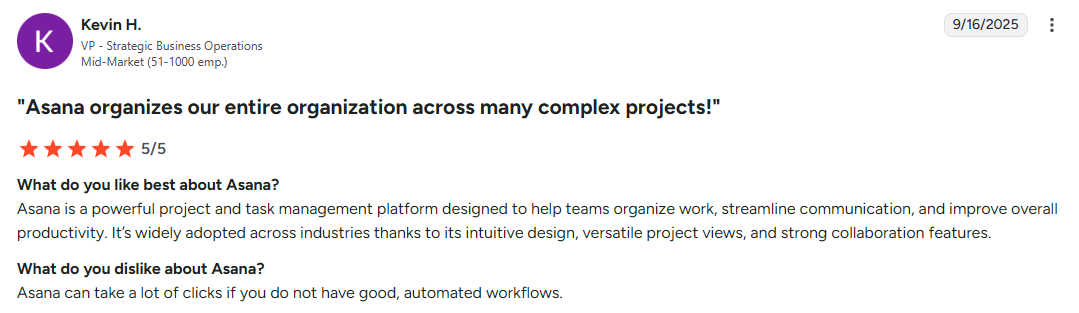
Asana strikes a balance between simplicity and power that I found refreshing during testing. The team adopted it within days and saw immediate improvements in project visibility.
Best for: Creative teams, marketing departments, and project-focused businesses that need clear task management without complexity.
Objective score: 4.1/5
Pros and cons
Pros:
- Clean, intuitive interface that team members love
- Strong basic free plan for smaller teams
- Excellent mobile apps for field teams
- Multiple project views (list, board, timeline, calendar)
- Great collaboration features to boost team collaboration
Cons:
- Limited advanced project management features
- Reporting capabilities are basic on lower tiers
- Custom fields and forms require premium plans
- No native time tracking
Features list
- Task management with subtasks and dependencies to assign tasks
- Project templates for repeatable workflows
- Team collaboration with comments and @mentions
- Multiple project views including Gantt charts
- Goal tracking and progress monitoring to monitor progress
- Custom fields and project forms
- Workload management and resource allocation
- Portfolio management for multiple projects
Integration capabilities: Connects with Slack, Google Workspace, Microsoft Teams, Adobe Creative Cloud, Salesforce, and 100+ other apps to eliminate the need for multiple tools.
Pricing
- Personal: Free forever
- Starter: $13.49/user/month
- Advanced: $30.49/user/month
- Enterprise: Contact for pricing with advanced security features
User opinion
Bitrix24
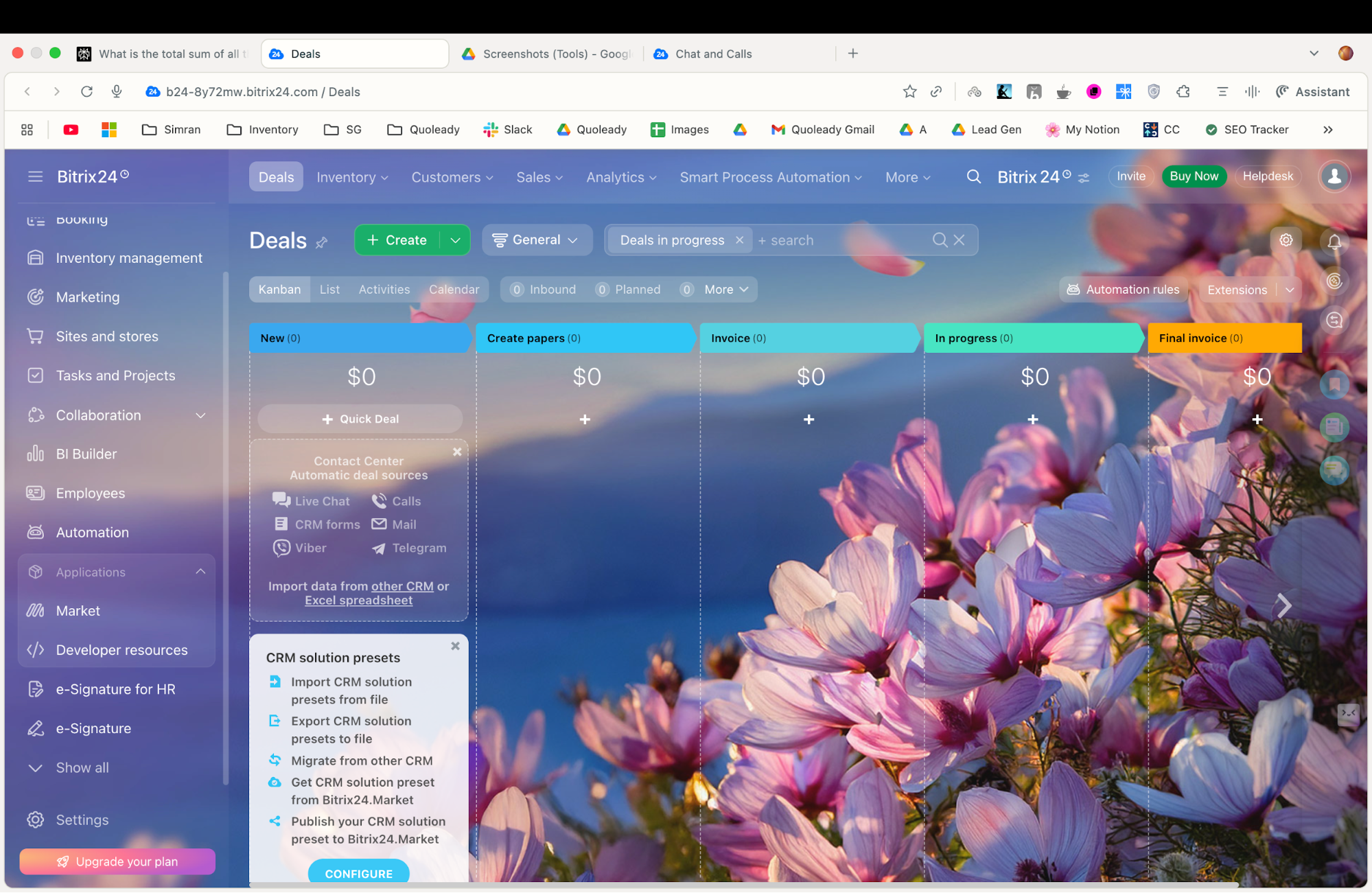
Bitrix24's free tier for unlimited users caught my attention, but diving deeper revealed a platform that's trying to do everything, sometimes at the expense of doing things well.
Best for: Small businesses with tight budgets, teams wanting social collaboration features through an internal social network, and companies in specific international markets.
Objective score: 3.8/5
Pros and cons
Pros:
- Generous basic free plan with unlimited users
- Strong social collaboration features
- Built-in video conferencing and telephony
- Comprehensive feature set including CRM and project management
- Good value for paid plans
Cons:
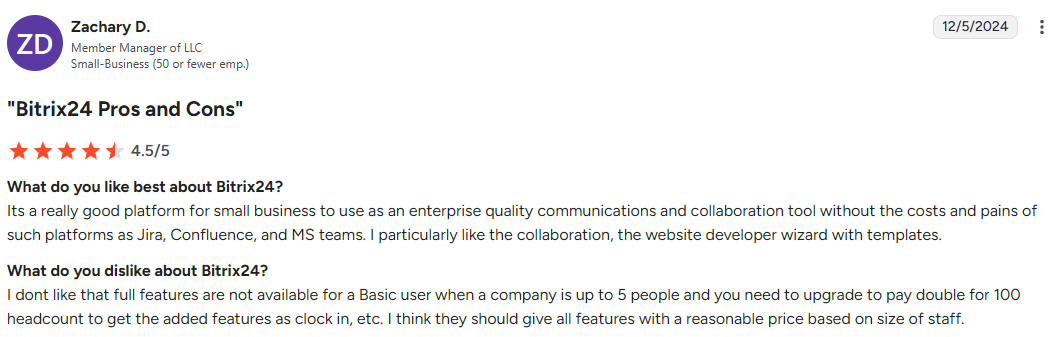
- Interface can feel cluttered and overwhelming
- Some features feel incomplete or buggy
- Learning curve is steep due to breadth of functionality
- Customer support quality varies
Features list
Bitrix24 attempts to cover every business function with all the features:
- Customer relationship management with sales pipeline and lead management
- Project management tools with tasks and Gantt charts to manage tasks
- Social collaboration with activity streams and groups via internal social network
- Document management and file sharing
- Communication tools including video calls and chat
- HR tools with employee directory and time tracking
- Website builder and online store capabilities
- Business process automation and workflows to streamline business processes
Integration capabilities: Connects with popular tools like MailChimp, Google Calendar, Outlook, and offers REST API for custom integrations with other apps.
Pricing
- Free: Unlimited users with basic features (5GB storage)
- Basic: $61/month for 5 users with 24GB storage
- Standard: $124/month for 50 users with 100GB storage
- Professional: $249/month for 100 users with 1TB storage
- Enterprise: $499/month for 250 users with 3TB storage
User opinion
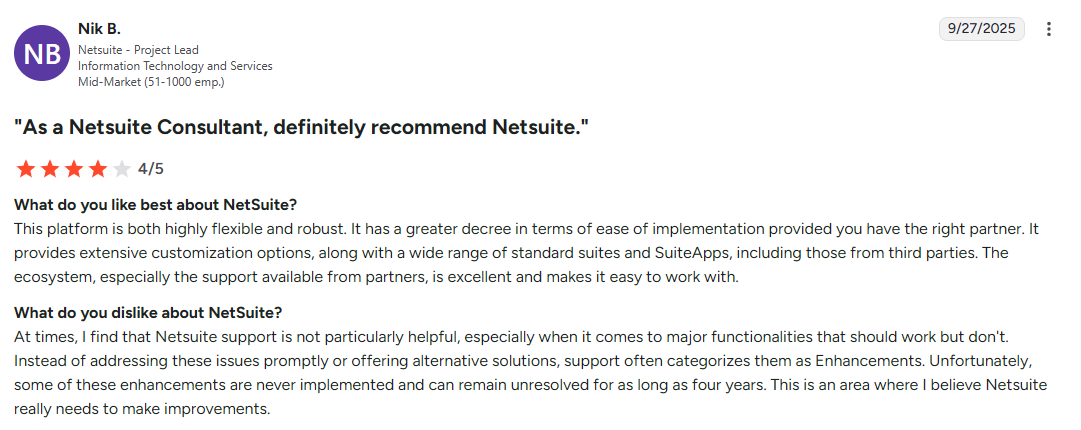
NetSuite
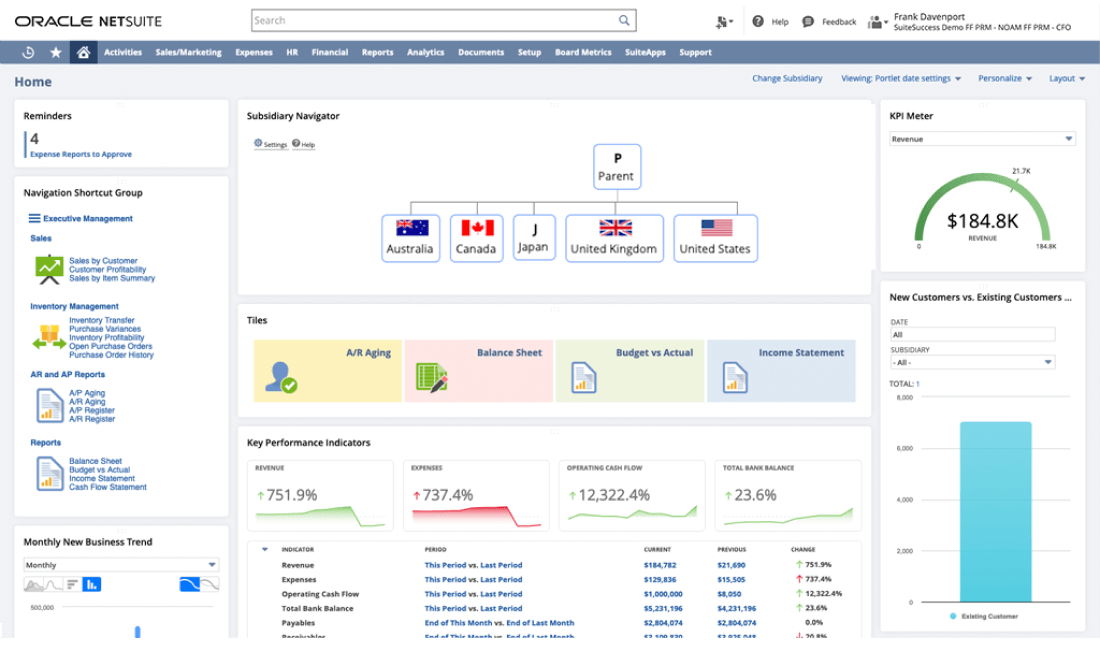
NetSuite represents the enterprise end of business management software. During implementation, I experienced both the power and complexity of a true ERP system.
Best for: Large enterprises, companies with complex financial requirements, and businesses needing comprehensive ERP functionality.
Objective score: 4.0/5
Pros and cons
Pros:
- Comprehensive ERP functionality covering all business operations
- Strong financial management and financial reports capabilities
- Scalable architecture that grows with your business
- Robust inventory management and supply chain management
- Global capabilities with multi-currency and multi-language support
Cons:
- High implementation costs and complexity
- Steep learning curve requires extensive training
- Customization often requires professional services
- Not suitable for small business management due to cost and complexity
Features list
NetSuite provides complete enterprise resource planning to help businesses manage complex operations:
- Financial management with accounting software, budgeting, and financial reports
- Customer relationship management with sales force automation and marketing campaigns
- E-commerce platform with integrated order management
- Inventory management and supply chain optimization
- Business document management and workflow automation
- Professional services automation for project-based businesses
- Manufacturing and production management
- Business intelligence with real-time dashboards for informed decisions
For enterprises seeking cloud storage solutions, NetSuite integrates with various providers to support large-scale operations.
Integration capabilities: Extensive API and pre-built connectors for major business applications, plus SuiteApp marketplace for specialized integrations.
Pricing
NetSuite uses custom pricing based on modules, users, and company size. Expect significant investment:
- Starter packages typically begin around $999/month
- Mid-market implementations often range $3,000-$10,000/month
- Enterprise deployments can exceed $20,000/month
User opinion
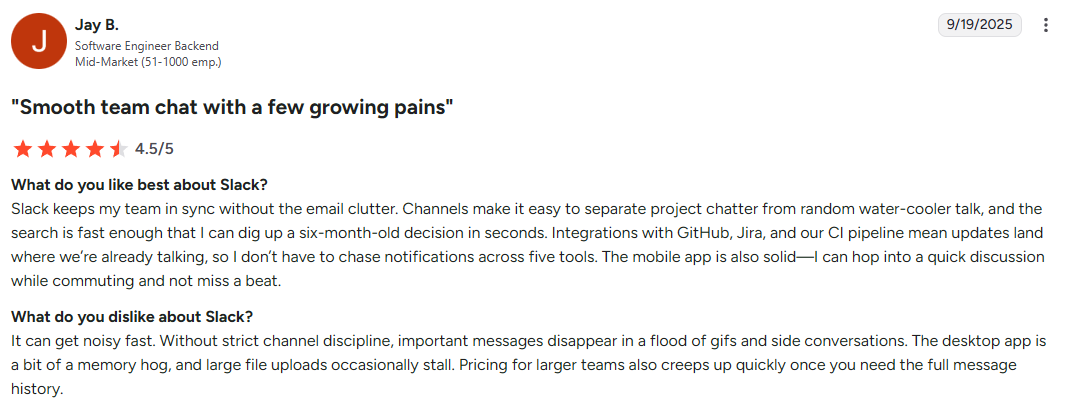
Slack

While Slack started as a messaging app, I've watched it evolve into a legitimate company management system through its extensive integrations and workflow capabilities.
Best for: Remote teams, companies with distributed workflows, and businesses wanting to centralize team communication and notifications. Teams working with clients remotely find particular value in its integration capabilities.
Our objective score: 4.2/5
Pros and cons
Pros:
- Excellent user adoption due to familiar messaging interface
- Powerful integration ecosystem that connects disparate tools
- Strong search capabilities across all conversations and files
- Flexible notification and channel management
- Good mobile apps for remote work across any operating system
Cons:
- Can become noisy and distracting without proper channel management
- Limited native project management features
- Storage limitations on lower-tier plans
- Threading conversations can become confusing
Features list
Slack focuses on team communication while enabling broader workflow management with key features:
- Channel-based messaging for organized team communication
- Direct messaging and group conversations
- File sharing with preview capabilities
- Voice and video calling built-in
- Workflow automation with Slack's Workflow Builder
- App integrations bringing external tools into conversations
- Search functionality across all content and integrations with other tools
- Remote collaboration features including screen sharing
Integration capabilities: Massive app directory with 2,000+ integrations including every major business tool from Google Workspace to Salesforce to Trello, creating a cloud based platform for all your business applications.
Pricing
- Free: Basic features for small teams with limited message history
- Pro: $8.75/user/month with unlimited message history
- Business+: $18/user/month with advanced security features
- Enterprise Grid: Contact for pricing with advanced admin controls
User opinion
Take control of your business operations
The companies thriving in 2025 aren't necessarily the ones with the biggest budgets or flashiest marketing. They invested in business software that aligned with their actual business needs.
For professional services firms and client-focused businesses, Clinked's approach to secure client collaboration is the go-to. The combination of white-label branding, enterprise-grade security, and intuitive interface addresses the core challenge most service businesses face: maintaining professional customer relationships while keeping projects organized and secure. Agencies seeking specialized solutions should explore agency client management software options to find the best fit.
Understanding how to keep track of clients effectively is crucial for maintaining strong relationships as your business grows. The right client management tools can transform how you organize, communicate with, and serve your clients. Exploring customer portal examples can provide inspiration for how different businesses leverage these technologies.
Ready to transform how your business operates? Book a Clinked demo or start your free trial.
FAQs
What is business management software and why do I need it?
It's a digital platform that centralizes your company's business operations, from project management and client communication to financial tracking and team collaboration. You need it because manual business processes that work for five people become overwhelming at 15 and impossible at 50. The software provides structure, automation, and visibility that enables sustainable growth for small businesses and large enterprises alike.
What's the difference between business management software and ERP systems?
Business management software focuses on specific areas like project management, customer relationship management, or collaboration, while ERP (Enterprise Resource Planning) systems like NetSuite attempt to manage every aspect of business operations including finance, inventory management, manufacturing, and supply chain. ERPs are comprehensive but complex and expensive, while business management tools are more accessible but may require multiple tools to cover all needs.
Can I customize business management software to match my company branding?
Many modern platforms offer white-labeling capabilities, especially those designed for client-facing businesses. Clinked excels in this area, allowing complete customization of portals, domains, and even mobile apps. However, customization levels vary significantly between platforms, so if branding is important for managing customer relationships, prioritize this feature during evaluation.
Do I need technical skills to set up and use business management software?
Most modern business management software is designed for non-technical users, with intuitive interfaces and guided setup processes. However, the complexity varies significantly. Project management tools like Clinked can be set up in hours, while enterprise solutions like NetSuite typically require professional implementation services. Consider your team's technical comfort level and available time for learning when making your choice.
Photo by Tyler Franta on Unsplash