










BlogVirtual Data Room
Business partners discussing best virtual data room options for their business

8 Best Virtual Data Room Solutions: Reviews, Pricing & Features [2026]

Discover the best virtual data room providers for secure M&A deals, due diligence and client collaboration. Compare features, pricing and real user reviews of top VDR solutions in 2026.

Table of contents

Last month, I watched a private equity firm nearly lose a $50 million deal because its Google Drive folder exposed sensitive corporate data to the wrong bidder. That's when it hit me: solid virtual data rooms are non-negotiable for companies, big or small.

I've tested the best data room software, comparing everything from security features to user interfaces. This guide breaks down the top data room providers for 2026, based on hands-on testing and real user feedback.

The eight best data room providers I tested:

  1. Clinked – White-label client portal with VDR capabilities
  2. iDeals – M&A and investment banking standard
  3. Intralinks – Legacy enterprise VDR
  4. Datasite – AI-powered due diligence platform
  5. Ansarada – Deal prediction specialist
  6. FirmRoom – Transparent flat-rate pricing leader
  7. SecureDocs – Budget-friendly unlimited model
  8. Box – Enterprise content management with VDR features

Why you need a virtual data room, not a file-sharing platform

Virtual data room services are secure online repositories designed to handle sensitive data during high-stakes transactions.

Here's why you need them:

  • Security differences: Modern data rooms provide 256-bit SSL encryption, dynamic watermarking, fence view (screenshot prevention) and information rights management that lets you revoke access after download, separating the best data room software from standard collaboration tools.
  • Compliance matters: Electronic data room providers offer detailed audit trails. They provide ISO 27001, GDPR, HIPAA and SOC 2 certifications that generic cloud storage can't match. This data security foundation is critical when you need to maintain control over all the documents in complex business transactions.
  • Access control: In a secure data room, I could set granular user permissions, create user groups with customizable access controls, set document expiration dates, and control access permissions down to individual files. Standard file sharing offers basic "view" or "edit" only, nowhere near the advanced access controls needed for the due diligence process.
  • Use cases: When you compare virtual data rooms to traditional data rooms or physical data rooms, the advantages become clear. Online data room providers excel at M&A due diligence, fundraising, legal proceedings, real estate transactions, board communications and regulatory audits: anywhere maintaining control over sensitive business documents is critical. Traditional data room providers required physical space and in-person access; digital data rooms enable secure document sharing from anywhere.

8 best virtual data room comparison table

Provider Standout Features G2 Rating My Rating Starting Price Best For
Clinked White-label branding, all-in-one collaboration 4.9/5 9.0/10 $77/month Professional services, agencies
iDeals Zero learning curve, Fence View, 24/7 support 4.7/5 9.0/10 N/A M&A, investment banking
Intralinks UNshare feature, bank-grade security 3.7/5 7.8/10 N/A Large enterprises
Datasite AI redaction, smart indexing 4.5/5 8.5/10 N/A Investment banking, PE
Ansarada Bidder engagement AI, freemium 4.5/5 8.7/10 N/A Competitive auctions
FirmRoom Flat-rate, rapid setup 4.6/5 8.4/10 $395/month Startups, mid-market M&A
SecureDocs Unlimited users/docs, flat fees 4.8/5 8.5/10 $250/month SMBs, fundraising
Box 1,500+ integrations, unlimited storage 4.2/5 8.2/10 From $18/user/mo Regulated industries

Top virtual data rooms (VDRs) in 2026

Clinked

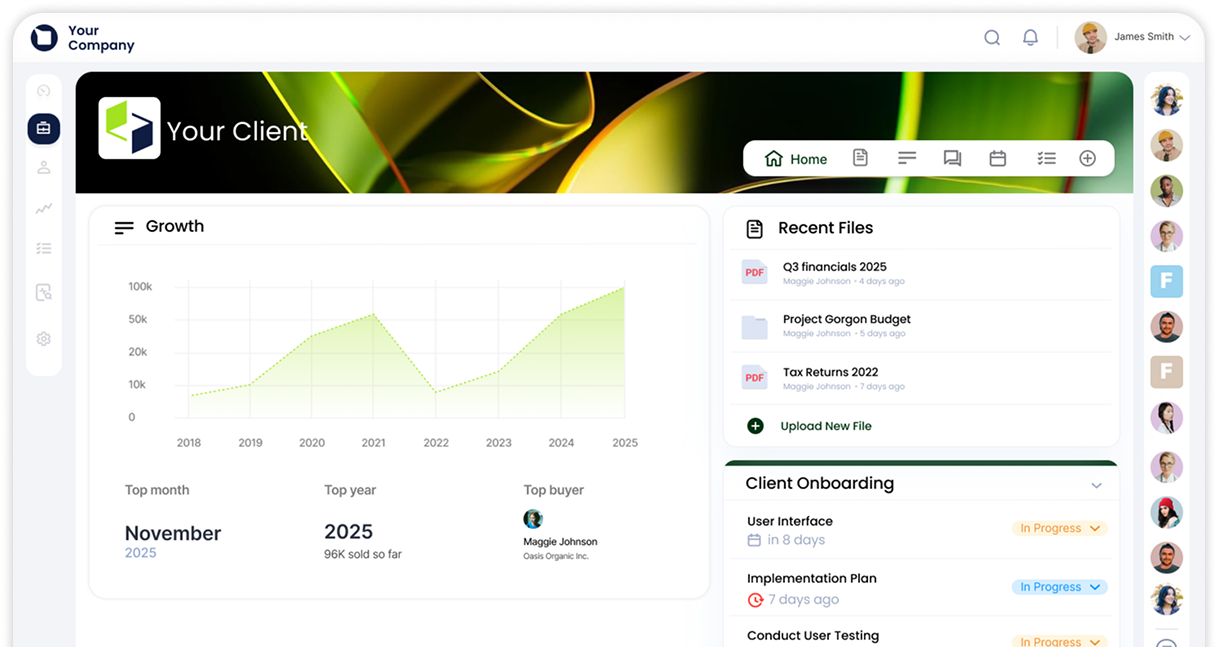
Clinked - best virtual data room software with secure sharing options

Clinked bridges the gap between expensive enterprise VDRs and file-sharing tools. It's a white-label customer portal with ISO 27001 certification, 256-bit encryption and detailed audit trails wrapped in an interface that feels modern.

During testing, I set up a mock Series B fundraising round in 30 minutes with a branded portal, investor folders, secure file sharing, task management and real-time chat. This secure platform combines key features needed for the diligence process with collaboration tools for ongoing relationships. Clinked lets you manage sensitive documents across multiple client engagements, creating branded portals that clients actually want to use.

Best for: Professional services, agencies, mid-market firms managing multiple client relationships, teams wanting a no-code client portal functionality plus virtual deal room security.

My score: 9.0/10 – Combines enterprise data security with genuine usability.

Pros and cons

Pros:

  • White-label customization with custom domains and branded mobile apps
  • All-in-one secure platform (secure document sharing, chat, tasks, approvals)
  • No per-user pricing surprises with strong user management
  • Genuinely intuitive interface with document management tools
  • Strong credentials (ISO 27001, GDPR, HIPAA-capable) and robust security

Cons:

  • Lacks advanced AI features like automated redaction
  • Integration ecosystem solid but not as vast as some competitors

Features

  • Security: 256-bit SSL/AES encryption, granular user permissions, audit trails with document tracking, version control, approval workflows, IP restrictions, advanced access controls.
  • Collaboration tools: Group chat, discussions, file requests, commenting.
  • Project management: Kanban boards, task assignments, shared calendars.
  • Data management features: Version control, approval workflows, document organization.
  • Integrations: Native connections to Google Workspace, Microsoft 365, Docusign, Adobe Sign, plus 7,000+ apps via Zapier.

Pricing

  • Lite Plan: $77-$119/month (pricing varies by configuration)
  • Standard Plan: $299/month
  • Premium Plan: $599/month
  • Enterprise Plan: Custom pricing for 1000+ members and 5TB+ storage

Annual billing gets you 20% off, while two-year commitments save 35%. All pricing is for 100+ staff members and unlimited guests.

User opinion

Clinked user review

Book a Clinked demo or start your free trial today for enterprise-grade security with modern collaboration tools.

iDeals Virtual Data Room

iDeals Virtual Data Room - another option on the virtual data room market

iDeals balances extreme document security with a user-friendly design. Testing with 2,000 documents during a simulated due diligence process, the automatic indexing saved hours. The "View As" feature let me check access permissions before bidders access anything, which is a critical feature when you need to maintain control over sensitive data.

Best for: M&A transactions, investment banking, life sciences IP deals, legal services requiring impeccable audit trails and secure document sharing.

My score: 9.0/10 – Industry-leading for zero-learning-curve interface and good support. Minor deductions for high pricing on small projects.

Pros and cons

Pros:

  • Intuitive interface with strong user management
  • 24/7 support with fast response times
  • Fence View prevents screenshots of sensitive documents
  • Granular analytics with document tracking
  • Bulk handling
  • Robust security features

Cons:

  • Expensive for one-off small deals
  • Windows 260-character path limitations
  • Auto-numbering can be finicky
  • Weak API documentation for custom integrations
  • Opaque pricing

Features

  • Security & Control: 8 levels of granular user permissions, Fence View, remote shred, AI redaction for PII, multi-factor authentication, customizable access controls.
  • Document management: OCR search, structured Q&A, engagement analytics with document tracking.
  • Integrations: Microsoft 365, SharePoint, Google Drive, Zoom for secure file sharing across platforms.

Pricing

Contact the provider for a custom quote.

User opinions

iDeals Virtual Data Room user review

Intralinks

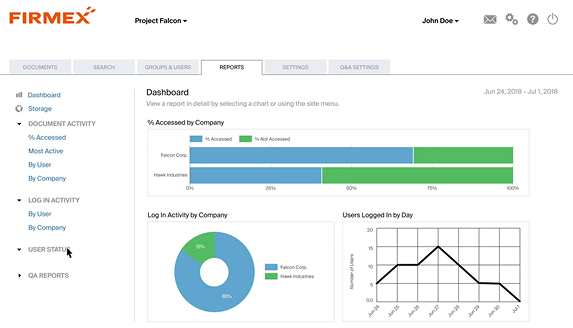
Intralinks virtual data room screenshot

The legacy standard among traditional data room providers with solid security (ISO 27701, UNshare feature) but a dated interface. It can be used for institutional credibility in complex business transactions.

Best for: Enterprise organizations, global investment banks, and managing sensitive corporate data.

My score: 7.8/10 – Gold standard for data security, but dated interface and opaque pricing.

Pros and cons

Pros:

  • Industry-leading certifications
  • UNshare revokes downloaded files for advanced access controls
  • Detailed page-level analytics with document tracking
  • Expert 24/7 support
  • Handles massive document libraries without crashing
  • Strong user management

Cons:

  • Dated, not particularly user-friendly interface
  • Opaque pricing requires lengthy negotiations
  • Browser compatibility issues
  • Rigid navigation

Features

  • Security: ISO 27701, IRM, UNshare, AI redaction for sensitive data, multi-factor authentication, customizable access controls.
  • Collaboration: Structured Q&A, insights dashboard showing document activity.
  • Integration: Strong Microsoft ecosystem integration, but weak API documentation for electronic data room providers.

Pricing

No pricing information is publicly available.

User opinions

Intralinks user review

Datasite

Datasite virtual data room

Purpose-built for investment banking with AI redaction that masks thousands of SSNs in minutes: critical data management features for the due diligence process. The mobile app offers biometric login and full project management for secure document sharing on the go.

Best for: Investment banking, private equity, large M&A, life sciences with complex IP requiring secure data room solutions.

My score: 8.5/10 – Market-leading AI features and good security features, but per-page pricing can create unpleasant surprises.

Pros and cons

Pros:

  • AI redaction is a game-changer for handling sensitive data
  • Smart indexing saves weeks of prep
  • Solid mobile app for document management
  • Heat maps show real-time engagement with all the documents
  • Top certifications (ISO 27001, 27701, SOC 2) and advanced access controls

Cons:

  • Unpredictable per-page billing makes it hard to maintain control over costs
  • Clunky Q&A
  • No free trial or pricing information
  • Performance issues
  • No API for custom integration with other document management tools

Features

  • AI & Automation: AI redaction with unredaction, smart indexing from diligence trackers, and automated document organization.
  • Security: Dynamic watermarking, granular user permissions, page-level analytics, Q&A workflows, multi-factor authentication.
  • Integration: Email-to-project upload, Microsoft Office integration for secure file sharing.

Pricing

No pricing information is publicly available on the provider's website.

User opinions

Datasite customer opinion

Ansarada

Ansarada virtual data room

Ansarada's unique AI predicts deal closure with 97% accuracy based on bidder document viewing patterns during the diligence process. The freemium tier lets you set up rooms and organize documents free: you only pay when external bidders join this virtual deal room.

Best for: Competitive auctions, government procurement, startups preparing capital raises, and teams wanting document tracking intelligence.

My score: 8.7/10 – Innovative AI insights and freemium model with strong data management features. Interface feels stuck in the 2010s, though, and reopening archived rooms is cumbersome.

Pros and cons

Pros:

  • Free prep phase for document management
  • Bidder Engagement Score
  • Fast setup
  • Good Q&A handling for complex business transactions
  • 24/7 M&A-savvy support
  • Customizable access controls
  • Strong user management

Cons:

  • Email notification overload
  • Reopening archives is difficult
  • Less intuitive interface compared to modern data rooms
  • Inflexible security settings sometimes slow legitimate access to confidential data

Features

  • AI & Analytics: Bidder Engagement Score (97% accuracy), AI bulk redaction for sensitive data, Data Gauge for cost monitoring, document tracking.
  • Security: Remote kill-switch, granular user permissions, audit trails.
  • Procurement: Evaluation Tool for tenders, secure locked box for sealed bids.
  • Integration: Google Drive, Dropbox, OneDrive, Box, Microsoft Entra ID for secure document sharing.

Pricing

There is a free start option, but pricing information isn't disclosed.

User opinions

Ansarada customer review

FirmRoom

FirmRoom virtual data room screenshot

The anti-legacy VDR with 5-minute setup and flat monthly rates for this virtual deal room. Bulk upload handled 5,000 documents smoothly during testing. You sacrifice some analytics depth but gain simplicity and cost transparency for secure document sharing.

Best for: Startups raising capital, mid-market M&A, law firms managing the diligence process, and teams switching from expensive traditional data room providers.

My score: 8.4/10 – Transparent flat-rate pricing and simplicity, although basic analytics compared to the best data rooms, but strong key features.

Pros and cons

Pros:

  • Transparent flat-rate pricing
  • Rapid setup
  • Solid bulk uploads for document management
  • Human phone support
  • Minimalist design
  • Solid user management
  • Extensive security

Cons:

  • Basic analytics (no heatmaps) for document tracking
  • No real-time co-authoring in collaboration tools
  • Steep tier pricing jump
  • Basic search in large projects
  • Responsive web only (no native mobile app)

Features

  • Security & Management: AI Smart Search, dynamic watermarking for sensitive data, integrated Q&A, remote wipe, granular user permissions, advanced access controls, multi-factor authentication.
  • Collaboration tools: Structured Q&A, activity tracking.
  • Integration: Salesforce, Slack, Microsoft Office 365 for secure file sharing.

Pricing

A 14-day free trial is available. Pricing depends on the amount of storage you need and starts from $395/month.

User opinions

FirmRoom user opinion

SecureDocs Virtual Data Room

SecureDocs VDR software screenshot

SecureDocs promises a live data room in 10 minutes. I confirmed this: created an account, uploaded 50 folders, and set access permissions for three groups in 9 minutes. Unlimited users and documents make the SecureDocs virtual data room appealing for teams managing tons of sensitive documents.

Best for: Startups and SMBs, Series financing, rapid deployment for time-sensitive deals, and maintaining permanent audit-ready rooms for ongoing document management.

My score: 8.5/10 – Simple and effective. The dated interface and lack of modern AI tools hurt slightly.

Pros and cons

Pros:

  • 10-minute deployment for secure document sharing
  • Unlimited users/documents
  • Flat-fee pricing
  • Integrated e-signatures
  • Clean self-explanatory UI
  • Strong security
  • Customizable access controls

Cons:

  • Dated interface design compared to modern data rooms
  • Basic analytics for document tracking
  • English-only (no multilingual option)
  • Minimal AI features for data management
  • Clunky mobile web experience

Features

  • Security & Control: Granular user permissions, dynamic watermarking for confidential data, customizable NDA, full audit trail with document tracking, multi-factor authentication, and advanced access controls.
  • Document management: Built-in e-signatures, version control.
  • Integration: Google Drive, Dropbox, Box, Salesforce, and Microsoft 365 for secure file sharing across platforms.

Pricing

Flat-fee pricing starts at $250/month, but no further details are available on the site.

User opinions

SecureDocs user review

Box

Box VDR screenshot

Box is an enterprise content management system that can function as an electronic data room when configured well. Extensive integrations mean you can preview documents in Slack and sign contracts in Salesforce. Box is better for ongoing secure document sharing than pure M&A deals, but includes solid data management features and collaboration tools.

See also: Box alternatives for businesses

Best for: Regulated sectors (HIPAA, FedRAMP), enterprises needing centralized document management, and teams requiring workflow automation and collaboration tools.

My score: 8.2/10 – Leads for enterprise data security and integrations. Heavy penalties for poor support on non-enterprise tiers and sync issues affecting document management.

Pros and cons

Pros:

  • Strong compliance (GDPR, HIPAA, FedRAMP, SOC 2) for sensitive corporate data
  • Unlimited storage on most plans
  • Multiple integrations
  • Box AI for document Q&A
  • Box Sign included

Cons:

  • Slow sync performance affecting document tracking
  • Admin complexity for access permissions
  • Subscription rigidity
  • Support can be impossible to reach on basic tiers
  • Not optimized as most virtual data rooms are for deals

Features

  • Security: Box Shield (AI threat detection) for sensitive data, advanced access controls, granular user permissions, multi-factor authentication, audit logs.
  • Automation: Box Relay (workflow automation), approval routing.
  • Collaboration tools: Box Canvas (whiteboarding), commenting, version control.
  • Integration: Deep Microsoft 365, Google Workspace and Slack integrations.

See also: Box vs Dropbox comparison

Pricing

  • Business: $18/user/month
  • Business Plus: $30/user/month
  • Enterprise: $42/user/month
  • Enterprise Plus: $45/user/month (only available with annual billing)

User opinions

Box user review

Find your perfect virtual data room partner

After testing these online data room providers, I can only tell you that the best data room software depends on your use case.

Mid-market professional services firms managing ongoing client relationships may find traditional data room providers' complexity and cost counterproductive. Solutions like Clinked provide enterprise-grade data security in a modern interface with strong collaboration tools. White-label branding maintains professional identity, and the all-in-one platform eliminates juggling separate document management tools for document management, chat, tasks and approvals.

For lasting client relationships rather than one-off deals, this approach makes sense. You're creating branded workspaces for secure document sharing where clients want to collaborate, not just securing transactions. Most virtual data rooms focus solely on deals; modern platforms combine that security with ongoing document management and collaboration tools.

Book a Clinked demo or start your free trial today to experience modern, secure platform capabilities for client collaboration.

FAQs

Are virtual data rooms secure enough for M&A transactions?

Yes. Purpose-built best data room providers offer bank-grade 256-bit encryption, granular user permissions, detailed audit trails, dynamic watermarking and remote file revocation for handling sensitive data. Top providers hold ISO 27001, SOC 2 and GDPR certifications.

What's the difference between a VDR and Dropbox?

VDRs are designed to manage sensitive documents during complex business transactions. Key differences: encryption levels (basic vs. bank-grade), audit trails (simple timestamps vs. page-level document tracking), access control (basic sharing vs. granular user permissions with expiration), compliance certifications, and advanced access controls like watermarking and fence view.

For routine work, Dropbox is fine. For M&A due diligence, fundraising or legal proceedings where you need to maintain control over all the documents, proper secure virtual data rooms with robust security are non-negotiable. Most virtual data rooms also offer document management tools that generic file-sharing tools lack.

Can I use a virtual data room for ongoing client collaboration?

Absolutely. Traditional data room providers are optimized for single transactions and are expensive for ongoing document management. Modern online data room providers like Clinked combine VDR-level data security with collaboration tools like real-time chat, task management and branded client portals. Security matches traditional data rooms, but the interface feels more like modern platforms.

Do virtual data rooms work on mobile devices?

Yes, but quality varies when you compare virtual data rooms. For ongoing collaboration with strong mobile needs and secure document sharing, platforms like Clinked offer dedicated branded apps that balance functionality with experience and maintain control over access permissions.

Share this post

Related articles

The latest industry news, interviews, technologies, and resources.

Start your free trial

Make sure it’s the right fit for you. Explore the possibilities.