.webp)


Table of Contents
- What is document management software for accountants?
- Why accounting firms need document management software
- Key features to look for in accounting document management software
- 12 best document management software for accountants
- How to choose the right document management software for your accounting firm
- How to implement a document management system at your accounting firm
- Simplify your accounting firm's document management with Clinked
- Frequently asked questions
Here is a concise version of the text, maintaining the original professional tone:
What is Document Management Software (DMS) for Accountants?
DMS for accountants is a specialized platform designed to store, organize, and secure client financial records throughout their lifecycle. Unlike generic cloud storage, it integrates accounting-specific features like structured document requests, audit trails, and secure client portals. It replaces a patchwork of disconnected tools with a single, secure environment for firm operations.
Why Accounting Firms Need DMS
Document-related challenges cause a 21.3% productivity loss, costing firms thousands annually. Dedicated DMS solves this by:
- Standardizing Requests: Replaces manual email follow-ups with automated workflows and clear checklists for clients.
- Eliminating Email Chaos: Secure portals allow clients to upload files directly to the correct folders, ending the hunt for buried attachments.
- Ensuring Compliance: Provides bank-grade encryption and audit trails required by regulations like IRS Pub 4557 and the FTC Safeguards Rule.
- Enabling Advisory Work: Automates repetitive administrative tasks, freeing the team to focus on high-value client consulting.
[Photo note: Insert a before-and-after workflow diagram showing email-based document chaos vs. a structured portal-based collection flow.]
Key Features to Look For
- Security & Compliance: Prioritize ISO 27001 and SOC 2 Type II certifications. For sensitive tax data, bank-grade encryption and independent audits are non-negotiable baselines.
- White-Label Client Portal: A branded portal builds trust and professional identity. Custom logos and colors ensure the client experience remains focused on your firm, not the software vendor.
- Seamless Integrations: The system must fit your current stack (e.g., QuickBooks, Xero, Drake). Flexibility is key; look for platforms offering extensive integrations via Zapier to future-proof your workflow.
- Workflow Automation: Reduce manual handoffs with auto-tagging, automated routing, and deadline reminders. The software should handle the filing so your staff doesn't have to.
- Built-in E-Signatures: Integrating e-signatures and document requests into one platform accelerates the approval of tax returns and engagement letters while increasing client completion rates.
- Mobile & Real-Time Collaboration: Mobile app access and instant notifications keep work moving from any location. Real-time feedback tools eliminate the need for disjointed email threads.
12 best document management software for accountants
Clinked
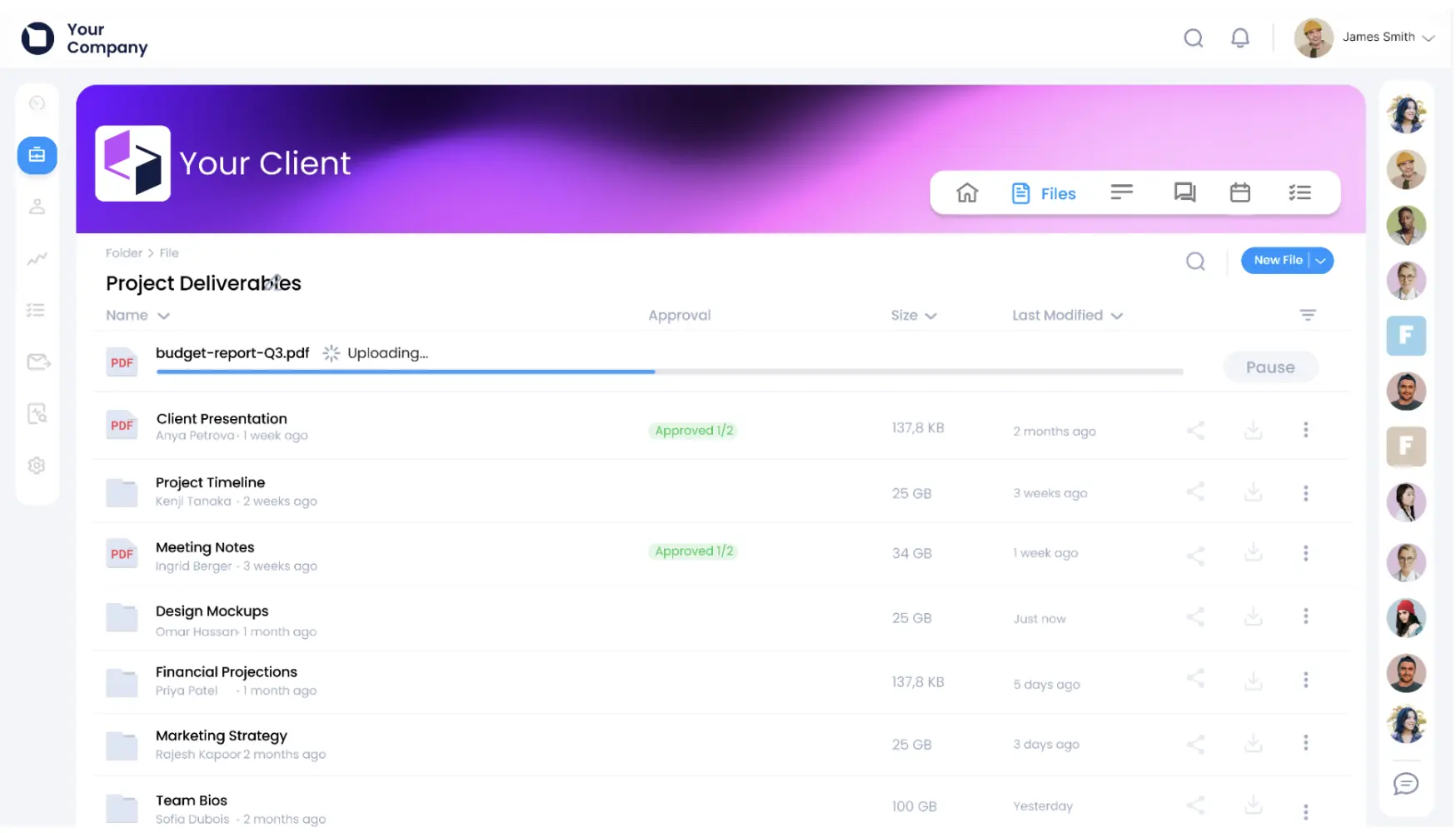
Clinked is a fully white-label client portal and document management platform built for firms where security, branding, and client experience are non-negotiable. When clients log in, they see your firm's logo, colors, and custom domain. Nothing about the interface signals a third-party tool.
Best for: Firms wanting a fully white-label, secure client collaboration platform that does not require a complete tech stack overhaul.
Key features include:
- ISO 27001, SOC 2, GDPR, and HIPAA compliance with AES-256 encryption
- Fully branded portal with custom domain and white-label iOS and Android mobile apps
- 7,000+ integrations through Zapier, plus native connectors for Google Workspace, Microsoft 365, DocuSign, and Adobe Acrobat Sign
- Version control, audit trails, document approval workflows, and role-based access permissions
- Built-in task management, group and one-on-one messaging, and real-time activity streams
What sets Clinked apart in the context of accounting document management is the combination of enterprise-grade compliance and genuine white-label depth. Platforms like SharePoint technically offer document storage, but SharePoint's limitations as a client portal become apparent when you try to create a polished external-facing experience for clients. SharePoint requires clients to log in with a Microsoft account to access site-level content, metadata setup is largely manual, and the interface carries Microsoft branding throughout — none of which lends itself to a professional, firm-branded client experience. Clinked was built from the ground up for external client collaboration, which is a fundamentally different design brief.
Pricing tier: Entry-level through Enterprise, with a free trial available.
SmartVault
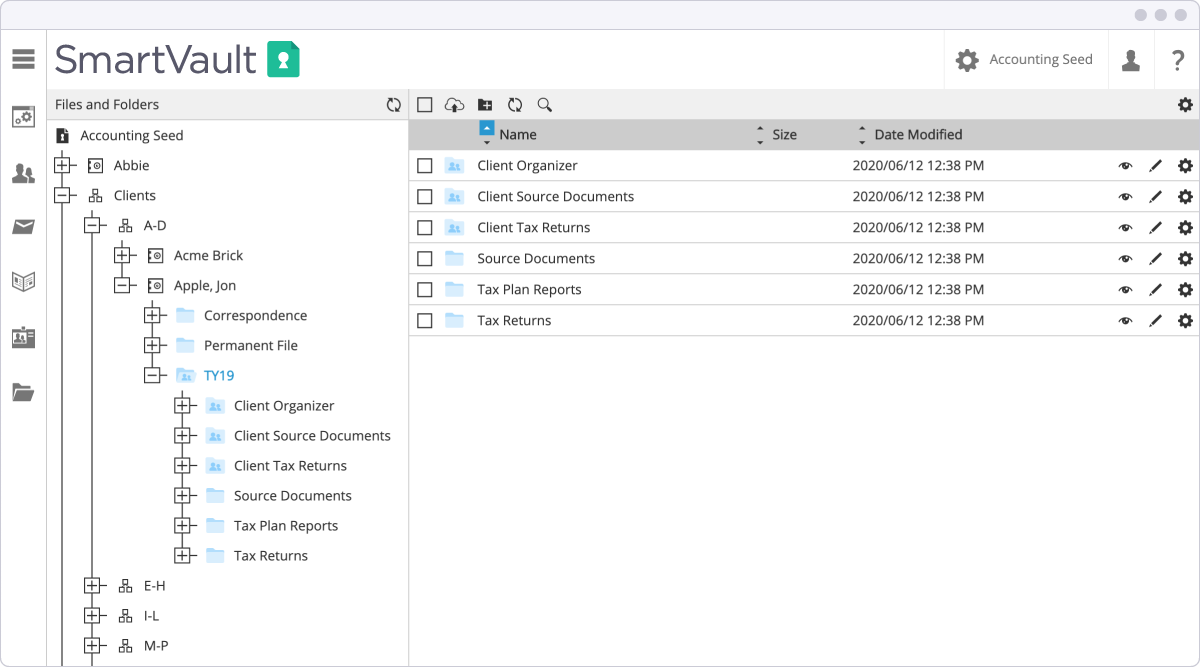
SmartVault is a document management and client portal platform built specifically for tax and accounting professionals. Its signature feature is SmartRouting, which automatically files documents into the correct client folder when printed from a connected tax application.
Best for: Tax workflow automation, particularly for firms using Intuit ProConnect, Lacerte, ProSeries, Drake, or UltraTax CS.
Key features include:
- Direct integrations with major tax prep applications via a print driver
- Automated folder creation and document routing (SmartRouting)
- SOC 2 Type II compliance with audit-ready document trails
- Built-in e-signatures for 8879s, engagement letters, and POAs
- Secure client portal with document request tools and self-serve client upload
Pricing tier: Entry to mid-tier, with per-user subscription pricing.
TaxDome
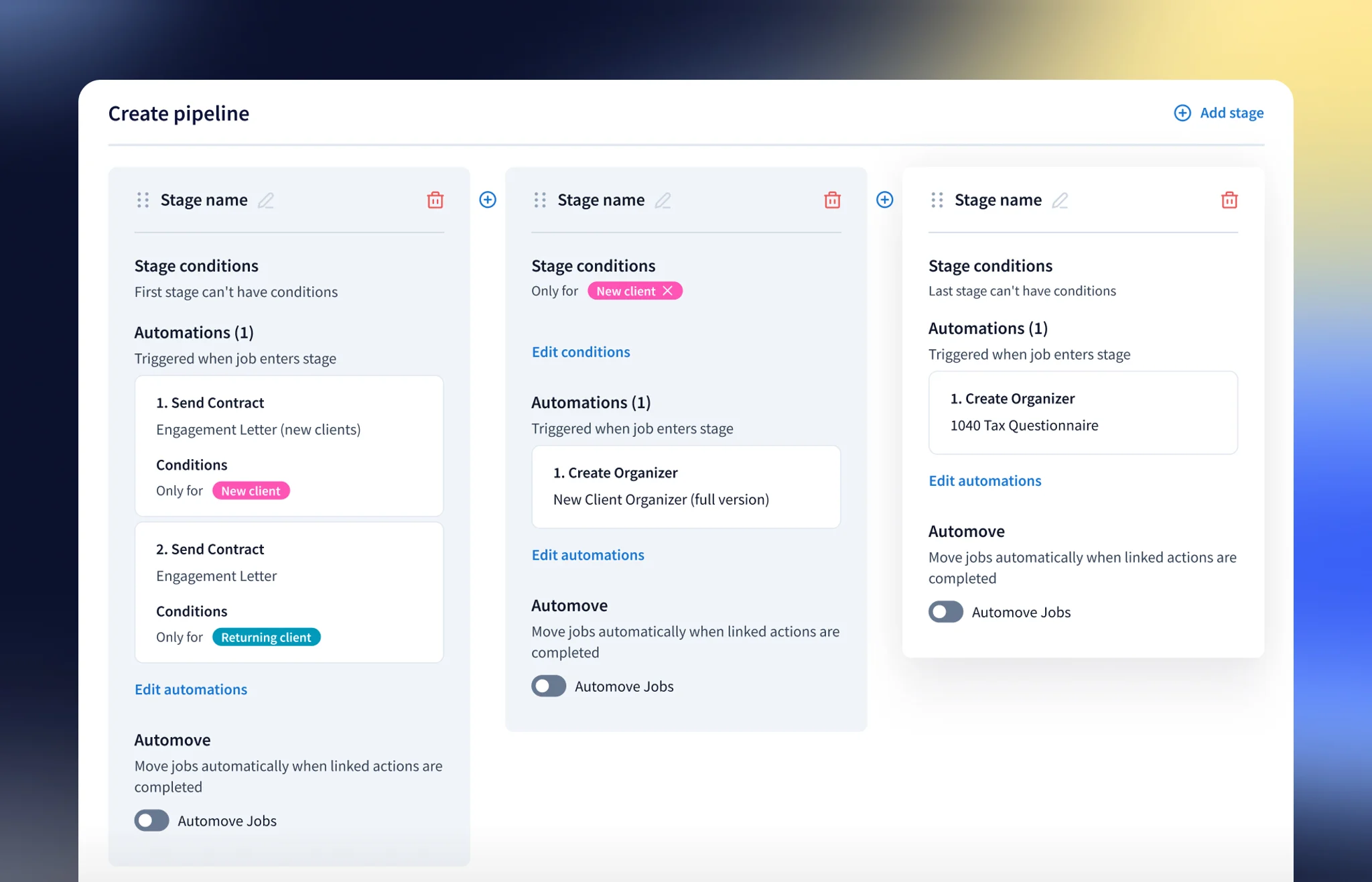
TaxDome is one of the most widely adopted all-in-one practice management platforms for accounting firms. It earned the 2025 CPA Practice Advisor Readers' Choice Award and holds a 4.7-star rating from over 3,500 reviews on G2.
Best for: All-in-one practice management for tax-heavy accounting firms.
Key features include:
- Unlimited secure document storage with version control
- CRM, workflow automation, invoicing, and e-signatures in one subscription
- Branded client portal with IRS e-Services and transcript integration
- Customizable pipelines linking document status to workflow stages
Pricing tier: Mid-tier, flat per-user annual pricing with most features included.
Karbon
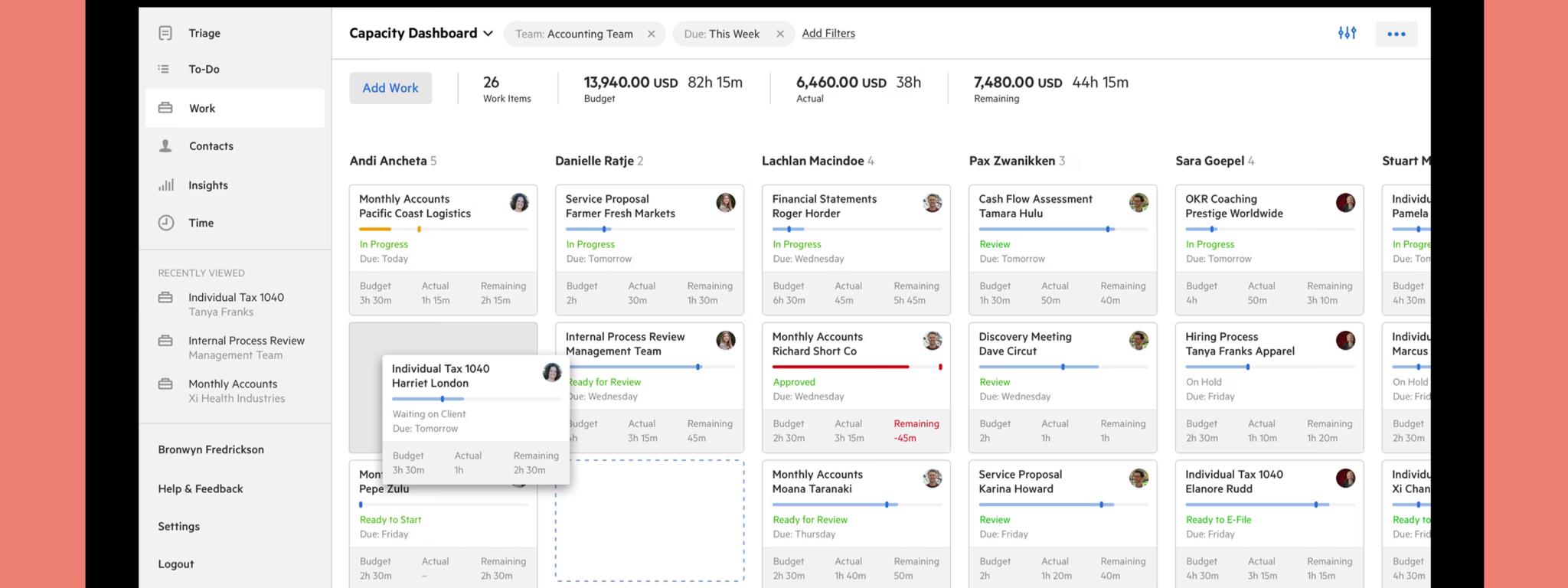
Karbon connects document management directly to client workflows, making it easier for teams to track which documents belong to which engagement stage. Its core strength is internal team visibility across shared client work.
Best for: Workflow-integrated document management for collaborative accounting practices.
Key features include:
- Email and work items linked in a single interface
- Shared client timelines connecting documents to tasks and deadlines
- Integrations with QuickBooks Online and Xero
- Team collaboration tools with @mentions and comment threads
Pricing tier: Mid-tier, per-user monthly or annual pricing (minimum user requirement applies).
SuiteFiles
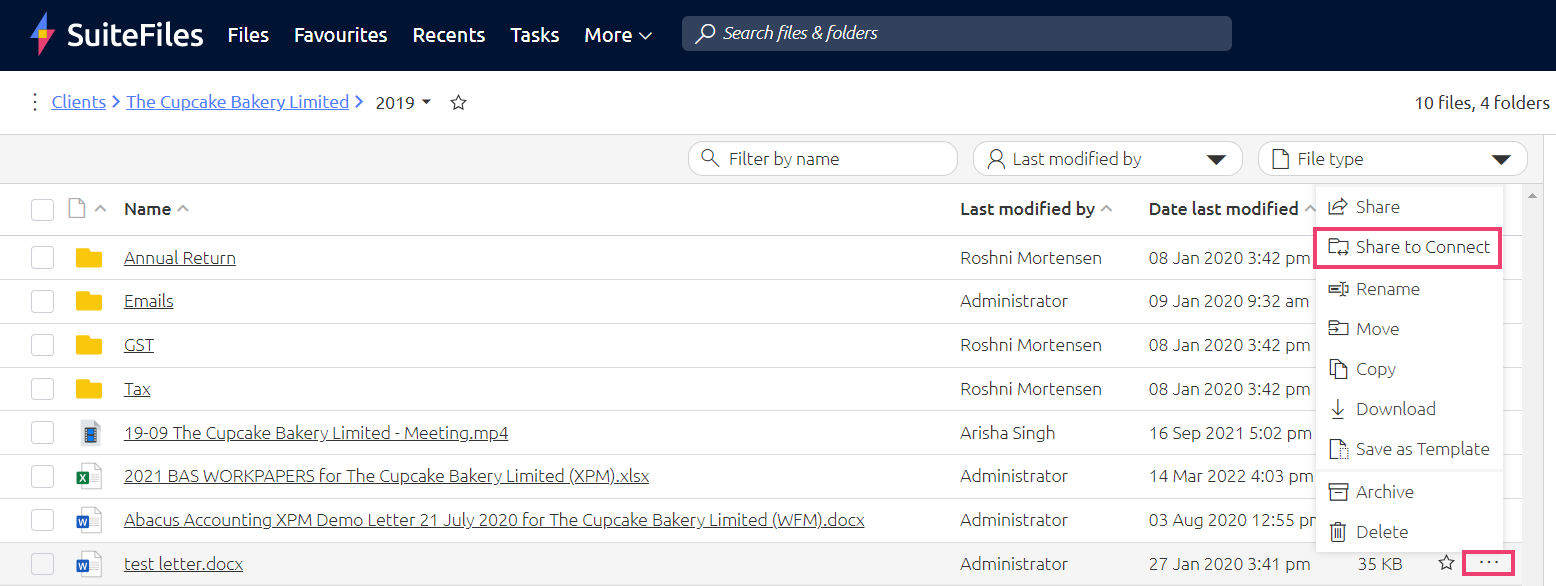
SuiteFiles is built specifically for accountants and professional services firms running on Microsoft 365. It integrates deeply with Outlook, Word, and Excel, making it a natural fit for firms that already live inside the Microsoft ecosystem.
Best for: Microsoft 365 users who want accounting-specific document management without leaving familiar tools.
Key features include:
- Deep integration with Outlook (drag-and-drop filing directly from email)
- Connects with Xero and QuickBooks for client and job data syncing
- Automated folder templates based on client type or engagement
- ISO 27001 certification and role-based access controls
Pricing tier: Mid-tier, per-user pricing.
Canopy
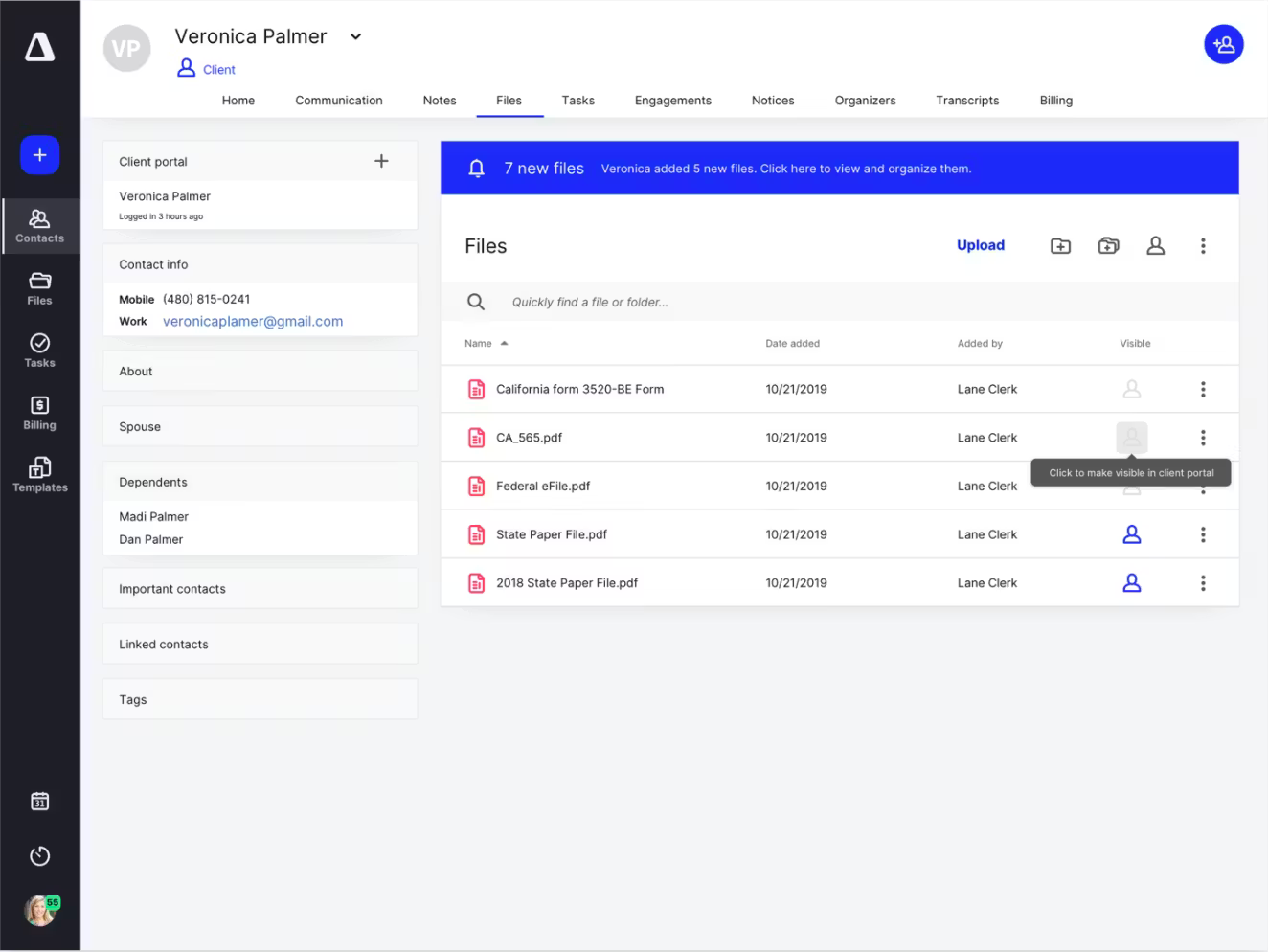
Canopy takes a modular approach to accounting document management, allowing firms to start with a base client engagement platform and add document management, time tracking, and billing as separate modules. This gives growing firms flexibility over their spend.
Best for: Tax-focused firms that want a scalable, modular platform with strong client portal capabilities.
Key features include:
- Local file sync (Canopy Drive) alongside cloud storage
- Unlimited storage across plans
- Strong client portal with document requests and e-signatures
- AI-assisted features for document processing
Pricing tier: Mid-tier with modular add-on pricing structure; minimum annual commitment.
Financial Cents
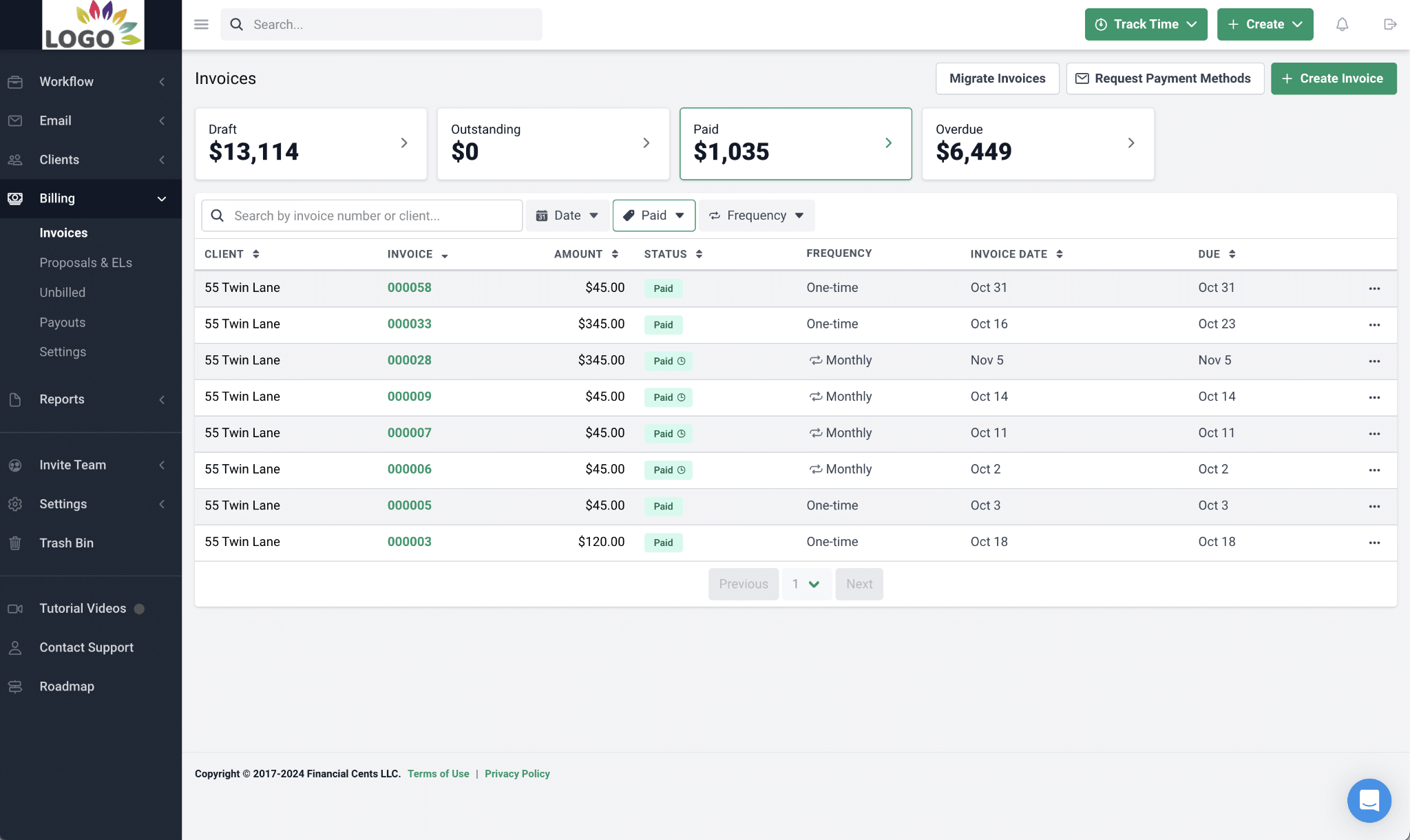
Financial Cents is designed with simplicity in mind. It gives small to mid-size accounting firms a practical way to centralize documents, manage workflows, and communicate with clients without the complexity of larger enterprise platforms.
Best for: Small to mid-size accounting firms looking for a straightforward, affordable starting point.
Key features include:
- Built-in document storage with client file requests
- Workflow tracking with task assignments and deadline monitoring
- QuickBooks integration and engagement letter tools
- Client portal with secure messaging
Pricing tier: Entry-level, per-user monthly pricing.
M-Files
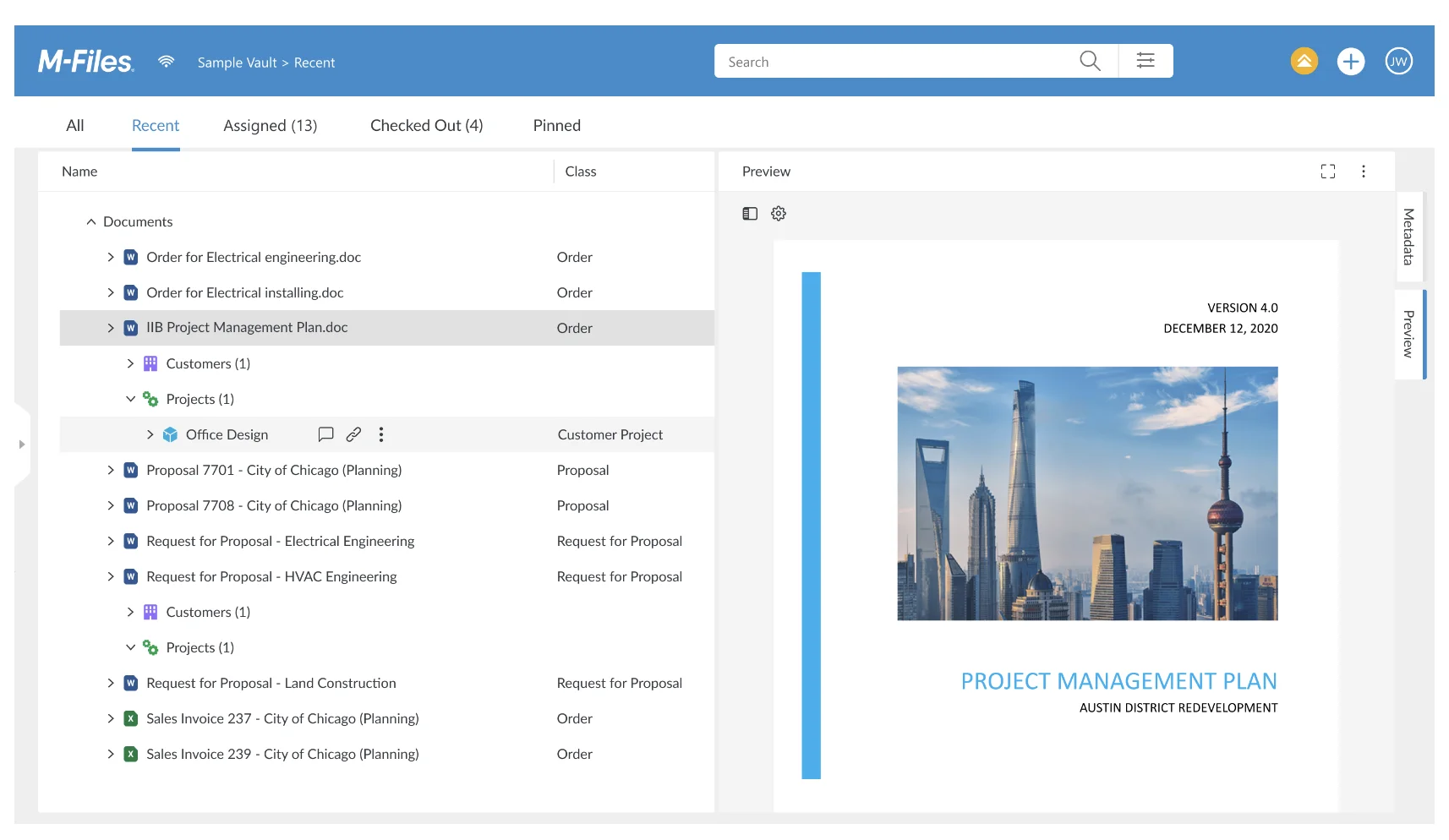
M-Files organizes documents by what they are rather than where they are stored. Instead of folder hierarchies, M-Files uses metadata to classify and surface documents automatically, which reduces the time staff spend navigating complex folder structures.
Best for: Larger firms or enterprise environments that want metadata-driven document organization.
Key features include:
- Metadata-based document classification and automatic filing
- Version control and audit trails with full revision history
- Workflow automation for document review and approvals
- Integrations with CRM, ERP, and productivity platforms
Pricing tier: Mid-tier to enterprise, custom pricing based on deployment model.
Box
Box is a cloud content management platform with enterprise-grade security controls. It is not built exclusively for accounting, but its compliance capabilities, including FedRAMP authorization, make it a credible option for larger firms with rigorous security requirements.
Best for: Enterprise-level accounting operations with demanding security and compliance needs.
Key features include:
- Advanced security controls with granular permission settings
- ISO 27001 and SOC 2 Type II certifications, plus FedRAMP
- Native integrations with Microsoft 365, Google Workspace, and Salesforce
- Box Sign for built-in e-signatures
Pricing tier: Mid-tier to enterprise, per-user monthly pricing.
SharePoint
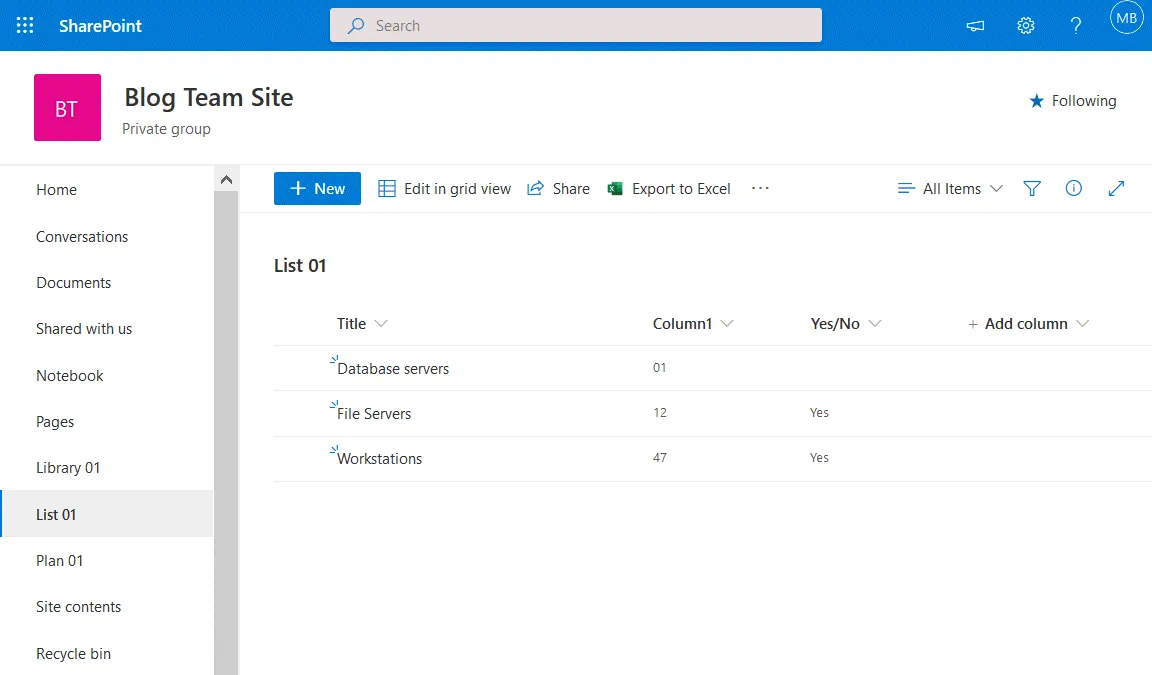
SharePoint is Microsoft's document library and collaboration platform, embedded within Microsoft 365. For firms already paying for a Microsoft 365 subscription, it offers a familiar starting point for internal document organization.
Best for: Firms already embedded in the Microsoft ecosystem that primarily need internal document organization.
Key features include:
- Document libraries with version control and metadata tagging
- Deep integration with Teams, OneDrive, and Office applications
- Granular permission controls for internal users
- Co-authoring across Word, Excel, and PowerPoint files
That said, SharePoint has well-documented limitations when used as a client-facing portal for accountants. Clients outside your organization require a Microsoft account to access site-level content, the interface carries Microsoft branding throughout, and there is no unified view of what has been shared externally. For firms that need a polished, branded client experience alongside structured document requests and compliance audit trails, dedicated SharePoint alternatives built for external collaboration deliver meaningfully better results.
Pricing tier: Entry-level as part of Microsoft 365 bundles; advanced features require higher-tier licensing.
Moxo
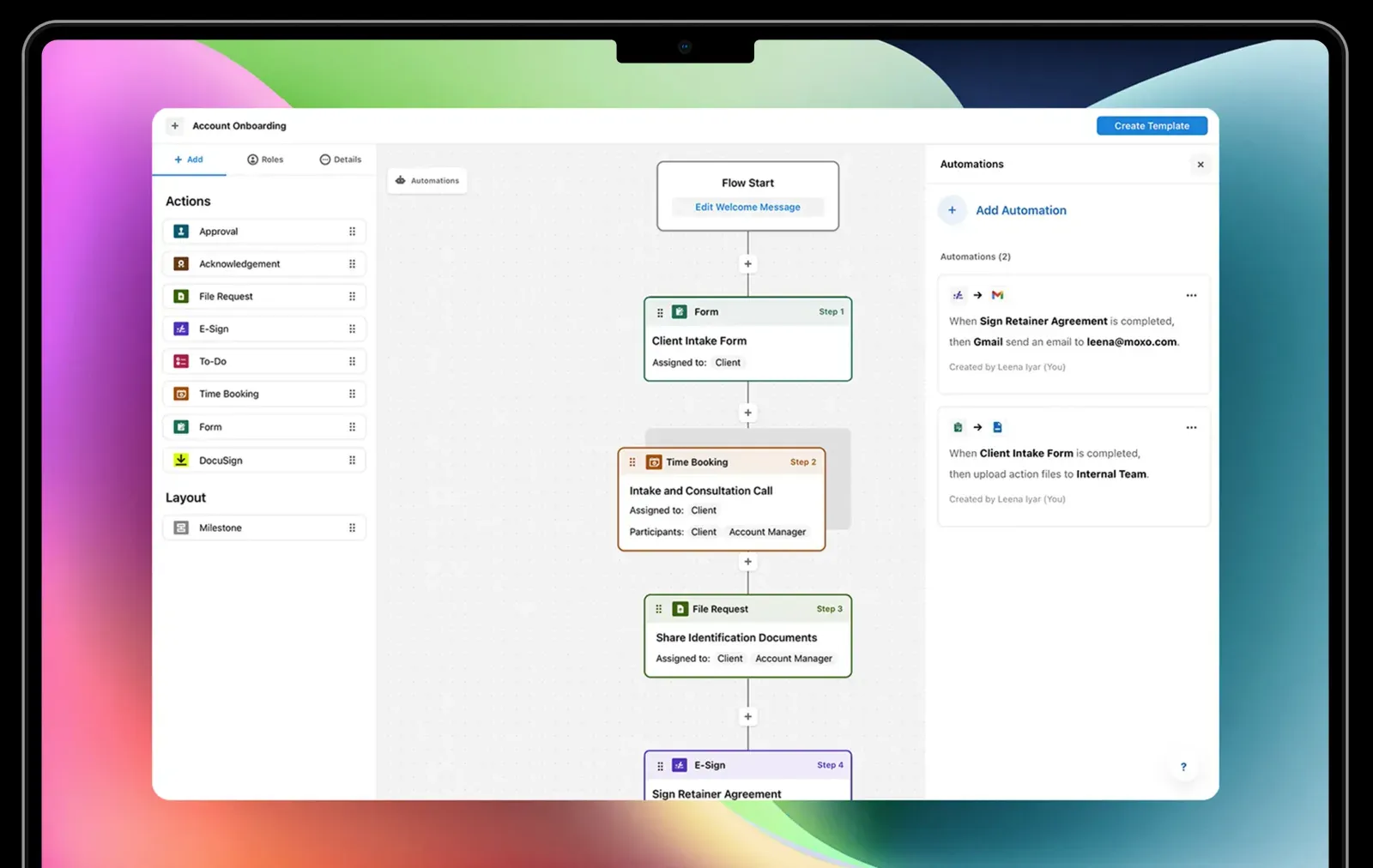
Moxo is a client interaction platform that structures the entire client engagement, from initial onboarding through ongoing document exchange, inside branded workspaces. It focuses on high-touch client relationships.
Best for: Client interaction workflows where a premium client experience is the priority.
Key features include:
- Structured client workspaces with step-by-step engagement flows
- Secure messaging, document sharing, and task tracking in one interface
- Strong branding tools for white-label portal presentation
- SOC 2 compliance with audit trails
Pricing tier: Mid-tier, contact for pricing based on firm size.
SuiteDash
SuiteDash is an all-in-one business management platform that combines client portals, project management, invoicing, and document storage. It is designed for service businesses that want to consolidate multiple tools into a single subscription.
Best for: All-in-one business management for smaller firms looking to reduce tool sprawl.
Key features include:
- White-label client portal with custom branding
- Project management, CRM, and invoicing under one roof
- File storage and document sharing with client notifications
- Zapier integrations for connecting external accounting tools
Pricing tier: Entry to mid-tier, flat monthly pricing per plan (not per user).
How to choose the right document management software for your accounting firm {#how-to-choose}
No single platform suits every accounting practice. The right choice depends on your firm's size, workflows, and client mix. A structured evaluation process helps you avoid purchasing a platform that looks comprehensive in a demo but fails in practice.
Assess your firm size and client volume. Solo practitioners and two-person bookkeeping shops have very different needs than multi-partner CPA firms managing hundreds of concurrent engagements. Entry-level tools scale poorly; enterprise platforms often charge for capacity small firms will never use.
Evaluate your existing tech stack. If your firm is built around Intuit ProConnect or Lacerte, SmartVault's direct print driver integration will save significant time. If you use QuickBooks and Xero, most platforms in this list will connect cleanly. If you are already inside Microsoft 365, tools like SuiteFiles or SharePoint may integrate more naturally, though you should weigh SharePoint's client portal limitations before committing.
Prioritize security requirements. Firms serving financial services clients, healthcare-adjacent businesses, or government contractors face stricter compliance obligations. Look specifically for ISO 27001, SOC 2 Type II, GDPR, and HIPAA readiness depending on your client base.
Consider client experience. Your clients will judge your firm's professionalism partly on how easy it is to work with you. A cluttered portal, a confusing upload process, or a platform that forces clients to create accounts with a third-party provider will generate friction.
Evaluate the client document portal experience from the client's perspective before you commit.
Plan for scalability. A platform that fits your firm today should still fit it in three years. Per-user pricing models can become expensive as headcount grows. Evaluate whether the platform charges for client accounts, storage overages, or additional portals, and factor those costs into your total cost of ownership calculation.
How to implement a document management system at your accounting firm {#how-to-implement}
1. Audit your current document workflows
Before selecting or switching platforms, map how documents currently move through your firm. Identify where files get stuck, which clients consistently send things by email when they should not, and which internal processes rely on informal conventions that no one has written down. This audit gives you a baseline and a clear list of problems the new system needs to solve.
2. Define folder structures and naming conventions
Consistency in organization is more important than the specific structure you choose. Define a folder hierarchy and naming convention that every staff member will follow, and document it. Most accounting practice management software platforms allow you to create templates that enforce this structure automatically for every new client.
3. Migrate existing client files securely
Data migration is where many implementations stumble. Prioritize active clients and current-year files first. Confirm that your migration process does not expose sensitive documents during transfer, and verify that permissions are correctly applied to migrated files before you decommission the old system.
4. Train your team and onboard clients
Allocate dedicated time for staff training before go-live. Then create a simple, one-page guide for clients explaining how to access the portal, how to upload documents, and who to contact if they have questions. Platforms like Clinked provide workflow templates during client onboarding to help identify what to automate first, and enterprise customers receive a dedicated Customer Success Manager to support the transition.
5. Set permissions and compliance controls
Configure role-based access so that each team member sees only the client files relevant to their work. Enable audit trails from day one. If your firm is subject to periodic compliance reviews, having a complete audit log of who accessed, edited, or shared each document is the difference between a smooth review and a stressful scramble.
Simplify your accounting firm's document management with Clinked {#cta}
Accounting firms that move beyond email and generic file storage consistently report fewer follow-up cycles, faster client response times, and stronger compliance posture. The platform you choose to get there should match the standards your clients already expect from you.
Clinked addresses the pain points that matter most for accounting document management: a fully white-label client portal your clients access through your own domain, bank-grade security certified to ISO 27001 and SOC 2, over 7,000 integrations to keep your existing tools connected, and mobile access that keeps work moving between client meetings and office hours.
If you want to see how it fits your firm's specific workflows, book a demo and one of our team will walk you through it.
Frequently asked questions about document management software for accountants {#faq}
What is the difference between document management software and a client portal?
Document management software organizes and stores files internally, providing your team with structured access, version control, and audit trails. A client portal is the secure external interface where clients upload and access their own documents. Many modern DMS platforms, including Clinked, include both in a single system. For a deeper look at how these systems work together, this guide to client portals covers the distinction in detail.
Is cloud-based document management secure for accounting firms?
Yes. Reputable cloud DMS providers offer bank-grade encryption, compliance certifications such as ISO 27001 and SOC 2, multi-factor authentication, and role-based access controls that often exceed the security profile of on-premise servers, which require significant internal IT resources to maintain properly.
What software do most accountants use for document management?
Most accountants use specialized platforms that integrate with their tax preparation software: SmartVault, TaxDome, and Canopy are among the most widely adopted. Firms that prioritize branded client experience and multi-industry flexibility often prefer platforms like Clinked. For a practical overview of how leading options compare from a practitioner's perspective, this breakdown of client portal software for accountants covers the landscape thoroughly.
How much does document management software for accountants typically cost?
Pricing ranges from entry-level plans suited to solo practitioners to enterprise tiers for large firms with complex compliance needs. Most providers use monthly or annual subscription billing, either per user or per firm. Some platforms, like TaxDome and SuiteDash, offer flat-rate plans. Others, like Canopy, use a modular structure where core and add-on features are priced separately.
Can document management software replace QuickBooks or other accounting software?
No. Document management software for accounting complements tax preparation and bookkeeping platforms by handling file storage, client collaboration, and document workflows. It does not replace the bookkeeping, financial reporting, or tax calculation functions that tools like QuickBooks, Xero, or ProConnect perform. The two categories work best when connected through integrations, which is why strong integration support is one of the most important features to evaluate before choosing a DMS. You can learn more about how client accounting services fit alongside document management in modern firm operations.