

Files scattered across email threads, local desktops, and half a dozen cloud folders are not just inconvenient. They are expensive. Fortune 500 companies collectively lose an estimated $12 billion per year to inefficiency caused by unstructured document handling (SignHouse), and according to a 2023 Adobe Acrobat survey, 47% of workers find their digital filing systems confusing and ineffective (Nectain).
The global document management system market was valued at around $7.68 billion in 2024 and is projected to reach $18.17 billion by 2030 (Grand View Research). Businesses of every size, from boutique accounting firms to large financial institutions, are moving their documents into centralized, searchable, permission-controlled systems.
This guide covers what a DMS is, how it works, which features matter, and how to choose the right platform.
What is a document management system?
A document management system (DMS), also called an electronic document management system (EDMS), is software that captures, stores, tracks, and manages digital documents and images in a centralized, secure, and searchable repository.
A DMS replaces two things most organizations still rely on: physical paper-based filing and scattered digital folders across personal drives and email inboxes. Documents are stored in one place, changes are tracked automatically, and access is controlled by permissions.
Key distinction: A DMS is not the same as basic cloud storage. Tools like Dropbox or Google Drive store files. A DMS manages them, with version histories, metadata tagging, access permissions, retention policies, approval workflows, and audit trails.
Platforms like Clinked combine document management with collaboration tools, task management, and a branded portal experience, consolidating what would otherwise require multiple separate tools.
How does a document management system work?
A DMS manages the full document lifecycle, from capture to archiving. Below is a step-by-step breakdown of how documents move through the system.
1. Document capture and creation
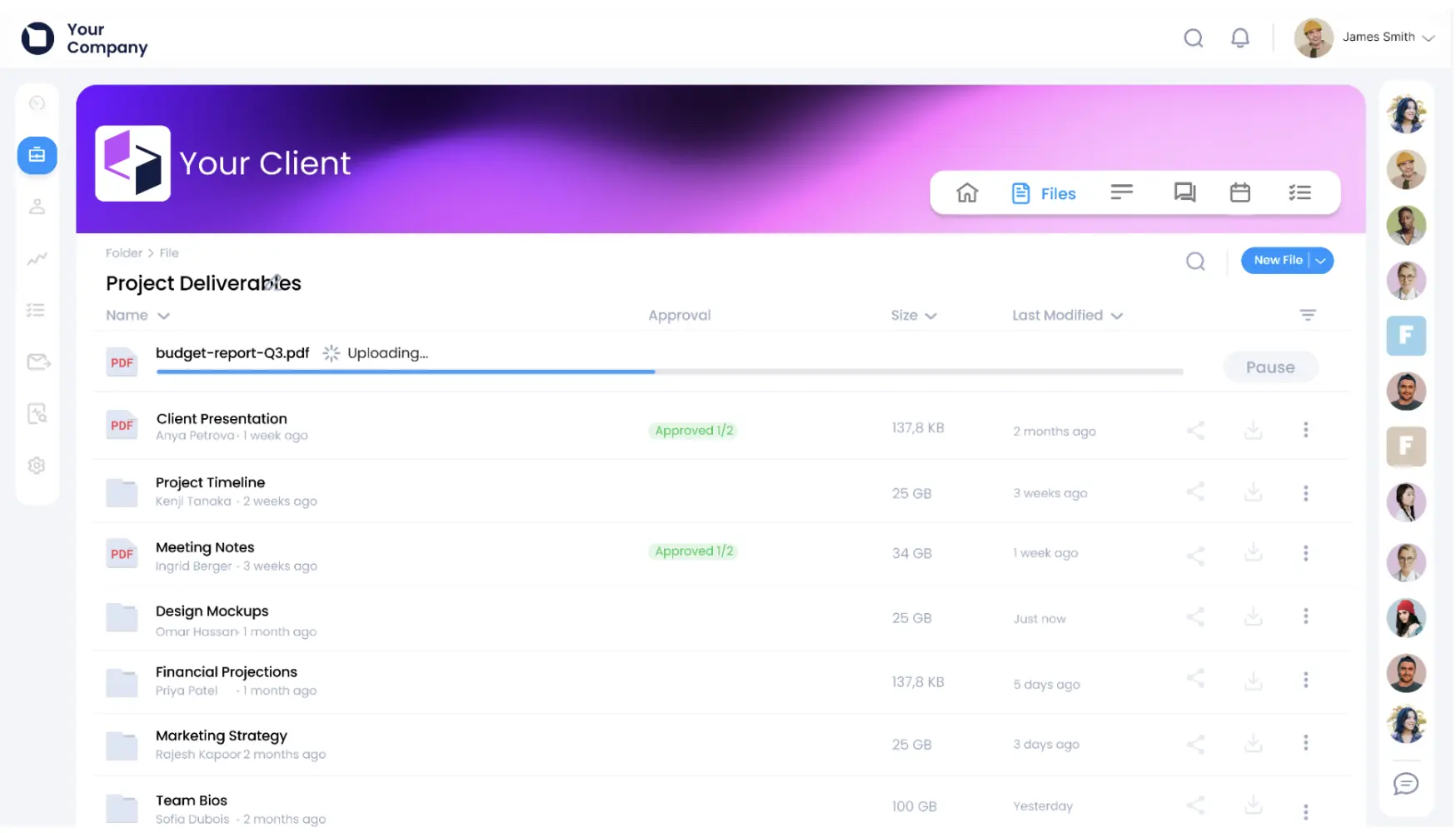
Documents enter a DMS through several methods:
- Scanning physical papers via a document scanner
- Uploading files directly from a computer
- Importing automatically from email
- Creating new documents within the platform using a built-in editor
Supported file types typically include PDFs, Word documents, spreadsheets, and images. Every document is timestamped and attributed to the uploading user upon entry.
2. Indexing and metadata tagging
Metadata is structured information attached to a document, including the creator's name, creation date, document type, keywords, and custom fields.
Tagging replaces folder-based organization. Instead of navigating through Finance > 2024 > Q3 > Clients > Contracts, users search by keyword or filter and retrieve the right file instantly. Advanced platforms use AI to auto-classify and tag documents on ingestion, reducing manual metadata entry significantly.
3. Secure storage and encryption
Files are stored in a centralized repository protected by encryption at rest and in transit. Intercepted data remains unreadable without the correct decryption key.
For organizations handling financial records, legal documents, or personal client data, enterprise-grade security is a baseline requirement. Clinked's data protection and compliance infrastructure is certified under ISO 27001, SOC 2, GDPR, and HIPAA.
4. Retrieval and advanced search
A DMS enables two types of search:
- Full-text search: Scans content inside files, not just file names
- Metadata search: Filters by date, author, document type, or custom field
Most systems also support Boolean operators and phrase-matching for precision queries. Retrieval that previously took minutes is reduced to seconds.
5. Collaboration and sharing
A DMS allows multiple users to access, edit, annotate, and comment on documents simultaneously, without emailing files back and forth. Clinked's collaboration tools include real-time editing, inline commenting, content tagging, and integrated messaging within the same document environment.
Access is governed by granular permissions: an external partner may view a proposal without editing it, while an internal team lead holds full edit rights.
6. Version control and approvals
Every document change is saved as a new version, with the full history preserved. Previous versions can be restored in a few clicks. This eliminates the version confusion common in email-based workflows.
Approval workflows route documents automatically for review, sign-off, or digital signature. Clinked integrates with DocuSign and Adobe Sign, keeping the entire approval chain inside one platform.
7. Retention and archiving
A DMS enforces retention policies automatically based on document type and regulatory requirements. When a retention period expires, the system flags documents for review, archives them, or schedules deletion according to defined rules.
This is critical for regulated industries. Healthcare organizations under HIPAA, legal firms, financial advisors, and government agencies must demonstrate that records are managed per defined policies. A DMS makes compliance demonstrable and auditable.
Understanding the workflow is one thing. Knowing which capabilities to look for when evaluating a platform is another. Here are the core features every serious DMS should offer.
Centralized file storage
A single repository for all documents, accessible from anywhere with an internet connection. There are no more files siloed across personal drives, email attachments, or USB sticks. Everything lives in one place, and anyone with the right permissions can reach it.
For organizations with remote or hybrid teams, centralized cloud-based storage is not a luxury. It is a basic operational requirement for keeping work moving when people are spread across different locations and time zones.
Metadata and advanced search
Customizable tags and full-text indexing allow users to locate specific documents instantly, even inside large archives. The ability to search by content, author, date range, document type, or custom field eliminates the need for rigid folder hierarchies and dramatically reduces retrieval time.
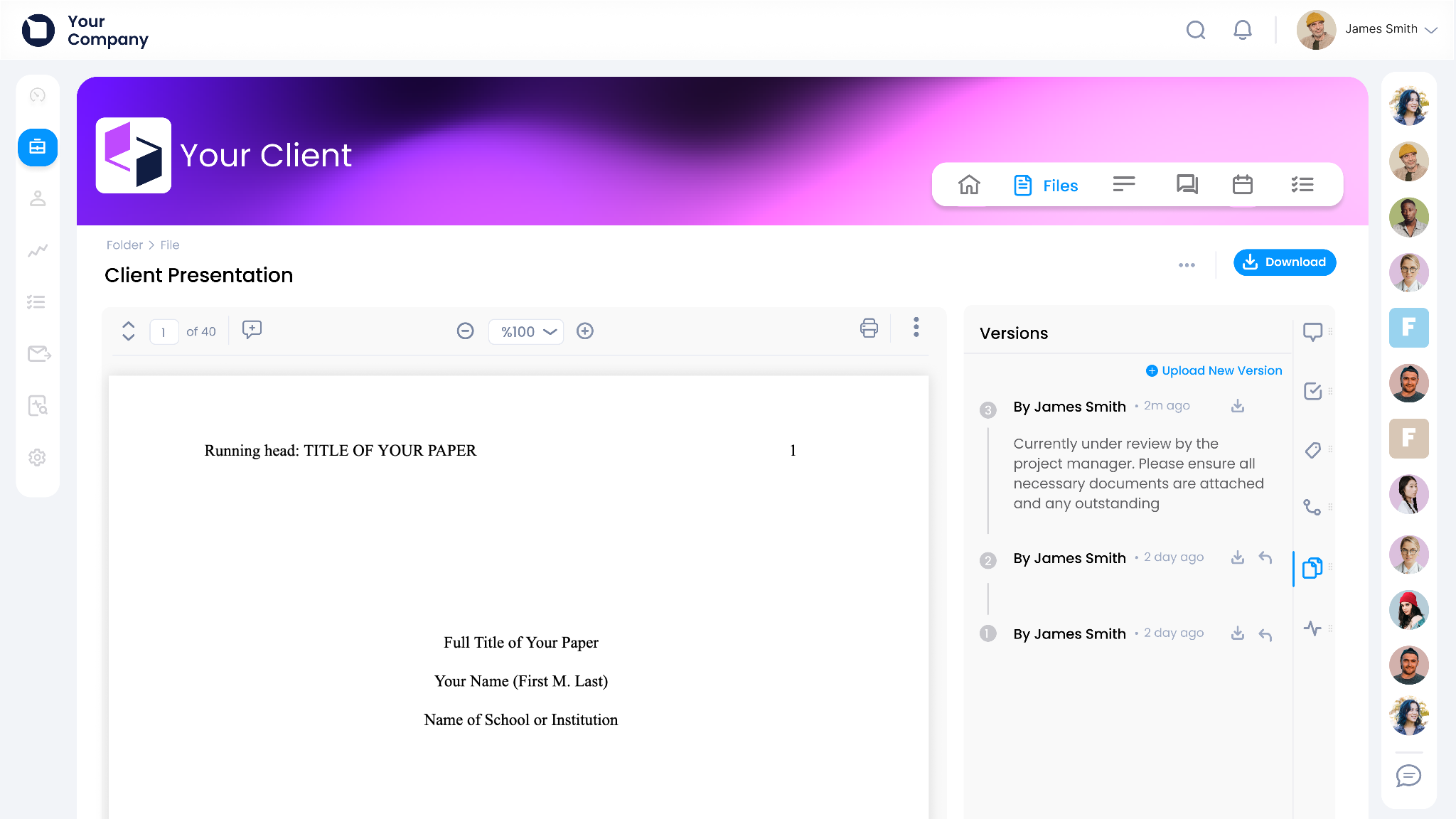
Version control and audit trails
A complete edit history shows who changed what and when. Audit trails log every access event: who viewed, downloaded, or shared a file.
Clinked's audit trail feature provides a platform-wide activity log, giving administrators full visibility without separate reporting tools.
Granular access permissions
Role-based controls determine who can view, edit, download, annotate, or share specific documents or folders. Permissions can be set at group level and refined per document or folder.
Clinked's access and permissions system supports precise access structures that reflect internal hierarchies and client relationships.
Workflow automation
Documents are automatically routed for approvals, reviews, or signatures without manual handoffs. Notifications are triggered at each stage, removing the need to chase sign-offs manually.
Integrations with business tools
A DMS isolated from the broader technology stack creates friction. Clinked's native integrations and Zapier connectivity cover Google Workspace, Microsoft Office, DocuSign, Adobe Sign, Slack, and thousands of other tools.
Benefits of using a document management system
In the US alone, businesses waste $8 billion annually managing paper documents (SignHouse). Even a partial shift to digital document management produces measurable cost reductions.
Clinked's document watermarking feature adds an additional security layer by embedding unique identifiers that tie a file to whoever accessed it, useful for confidential documents shared with external parties.
Document management system vs content management system
A document management system and a content management system (CMS) are frequently confused. They serve distinct purposes.
Key takeaway: A DMS governs internal documents across their lifecycle. A CMS publishes finished content to external audiences. Many organizations require both.
As noted by industry analysts, the distinction mirrors the difference between a signed contract (static, legally binding, governed) and a company web page (dynamic, collaborative, audience-facing). The systems managing each are fundamentally different (CMSWire).
Clinked functions as both a content collaboration platform and a full document management solution, making it practical for teams requiring both capabilities in one environment.
How to choose the right document management system
Security and compliance standards
Baseline requirements for any DMS under consideration:
- Encryption at rest and in transit
- Role-based access controls
- Detailed audit trails
- ISO 27001 and SOC 2 Type II certification
- HIPAA compliance for healthcare organizations
- GDPR adherence for organizations handling EU personal data
Clinked's ISO 27001 certification and compliance stack are built into the platform architecture, not added as optional modules.
Customization and white labeling
Organizations working with external clients should evaluate whether the platform supports custom branding. A branded portal with the organization's logo, colors, and domain creates a more professional client experience than a generic vendor interface.
Clinked's white-label solution supports full portal branding, a capability most DMS platforms do not offer or price separately at a significant premium.
Ease of use and adoption
A platform that requires extensive training reduces adoption rates and ROI. Evaluation criteria should include:
- Interface intuitiveness
- Onboarding support
- Mobile access
- Available training resources
Clinked's mobile app keeps documents, tasks, and communications accessible from any device.
Cloud hosting and deployment
Cloud-based: Remote access, automatic updates, scalable storage, no on-premise infrastructure required. Suited to most small and mid-sized organizations.
On-premise: Maximum data control, significant IT investment required. Suited to organizations with strict data sovereignty requirements.
The shift toward cloud-based document management has accelerated alongside the growth of remote and hybrid work (Grand View Research).
Scalability and integrations
Evaluation checklist:
- Can storage and user accounts scale without migration?
- Does the platform integrate with existing CRM, email, and e-signature tools?
- Are integrations native or reliant on third-party connectors?
Popular document management systems
Note: Compliance certifications should be verified directly with each vendor, as these are subject to change.
Clinked
Clinked is a secure, white-label platform combining document management, client portals, task management, and team collaboration. It is certified under ISO 27001 and SOC 2, integrates natively with Google Workspace, DocuSign, and Adobe Sign, and supports file uploads up to 5GB.
SharePoint
Microsoft's enterprise platform integrates deeply with Microsoft 365, making it a natural fit for large organizations already in that ecosystem. Complexity and licensing costs can be barriers for smaller teams or those requiring straightforward external sharing.
M-Files
Organizes documents by what they are rather than where they are stored, using a metadata-driven architecture. Strong AI classification capabilities, with a steeper learning curve than simpler alternatives.
Box
Cloud-native platform focused on file sharing and collaboration with an extensive third-party integration library. Governance and retention capabilities are less comprehensive than dedicated DMS platforms.
Moxo
Combines document management with client interaction workflows. Suited to service-based businesses needing a client communication layer alongside file management.
SuiteDash
All-in-one platform bundling document management with CRM, project management, invoicing, and client portals. Suited to small businesses consolidating multiple tools, with trade-offs in depth per feature.
Centralize your documents and collaboration with Clinked
Every organization eventually reaches a point where scattered files, email chains, and informal folder structures stop working. The cost shows up in time spent searching, mistakes made on outdated versions, compliance risks from undocumented access, and the general friction of getting things done.
Clinked brings document management, file sharing, team collaboration, task management, and client communication into a single secure environment.
- White-label branding: clients experience your platform, not a vendor's
- Bank-grade encryption and ISO 27001 compliance
- Zapier and native integrations connecting to existing workflows
- Over 3,000 clients across 40 countries in accounting, legal, finance, investment, healthcare, real estate, and government
Book a demo to see how Clinked simplifies document management for your organization.
Frequently asked questions about document management systems
Does Office 365 have a document management system?
Yes. Microsoft 365 includes SharePoint and OneDrive, which provide document storage, version control, and collaboration features that function as a document management system within the Microsoft ecosystem. Organizations working extensively with external clients, or operating in regulated industries, often find that a dedicated DMS like Clinked offers a more purpose-built experience, particularly when white-label branding and external sharing with non-Microsoft users are priorities.
Is a document management system the same as a client portal?
No. A DMS focuses on storing, organizing, and governing files across their full lifecycle. A client portal provides a branded space for sharing documents, communicating, and collaborating with external clients. The two serve related but different purposes. Platforms like Clinked combine both, eliminating the need for separate systems. Clinked's client portal functionality sits alongside its document management capabilities in one integrated environment.
What is the difference between document management and file storage?
File storage tools like Dropbox or Google Drive provide a place to put files. A document management system goes further: it tracks who created a document, who accessed it, what changes were made and when, who has permission to view or edit it, and how long it needs to be retained.
The difference is most visible when something goes wrong. A file storage tool provides limited recovery options if a file goes missing or is overwritten. A DMS provides a full audit trail, version history, and access log. For organizations handling sensitive client data, contracts, or compliance records, this is a fundamental operational and legal safeguard, not a minor convenience.
How secure is a cloud-based document management system?
A well-built cloud-based DMS is typically more secure than most on-premise setups. Security features to look for:
- Encryption at rest and in transit
- Role-based access controls
- Detailed audit trails logging every file interaction
- ISO 27001 and SOC 2 Type II certification
- HIPAA compliance for healthcare organizations
Third-party certification is what separates a serious platform from a basic one. These are independently audited standards that verify security controls hold up under scrutiny. Clinked meets ISO 27001, SOC 2, GDPR, and HIPAA standards.
How much does a document management system cost?
Pricing varies widely based on features, number of users, and storage requirements, ranging from free basic tools to enterprise subscriptions costing thousands per month. Most providers offer tiered plans so organizations can scale as requirements grow.
The most accurate way to evaluate cost is not by monthly fee alone, but by what the system saves in recovered time, reduced errors, and avoided compliance penalties over a multi-year horizon. For a concrete starting point, see Clinked's pricing as a benchmark for what a full-featured DMS costs at different scales.




.webp)