


If you’ve ever tried managing cases with nothing but spreadsheets and email chains, you know the pain: missed deadlines, frantic searches for the “latest version” of a business document, and the creeping dread that something important has slipped through the cracks.
Law firms everywhere are wrestling with the same chaos, and it’s costing them time, clients, and revenue. Second, there’s a reason the global legal practice management software market is exploding, projected to reach $4.75 billion by 2030. Firms are finally realizing that what used to be “good enough” is now a liability.
The problem isn’t finding software; there are dozens of tools. The real challenge is choosing one that fits your practice. After testing seven different platforms, I’ve seen what works (and what doesn’t), so you can skip the trial-and-error.
Here are the tools we'll cover:
- Clinked: Security-first, client collaboration and customer portal platform
- Clio: Comprehensive practice management suite
- Wrike: Enterprise-grade project management
- Actionstep: Workflow-focused legal software
- PracticePanther: User-friendly all-in-one solution for legal professionals
- Filevine: Litigation-heavy case management
- ProProfs Project: Budget-friendly project tracking for law firms
What makes the best project management software in law?
Before diving into the reviews, let me share my evaluation framework:
- Security and compliance capabilities: Any legal project management software worth considering needs bank-grade security, proper audit trails, and compliance certifications. I prioritized tools with ISO 27001, HIPAA capability, and SOC 2 compliance.
- Task and case management capabilities: I tested case templates, deadline tracking, task dependencies, project status monitoring and matter organization.
- Document management and collaboration: I evaluated version control, document sharing, approval workflows, and collaboration features.
- Time tracking and billing integration: I tested how well each platform tracks billable time, integrates with accounting systems, and generates client invoices. Bonus points for tools that make monitoring time spent on tasks easy.
- Client portal and communication tools: I evaluated client portals, communication features, and how well each platform keeps everyone on the same page with real-time updates without being overwhelming, meeting client expectations.
- Mobile accessibility: I tested mobile apps, offline capabilities, and how well each platform works when you're stuck in court or meeting potential clients.
- Integration capabilities: How legal management software integrates with popular tools that enhance productivity, accounting software, and more. The best solutions work with your existing tech stack and help your entire team work smarter.
- Customization and white-labeling options: I evaluated how much you can customize workflows, user interfaces, and client-facing elements to match your firm's identity.
Top legal project management tools: comparison table
7 best legal project management software: let's dive in
Clinked
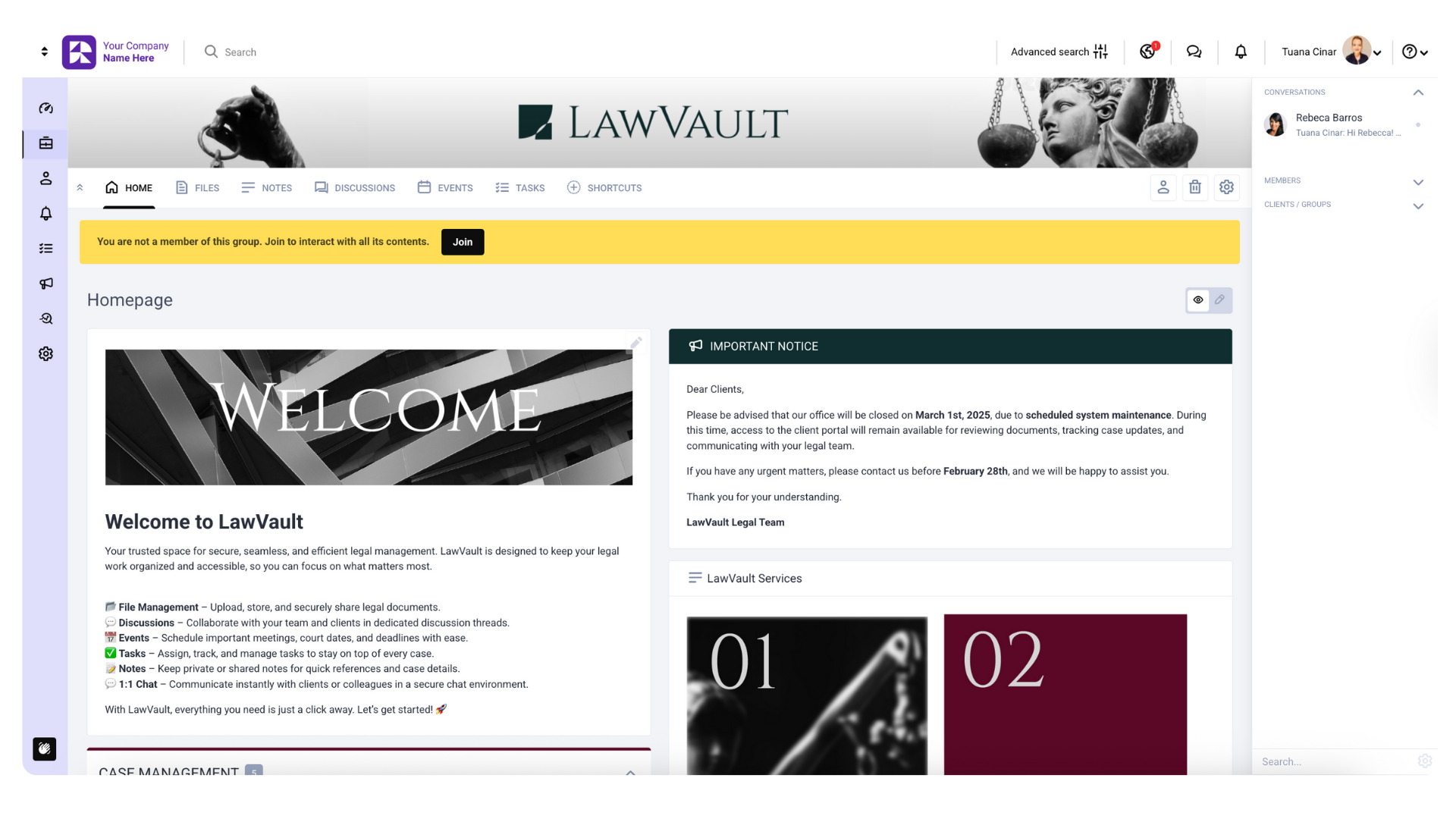
Clinked is a white-label client portal that centralizes everything you share with clients: documents, communications, and projects, in a single platform with a secure, branded environment. Think of it as your firm's private collaboration hub where clients log in to research files, chat with your team, track project progress, and approve documents, all under your branding (custom domain, logo, and even branded mobile app).
Best for: Law firms of any size, financial legal services requiring strict compliance, government agencies, and any practice where professional appearance and security matter most.
Pros and cons
Pros:
- Bank-grade security with 256-bit SSL encryption and AES encryption at rest
- ISO 27001, HIPAA, GDPR, and FISMA certified, the gold standard for legal compliance
- Complete white-label customization that lets your clients see your branding
- Granular permission controls
- Detailed audit trails
- Professional client portal that improves client satisfaction and data management
- Mobile app functionality
Cons:
- Premium pricing that might scare away smaller legal firms
- Feature-rich interface has a learning curve
- Some advanced features require technical setup
Features list
- Document management: Version control, approval workflows, virtual data rooms, discovery documents sharing
- Project collaboration: Real-time chat, discussion forums, task management
- Customer portals: Fully branded, custom domain integration
- Security features: Two-factor authentication, detailed audit logs, role-based permissions
- Mobile access: Native iOS and Android apps
- Integrations: Google Workspace, DocuSign, Adobe Sign, plus 7,000+ apps via Zapier
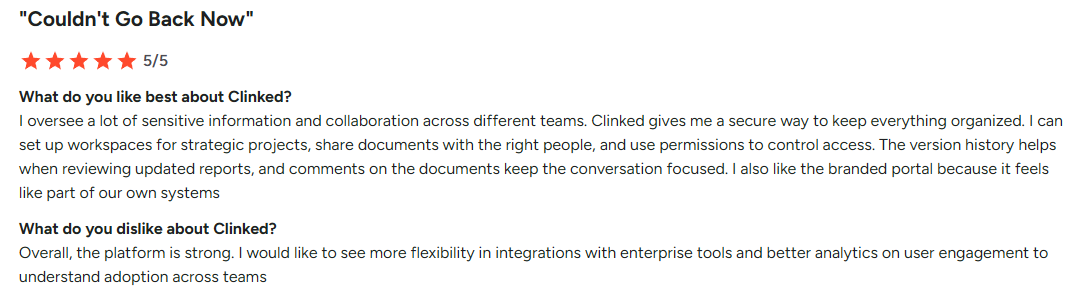
The integration capabilities deserve special mention. I connected Clinked to our existing DocuSign workflow, and document signing became seamless. Clients could review documents, provide feedback, and sign without leaving the platform.
You can book a demo or start your free trial to test it out for yourself. For firms serious about security and compliance for legal firms, it's worth the investment.
Pricing
- Lite Plan: $77-$119/month (pricing varies by configuration)
- Standard Plan: $299/month
- Premium Plan: $599/month
- Enterprise Plan: Custom pricing for 1000+ members and 5TB+ storage
Annual billing gets you 20% off, while two-year commitments save 35%. All pricing is for 100+ staff members and unlimited guests.
User opinion
Clio
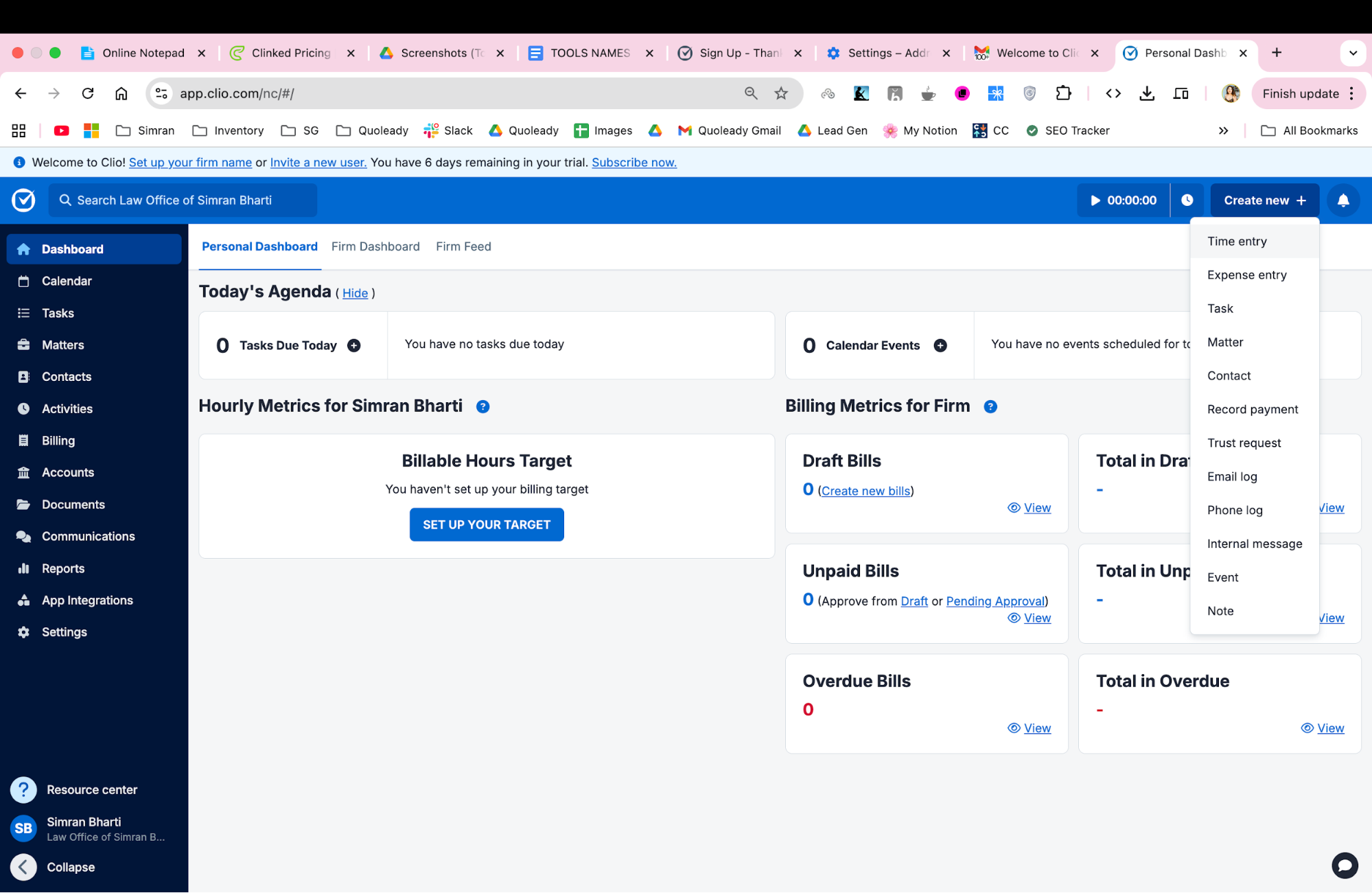
I would call Clio the Swiss Army knife of legal software. During my testing, I was impressed by how much functionality they've packed into a relatively intuitive interface. It's not perfect, but it's definitely comprehensive in a way that few competitors match.
Best for: Small to large law firms seeking extensive practice management software, solo practitioners wanting professional-grade tools, and tech-forward practices embracing cloud-based workflows.
Pros and cons
Pros:
- Comprehensive feature set covering most legal practice needs
- Great client portal with modern, professional appearance
- Regular feature updates and platform improvements
- Solid mobile app with offline capabilities
- Good customer support and training resources
Cons:
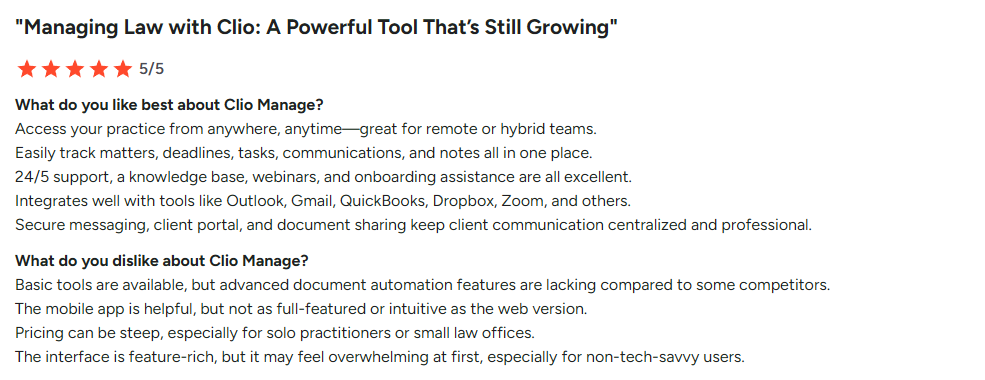
- Essential features locked behind higher-tier plans
- Can feel overwhelming for new users
- Some advanced workflows cost extra
- Performance can slow with very large datasets
- Storage limitations on lower plans
Features list
- Case management: Matter organization, deadline tracking, task management
- Time tracking: Integrated billing with multiple rate structures
- Document management: Cloud storage, version control, document automation
- Client portal: Secure client communication and document sharing
- Billing & payments: Invoice generation, payment processing, trust accounting
- Calendar management: Court date tracking, appointment scheduling
- Reporting: Practice analytics, financial reporting, productivity metrics
- Mobile app: Full functionality on iOS and Android
- Integrations across multiple legal and business applications that let you easily sync data
Pricing
- EasyStart: $59/month per user
- Essentials: $99/month per user
- Advanced: $139/month per user
- Complete: $169/month per user
There are also some paid add-ons. Annual billing provides significant savings.
User opinion
Wrike
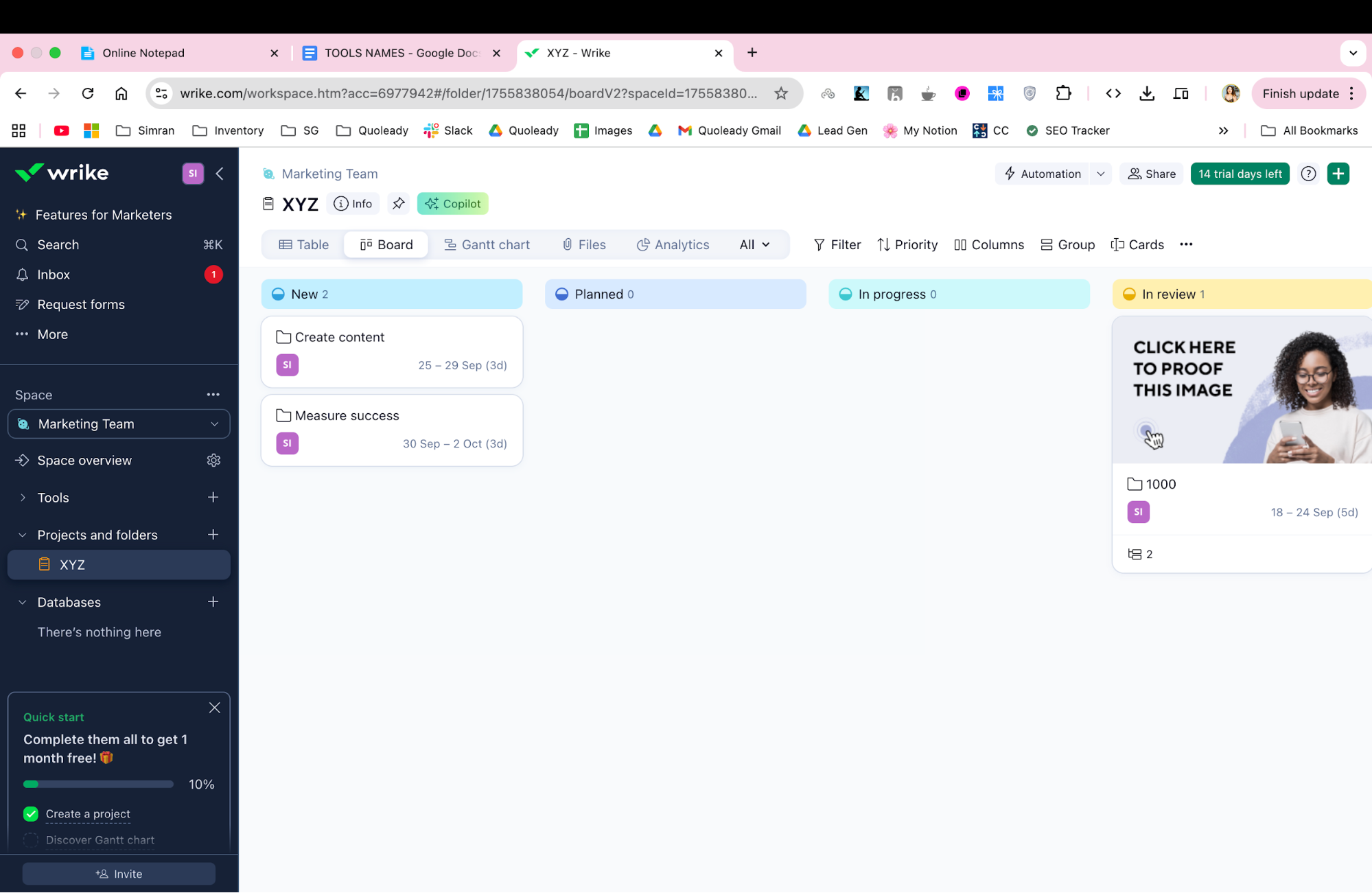
Wrike is more of an enterprise-grade project management option. While it's not built specifically for law firms, its extensive features and flexibility make it surprisingly effective for the unique needs of complex projects and legal work.
Best for: Law firms with complex multi-matter management needs, corporate legal departments requiring enterprise-grade features, and international firms needing strict security when sharing documents.
Pros and cons
Pros:
- Project management capabilities with advanced features
- Great reporting and analytics tools
- Strong security and compliance features
- Highly customizable workflows and legal processes
- Good integration ecosystem
- Scales well for large organizations
Cons:
- Not designed specifically for legal work
- Steep learning curve for legal professionals
- Can be overly complex for simple legal matters
- Higher-tier features require enterprise-level plans
Features list
- Project management: Advanced task management, Gantt charts, dependencies
- Collaboration: Real-time editing, proofing, team communication
- Resource management: Workload balancing, capacity planning, scope creep control
- Custom workflows: Automated legal processes, approval chains for actionable tasks
- Reporting: Advanced analytics, custom dashboards
- Time tracking: Project-based time tracking with reporting
- Document management: Version control, collaborative editing
- Security: Enterprise-grade security, compliance certifications
- Mobile apps: Full-featured iOS and Android applications
Pricing
- Free: Basic task management
- Team: $10/user/month (up to 15 users)
- Business: $25/user/month (up to 200 users)
- Enterprise: Custom pricing (unlimited users)
- Pinnacle: Custom pricing (advanced features)
User opinion
Actionstep
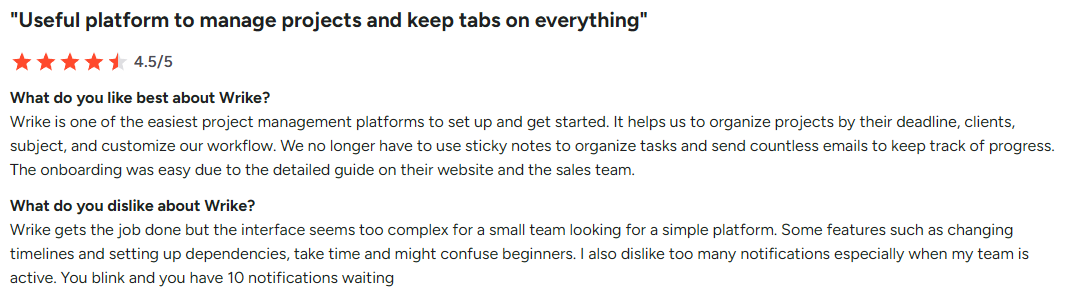
Actionstep impressed me with its workflow automation capabilities. While the learning curve is quite steep, the payoff in process efficiency is significant for firms willing to invest in proper implementation.
Best for: Growing mid-sized law firms (10-100+ employees), firms with complex workflow needs requiring customization, and practices handling diverse case types.
Pros and cons
Pros:
- Workflow automation
- Integrated legal accounting (North America only)
- Strong customization options for complex projects
- Good client portal functionality facilitating client intake
- Comprehensive reporting and analytics
- Scales well with firm growth
Cons:
- Requires significant implementation time and training
- Complex interface can overwhelm new users
- Mandatory implementation fees add to total cost
- Limited public pricing information
- May be overkill for smaller firms
Features list
- Matter management: Case tracking, deadline management, workflow automation
- Workflow builder: Custom workflows, automated task generation
- Document automation: Template generation, merge capabilities
- Time & billing: Integrated accounting, invoice generation
- Client portal: Secure client communication and document access
- Reporting: Comprehensive analytics and custom reports
- Integrations: Accounting systems, document management platforms
- Mobile access: iOS and Android applications
Pricing
Actionstep requires custom quotes.
The lack of transparent pricing is frustrating, but the comprehensive feature set may justify the investment for the right firm.
User opinions
PracticePanther
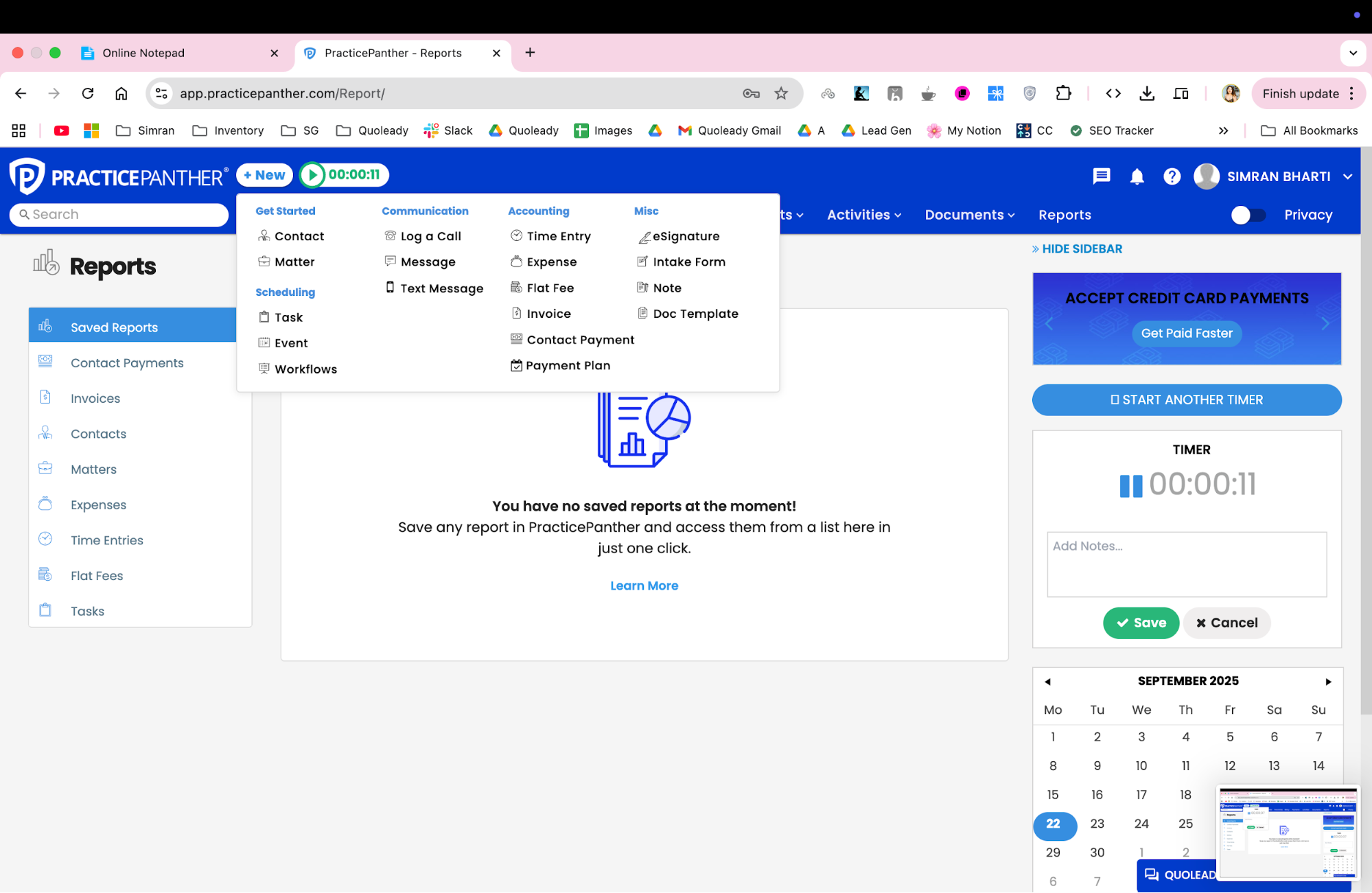
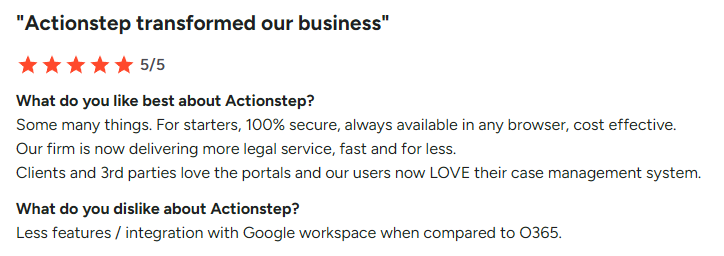
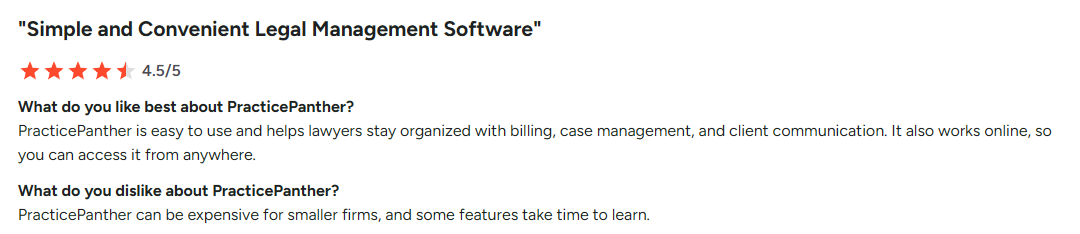
PracticePanther may be the most user-friendly option. While it may not have all the bells and whistles of enterprise solutions, it makes legal practice management accessible and straightforward, helping you improve client service, make legal briefs, etc.
Best for: Solo attorneys, small to medium law firms (2-20 attorneys), budget-conscious practices seeking comprehensive features, and mobile-first attorneys.
Pros and cons
Pros:
- Intuitive interface that's easy to learn
- Strong mobile app with full functionality
- All-in-one solution
- Reasonable pricing for feature set offered
- Good customer support and onboarding
- No setup fees, includes migration assistance
Cons:
- Limited customization compared to enterprise solutions
- Basic reporting capabilities
- Fewer advanced features for complex projects
- Integration ecosystem not as extensive as competitors
- May not scale well for very large firms
Features list
- Case management: Matter tracking, deadline management, task organization, custom tagging
- Time tracking: Mobile time entry, billing integration
- Document management: Cloud storage, basic version control
- Client portal: Secure communication, document sharing
- Billing: Invoice generation, payment processing
- Calendar: Court date tracking, appointment scheduling
- Mobile app: For iOS and Android
- Integrations: Accounting software, document platforms, productivity tools
Pricing
- Solo: $59/user/month
- Essential: $79/user/month
- Business: $99/user/month
Annual billing provides additional discounts.
User opinions
Filevine
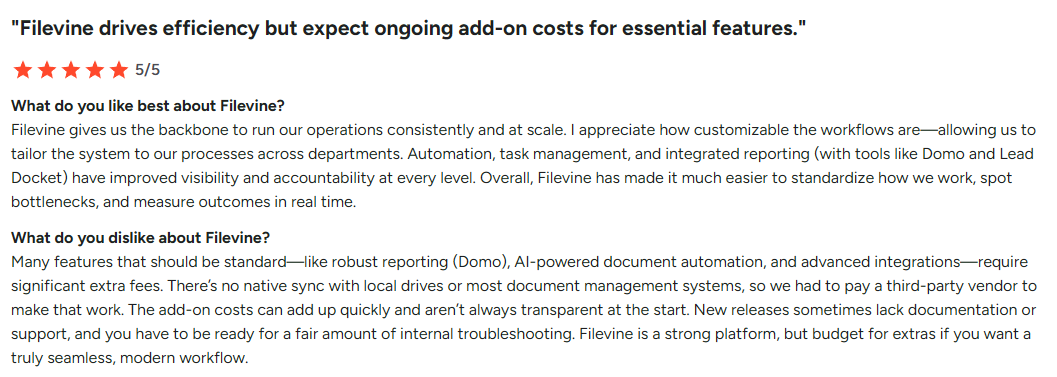
Filevine handles complex case management well, though the interface can feel cluttered compared to some alternatives. While it has some features and AI capabilities, I would think twice before committing. I have some concerns about customer service, implementation costs, sales practices, and setup complexity.
Best for: Mid-to-large law firms (10-200+ attorneys) with complex case management needs, personal injury practices, and litigation-heavy firms.
Pros and cons
Pros:
- Practical case pipeline management
- Strong personal injury case tracking features
- Good collaboration tools for complex projects
- Comprehensive customization options
- Scales well for growing firms
- AI-powered features
Cons:
- Poor customer service
- Steep learning curve and complex setup
- High implementation costs
- Inflexible, annual payment required
- Limited automations compared to some competitors
Features list
- Case management: Matter organization, pipeline tracking, deadline management
- Document management: Version control, collaborative editing
- Task management: Assignment tracking, deadline monitoring
- Time tracking: Billable hour tracking, reporting
- Client communication: Portal access, messaging tools
- Reporting: Case analytics, performance metrics
- Integrations: Legal software, accounting platforms
- Mobile access: iOS and Android applications
Pricing
Filevine offers a free trial, but the pricing is set up individually. There are also paid add-ons for lead management, e-signature and contract management.
User opinions
ProProfs Project
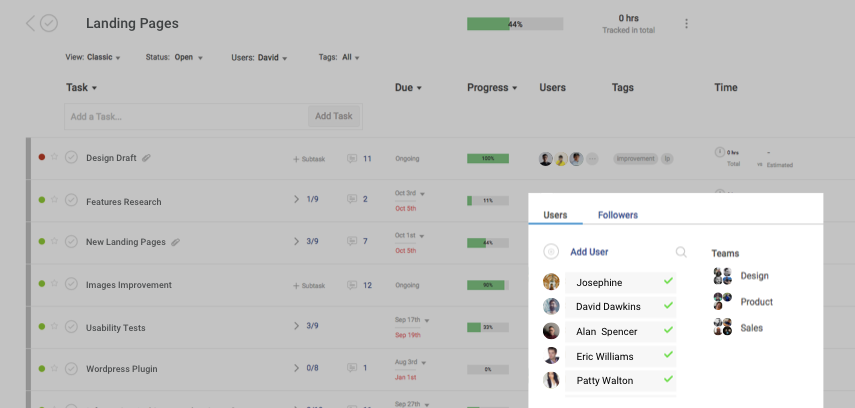
ProProfs Project surprised me by delivering solid functionality at a budget-friendly price point. While it lacks some advanced features, it's nice for firms looking to improve their project management without a major investment.
Best for: Startups and small businesses, small teams (3-20 members), freelancers requiring client billing.
Pros and cons
Pros:
- Genuinely free plan with access to all premium features
- Budget-friendly pricing for paid plans
- Quick implementation without extensive setup
- Good basic project management features
- Client transparency through shared project access
Cons:
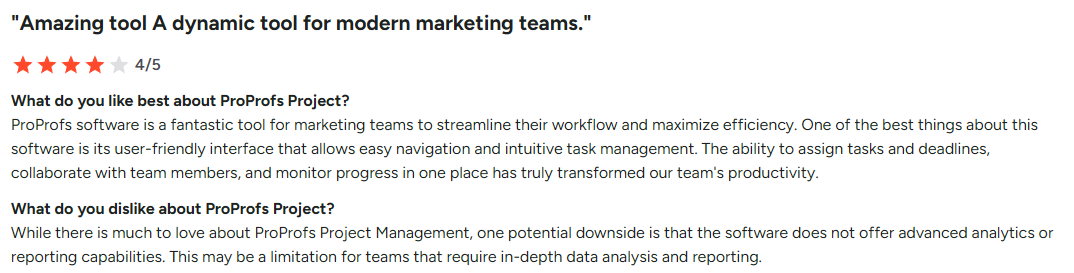
- Limited advanced features compared to legal-specific tools
- Basic security and compliance features
- Fewer integration options
- Not designed specifically for legal work
- May not scale well for larger firms
Features list
- Project management: Task tracking, timeline management, milestone tracking, multiple views that let you create a new board for each client or project
- Time tracking: Billable hour tracking, client reporting
- Collaboration: Team communication, file sharing
- Client portal: Project visibility, communication tools
- Reporting: Basic project analytics, time reports
- Mobile access: Mobile-responsive web interface
- Integrations: Limited, but covers essential tools
Pricing
- Forever Free: All premium features for up to 3 users
- Business: $49.97 monthly (20% off with annual billing) for unlimited users
User opinions
Ready to transform your legal practice?
After comprehensive testing, one thing stood out: there's no universal solution for legal project management. The right tool depends on your firm's size, priorities, and budget.
If security, branding, excellent organization and client experience are your top needs, Clinked's secure platform with a customizable client portal would be the top choice. The legal industry is evolving fast, and managing law firm challenges requires choosing a platform that covers most of your needs today and grows with you.
Book a demo or start your free trial today to bring your legal work to the next level.
FAQs
What is legal project management software?
It's a tool that applies project management to legal work, helping firms manage projects, deadlines, legal documents, billing, and client collaboration, all while ensuring compliance and security.
Can general project management software like Asana be used for legal work?
They can handle basic tasks but lack legal-specific features like compliance tracking, billing, document control, and data security. Legal-focused platforms are better suited for professional legal needs.
How does legal project management software differ from case management software?
Case management handles individual matters. Legal project management focuses on workflows, team coordination, and managing tasks across multiple cases or projects at once. Many attorneys find that modern tools now blend both.
What are the key benefits of using legal project management software?
Improved efficiency, better client communication, increased profitability, and stronger risk management, all essential for staying competitive in modern legal practice. These tools can be a real game-changer for your firm.


.png)

