

M&A Data Room: Checklist, Structure, Features & Best Practices
In M&A, a deal can slow down quickly when documents are scattered across emails, shared drives, and different advisor teams. Buyers need fast access to the right information, while sellers need to keep sensitive files protected and under control.
An M&A data room gives everyone involved in the transaction a secure place to review due diligence documents, ask questions, manage permissions, and track activity. This guide explains what to include in your data room, how to structure it, which features matter, and how to choose the right provider.
Did you know that global M&A deal value reached $3.4 trillion in 2024, according to McKinsey? Yet behind every successful transaction sit hundreds of hours spent managing documents, tracking who's seen what and making sure sensitive information doesn't end up in the wrong hands.
The difference between a smooth deal and a nightmare? Your data room M&A strategy. Whether you're preparing for your first acquisition or managing multiple deals simultaneously, understanding how to structure and manage your virtual data room can mean the difference between closing on time or watching deals fall apart over disorganized documents.
What is an M&A data room?
An M&A data room is a secure online space used to store, organise, and share confidential documents during a merger, acquisition, investment, or sale process. It gives approved buyers, sellers, lawyers, accountants, and advisors access to the files they need for due diligence without relying on email attachments or unsecured shared folders.
In the past, deal teams often used physical data rooms or sent documents manually. Today, most M&A teams use a virtual data room because it offers stronger access control, faster document review, and better visibility into who has viewed, downloaded, or requested specific files.
A good M&A data room helps teams:
- organise due diligence documents by category
- control who can view, download, or edit files
- manage buyer questions and seller responses
- track document activity through audit trails
- protect sensitive information throughout the deal
Why M&A data rooms are essential for modern businesses

M&A deals involve sensitive documents, multiple reviewers, and tight timelines. A virtual data room helps deal teams keep everything in one secure place instead of managing documents through email, spreadsheets, or disconnected file-sharing tools.
For sellers, an M&A data room makes it easier to prepare documents, control access, answer buyer questions, and keep the process organised. For buyers and advisors, it gives faster access to the information needed to assess the business, identify risks, and move through due diligence.
The main benefits of using a virtual data room for M&A include:
- Security: confidential documents are protected with access controls, encryption, watermarking, and user permissions.
- Speed: buyers and advisors can review documents without waiting for manual file transfers.
- Control: sellers can decide who sees each document and update permissions as the deal progresses.
- Visibility: audit trails show who accessed files, when they viewed them, and what activity took place.
- Organisation: documents, folders, Q&A, and final deal files stay in one structured workspace.
The best virtual data rooms help protect sensitive data. By using a secure document-sharing platform, sellers can confirm that only authorized users have access to confidential data. Advanced security features like two-factor authentication, audit trail tracking and document watermarking provide multiple layers of protection against data breaches.
Consider this: the average cost of a data breach reached $4.44 million in 2025, according to IBM. For M&A deals involving sensitive documents worth millions or billions, the security measures in a proper virtual data room become non-negotiable.
Want peace of mind about your deal security? Meet with our team for a free M&A data room consultation where we'll show you exactly how to structure your security.
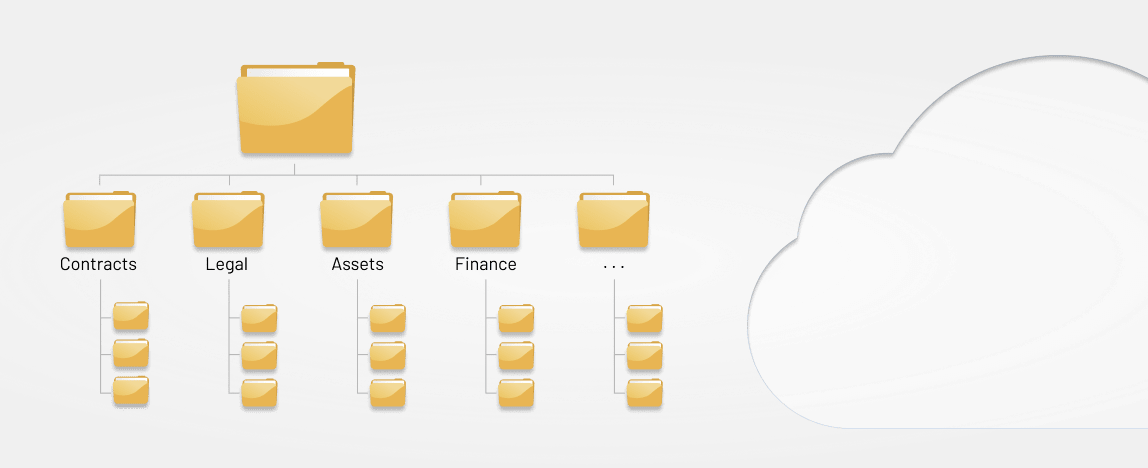
M&A data room structure: recommended folder layout
A good M&A data room structure should make due diligence faster, not harder. Buyers, lawyers, accountants, tax advisors, HR reviewers, and IT specialists all need different documents, so the folder layout should be clear before anyone is invited into the room.
A practical M&A data room folder structure could look like this:
- Financial records
- Corporate and legal documents
- Material contracts
- Tax and compliance
- Commercial and customer information
- Employees and HR
- Operations and suppliers
- IT systems and cybersecurity
- Intellectual property and assets
- Insurance, property, and environmental documents
- Buyer questions and seller response
- Final deal documents
Use consistent file names, numbering, and version control so reviewers know which documents are current. Sensitive folders should also have role-based permissions, so each buyer, advisor, or internal stakeholder only sees the files relevant to their review.
How do you structure an M&A data room? (Checklist)
An M&A data room is the central repository for all documentation and sensitive information that potential buyers will need during the due diligence process.
The contents of a private data room vary depending on the type and size of the transaction, but typically include:
- Financial information: This tops the list. Financial statements, tax returns and other financial documents give buyers a clear picture of the company's health. Include balance sheets, income statements, cash flow statements and detailed financial transactions from recent years. Don't forget documents related to any initial public offering plans.
- Operational information: Customer lists, supplier contracts, employee handbooks and information about daily operations help buyers understand how the business actually runs. Include details about your supply chain, manufacturing processes and service delivery models.
- Legal information: All legal documents should be stored in the data room. This means incorporation documents, shareholder agreements, intellectual property filings, ongoing litigation details and contracts with key vendors or customers.
- Commercial information: Market research reports, competitive analysis, sales figures and customer acquisition data help buyers understand your market position. Include information about your pricing strategy and any business documents that show competitive advantages.
- Health and safety protocols: Documentation of company health and safety procedures, compliance records, incident reports and training materials.
- Employee information: Contact information, job titles, descriptions, compensation details, benefit plans and payroll records for all employees. This helps buyers assess the workforce and plan for the post-merger integration phase needs.
- Tax information: Complete tax returns and related documents that give buyers a clear view of tax liability.
- Human resources information: Employee job descriptions, benefit plans, payroll records, performance reviews and organizational charts provide insight into your workforce structure.
- Information technology information: Details about IT infrastructure, software licenses, website domain names, cybersecurity measures and technology roadmaps. Include any documents relevant to data security protocols.
- Marketing information: Marketing plans, advertising campaigns, public relations materials, brand guidelines and customer communication management strategies that show how you reach your target market.
The above list isn't exhaustive, but it covers what you must include in a data room. The more information buyers have, the better they can assess your company and make informed decisions. All the documents should be organized logically, typically by category, with clear naming conventions and version control.
Key features of M&A virtual data rooms
The right M&A virtual data room should do more than store files. It should help deal teams control access, protect sensitive information, manage buyer questions, and understand how reviewers are engaging with the documents.
Customisable access permissions
M&A deals involve different user groups, including buyers, sellers, lawyers, accountants, executives, and external advisors. Your data room should let you control access by user, group, folder, or document so each party only sees what is relevant to their role.
Document tracking and audit trails
Activity tracking shows who viewed, downloaded, uploaded, or updated each document. This helps sellers monitor buyer engagement, identify which areas are receiving the most attention, and maintain a clear record of the due diligence process.
Q&A management
Buyer questions should be managed inside the data room rather than across long email threads. Built-in Q&A tools help teams assign questions, track responses, reduce duplicate requests, and keep all deal communication connected to the relevant documents.
Security controls for confidential files
M&A data rooms should include security features such as encryption, two-factor authentication, Data protection, watermarking, download controls, screen capture restrictions where available, and role-based access. These controls help protect financial records, contracts, employee data, customer information, and other confidential deal files.
Version control and document management
Deal teams need to know which documents are current. Version control, bulk uploads, drag-and-drop file management, folder indexing, and full-text search make it easier to organise documents and avoid confusion during review.
Ease of use for every deal participant
A data room may be used by analysts, partners, executives, lawyers, accountants, sellers, and buyers. The platform should be simple enough for non-technical users to navigate while still providing the security and reporting features required for complex M&A due diligence.
Why not use email, Google Drive, or Dropbox for M&A due diligence?
Email, Google Drive, Dropbox, and other general file-sharing tools can work for everyday document sharing, but they are not designed for confidential M&A due diligence. Deal teams need stronger control over access, document activity, buyer questions, and sensitive information.
In an M&A process, documents may include financial records, employee data, customer contracts, supplier agreements, intellectual property, tax information, and legal files. Sharing these through generic tools can create problems with version control, accidental access, missing audit trails, and limited visibility over who has reviewed what.
A purpose-built M&A data room is designed for these risks. It gives sellers and advisors a structured way to manage permissions, track activity, organise Q&A, protect confidential documents, and keep the due diligence process moving without relying on scattered links or email threads.
When to use an M&A data room during the deal process
An M&A data room is useful throughout the full transaction lifecycle, not only during due diligence. The level of access and the documents shared should change as the deal moves forward.
1. Preparation before buyer outreach
Before approaching buyers, sellers should organise core documents, create the folder structure, check for missing files, and set permissions. Preparing the data room early helps avoid delays once buyer questions begin.
2. Marketing and NDA stage
At the early stage, sellers may share limited information such as teaser documents, high-level financials, or a confidential information memorandum. Once a buyer signs an NDA, access can be expanded to more detailed documents.
3. Due diligence review
This is when buyers and advisors review financial, legal, commercial, HR, operational, IT, and compliance documents. The data room should also be used to manage Q&A, track reviewer activity, and respond to follow-up requests.
4. Negotiation and closing
As the transaction moves toward completion, the data room becomes the central place for updated documents, final agreements, disclosure materials, and closing files. Version control is especially important at this stage.
5. Post-deal integration
After completion, the data room can still support knowledge transfer, employee transition planning, vendor information, customer handover documents, and post-close reference materials.
How to choose the right M&A data room provider
The right M&A data room provider depends on the size of the deal, the number of reviewers, the sensitivity of the documents, and how much control the seller needs over access and reporting.
If you are still comparing options, our guide to virtual data room providers explains how different platforms stack up for security, collaboration, pricing, and deal management.
Before choosing a provider, check:
- whether pricing is predictable or based on users, storage, or deal length
- whether permissions can be managed by user, group, folder, and document
- whether the platform includes audit trails and activity tracking
- whether Q&A can be managed inside the data room
- whether security controls include encryption, watermarking, and two-factor authentication
- whether the platform is easy enough for external buyers and advisors to use
- whether support is available during setup and due diligence
For mid-market M&A teams, professional services firms, and businesses that need secure collaboration beyond one transaction, Clinked can be a strong fit because it combines virtual data room features with branded client portals, permission controls, audit trails, Q&A, secure file sharing, and collaboration tools.
The M&A process and when to use data rooms
Your data room M&A strategy should evolve through each phase of the deal. Here's how to match your virtual data room setup to each stage.
Stage 1: Pre-marketing and preparation
Before you even approach potential buyers, your data room needs to be ready. Start by uploading your confidential information memorandum (CIM) and organizing your initial document set. Create a logical folder structure that matches how buyers will think about due diligence: by department, by risk area or by transaction milestone.
This is when you'll set up your virtual data room infrastructure, test access controls and ensure all essential documents are properly labeled. Having everything organized early signals professionalism and can speed up negotiations. Think of it as staging a house before listing it: presentation matters.
Setting up the data room early gives you time to identify any gaps in your documentation. You might discover missing contracts, outdated financial statements or legal documents that need an update. Addressing these issues before marketing begins prevents awkward delays later when buyers request specific information. This preparation phase also lets you establish your document tracking system and train your team on the platform.
Create clear guidelines for how new documents should be added, who can authorize access changes and how to handle document requests. Your data room provider should support bulk uploads and offer templates for common folder structures in business transactions. Bonus points for multilingual access if you're doing business abroad.
Stage 2: Marketing and initial due diligence
Once you start marketing, you'll share teaser documents with interested parties. Your virtual data rooms provide limited access at this point, maybe just the CIM and some high-level financials. As potential buyers sign NDAs, you gradually expand what they can see.
NDA management becomes critical here. Track who's signed, when they signed and what access level they should receive. The best virtual data rooms let you automate this workflow so you're not manually updating permissions for every new party. Your strategy should control information flow while keeping serious buyers engaged.
During this stage, you're essentially qualifying buyers while protecting confidential information. Create different access tiers: perhaps one level for initial teasers and another for parties who've signed NDAs and demonstrated serious interest. This phased approach to secure document sharing prevents information overload and protects your sensitive data from casual browsers.
Stage 3: Deep due diligence
Qualified buyers now get full access to conduct their deep dive. This is when document requests handling becomes your full-time job. Buyers will ask for specific contracts, detailed financial transactions or clarification on operations. Your virtual data room provider should have Q&A management features that keep these requests organized.
Document tracking here tells you which buyers are serious. If someone's spending hours reviewing your financial statements and operational documents but ignoring HR materials, you know they're focused on financial due diligence. That intelligence helps you prepare for negotiations.
This is typically the longest and most intensive phase of the transaction process. Buyers will scrutinize everything from customer contracts to intellectual property filings, looking for red flags or opportunities. Your role shifts to managing the flow of information while tracking buyer engagement through your audit trail features.
Some buyers will request additional documents not initially included, such as supplemental financial data, customer references or detailed operational metrics. Having a systematic approach to handling these requests prevents chaos.
Stage 4: Negotiation and deal closure
As you near the finish line, your data room shifts focus to final document verification and contract management. Buyers want to confirm that everything they reviewed remains accurate. You'll use the platform for signature workflows, making sure everyone signs the right versions of agreements.
This is also when corporate development teams coordinate the final details: purchase agreements, regulatory filings and closing documents. Having everything in your M&A data room means nothing gets lost in email threads during these critical final days.
Final document verification involves confirming that all representations made during due diligence remain true. Buyers may request updated financial statements, recent customer contracts or confirmation that no material changes have occurred since initial review. Your virtual data room becomes the single source of truth for these confirmations.
Contract management features let you organize signature workflows for purchase agreements, employment contracts for key personnel and transition documents. Most virtual data rooms offer integration with signature tools, streamlining the execution process. Keep all parties aligned by maintaining clear version control; the last thing you need is confusion about which draft everyone approved.
Stage 5: Post-merger integration
Most people forget about the data room once the deal closes, but it remains valuable during integration. Use it for document archival, knowledge transfer to the new owners and integration planning documentation. Keep the platform active for at least 90 days post-close so both parties can reference agreements, find key details or resolve any post-closing disputes.
The documents relevant to integration (employee transitions, system migrations, vendor notifications) can all reside in the same secure online space. This maintains continuity and gives everyone access to documents anytime they need them.
The post-merger integration phase brings its own unique challenges. New management needs to understand operational details, employees need clarity on changes and systems need coordination. Your data room becomes the knowledge repository that facilitates this transition.
Upload integration planning documentation, transition timelines, and organizational charts showing the new structure. Include employee communication materials, vendor notification templates and customer transition plans. This centralized approach ensures nothing falls through the cracks during the hectic integration period.
Let's compare virtual data rooms for M&A: 10 best VDR tools
Not sure which virtual data room solution to pick? Here's how the major players stack up:
For a deeper breakdown of pricing, features, use cases, and security considerations, read our full guide to virtual data room providers.
When choosing a virtual data room provider, consider your deal size, timeline and security concerns. Enterprise cloud storage needs differ significantly from those of small businesses. For complex transactions involving multiple parties, invest in a platform with robust security and comprehensive features. For simpler deals, a more affordable option may be sufficient.
Clinked stands out by offering client portal functionality alongside data room features, meaning you can use one platform for M&A deals, client management and ongoing customer communication tools. This versatility makes it particularly attractive for professional services firms that need flexibility beyond just deal execution. Plus, it has extensive security measures, complete white-labelling and mobile access.
Ready to transform your M&A process?
The difference between a smooth M&A transaction and a chaotic one often comes down to your data room strategy. A well-organized virtual data room builds trust with buyers, speeds up due diligence and protects your confidential information throughout the transaction process. With deal sizes growing and timelines compressing, having the right secure document sharing platform is essential.
Clinked brings together everything you need: bank-grade security, intuitive document management, white-label branding and flat-rate pricing that won't explode as your deal progresses. Whether you're managing your first acquisition or your fiftieth, our platform scales with your needs while keeping sensitive data protected.
FAQs
What is an M&A data room?
An M&A data room is a secure online workspace used to store, organise, and share confidential documents during a merger, acquisition, investment, or sale process. It helps buyers, sellers, lawyers, accountants, and advisors review due diligence materials in one controlled place.
What should be included in an M&A data room?
An M&A data room usually includes financial statements, tax records, corporate documents, contracts, customer and supplier agreements, employee information, IT and cybersecurity documents, intellectual property records, insurance files, compliance evidence, and final deal documents.
What is an M&A data room checklist?
An M&A data room checklist is a structured list of the documents and folders needed for due diligence. It usually covers financial, legal, commercial, operational, HR, tax, IT, cybersecurity, intellectual property, and compliance information.An M&A data room checklist is closely related to a broader due diligence checklist, but it focuses specifically on the documents and folder structure needed inside the data room.
How should an M&A data room be structured?
An M&A data room should be structured by review area, such as financial records, legal documents, contracts, tax, commercial information, HR, operations, IT, cybersecurity, intellectual property, insurance, Q&A, and final deal documents. Clear folder names and version control make the review process easier.
What is the difference between an M&A data room and a regular file-sharing platform?
An M&A data room is built for confidential transactions and includes features such as granular permissions, audit trails, watermarking, Q&A, document tracking, and controlled access. Regular file-sharing platforms are usually designed for everyday collaboration, not sensitive M&A due diligence.
How much does an M&A virtual data room cost?
M&A virtual data room pricing varies by provider, deal size, storage, number of users, security requirements, and support needs. Some providers use custom pricing, while others publish monthly plans. Clinked’s M&A data room pricing starts from $719/month, giving teams a predictable option for secure document sharing, permissions, audit trails, Q&A, and deal collaboration.
How long does it take to set up an M&A data room?
A simple M&A data room can be set up in a few hours if the documents are already prepared. More complex transactions may take several days or weeks, especially if files need to be collected, reviewed, renamed, organised, or permissioned.
When should you set up an M&A data room?
A seller should set up an M&A data room before approaching buyers or starting formal due diligence. Preparing the data room early helps identify missing documents, organise permissions, and avoid delays once buyers and advisors begin their review.
How do you control access to sensitive documents in an M&A data room?
Access should be controlled by user, group, folder, or document. Best practices include using two-factor authentication, dynamic watermarking, download controls, detailed audit trails, and regular permission reviews throughout the deal lifecycle.
Why are virtual data rooms important in the M&A process?
Virtual data rooms are important in M&A because they help protect sensitive information, speed up due diligence, control access, organise buyer questions, and create a clear record of document activity. This helps both buyers and sellers move through the transaction with fewer delays.
How do buyers use data rooms in M&A due diligence?
Buyers use data rooms to review the target company’s financial records, contracts, employees, customers, suppliers, operations, IT systems, compliance documents, and potential risks. Their activity inside the data room can also show sellers which areas are receiving the most attention.
Which M&A data room provider should I choose?
The right M&A data room provider depends on your deal size, number of reviewers, security needs, budget, and support requirements. If you are comparing platforms, review our guide to virtual data room providers to compare options by features, pricing, use cases, and security.